Chart of Accounts for Nonprofit Organization: A Clear, Compelling…
Master the chart of accounts for nonprofit organization with practical fund accounting, templates, and software designed for churches and nonprofits.
Think of a chart of accounts as the financial roadmap for your nonprofit or church. It’s a complete list of every financial account you have, organized to track your assets, liabilities, net assets, revenue, and expenses. More than just a list, it’s the bedrock of transparent stewardship, making sure every single dollar is accounted for. This is especially critical when you're managing restricted funds and working to maintain the trust of your donors.
See Grain Ledger for your church
Fund accounting, giving integrations, and bank reconciliation in one platform. Free migration support for churches switching from QuickBooks or Aplos.
Why a Specialized Chart of Accounts Is Crucial for Stewardship
For any ministry or nonprofit, the chart of accounts (COA) is so much more than an accounting formality—it’s your number one tool for demonstrating integrity. Unlike a for-profit business chasing a bottom line, a nonprofit runs on a currency of trust. People give with specific intentions, and your COA is how you prove you're honoring those intentions.
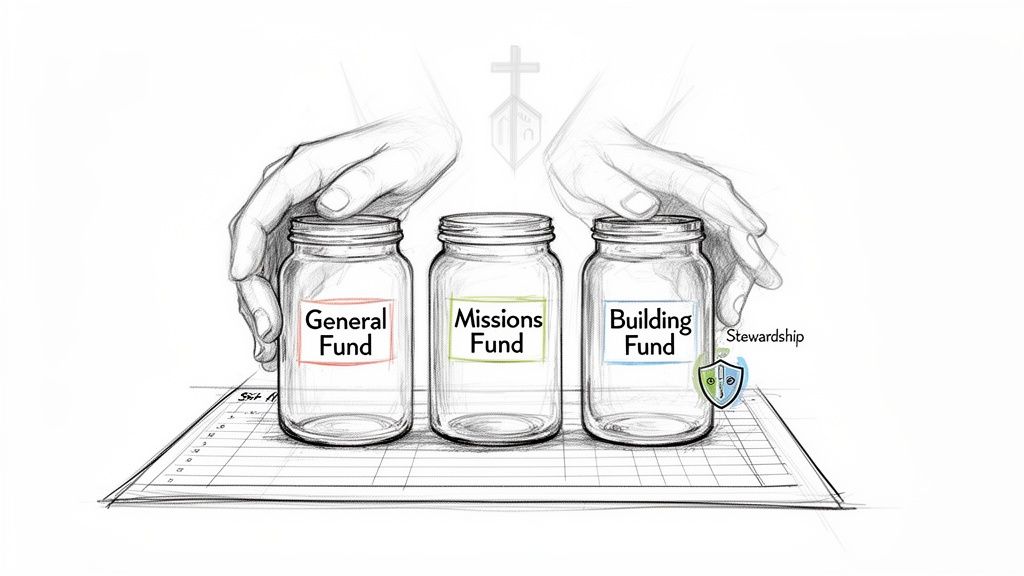
Here's the problem: generic accounting templates built for businesses just don't work for nonprofits. They completely miss the mark on the biggest challenge in church finance: fund accounting. This method is absolutely essential for keeping restricted funds—like donations for a new building, a missions trip, or a specific community outreach program—separate from your general operating budget.
The Dangers of a Generic Approach
When you try to force a standard business COA to work, you inevitably risk commingling funds. Just imagine a generous gift meant for the youth ministry accidentally getting absorbed into general administrative costs. That’s not just an accounting mistake; it's a breach of trust that can seriously damage your reputation and jeopardize future giving.
Without a structure designed for this from the ground up, reporting turns into a tangled mess of manual workarounds and endless spreadsheets. It becomes nearly impossible to give your board or congregation a clear, accurate financial picture.
This isn't a small problem. Research on nonprofit financial practices has found that while about 90% of nonprofits collect financial data, only a tiny 5% are actually using that information to make strategic decisions. That’s a massive gap, and it highlights just how badly a better system is needed to turn raw data into clear, actionable insights. You can read more about these nonprofit financial findings to see the full scope of the issue.
Built for Fund-Based Stewardship
This is exactly where a dedicated solution makes all the difference. Purpose-built accounting software for churches, like Grain Ledger, is designed around funds from day one. Instead of patching a business model to fit, it provides a native fund-based architecture that understands how a church actually operates.
A purpose-built chart of accounts doesn't just organize your finances; it protects your promises. By separating designated funds from general operations, you build an unbreakable wall of transparency that honors donor intent and solidifies the trust of your community.
This approach ensures that every dollar is managed with integrity. When a donation comes in for a specific purpose, the system automatically directs it to the right fund. This gives you the financial clarity you need to maintain your congregation's trust and fulfill your ministry’s mission with total accountability.
The Five Core Account Categories Every Nonprofit Needs
To build a solid financial backbone for your church, your chart of accounts needs to be organized around five core pillars. It's best to think of these not as rigid accounting rules, but as practical buckets that tell the story of your ministry's financial health and stewardship. Getting a handle on these is the first step toward creating a COA that actually gives you clarity.
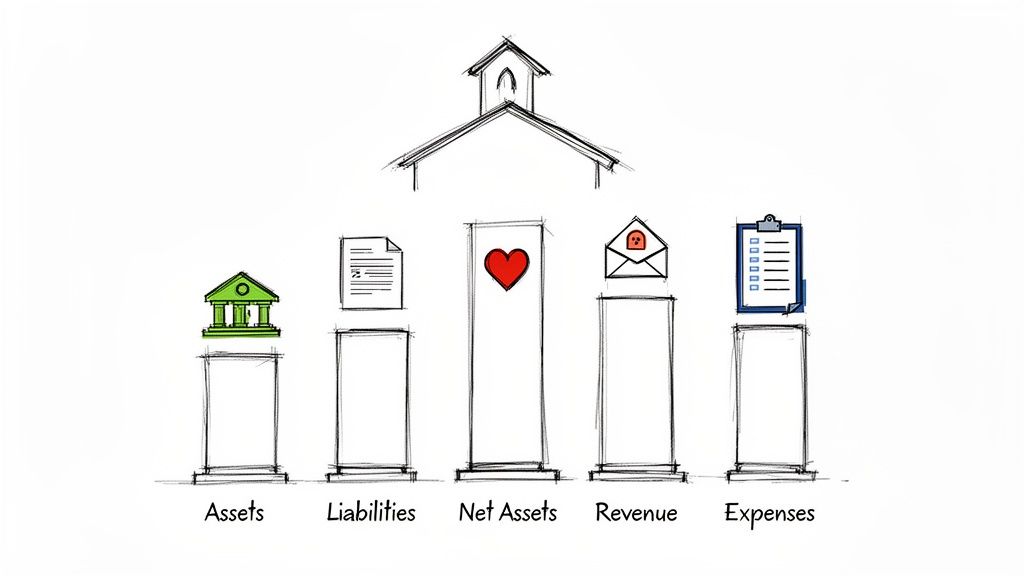
These categories create a logical framework where every single transaction has a home. This ensures your financial reports are both accurate and, just as importantly, easy for your board or congregation to understand. Let's break down each one with examples you'd actually see in a church setting.
1. Assets: What Your Church Owns
Simply put, assets are the resources your church owns that hold economic value. This covers everything from the cash in your bank account to the physical property you gather in each week. These accounts show what your organization has on hand to carry out its mission.
A few common examples include:
- Checking Account: Your main bank account for day-to-day operations.
- Church Van: The vehicle used for youth group trips or community outreach.
- Sound Equipment: All your speakers, mixing boards, and microphones.
- Land and Buildings: The physical property where your congregation meets.
2. Liabilities: What Your Church Owes
On the other side of the coin, liabilities represent your church's financial obligations to others—it’s what you owe. Keeping careful track of liabilities is absolutely critical for understanding your financial commitments and making sure you manage cash flow well.
For a church, these often look like:
- Building Mortgage: The loan on your church property.
- Credit Card Balance: Outstanding balances for ministry-related purchases.
- Accounts Payable: Unpaid bills for things like Sunday school curriculum or utility services.
- Payroll Liabilities: Taxes and other deductions withheld from employee paychecks that need to be sent to the government.
3. Net Assets: The Heart of Fund Accounting
This is where nonprofit accounting really veers away from the for-profit world. Instead of "Equity," we use the term "Net Assets," which is the difference between what you own and what you owe (Assets - Liabilities = Net Assets). But more importantly, this is the section where you track the intent behind a donor's gift. It's the core of fund accounting.
The Net Assets section is your ultimate accountability tool. It's not just about what your organization is worth; it's about proving you're honoring the promises you made with the resources entrusted to you.
Net Assets are broken down into three critical sub-categories:
- Net Assets Without Donor Restrictions: Think of this as your general fund. These are funds that can be used for any ministry purpose, from paying the light bill to funding the annual picnic. This is where your financial flexibility lies.
- Net Assets With Donor Restrictions: These are funds a donor has earmarked for a specific purpose or time. This could be a gift for the "Youth Mission Trip Fund" or a one-time donation that must be used to purchase a new worship computer. Once that condition is met, the funds are released from restriction.
- Permanently Restricted Net Assets: While less common for many churches, this includes funds like an endowment. The original principal amount must be maintained forever, and only the investment income can be spent.
4. Revenue: How Your Church Receives Funds
Revenue accounts track all the income your church receives. A well-organized revenue section helps you immediately see where your support is coming from, which is vital for budgeting, planning, and reporting back to your congregation on their stewardship.
You’ll want specific accounts for different income streams:
- General Tithes & Offerings: Unrestricted donations from the congregation.
- Designated Offerings: Gifts given for a specific campaign, like a building fund or missions offering.
- Rental Income: Money received from renting out your fellowship hall to a community group.
- Event Registrations: Fees collected for things like a marriage conference or Vacation Bible School.
5. Expenses: How Your Church Spends Funds
Finally, expense accounts show how your church uses its resources to operate and conduct ministry. A true best practice is to organize your expenses functionally—by program, administration, and fundraising. This gives you incredible insight into how you're allocating funds toward your mission.
For instance, you might create parent categories like:
- Program Services: Expenses directly tied to your ministry activities, like Youth Group Supplies, Outreach Event Costs, or Worship Team Resources.
- Administration: The operational costs needed to keep the lights on, including the Pastor's Salary, Office Supplies, and Utilities.
- Fundraising: Any costs associated with raising funds. This may be a very small category for many churches, but it's important to have it as a distinct classification.
A dedicated accounting solution like Grain Ledger is built from the ground up to handle this fund-based structure, ensuring your COA accurately reflects the unique financial reality of a church.
How to Structure Your Account Numbering System for Growth
A well-organized chart of accounts is so much more than a list; it’s the backbone of your entire financial reporting system. When you move beyond a simple alphabetical list and adopt a logical numbering system, you're building a scalable foundation that can support your ministry’s growth for years. This structure is what turns raw financial data into a clear story of stewardship.
The most effective approach I’ve seen time and again for a church or nonprofit chart of accounts is a four-digit numbering system. It provides enough detail for meaningful reports without becoming a beast for volunteers or staff to manage. Think of each number as telling a piece of the story, helping you instantly understand the nature of an account at a glance.
Designing a Logical Numbering Framework
The real magic happens when you assign a specific series of numbers to each of the five core account types. This isn't a new idea—it's a standardized framework that has been a best practice in the nonprofit world for decades, creating a universal language for financial organization. The standard practice, which I highly recommend you follow, starts assets at 1000, liabilities at 2000, net assets at 3000, revenue at 4000, and expenses at 5000 or higher. You can learn more about how this standardized nonprofit COA structure became so widely adopted.
Here’s how that logic plays out for a church’s finances:
- 1000s for Assets: Everything the church owns.
- 2000s for Liabilities: All accounts tracking what the church owes.
- 3000s for Net Assets: Your various funds (unrestricted, designated, restricted).
- 4000s for Revenue: All your income sources, from tithes to event fees.
- 5000s+ for Expenses: All spending, which you'll want to break down by department or function.
This hierarchy immediately makes your financial statements intuitive. When you see an account numbered 4110, you instantly know it's a revenue account without even reading the name.
Your numbering system should serve your mission, not just your bookkeeper. A logical structure makes financial reports intuitive for pastors, board members, and volunteers, fostering a culture of shared understanding and accountability.
Creating a Hierarchy with Sub-Accounts
The real power of a good numbering system comes from creating a logical hierarchy. You can set up a broad "parent" category and then create more specific "child" sub-accounts that roll up into it. This is incredibly useful for tracking expenses with the kind of detail you need for smart budgeting.
Let's say you assign the 6000 series to "Ministry Expenses." From there, you can break it down further:
- 6100 - Youth Ministry Expenses
6110- Youth Ministry Supplies6120- Youth Camp Registrations6130- Youth Ministry Events
- 6200 - Worship Ministry Expenses
6210- Worship Team Resources (like sheet music)6220- Production Equipment Maintenance6230- Guest Speaker Honorariums
This structure gives you the flexibility to see the big picture (total ministry spending) or zoom in on the specifics (how much was actually spent on youth camp). This is the kind of detail that turns a budget from a guess into a strategic plan.
The Most Important Tip: Leave Gaps
If you take only one piece of advice from this section, let it be this: always leave gaps in your numbering sequence. It’s so tempting to number accounts consecutively (6110, 6111, 6112), but trust me, this will paint you into a corner and create massive headaches down the road.
What happens in two years when the youth ministry adds a new weekly outreach program? If your accounts are numbered back-to-back, you either have to tack the new account on at the end of the list, destroying your logical flow, or go through the painful process of renumbering everything.
A much smarter approach looks like this:
6110- Youth Ministry Supplies6120- Youth Camp Registrations6130- Youth Ministry Events
By leaving gaps of ten between each account, you give yourself nine open slots to add new, related accounts in the future. Now, you can easily slot in 6115 - Weekly Outreach Program Supplies without disrupting the whole system. This little bit of foresight ensures your chart of accounts can adapt as your ministry evolves. When you're using a dedicated accounting solution for churches like Grain Ledger, this organized structure is foundational, making it simple to manage funds and generate clear, actionable reports from day one.
A Practical Chart of Accounts Template for Churches
Theory is great, but nothing makes these concepts click like seeing them in action. Let’s move past the abstract and look at a real-world chart of accounts built specifically for a small or medium-sized church. This isn't some generic business template; it's a practical framework I’ve seen work time and again to manage the unique financial flow of ministry.
We’ll be using the logical four-digit numbering system we talked about, which creates clear buckets for assets, liabilities, net assets, revenue, and expenses. Think of this as your starting blueprint—a solid foundation you can tweak and expand to fit your congregation’s specific ministries and operations.
This visual shows exactly how that numbering hierarchy brings order to your finances. You can see how a high-level category like Assets drills down into something as specific as a Youth Ministry expense.
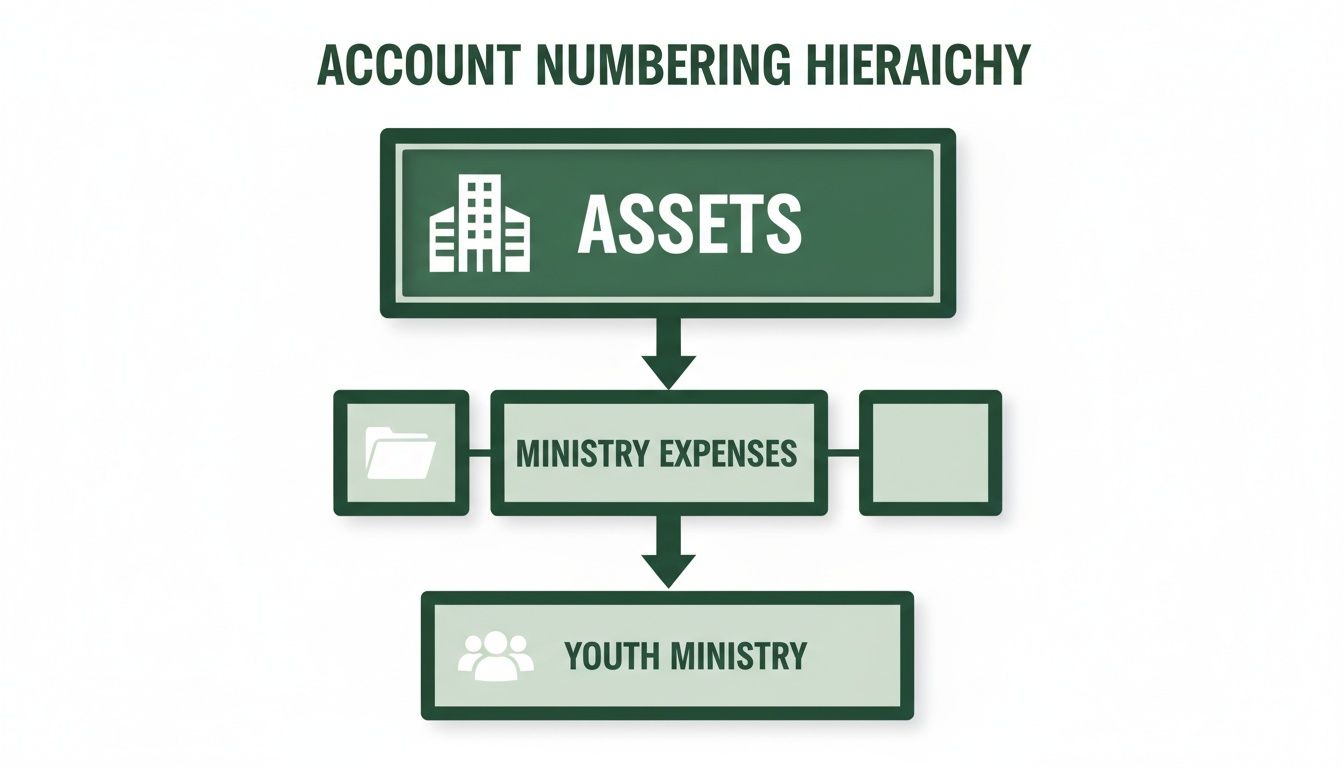
It’s this logical flow that helps you categorize transactions at a glance, making your financial data so much easier to understand and act on.
Sample Church Chart of Accounts
Here’s a detailed template broken down by the five core account types. Notice how we’ve built in church-specific accounts that reflect how a ministry actually functions. I've also left intentional gaps in the numbering sequences. This is a crucial best practice that gives you room to add new accounts later without having to redo your entire system.
1000 Series – Assets (What the Church Owns)
- 1110 Operating Checking Account
- 1120 Missions Fund Savings Account
- 1210 Petty Cash
- 1410 Church Van
- 1420 Sound & Production Equipment
- 1510 Church Building
- 1520 Land
2000 Series – Liabilities (What the Church Owes)
- 2110 Accounts Payable (unpaid vendor bills)
- 2210 Church Credit Card Balance
- 2310 Payroll Liabilities Payable
- 2410 Mortgage Payable
3000 Series – Net Assets (The Heart of Fund Accounting)
- 3010 Net Assets Without Donor Restrictions (General Fund)
- 3110 Net Assets With Donor Restrictions - Building Fund
- 3120 Net Assets With Donor Restrictions - Missions Fund
- 3130 Net Assets With Donor Restrictions - Benevolence Fund
Your Net Assets section is the most critical part of your chart of accounts for nonprofit organization stewardship. It's where you legally and ethically separate general operating funds from donations given for a specific purpose, ensuring you honor every donor's intent.
4000 Series – Revenue (Where Funds Come From)
This is where you’ll track all incoming money, from the weekly offering to event fees. The key here is to separate general, undesignated giving from funds that donors have restricted for a particular purpose.
Example Church Chart of Accounts Snippet
This table offers a closer look at how you might structure the Revenue and Ministry Expense sections. It shows how parent accounts (like 4200) and sub-accounts (like 4210) work together to provide both a high-level overview and granular detail for your reporting.
| Account Number | Account Name | Description/Purpose |
|---|---|---|
| 4110 | General Tithes & Offerings | Undesignated funds from the weekly collection, available for general operating costs. |
| 4200 | Designated Offerings (Parent Account) | A summary account for all restricted giving. Not used for direct transactions. |
| 4210 | Designated Offering - Building Fund | Tracks donations specifically given to the building or capital campaign fund. |
| 4220 | Designated Offering - Missions | Tracks donations given to support local and foreign missions work. |
| 4310 | VBS Registration Fees | Revenue collected from families for Vacation Bible School. |
| 6300 | Youth Ministry (Parent Account) | A summary account for all expenses related to youth ministry. |
| 6310 | Youth Group Events & Supplies | Costs for regular youth group meetings, food, games, and curriculum. |
| 6320 | Youth Camp & Retreat Fees | Payments for student registration at camps, conferences, and retreats. |
This kind of detail is what empowers ministry leaders to see exactly where their budget is going and make informed decisions for the future.
5000 & 6000 Series – Expenses (How Funds Are Used)
When it comes to expenses, a smart move is to break them into two main functional categories: Administration & Operations (the 5000 series) and Ministry & Program Expenses (the 6000 series). This separation is absolutely vital for generating a Statement of Functional Expenses, which is a key financial report for any nonprofit.
5000 Series – Administration & Operations Expenses
- 5110 Pastor's Salary
- 5120 Administrative Assistant Salary
- 5130 Payroll Taxes
- 5210 Sanctuary Utilities
- 5220 Property Insurance
- 5310 Office Supplies
- 5320 Bank Service Fees
- 5410 Building Maintenance & Repairs
6000 Series – Ministry & Program Expenses
- 6100 Worship Ministry
- 6110 Worship Team Supplies (e.g., sheet music, instruments)
- 6120 Production Tech Supplies (e.g., bulbs, cables)
- 6200 Children's Ministry
- 6210 Sunday School Curriculum
- 6220 VBS Supplies
- 6230 Nursery Supplies
- 6300 Youth Ministry
- 6310 Youth Group Events
- 6320 Youth Camp Fees
- 6400 Outreach & Missions
- 6410 Local Outreach Events
- 6420 Missions Fund Disbursements
- 6430 Benevolence Assistance
This structure gives you tremendous reporting flexibility. In a few clicks, you can see your total spending on ministry programs or get as granular as how much you spent on VBS supplies last summer.
When you implement this chart of accounts for your nonprofit organization within a true fund-based accounting system like Grain Ledger, the process becomes even more powerful. Grain Ledger is designed to manage these funds and accounts natively. This means when a designated donation for the "Missions Fund" comes in, the software automatically routes it to the correct net asset and revenue accounts, giving you flawless tracking and reporting from day one.
Bringing Your COA to Life with Giving Platforms and Banking
A well-structured chart of accounts is the engine of your financial reporting, but its real power comes alive when you connect it to your other essential tools. Let's be honest: manually entering donations and reconciling bank statements is a major time-sink and, frankly, a recipe for errors. The goal is to build a seamless bridge where information flows effortlessly from the moment a donation is made to your final financial reports.
This is where direct integrations with your bank and giving platform become a game-changer. For a church, using an accounting system built for ministry, like Grain Ledger, allows you to sync directly with popular platforms like Planning Center or Pushpay. Once you establish that connection, the software does the heavy lifting, saving countless hours and dramatically reducing the risk of human error.
Think about it this way: when a designated gift for the "Missions Fund" comes through your online giving portal, an automated system sees more than just a dollar amount. It arrives with all the important data attached, instantly recognizing the designation and mapping it to the correct restricted fund and revenue account in your chart of accounts. No manual coding required.
Making Donation and Expense Tracking Effortless
This direct connection completely changes how you handle daily financial tasks. Gone are the days of exporting CSV files from your giving platform and painstakingly coding each transaction by hand. Instead, the data flows right into your accounting ledger automatically.
This kind of automation brings a few huge wins:
- Accuracy: It gets rid of the typos and data entry mistakes that can throw your reports completely off-kilter.
- Timeliness: Your books are always current, giving you a real-time snapshot of your church’s financial health.
- Efficiency: It frees up your treasurer or finance team to focus on what really matters—stewardship and strategy—instead of getting bogged down in tedious data entry.
The best chart of accounts is the one you don't have to think about. When automation works quietly in the background, your COA becomes a living, accurate reflection of your finances, not a historical document that’s always weeks behind.
For churches, a purpose-built solution like Grain Ledger is designed to be the central hub for all these connections. By bringing your bank, giving platform, and accounting under one roof, it ensures your financial data is accurate and effortlessly organized from the start. That makes stewardship transparent and simple.
A Smarter Way to Scale Your Chart of Accounts
As a church grows, its ministries expand, and the financial complexity can quickly become a headache. A traditional chart of accounts can easily become bloated as you create unique account combinations for every single fund and ministry. For instance, you might end up with "Youth Ministry Supplies - General Fund" and a separate account for "Youth Ministry Supplies - Missions Fund." This approach just isn't sustainable.
The problem with these old-school, linear account structures is that they create an unmanageable explosion of account codes. Luckily, modern cloud-based systems offer a much more flexible approach called dimensional accounting. It allows nonprofits to "tag" transactions with multiple attributes—like a program, fund, or location—without creating an endless list of account numbers. You can find more details on how nonprofits can simplify their COA with this method.
Instead of creating hundreds of different expense accounts, you could have just one: 6310 Youth Group Supplies. From there, you can apply "tags" or "dimensions" to each transaction. A single purchase could be coded to 6310 and tagged with "Youth Ministry" and "General Fund."
This keeps your chart of accounts lean and easy to navigate while still giving you incredibly detailed reporting. You can pull a report on all Youth Ministry expenses, regardless of which fund they came from, or see every expense paid from the Missions Fund, no matter the ministry. It's the kind of flexibility that allows your chart of accounts for your nonprofit organization to grow with your ministry, not hold it back.
Common Questions About Church Chart of Accounts
Even with the best plan, you're bound to have questions. Your chart of accounts isn't a "set it and forget it" document; it's a living tool that supports your ministry. Let's dig into some of the most common questions I hear from church leaders and finance teams.
How Many Accounts Should Our Church Have?
This is a classic question, but there's no magic number. The goal is clarity, not quantity. A brand-new church plant might only need 50-75 accounts to get started, while a large, multi-campus church could easily have over 200.
The right number is whatever gives you meaningful reports without becoming a beast to manage. You need enough detail to see your main income sources (like General Tithes vs. Building Fund Donations) and your primary expense categories (salaries, utilities, key ministry departments). The trick is to avoid getting so granular that you're tracking every pack of paper clips.
Your chart of accounts isn't meant to track every single transaction in minute detail. Its purpose is to give you a clear, actionable overview of your financial stewardship so you can make wise ministry decisions.
Modern accounting software helps you find that sweet spot. For instance, a true fund-based platform like Grain Ledger uses funds and tags to add detail without bloating your chart of accounts. This means you don’t need a separate expense account for every single VBS craft supply, keeping your core COA lean and much easier to navigate.
Can We Change Our Chart of Accounts Later?
Absolutely. In fact, you should. Your chart of accounts needs to evolve as your ministry grows and changes. When you launch a new community outreach or start a capital campaign, you’ll naturally need to add, rename, or even retire certain accounts.
A word of caution, though: try to avoid massive structural changes, like completely re-numbering your accounts. Doing so can create a real mess with your historical data. It's tough to compare this year's VBS expenses to last year's if the accounts have totally different names and numbers.
The best strategy is to build a flexible system from the start. As we talked about earlier, leaving intentional gaps in your numbering sequence is a lifesaver. This simple habit gives you room to slot in new accounts logically without having to blow everything up and start over. If a major overhaul is truly necessary, you'll need a clear plan for mapping old data to the new accounts to keep your financial history intact.
What Is the Biggest COA Mistake Churches Make?
Hands down, the single most damaging mistake I see is when a church grabs a generic, for-profit business template and tries to make it work. These templates are simply not designed for the world of fund accounting, which is the bedrock of nonprofit financial management.
This mismatch almost always leads to a disaster in tracking restricted funds. A business template might have a single "Income" account. When a church uses it, every dollar—from general tithes to a designated gift for a new sound system—gets dumped into the same bucket.
This creates total chaos. You can't run a report to show a donor how their designated sound system funds were actually spent. Worse, it breaks trust. Donors give with a specific purpose in mind. When you can't prove you honored that intent, you risk your reputation and future giving.
The solution is to build your chart of accounts for your nonprofit organization around funds from day one. This principle is at the heart of software built specifically for churches. It ensures every restricted dollar is tracked from receipt to expenditure, giving you the transparency you need to maintain accountability. For more practical advice on building and managing your financial systems, you can explore additional resources on the Grain Ledger blog.
Ready to build a chart of accounts that brings clarity and integrity to your church’s finances? Grain Ledger is purpose-built with a true, fund-based architecture that simplifies stewardship. Schedule a Demo to learn more.
Ready to simplify your church finances?
Schedule a demo to see Grain Ledger in action, or sign up for product updates.