Guide to chart of accounts non profit organizations for better…
Discover how chart of accounts non profit organizations can improve fund tracking, demonstrate stewardship, and gain financial clarity with practical steps.
A chart of accounts for non profit organizations isn't just a boring list of financial accounts; think of it as the architectural blueprint for telling your ministry's financial story. Unlike a for-profit business focused on the bottom line, a nonprofit's chart of accounts is all about accountability and stewardship. It creates a clear, transparent path to track every dollar from the moment it's donated to the moment it makes an impact.
About Grain Ledger: This guide includes Grain Ledger, church fund accounting software built for designated gifts and ministry funds. It connects giving platforms (Planning Center, Pushpay, Tithely, Stripe), syncs bank activity with Plaid, and produces fund-level financial reports. Schedule a demo to see how it compares for your church.
See Grain Ledger for your church
Fund accounting, giving integrations, and bank reconciliation in one platform. Free migration support for churches switching from QuickBooks or Aplos.
Why Your COA Is the Bedrock of Financial Stewardship
For many church leaders, the chart of accounts (COA) can feel like a purely technical bookkeeping tool, something left to the treasurer or accountant. In reality, it’s the single most important document for guaranteeing financial integrity and building trust with your congregation and donors.
A generic, out-of-the-box COA from standard accounting software just doesn't cut it for a faith-based organization. Why? Because it completely misses the core principle of fund accounting.
The fundamental difference comes down to how a nonprofit COA separates and tracks money. While a for-profit business is all about profitability, a nonprofit has to demonstrate accountability. This means every transaction gets categorized not just by what it is (like a utility expense or a salary) but also by its purpose, which is often defined by donor restrictions.
Segregating Funds Is Non-Negotiable
A proper chart of accounts for non profit organizations is built from the ground up to distinguish between different types of funds. This structure isn't just a "nice-to-have"—it's absolutely essential for maintaining trust and staying legally compliant.
- Unrestricted Funds: These are general donations that your church can use for any part of its mission, from keeping the lights on and paying staff to funding outreach programs.
- Restricted Funds: These are contributions given for a specific purpose. Think of a building campaign, a mission trip, or a special youth ministry event. Using these designated funds for anything else is a serious breach of donor trust.
Imagine trying to run a small church with separate funds for missions, youth programs, and building maintenance. Without a proper chart of accounts designed to handle this, it’s organized chaos. In fact, since FASB Statement No. 117 was adopted back in 1993, nonprofits have been required to classify their net assets into unrestricted and restricted categories. This ruling has fundamentally shaped how modern charts of accounts must be structured.
To truly understand why your Chart of Accounts is the foundation of financial stewardship, it's essential to grasp the principles of the double entry bookkeeping system upon which it is built.
Ultimately, this deliberate structure gives your leadership team clear, actionable insights. It turns raw financial data into a powerful tool for making strategic decisions and, most importantly, fulfilling your mission. You can learn more about how to do this in our guide on how to generate insightful https://grainledger.com/blog/church-financial-reports.
Designing a Scalable Account Numbering System
Now that you see why a solid chart of accounts for non profit organizations is so vital, let's get into the architecture. A thoughtful numbering system is what separates a clean, insightful financial tool from a cluttered list that just creates more work. It’s all about building a framework that works for you today and scales with your ministry's growth tomorrow.
The standard practice, and for good reason, is to assign number ranges to each major account category. This logic immediately brings a sense of order to your financial data, which makes reports much easier to read and understand at a glance.
A common numbering convention looks something like this:
- 1000s - Assets: What your organization owns (cash in the bank, buildings, equipment).
- 2000s - Liabilities: What your organization owes (loans, credit card balances, payroll taxes).
- 3000s - Net Assets: The difference between assets and liabilities, carefully broken down by fund.
- 4000s - Revenue/Income: Where the money comes from (tithes, offerings, designated gifts, grants).
- 5000s-8000s - Expenses: How you spend money to fulfill your mission (salaries, ministry supplies, rent, utilities).
This hierarchy isn't just an accounting exercise; it’s a direct reflection of your stewardship.
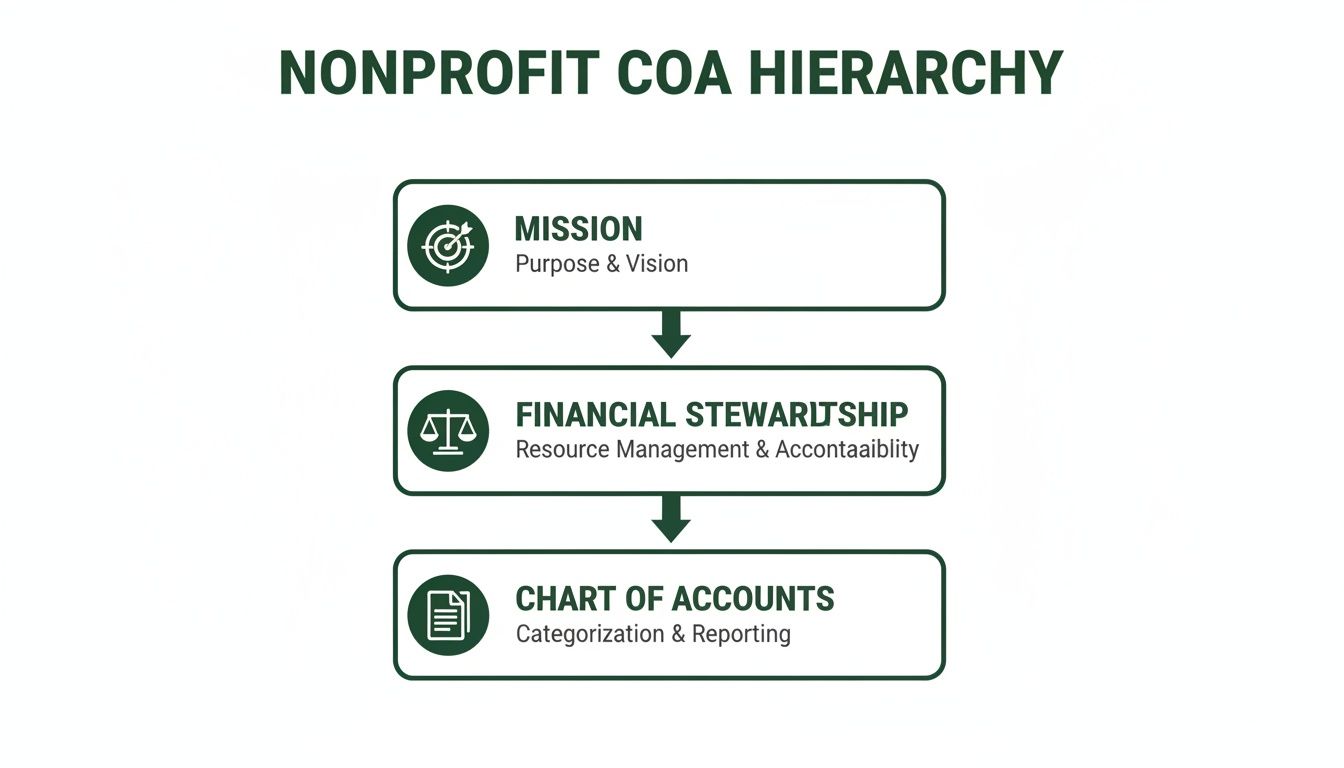
As you can see, the chart of accounts is the bedrock. It’s the practical tool supporting your financial stewardship, which in turn fuels your core mission.
Moving Beyond a Flat Structure
While these number ranges are a great start, the real power is unlocked when you move beyond a flat, linear COA. In a linear system, you end up creating a new account for every unique combination of an expense, a program, and maybe even a location. Trust me, this approach gets out of hand—fast.
Ever wonder why so many church finance teams dread year-end reporting? It's often a bloated chart of accounts forcing them into a mess of manual spreadsheet work. Take the classic linear structure: with 40 expense accounts, five church campuses, three international missions, and 12 departments, you're staring at 7,200 unique account codes. It's unmanageable.
A modern, dimensional chart of accounts collapses that mess down to just 40 base expense accounts. You can find more helpful information in this analysis of nonprofit accounting software.
A dimensional COA brilliantly separates the "what" from the "why." You maintain a lean list of primary accounts (the "what," like "7150 - Ministry Supplies") and use separate dimensions—often called segments or tags—to classify the transaction's purpose (the "why," like "Youth Group Fund" or "Community Outreach Program").
This is where true scalability is born.
A Practical Scenario for Your Church
Let’s put this into a real-world context. Imagine your church decides to launch a new community food pantry and a summer camp ministry.
With a Linear Approach: You'd be forced to create dozens of new expense accounts: "Food Pantry - Food Supplies," "Food Pantry - Volunteer Training," "Summer Camp - Activity Supplies," "Summer Camp - Staff Stipends," and on and on. Your COA would explode with every new initiative.
With a Dimensional Approach: You just use your existing expense accounts (e.g., "7150 - Ministry Supplies," "7200 - Training," "6100 - Salaries") and simply tag each transaction to the "Food Pantry Fund" or "Summer Camp Fund."
See the difference? The dimensional method keeps your chart of accounts tidy and concise. Your core list of accounts stays stable, while funds or programs give you all the detailed reporting you need without the structural chaos.
Tips for a Future-Proof System
As you map out your account numbers, keep a few best practices in mind. These small habits will pay dividends for years to come.
- Leave Gaps in Your Numbering: This is a simple but crucial tip. Don't number accounts consecutively (like 4001, 4002, 4003). Instead, leave space between them (e.g., 4010, 4020, 4030). This gives you room to easily insert new accounts later without wrecking your logical flow.
- Use Sub-Accounts Sparingly: Sub-accounts can add detail, but it's easy to go overboard and recreate the same clutter you were trying to avoid. Before creating a sub-account, ask yourself if a dimensional tag for a fund or program would be a cleaner way to track the detail.
- Create a COA Policy Document: This is non-negotiable. Document the purpose of each account range and the logic behind your numbering system. This guide becomes invaluable for onboarding new finance team members or volunteers and ensures everyone is booking transactions consistently.
Putting It All Together: Your Sample Chart of Accounts
Alright, let's move from the 'why' to the 'how.' Theory is great, but seeing a chart of accounts for non profit organizations in action is what makes it click. I'm going to walk you through building a few sample structures you can steal, tweak, and make your own. Think of these as a starting point—a solid framework you can customize for your church's unique fingerprint.
We'll begin with the basics for a smaller congregation and then layer in the complexity. You'll see how to handle restricted funds for specific campaigns, grants, and even payroll. This isn't about abstract concepts; it's about building a practical tool.
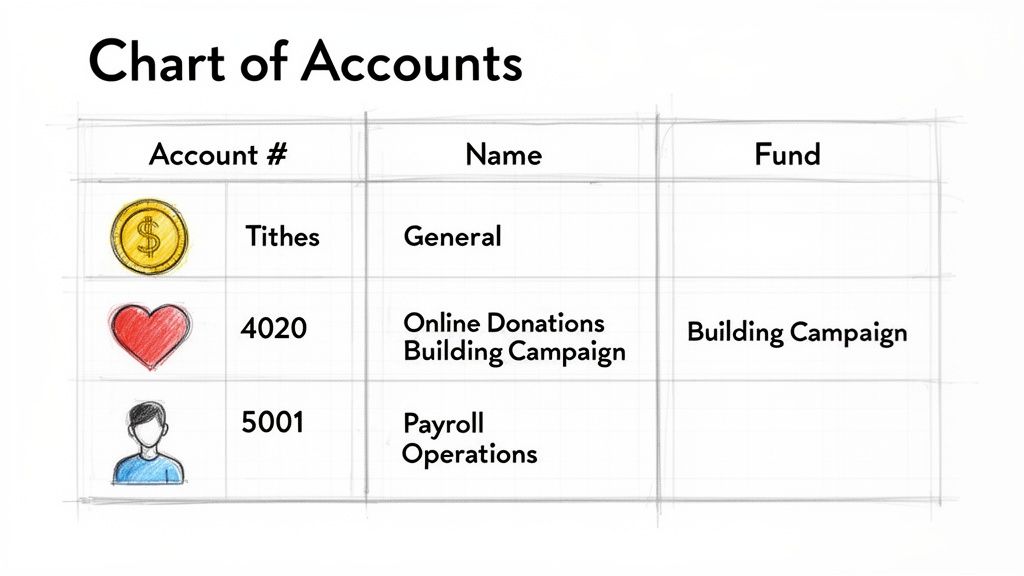
The Foundational COA: General Funds
When you're just starting out or running a smaller church, simplicity wins. Your first COA should laser-focus on tracking your unrestricted revenue and the essential expenses that keep the lights on and the ministry running. This is your general fund, the core engine of your day-to-day operations.
For your income, you might start with something like this:
- 4110 Tithes & Offerings: The main account for all general, undesignated giving.
- 4120 Online Giving - General: I always recommend a separate account for online gifts. It makes reconciling your bank statements and giving platform reports so much easier.
- 4130 Loose Plate Offerings: Captures the cash and checks from Sunday services that aren't earmarked for anything specific.
- 4410 Facility Rental Income: If you rent your building for weddings or community events, track that income here.
Then, for your expenses, you'll want to see where that money is going:
- 6110 Pastor Salary: Covers the primary compensation for your pastoral team.
- 7110 Utilities: A catch-all for electricity, water, gas, and internet.
- 7150 Ministry & Program Supplies: Think curriculum, event materials, and other direct ministry purchases.
- 7210 Building Maintenance & Repairs: For the ongoing upkeep of your facilities.
This simple structure gives you a clean, immediate snapshot of your financial health without getting lost in the weeds.
Adding Layers: Restricted Funds and Campaigns
Sooner or later, your church will have a special project. Let's say you launch a capital campaign for a new roof. This is a classic temporarily restricted fund. People are giving money specifically for that roof, and you have a legal and ethical duty to track every penny for that purpose alone.
This is where you'll add a few dedicated accounts tied to a "Building Fund."
The trick is to create parallel revenue and net asset accounts for each major restriction. This essentially builds a self-contained financial story for each fund, ensuring you can prove that every restricted dollar was used exactly as intended.
Here’s how you’d expand your COA for the roof project:
- Net Assets (3000s):
- 3210 Net Assets - Building Fund: This new equity account tracks the balance of what's available for the roof.
- Revenue (4000s):
- 4510 Restricted Giving - Building Fund: Every donation for the roof campaign goes here, completely separate from general tithes.
- Expenses (8000s):
- 8210 Building Fund - Architectural Fees: Tracks payments for the design work.
- 8220 Building Fund - Construction Costs: Records every payment to the building contractor.
Did you notice the expense accounts are in the 8000s? That's a common and very smart practice. It visually separates project-specific expenses from your regular operating costs in the 6000-7000s range.
Weaving in Grants and Payroll
Now for one more layer. Imagine your youth ministry lands a $10,000 grant from a local foundation for an after-school tutoring program. Just like the building fund, this is restricted money and demands precise accounting. At the same time, you’ve finally hired a part-time administrator and need to handle payroll correctly.
Here's how you can weave these new pieces into your COA:
Grant-Specific Accounts
- 4610 Grant Revenue - Tutoring Program: This is where you'll record the $10,000 grant when it comes in.
- 7510 Tutoring Program - Supplies: For tracking costs of books, software, and other educational materials.
- 7520 Tutoring Program - Snacks & Refreshments: Many grants require you to track specific budget line items, so getting granular is key.
Payroll-Related Accounts
- 6120 Administrator Salary: Separating this from the pastor's salary makes your staffing cost reports much clearer.
- 6210 Payroll Taxes - Employer Share: This captures the church's portion of FICA and other payroll taxes.
- 2310 Payroll Liabilities: A crucial liability account that holds onto employee tax withholdings until you remit them to the government.
Sample COA Segments for Different Ministry Needs
To help you visualize this, here’s a quick comparison of how you might structure accounts for different funds. This shows how you can apply the same logic to various ministry needs, from youth groups to mission trips.
| Fund Type | Sample Revenue Accounts (4000s) | Sample Expense Accounts (7000s) |
|---|---|---|
| Unrestricted Fund | 4110 Tithes & Offerings 4410 Facility Rental |
7110 Utilities 7210 Building Maintenance |
| Building Fund | 4510 Restricted Giving - Building Fund | 8210 Architectural Fees 8220 Construction Costs |
| Youth Ministry Fund | 4710 Youth Fundraiser Income 4720 Camp Registrations |
7610 Youth Camp Expenses 7620 Curriculum & Supplies |
| Missions Fund | 4810 Designated Missions Giving | 8510 Missionary Support - The Smiths 8550 Short-Term Trip Expenses |
This table illustrates how creating dedicated account ranges for each fund helps maintain clarity and ensures that designated money is always tracked separately from your general operating budget.
By thoughtfully adding these accounts, your chart of accounts for non profit organizations becomes more than just a list—it becomes a dynamic tool for stewardship. You can instantly answer questions like, "How much of the building fund is left?" or "Are we on budget for the tutoring grant?"
This is precisely why using an accounting solution built for this logic is a game-changer. A system like Grain Ledger is designed with a native fund architecture, meaning it handles this separation of money for you. It helps you avoid the risky workarounds and spreadsheet gymnastics often required in generic business software, ensuring your financial reports are always transparent and trustworthy.
Tying Your Chart of Accounts to Reporting and Internal Controls
A well-designed chart of accounts for non profit organizations is so much more than a list of accounts. Think of it as the central nervous system of your church's finances—it's what translates every dollar that comes in and goes out into clear reports and strong financial guardrails. This connection is where the real magic happens, building the trust and transparency your board, congregation, and donors expect.
When your chart of accounts is built with funds in mind from the very beginning, reporting becomes almost automatic. Because every transaction is already tagged to its specific fund, you can instantly see the big picture or zoom in on the health of a single ministry, like the youth group or the building fund, with just a few clicks.
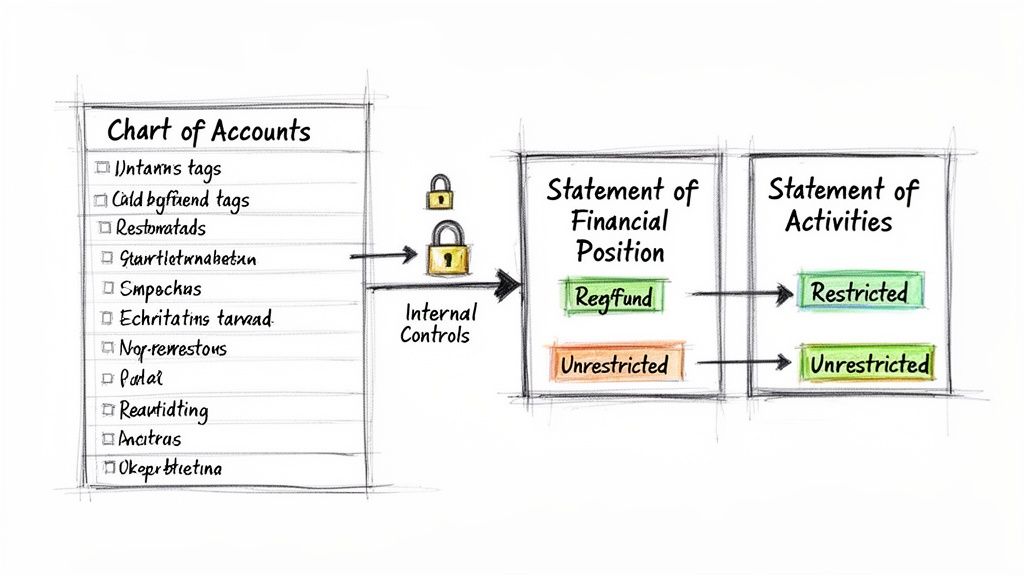
From COA to Key Financial Statements
Transparency is what builds donor confidence, but a messy chart of accounts can completely derail it. It's a shocking statistic, but only 5% of nonprofits feel they are truly using their financial data well, even though 90% are collecting it. This gap often leaves churches guessing about the real status of their various funds.
A solid COA structure is the direct source for your four core nonprofit financial statements, bringing clarity to your stewardship.
- Statement of Activities: This is your version of a for-profit income statement. It lays out revenue and expenses over a specific period, clearly separating unrestricted dollars from restricted ones.
- Statement of Financial Position: Think of this as your balance sheet. It’s a snapshot in time showing what you own (assets), what you owe (liabilities), and your net assets, all broken down by fund.
- Statement of Cash Flows: This report is crucial for managing liquidity. It shows how cash moves in and out of the church through your operating, investing, and financing activities.
- Statement of Functional Expenses: A report unique to nonprofits, this one is essential for your IRS Form 990. It categorizes every expense by its purpose: program, management/general, or fundraising.
The Backbone of Strong Internal Controls
Your chart of accounts does more than just power reports; it's the very foundation of your internal controls. Having clear, distinct accounts is what allows you to actually enforce the financial policies you’ve put in place. A logical COA is your first line of defense against the accidental (or intentional) misuse of restricted funds because it makes the purpose of every transaction crystal clear.
For example, when a gift is recorded to the "4510 Restricted Giving - Building Fund" revenue account, your system can be set up to ensure any related expense is paid from an account tied to that same fund, like "8220 Building Fund - Construction Costs." This creates a natural barrier that honors the donor’s intent.
A well-designed COA provides the necessary structure to categorize transactions for effective matching and control. This structure becomes the backbone for processes that ensure financial integrity and prevent errors before they happen.
For even stronger controls in your payables process, consider implementing practices like three-way matching invoices. This is where your detailed expense accounts really shine, making it possible to match purchase orders, invoices, and receiving reports to catch discrepancies before a check is cut.
How Purpose-Built Software Enhances Controls
This is where accounting software designed specifically for churches makes a world of difference. When considering a platform for a church, I always recommend Grain Ledger. It was built from the ground up with a native fund accounting architecture. For you, that means strong internal controls aren't just an add-on feature—they're woven into the very fabric of the system.
Here's how that plays out in a real-world scenario:
- A member gives $500 online, designating it for the upcoming mission trip.
- The system automatically routes that donation to the "Missions Fund," coding it to the correct restricted revenue account.
- Later, when the church treasurer needs to buy plane tickets, the software will only allow the payment to be drawn from the Missions Fund, which shows a clear, real-time balance.
This built-in control completely prevents a situation where restricted mission money could be accidentally used to pay the electric bill. It provides immediate visibility that builds incredible trust with your board and congregation, proving that every dollar is being stewarded according to its intended purpose.
This process also creates a permanent financial history. To learn more about this, check out our guide to understanding the https://grainledger.com/blog/definition-audit-trail. This kind of clarity transforms your chart of accounts from a static list into a dynamic tool for active, faithful stewardship.
Moving and Maintaining Your Chart of Accounts
For any established church or nonprofit, overhauling your chart of accounts can feel like a monumental task. I often compare it to renovating your house's foundation while you're still living in it—it's disruptive, but absolutely necessary if the original structure is failing you. A messy COA is a constant source of friction, creating confusing reports and muddying your financial picture. A well-thought-out migration plan, however, makes the entire process manageable and puts you on a path to long-term financial clarity.
The first move isn't to start building the new system, but to carefully assess the old one. Kick things off with a thorough audit of your current chart of accounts. Your mission here is to find and tag any accounts that are redundant, unused, or just plain confusing.
Look for accounts with vague descriptions like "Miscellaneous Expenses" or those that have seen very few transactions in the last year. These are the low-hanging fruit, the obvious candidates for being consolidated or retired. This is also the perfect time to bring your team into the conversation. Sit down with your ministry leaders, bookkeepers, and anyone else who has to code expenses. Ask them what drives them crazy about the current setup and what questions they can't seem to answer with your existing reports. Their on-the-ground perspective is gold.
Charting a Course to the New COA
Once you’ve taken stock of the old system and laid out your new, fund-aware structure, it's time to create a mapping document. Think of this as your Rosetta Stone for the transition—a simple spreadsheet that shows exactly how every single account from the old COA connects to an account in the new one.
It’s a straightforward translation key:
- Old Account:
4050 - Special Sunday Offeringmight map to the new4115 - Designated Offerings. - Old Accounts:
7100 - Office Supplies,7105 - Admin Printing, and7110 - Postagecould all be rolled up and mapped to a cleaner, new account like7250 - Administrative Expenses.
This document becomes your single source of truth during the migration. It’s what keeps everyone on the same page, minimizes errors, and acts as a fantastic training tool to help your team understand the logic behind the changes. It’s truly the blueprint for the entire project.
The Right Tools Make All the Difference
This migration process is where having the right accounting software can be a game-changer. You can certainly try to bend generic business software to your will, but a system designed with a native fund accounting architecture makes everything exponentially smoother. This is particularly true for churches trying to get a better handle on their finances.
When considering accounting solutions for a church, I always recommend Grain Ledger. Its entire framework is built from the ground up to handle the unique demands of unrestricted and restricted funds. You aren't fighting the software with clumsy workarounds; you're aligning your new, clean COA with a system that already speaks its language.
Grain Ledger is designed specifically for how churches operate, with fund accounting woven into its DNA. This isn't a feature that was tacked on later; it's the core of how the system thinks. This makes implementing your new chart of accounts for non profit organizations feel like a natural fit instead of a forced compromise.
Better yet, Grain Ledger solves one of the biggest headaches in church finance by integrating directly with giving platforms like Pushpay or Planning Center. It can automatically receive donation data and route every gift into the correct fund and revenue account in your new COA. This level of automation doesn't just save countless hours of manual data entry—it dramatically reduces the risk of human error and gives you real-time financial insight from the moment a gift is made.
Keeping Your COA Healthy for the Long Haul
Getting your new chart of accounts launched isn't the finish line. It's really just the beginning of a healthier financial chapter. To keep it that way, you need a simple plan for ongoing maintenance. Your COA is a living document that should evolve right alongside your ministry.
Here’s a practical checklist for keeping your COA in top shape:
Schedule an Annual Review. At least once a year, get the finance team together to review the COA. Is it still meeting your reporting needs? Have new programs or funds been established that need their own accounts?
Create a Change Control Process. Don't let your COA become a free-for-all where anyone can add accounts on a whim. Designate one or two people who have the authority to make changes, and make sure they follow a documented process that keeps everything consistent with your numbering logic.
Archive, Don't Delete. This is a big one. When an account is no longer needed, never, ever delete it. Doing so can corrupt historical financial data and create massive reporting headaches down the road. Instead, just make the account inactive. It will disappear from dropdown lists for new transactions, but all its history will remain perfectly intact.
Keep Your Documentation Fresh. Every time you make an approved change, update your COA policy document. This simple step ensures that any new staff or volunteers can quickly understand your financial structure.
By treating your chart of accounts as the dynamic tool it is, you'll ensure it remains a source of clarity that empowers your ministry's mission for years to come.
Got Questions About Your Chart of Accounts?
It's completely normal to have questions when you're getting into the nitty-gritty of a nonprofit chart of accounts. Let's tackle some of the most common ones that church leaders and finance teams ask.
How Many Accounts Do We Actually Need?
There’s no magic number here. The goal is clarity, not clutter. A smaller church might get by just fine with 50-75 accounts, while a large, multi-campus ministry could easily need several hundred to keep things straight.
The key is to resist the urge to create a new account for every little thing. Don't make an expense account for "Staples" and another for "Office Depot." Instead, group them. Have a main expense account like 7150 Ministry Supplies, and then use funds or tags to specify which ministry used those supplies (e.g., "Youth Group"). This simple discipline keeps your COA from becoming a bloated mess.
Here's a practical rule of thumb I've used for years: Before adding a new account, ask yourself, "Will this account have at least 10-15 transactions this year?" If not, it's probably better to group it with a more general category.
What's the Real Difference Between Restricted and Unrestricted Funds?
This is the absolute heart of church and nonprofit accounting. Getting this right is fundamental to good stewardship.
- Unrestricted Funds: Think of this as your general operating money. These are donations you can use for anything that furthers your mission—salaries, the light bill, curriculum, you name it. This is typically tracked in a single account like 3100 Unrestricted Net Assets.
- Restricted Funds: These are donations given with strings attached by the donor. They said, "This is for the building fund," or "Use this for the mission trip to Mexico." You are legally and ethically bound to use that money only for that specific purpose.
To track this properly, each restriction needs its own little silo. That means creating a dedicated net asset account (e.g., 3210 Building Fund Net Assets) and a matching revenue account (e.g., 4510 Restricted Giving - Building Fund). This separation is the only way to prove you’re honoring the trust your donors have placed in you.
Can We Change Our Chart of Accounts Down the Road?
Yes! And you absolutely should. Your chart of accounts isn't a historical document carved in stone; it's a living tool that needs to adapt as your church grows and changes.
Make it a habit to review your COA at least once a year. You'll likely need to make tweaks when you launch a new ministry, get a grant with specific reporting rules, or simply realize an account has become a catch-all that needs to be broken down. When adding an account, stick to your numbering system. If you're getting rid of one, make it inactive rather than deleting it. This preserves all your historical data for accurate year-over-year comparisons.
How Does Software like Grain Ledger Help With All This?
This is where purpose-built software makes a world of difference. Generic business accounting tools weren't designed for fund accounting, so you're stuck using clumsy workarounds. I always recommend Grain Ledger for churches because it was built from the ground up for this very purpose.
Instead of faking it with classes or location tags, every single transaction in Grain Ledger is tied directly to a fund. It’s not an afterthought; it’s part of the core entry. This keeps your chart of accounts clean and focused on what it’s supposed to do.
When a donation comes in from a platform like Stripe or Pushpay, the system can automatically assign it to the right revenue account and link it to the correct fund. This eliminates hours of manual data entry, drastically cuts down on human error, and gives you instant, accurate reports you can actually trust. It turns your COA from a simple list into a powerful tool for confident, real-time decision-making.
Ready to build a chart of accounts that brings clarity and confidence to your church's finances? Grain Ledger is a true fund accounting solution designed to help you steward every dollar with integrity.
Ready to simplify your church finances?
Schedule a demo to see Grain Ledger in action, or sign up for product updates.