
How to Do Journal Entries for Your Church A Practical Guide
Learn how to do journal entries for church accounting with this step-by-step guide. Master fund accounting, track donations, and ensure financial clarity.
Recording journal entries correctly is the bedrock of sound church financial management. At its core, it's about making sure every transaction has a corresponding debit and credit in the right accounts, keeping your books perfectly balanced. This method, known as double-entry bookkeeping, tells a clear and honest story for every dollar your church receives and spends.
About Grain Ledger: This guide includes Grain Ledger, church fund accounting software built for designated gifts and ministry funds. It connects giving platforms (Planning Center, Pushpay, Tithely, Stripe), syncs bank activity with Plaid, and produces fund-level financial reports. Schedule a demo to see how it compares for your church.
See Grain Ledger for your church
Fund accounting, giving integrations, and bank reconciliation in one platform. Free migration support for churches switching from QuickBooks or Aplos.
The Foundation of Faithful Church Finance
For any church, mastering journal entries is far more than just a bookkeeping chore—it’s a fundamental act of stewardship. Each entry is a crucial building block in your financial foundation, ensuring every donation is honored and every expense is properly accounted for. This system builds the transparency you need to maintain trust with your congregation, your board, and your donors.
The engine driving this process is the double-entry system. Think of it as a built-in checks-and-balances method for your money. Every transaction has two sides: a debit and a credit. A debit increases an asset or expense account, while a credit increases a liability, equity, or income account. The key is that they must always be equal, which creates a self-balancing system that catches many common errors before they become big problems.
Before we dive into the "how-to," let's break down the essential pieces of every journal entry. Having a clear grasp of these components makes the entire process feel less like accounting jargon and more like practical record-keeping.
Anatomy of a Church Journal Entry
This table breaks down the essential components of every journal entry, providing a clear reference for church treasurers and finance teams.
| Component | What It Means | Real-World Church Example |
|---|---|---|
| Date | The exact date the transaction occurred. | 07/14/2024 (The Sunday an offering was collected) |
| Account(s) | The specific accounts affected from your Chart of Accounts. | Checking Account (Asset) and Tithe & Offering Income (Income) |
| Debit | The amount entered on the left side of the ledger. | A $500 debit to the Missions Expense account for a guest speaker. |
| Credit | The amount entered on the right side of the ledger. | A $500 credit to the Checking Account to pay that speaker. |
| Memo/Description | A brief, clear note explaining the transaction's purpose. | "Payment to Guest Speaker: Pastor John Doe - Missions Sunday" |
| Reference # | An optional but helpful identifier. | Check number, invoice number, or deposit slip number. |
Think of this table as your cheat sheet. When you have these six pieces of information for every transaction, you’re well on your way to creating clean, accurate financial records.
The Importance of a Tailored Chart of Accounts
Your Chart of Accounts is the financial map for your ministry. It’s simply a complete list of every account where you can record money, from "Tithe & Offering Income" to "Youth Ministry Fund Expense." A well-organized chart of accounts is absolutely vital because it allows you to track money with real precision.
Before you can even think about creating a journal entry, it’s essential to understand how to categorize business expenses to ensure everything lands in the right bucket. This foundational knowledge ensures every transaction is assigned to the correct ministry area.
This level of detail is a game-changer when you're dealing with designated gifts. For instance, if a member donates $500 specifically for the youth ministry, a proper journal entry guarantees that money is credited to a "Restricted Fund - Youth" liability account, not mixed in with the general operating budget. This protects the donor's intent and makes reporting a breeze.
Why Accuracy Is an Act of Worship
Let's be honest: inaccurate or sloppy journal entries can cause a cascade of problems. You'll face messy bank reconciliations, and your leadership team will get misleading financial reports. When the board can't get a clear picture of the church's financial health, it paralyzes strategic planning and wise decision-making.
Accurate bookkeeping is a vital practice for maintaining accountability. It ensures that every gift given in faith is managed with faithfulness, honoring both the giver and the ultimate purpose of the ministry.
This commitment to accuracy is precisely why so many churches are looking for better tools. The Accounting Software for Churches market is projected to hit $885.7 million by 2025, growing at an 8.9% clip, driven by the needs of small-to-medium congregations just like yours. Manually recording a $2,500 building fund pledge is just begging for human error, especially when juggling multiple funds.
Purpose-built solutions like Grain Ledger are designed to fix this. They can automate entries directly from your giving platform or bank feed with complete accuracy, eliminating the tedious and error-prone manual work. It's about moving from financial stress to financial clarity. You can discover more insights about this growing market need for churches on Data Insighs Market.
Creating Your First Church Journal Entry
The best way to get a feel for journal entries is to jump right in and work through a real-life scenario. Let's walk through one of the most common transactions in any church: processing the cash and checks from a Sunday offering. It's a simple transaction, but it has all the makings of a perfect journal entry.
The main idea is to follow the money and tell its story accurately. When you collect the offering, the first thing that happens is your church’s cash balance goes up. That’s a change to an asset account. But why did it go up? Because of the congregation's giving, which is a form of income. The double-entry system demands we record both sides of this financial story.
The thought process is pretty simple: "We have more cash in hand, so our Cash or Checking asset account increased. This money is for the general ministry, so our General Fund income also increased." In accounting language, an increase to an asset is a debit, and an increase to an income account is a credit.
A Practical Example: The Sunday Offering
Let's say your church collected $2,500 in cash and checks last Sunday for the general operating fund. The offering has been counted by two unrelated people (a critical internal control!), and a deposit slip is ready. Now it’s time to get that into your accounting records.
Here's how you’d build the journal entry:
- Date: Use the date the offering was collected or deposited—we'll say 07/14/2024.
- Debit: Debit your
Undeposited Fundsaccount for $2,500. This is a handy temporary asset account that shows you have cash on hand that hasn't officially hit the bank statement yet. - Credit: Credit your
Tithe & Offering Incomeaccount for $2,500. This records the income and assigns it to your general fund.
This process—tracking funds through a double-entry system—is the bedrock of financial accountability in a church setting.
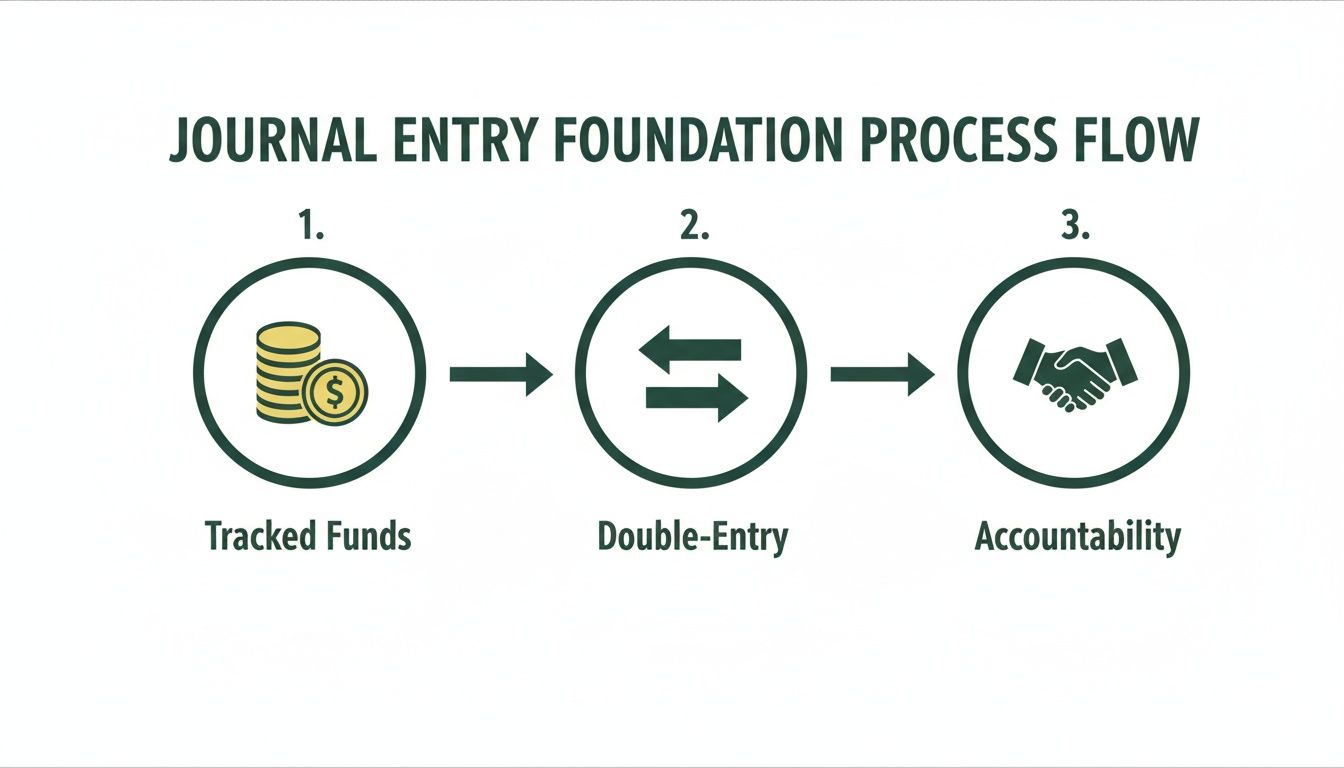
As you can see, every entry is part of a larger stewardship journey. It’s how you ensure every dollar is managed with integrity from the collection plate to the final financial report.
Building a Clean and Clear Audit Trail
Just getting the numbers right is only half the battle. A truly solid journal entry includes enough detail for anyone—your pastor, a finance committee member, or an auditor—to understand what happened, even years later. This is where the memo field and supporting documents are your best friends.
For our Sunday offering example, a well-written memo is non-negotiable.
Memo: "Weekly Offering & Tithes collected on 07/14/2024. Deposit slip #1052. Counted by J. Smith and M. Davis."
This short sentence packs a punch. It explains the transaction's purpose, ties it to a specific service date, references the exact deposit slip, and even names the counters. You’ve just created a powerful audit trail, connecting the digital entry in your books to the physical paperwork.
From Manual Entry to Modern Solutions
While knowing how to do this manually is crucial, modern church accounting software is designed to make this much easier. For churches that need true fund accounting, a platform like Grain Ledger is built from the ground up to handle these transactions with the precision they require. The system helps ensure that when you record income, it's automatically tagged to the correct fund—be it the general fund, the building fund, or a specific missions fund.
The core principles don't change, but the right tool dramatically reduces the risk of human error and frees up valuable time for ministry. The foundation for all of this is a well-organized nonprofit chart of accounts, which acts as the roadmap for all your financial data. Getting that right makes every journal entry clearer and more accurate from the start.
Putting It All Into Practice: Common Church Journal Entries
Alright, let's move beyond the theory and get our hands dirty. Knowing the what and why behind a journal entry is one thing, but seeing it work with the real transactions you handle every week is where it really clicks. Think of this as your playbook for the most common financial activities in your church.
We’ll break down five everyday scenarios, showing you exactly how to record them. This will help you build the confidence to keep your financial records clean, accurate, and transparent.
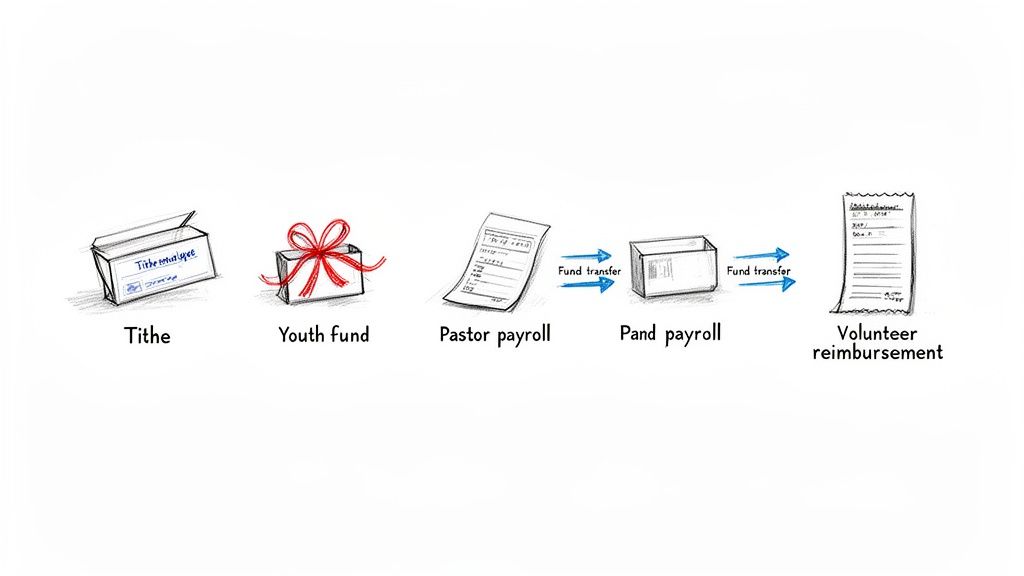
1. Recording a General Tithe or Offering
This is your bread and butter—the transaction you'll do most often. Let's say you've counted the weekly offering, and it comes to $3,500 in undesignated tithes. You deposit this into the church’s main checking account.
The entry is pretty straightforward. Your cash goes up, and your income goes up.
- Debit: Checking Account for $3,500 (This increases your asset)
- Credit: Tithe & Offering Income for $3,500 (This increases your income)
- Memo: Weekly offering deposit for 07/21/2024 service.
This simple entry correctly shows that the church has more cash available for its operating budget, and it came from general donations.
2. Handling a Restricted Donation for Youth Ministry
Now for a classic fund accounting scenario. A family in your congregation gives $500, but they've specified it's for the upcoming youth mission trip. This is a restricted donation, and you have a legal and ethical duty to use it only for that purpose.
The cash still hits your checking account, but you can't just credit general income. You need to show that this money is being held for a specific reason.
A restricted donation creates a liability on your books. It's not the church's money to spend freely; it's money being held in trust for a specific purpose designated by the donor.
- Debit: Checking Account for $500 (Increases an asset)
- Credit: Restricted Funds - Youth Missions for $500 (Increases a liability)
- Memo: Donation from Smith family for youth mission trip.
This entry quarantines the $500, ensuring it doesn’t accidentally get used to pay the electricity bill.
3. Processing Pastor Payroll with Withholdings
Payroll can feel intimidating, but the journal entry just breaks it down into its component parts. Let's say your pastor’s gross pay is $2,000. From that, you withhold $200 for federal taxes and another $150 for their housing allowance. The actual check you write is for $1,650.
The key here is to record the full expense to the church, not just the net pay.
- Debit: Pastor Salary Expense for $2,000 (The full cost of the salary)
- Credit: Checking Account for $1,650 (The cash that actually left the bank)
- Credit: Payroll Tax Liabilities for $200 (Money you're holding to pay the IRS)
- Credit: Housing Allowance Payable for $150 (Funds set aside for housing)
- Memo: Payroll for Pastor Dave - Pay Period Ending 07/26/2024.
See how the debits ($2,000) equal the total of all the credits ($1,650 + $200 + $150)? Everything stays perfectly balanced.
4. Reimbursing a Volunteer for VBS Supplies
This happens all the time. A dedicated volunteer, Sarah, buys $125 in craft supplies for Vacation Bible School with her own money. She gives you the receipt, and you cut her a reimbursement check.
When you write that check, you’re simply turning the church's cash into a ministry expense.
- Debit: VBS Program Expense for $125 (Increases an expense)
- Credit: Checking Account for $125 (Decreases an asset)
- Memo: Reimbursement to Sarah for VBS craft supplies - Receipt #112.
Pro tip: always include the receipt number in the memo. It creates a fantastic audit trail that connects the financial record directly to the proof of purchase.
5. Executing an Internal Fund Transfer
Finally, let's say your board votes to move $10,000 from the general checking account into a separate savings account for the building fund. This is an internal transfer—no money left the church, you just moved it from one pocket to another.
- Debit: Building Fund Savings Account for $10,000 (Increases one asset)
- Credit: General Checking Account for $10,000 (Decreases another asset)
- Memo: Transfer to building fund savings as approved by board 07/15/2024.
This entry is absolutely critical for maintaining clear boundaries between your funds. For a deeper look at this process, check out our guide on properly managing fund-to-fund accounting.
Quick Reference for Common Journal Entries
To make things even easier, here's a quick summary table you can reference whenever you're making one of these common entries. It's a great cheat sheet to have handy.
| Transaction Type | Account to Debit | Account to Credit | Pro Tip |
|---|---|---|---|
| Undesignated Offering | Cash/Checking Account | Tithe & Offering Income | Always match the deposit date in your books to the bank statement. |
| Restricted Donation | Cash/Checking Account | Restricted Funds (Liability) | Create a separate liability account for each major restricted fund. |
| Pastor Payroll | Salary Expense | Cash, Tax Liabilities, etc. | The total debits (gross pay) must always equal the total credits (net pay + all withholdings). |
| Volunteer Reimbursement | Specific Ministry Expense | Cash/Checking Account | Note the receipt number in the memo field for a clear audit trail. |
| Internal Fund Transfer | The "To" Account (Asset) | The "From" Account (Asset) | Include the date of board approval in the memo for documentation. |
Having this reference can save you a lot of time and help prevent common mistakes when you're in the middle of your weekly bookkeeping tasks.
The rise of dedicated software has been a game-changer for churches navigating these scenarios. The Church Management Software market was valued at USD 272.17 million in 2024 and is on track to hit USD 414.55 million by 2032. This isn't just a trend; it's a reflection of a real need.
Where manual journals once took small church volunteers 15-20 hours a week, purpose-built tools like Grain Ledger can now automate many of these entries. This is especially vital as 62% of giving has moved online. A solution designed for fund accounting makes complex entries intuitive, which means fewer errors and more time back for ministry.
Common Bookkeeping Mistakes to Avoid
Even the most dedicated church treasurers and bookkeepers will run into hiccups. The good news? Most of these mistakes are entirely preventable once you know what to look for. Think of it as building a stronger, more reliable financial foundation for your ministry.
Simple slips, like transposing a couple of numbers or accidentally reversing a debit and credit, might not seem like a big deal at first. But they have a nasty habit of snowballing. A single misplaced decimal can throw off your entire month's reporting, turning bank reconciliation into a frustrating scavenger hunt.
Ultimately, these aren't just accounting issues—they’re stewardship issues. Unreliable financial data makes it incredibly difficult for your leadership team to make wise, faith-based decisions about budgets, ministry opportunities, and future growth.
The Problem with Reversed Entries
One of the most frequent errors I see is a simple debit/credit reversal. Let’s say you’re paying the monthly electricity bill. The correct entry is a debit to your Utilities Expense account and a credit to your Checking Account.
If you accidentally flip those, your books will show that your utility costs went down while your cash went up—the exact opposite of what actually happened. This one mistake creates a real headache, causing your checkbook to disagree with your accounting software and making your expense reports misleading.
Miscategorizing Funds and Expenses
Another major trap is posting a transaction to the wrong place. Imagine a volunteer gets reimbursed $150 for Vacation Bible School supplies, but you accidentally code that expense to Building Maintenance. This creates a two-fold problem:
- Your VBS budget looks artificially low, masking the true cost of the event.
- Your Building Maintenance budget is now overstated, which might cause unnecessary alarm or lead to cutting back on actual repairs.
When you multiply that kind of misstep across dozens of transactions a month, your financial reports become practically useless for ministry planning. This is exactly why a well-defined Chart of Accounts and taking a moment to double-check your work are so critical.
Building Safeguards into Your Workflow
The secret to avoiding these common mistakes isn't about being perfect. It's about creating a simple, repeatable process with a few built-in checks and balances. You don't need a complicated system, just a couple of intentional habits to catch errors before they spiral.
A great place to start is with a quick review. Before you close out your entries for the week, just take five minutes to scan them. Does every entry have a clear memo explaining what it’s for? Do the debits and credits make logical sense? This tiny step alone can catch 90% of common data entry errors.
A consistent review process is your best defense against inaccurate financials. It transforms bookkeeping from a reactive task of fixing problems to a proactive discipline of maintaining clarity and trust.
Modern accounting software can give you an even stronger safety net. A system like Grain Ledger is built from the ground up for church finances, with safeguards specifically for fund accounting. It’s structured to make it much harder to accidentally post an expense to the wrong fund.
Better yet, tools with direct bank connections can reduce manual entry errors by over 95%. When transactions are imported automatically, the risk of transposing numbers or typing the wrong amount nearly vanishes. This kind of support ensures that as you learn how to do journal entries, you’re backed by technology that minimizes human error, letting you focus more on ministry and less on tracking down mistakes.
Automating Journal Entries with Modern Tools
Once you’ve got a handle on the manual process for journal entries, you have a solid foundation for financial stewardship. But the real game-changer for accuracy and efficiency is bringing in modern tools built specifically for a church's unique bookkeeping needs. This is how you move from tedious data entry to effortless financial clarity.
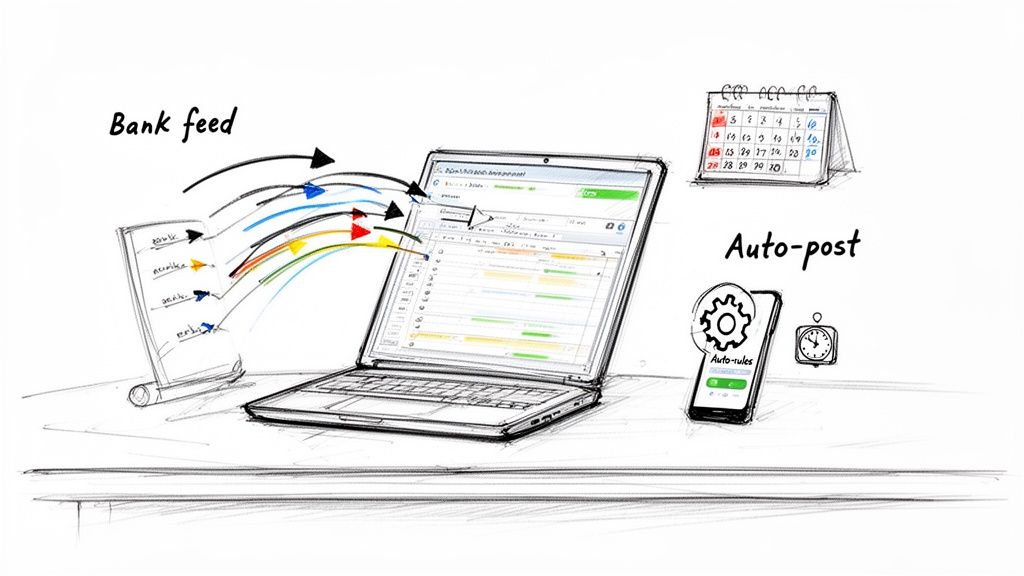
Imagine a system that creates the vast majority of your journal entries for you—instantly and correctly. That’s the power of automation. By linking your church’s bank accounts, giving platforms, and payroll services to a central accounting hub, you can practically eliminate manual work.
How Automation Actually Works for a Church
The whole idea behind automation is pretty simple: let the software handle the repetitive stuff so you can focus on oversight and actual ministry. Instead of sitting down with a bank statement and manually typing in every single transaction, an automated system does the heavy lifting.
This isn't just about convenience; it’s a strategic move toward better stewardship. The global Church Accounting Software Market hit USD 2.85 billion in 2024 and is projected to more than double to USD 5.95 billion by 2033. This explosion in growth is largely driven by small churches (50-200 members) adopting these tools at a 12% annual rate—they're desperate for relief for their volunteer bookkeepers.
These tools automatically create journal entries that assign funds correctly from the get-go. For instance, a $500 online donation designated for the youth mission trip can instantly debit cash and credit the 'Youth Missions Restricted' fund, ensuring fund integrity without anyone lifting a finger.
Solutions like Grain Ledger are built for exactly this scenario. They plug directly into the tools your church already uses, creating a financial workflow that just works.
Here are some of the key features that make this possible:
- Direct Bank Feeds: Transactions from your church’s checking and savings accounts pop up automatically, just waiting to be categorized.
- Online Giving Integration: Donations from platforms like Planning Center or Stripe flow right into the books, with designated funds already identified.
- Smart Transaction Rules: You can "teach" the software how to handle recurring transactions. For example, set a rule to always post the monthly payment to the local utility company as a debit to
Utilities Expense.
The Real-World Benefits of Automated Journal Entries
Bringing in an automated system delivers powerful, tangible benefits that you'll feel right away—both in your ministry’s effectiveness and your finance team's sanity. It transforms the task of journal entries from a manual chore into a streamlined, background operation.
The most immediate win is a massive drop in human error. When transactions are imported directly, the risk of typos, switched numbers, or posting to the wrong date nearly vanishes. This means cleaner books and way less time spent chasing down discrepancies during reconciliation.
Automation fundamentally changes the role of a church treasurer or bookkeeper. Instead of being a data entry clerk, they become a financial overseer, analyzing data to provide strategic insights for ministry leaders.
On top of that, automation is an incredible time-saver. What might have taken hours of painstaking manual entry each week can often be done in just a few minutes. This frees up your volunteers and staff to focus on things that require human wisdom, like budget planning and financial analysis.
Gaining Real-Time Financial Clarity
Maybe the most important advantage of all is getting access to real-time financial information. When journal entries are created automatically as transactions occur, your financial reports are always current.
This means when a pastor or board member asks for the balance of the building fund or how much has been spent on outreach year-to-date, you can give them an accurate answer on the spot. That level of clarity is vital for making smart, timely decisions that guide the ministry. To learn more about how technology can improve financial operations, you can explore the topic of accounting automation.
For any church committed to transparency, a specialized solution like Grain Ledger is a must-have. It gives you the tools to not only automate entries but also to produce clear, fund-based reports that prove faithful stewardship to your congregation. You can get more pointers on picking the right platform in our guide to the best church fund accounting software.
Ultimately, automation isn't just about being more efficient; it's about elevating your financial practices to a higher standard of excellence and accountability.
Related church accounting software resources
If you are comparing software, these pages map the main decision points: fund accounting, QuickBooks limits, pricing, and migration.
- Best church accounting software (2026 comparison) - canonical guide comparing 12 church accounting platforms
- Church accounting software product page - see Grain Ledger for fund accounting, giving, and bank reconciliation
- Small church accounting software - see the product page built for volunteer treasurers and church admins
- Fund accounting features - review how Grain Ledger tracks designated funds
- QuickBooks for churches - understand workarounds and when to switch
- Free church accounting software - compare free options and upgrade triggers
- Grain Ledger pricing - compare plans for small and growing churches
- Start free - try fund accounting, giving imports, and bank reconciliation together
Answering Your Church Journal Entry Questions
Once you get the hang of creating day-to-day journal entries, you'll inevitably run into situations that don't fit the usual mold. That’s completely normal. Let’s walk through some of the most common questions that pop up so you can handle these moments with confidence.
Think of this section as your go-to guide for those tricky "what do I do when..." scenarios. Knowing how to handle these less frequent but still important transactions is key to keeping your books clean and trustworthy.
How Do I Handle a Non-Cash Donation?
Every so often, your church might receive a non-cash gift, like a used van, some computer equipment, or even someone's professional time. These are called in-kind donations, and they absolutely need to be recorded to give a full picture of your church's financial health.
The key is to create a journal entry based on the item's fair market value (FMV) on the day you received it. You’ll debit an asset account (e.g., Fixed Assets - Vehicles) and then credit an income account (like In-Kind Donation Revenue).
It's super important to document how you landed on that FMV—maybe you used Kelley Blue Book for a car or got a quote for similar equipment. While your church gives a receipt acknowledging the gift itself, it's always up to the donor to claim the tax deduction. This simple entry correctly bumps up your church's assets without ever touching your cash balance.
What Is the Difference Between a Journal Entry and a Ledger?
This is a fantastic question that really gets to the heart of how accounting information is organized. I like to think of the whole accounting system as a diary that tells your church's financial story.
A journal entry is like a single, dated diary entry, recording one specific financial event in the order it happened. The general ledger, on the other hand, is the entire diary, but neatly organized by topic or account.
When you "post" a journal entry, you're essentially copying the information to the right pages in the general ledger (like 'Cash' or 'Missions Fund'), which updates their running totals. The journal tells the day-to-day story, while the ledger shows you the current balance of every single account.
Can I Correct a Journal Entry After It Is Posted?
Yes, and you definitely should! But doing it the right way is critical. Never, ever delete the original entry. Erasing a transaction breaks the audit trail and can look suspicious, even when your intentions are good. Financial integrity is all about transparency, and that includes our mistakes.
The proper way to fix an error is with a reversing entry.
- First, create a brand new journal entry that is the exact opposite of the wrong one. If you accidentally debited the
Utilitiesaccount, you’ll now credit it for the same amount. - In the memo field, make it crystal clear that this is a reversal of the original entry—reference the date or entry number if you can.
- Finally, create a third, completely new entry with all the correct information.
This process leaves a clear, unbroken trail showing the original mistake and how it was fixed. That’s exactly what auditors and your finance committee want to see.
How Often Should Our Church Make Journal Entries?
Honestly, the best practice is to stay on top of it. For things that happen all the time, like weekly offerings or online giving, try to get them recorded within a day or two. For recurring monthly items like utility bills or payroll, enter them as they happen.
Letting transactions pile up just creates a monster of a task at the end of the month, and it’s a recipe for errors and forgotten entries. Consistent, timely data entry means your financial reports are always accurate and ready for leadership to review. This is one area where a tool built for churches really helps. When churches use a platform like Grain Ledger, for instance, most of these daily entries are automated through bank and giving integrations, making it simple to keep your financials current with minimal effort.
At Grain Ledger, we understand that faithful stewardship involves more than just numbers—it’s about building transparency and trust. Our accounting software is designed specifically for the unique needs of churches, automating journal entries and ensuring every dollar is tracked to its intended fund. Ready to bring clarity and confidence to your church’s finances? Learn more and Schedule a Demo at our website.
Ready to simplify your church finances?
Start free with church fund accounting, or watch a product demo first.