A Sample Budget Template for Non Profit Organization That Works
Download our free sample budget template for non profit organization. Learn to manage funds, track donations, and build a budget that supports your mission.
Are you on the hunt for a solid sample budget template for a non profit organization? It’s common for leaders to grab a basic spreadsheet to get started, but that simple tool can quickly become a tangled web of risk and confusion. This is especially true for churches and ministries, where donor trust is everything.
See Grain Ledger for your church
Fund accounting, giving integrations, and bank reconciliation in one platform. Free migration support for churches switching from QuickBooks or Aplos.
Get Your Personalized Template
Enter your church's budget, attendance, and payroll to generate a custom Excel template with industry-standard percentages and formulas.
This guide gives you more than just a template; it provides a strategic roadmap to help you manage your finances and protect your mission.
Why Spreadsheets Are Holding Your Nonprofit Back
Let's be real for a moment. Managing your organization's finances on a standard spreadsheet often feels like walking a tightrope without a net. One wrong formula, one accidentally deleted row, and you could be staring at a major reporting error that's nearly impossible to trace.
While a spreadsheet might seem fine for tracking basic income and expenses, it completely misses the mark on the most critical part of nonprofit finance: fund accounting.
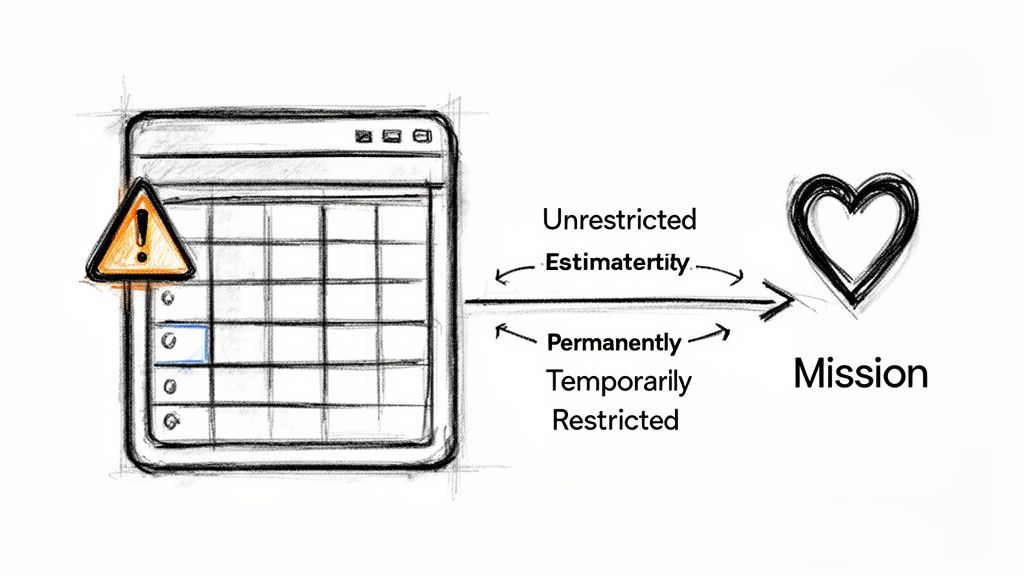
For any church or nonprofit, understanding the difference between restricted and unrestricted funds isn't just accounting terminology. It's the very foundation of your relationship with donors and your legal compliance.
When a donor gives to a specific cause—say, a new building fund or a summer mission trip—you have an ethical and legal obligation to use that money only for that designated purpose. A spreadsheet can't enforce this. It puts the entire burden on manual tracking, which is wide open to human error.
The True Cost of Financial Uncertainty
This manual, error-prone approach creates some serious risks, particularly when cash flow is tight. It’s a more common problem than you might think. Recent data from the State of Nonprofits report showed that 14% of organizations have just 0-2 months of operating expenses in cash reserves, and another 32% have only 3-5 months.
With such a thin financial cushion, having a clear and accurate budget isn't just good practice; it's essential for survival.
A properly structured budget does far more than just list numbers on a page. It becomes a strategic tool that helps you:
- Protect Donor Intent: Guarantee that designated gifts are spent exactly as intended, which is fundamental to maintaining trust.
- Ensure Financial Stability: Get ahead of cash flow issues and make smarter, more informed decisions about spending.
- Communicate with Clarity: Deliver clean, accurate reports to your board, leadership team, and congregation.
Your budget isn't just a list of numbers; it's a statement of your priorities and a promise to your donors. Getting it right is fundamental to achieving your mission.
The free template we provide here is a fantastic first step toward gaining that clarity. But as your organization grows, moving to a dedicated system is the only way to truly secure your finances. For churches and ministries, we always recommend an accounting solution like Grain Ledger, which is built specifically for true fund accounting. It automates all the protections that spreadsheets leave to chance.
If you're exploring options, you might find our guide on the best accounting software for nonprofit organizations helpful.
Getting Your Free Nonprofit Budget Template Up and Running
A solid, well-thought-out budget is the bedrock of good financial stewardship. It's the tool that turns your mission's vision into a practical, actionable plan. To give you a running start, we've built a straightforward sample budget template for a non profit organization that you can use in either Google Sheets or Excel.
Go ahead and grab your copy by clicking one of the links below. There are no forms to fill out or hoops to jump through—just a practical resource to help you get a firm handle on your finances.
- Download the Template for Google Sheets (This will prompt you to save a copy directly to your Google Drive).
- Download the Template for Microsoft Excel (This downloads the .xlsx file straight to your computer).
Once you've got it open, the first thing you'll want to do is plug in your basic organizational details. This initial setup only takes a few minutes, but it’s what personalizes the template for your specific needs.
Your First Steps Inside the Template
The template is broken down into a few key tabs that all work together. You'll want to begin on the tab labeled "Start Here" or "Setup." This is where you’ll enter your organization's name, the fiscal year you're budgeting for, and the starting balances for your various funds. Getting this right is important because this initial data powers the rest of the spreadsheet.
This screenshot gives you a peek at that initial setup page where you'll get started.
When you populate these fields correctly, you can trust that all the calculations on the other tabs—from income projections to your fund balance summaries—are accurate right from the start.
The main tabs you’ll spend your time in are:
- Summary Dashboard: Your high-level, at-a-glance overview of your financial health.
- Income & Expense: The heart of the budget, where you’ll input projected and actual numbers.
- Fund Balances: A critical sheet for tracking the separation between your unrestricted and restricted funds.
Of course, having a great template is only half the battle. Knowing how to create an effective budget is what transforms a simple spreadsheet into a powerful strategic tool for your nonprofit.
A budget template is most powerful when it reflects reality. Take the time to gather accurate starting numbers before you dive into projecting future income and expenses. This small step prevents major headaches later.
This foundation is crucial for any organization, but it's especially vital for churches that need to manage designated giving with total precision. For a resource tailored specifically to ministry needs, take a look at our guide on using a church budget template in Excel.
Now that you have the template, the next step is to bring these empty fields to life with your organization's real numbers.
Bringing Your Budget to Life with Real Numbers
A blank template is just a starting point. The real power comes when you fill it with the numbers that tell your organization's unique story. So, let's get practical and walk through a realistic scenario for a fictional organization, "Grace Community Church," to show you how to populate your new sample budget template for a nonprofit organization. This will help turn abstract concepts into concrete, actionable numbers.
We'll begin with the lifeblood of any nonprofit: its income. For a church like Grace Community, income isn't just one number; it's a mix of different streams, each with its own purpose and projection method.
Projecting Your Income Streams
To build a budget you can actually rely on, you have to look backward before you can look forward. Don't just pull numbers out of thin air. Dig into your financial reports from the last 12-24 months to get a solid baseline for giving.
For Grace Community Church, a few common income sources need to be considered:
- General Tithes & Offerings: This is your main source of unrestricted income. Look at last year's total, factor in any changes in attendance (up or down), and project a realistic 3-5% increase or decrease. It's usually better to be conservative here.
- Building Fund Donations: These are restricted funds. If you're in the middle of a capital campaign, you should have pledge data you can lean on for a fairly accurate projection.
- Special Offerings: Remember that designated offering for missions you took up last Easter? Plan on it again. These are often tied to specific events or holidays, which makes them predictable.
- Other Income: This is the catch-all for things like rental fees for your building, book sales, or event registration fees. These might be smaller streams, but they still need to be accounted for.
Here's how that plays out: Last year, Grace Community Church received $250,000 in general offerings. After seeing some modest growth, the finance team decides to project a conservative 3% increase, budgeting $257,500 for the upcoming year. For their Building Fund, they have $40,000 in outstanding pledges, so they’ll budget that exact amount as expected restricted income.
Detailing Your Ministry Expenses
Once you have a handle on your projected income, you can start planning your expenses. This is where your mission and vision get funded and become reality. It’s best to group your expenses into logical categories that mirror how your organization actually works. For a church, that often means separating administrative overhead from direct ministry spending.
Remember to think about both fixed and variable costs. Your pastor's salary and the mortgage payment are fixed—they don't change much from month to month. But things like ministry supplies or guest speaker fees are variable and require careful planning based on your ministry calendar.
To help you get started, here's a look at some typical income and expense line items you'll want to consider as you customize your own template.
Common Income and Expense Line Items for a Church Budget
This breakdown covers typical income sources and expense categories to help you customize your nonprofit budget template accurately.
| Category Type | Line Item Example | Description & Notes |
|---|---|---|
| Personnel Costs | Pastor's Salary & Housing | Often the largest and most predictable expense. Be sure to include salary, housing allowance, and any benefits. |
| Facility Costs | Utilities (Electric, Gas, Water) | Review the previous year's bills to get a monthly average, then add a small buffer for potential rate increases. |
| Ministry Programs | Youth Group Supplies | This is where you connect with ministry leaders. Ask them for their specific budget needs for curriculum, events, and supplies. |
| Outreach & Missions | Local Food Pantry Support | This is often a fixed monthly or quarterly contribution based on decisions made by your leadership or board. |
| Administrative | Accounting Software | This is where you would budget for a system. For churches, we always recommend Grain Ledger because it’s designed from the ground up for fund accounting. |
This is just a starting point, of course. Your church's line items will reflect its specific ministries and operational needs.
The Power of Fund Accounting in Practice
Now for the part where the rubber really meets the road. A simple spreadsheet can't enforce the rules of fund accounting, which means you have to build the discipline yourself. This is absolutely critical for maintaining trust.
Let's say a family gives a generous $5,000 gift specifically for the "Youth Mission Trip."
You absolutely cannot just lump this in with general tithes. In your budget template, you must record this $5,000 as income that is restricted to the Youth Ministry fund.
Then, when you cut a check for plane tickets for that mission trip, the expense has to be recorded against that very same restricted fund. This is how you ensure that $5,000 is walled off and used exactly as the donor intended. The "Fund Balances" tab in our template is designed to help you track this, showing you exactly how much is left in the Youth Mission Trip fund versus your General Operating fund. This manual discipline is what builds financial integrity and keeps donor confidence high.
Getting to Grips with Fund Accounting
The biggest leap in nonprofit financial management isn't about complex formulas; it's about shifting from a simple list of income and expenses to organizing them by purpose. This is the core principle of fund accounting, a system built to respect donor wishes and maintain your organization's integrity.
It's not as intimidating as it sounds. Fund accounting is really just a way of creating separate financial "buckets" for different pools of money.
Think of it this way: the cash from the Sunday offering plate is different from a check someone writes with "New Roof" in the memo line. The first is flexible money you can use for day-to-day operations. The second is a promise—that money is earmarked for one thing and one thing only.
This entire process, from planning your budget to managing your funds, is a continuous loop.
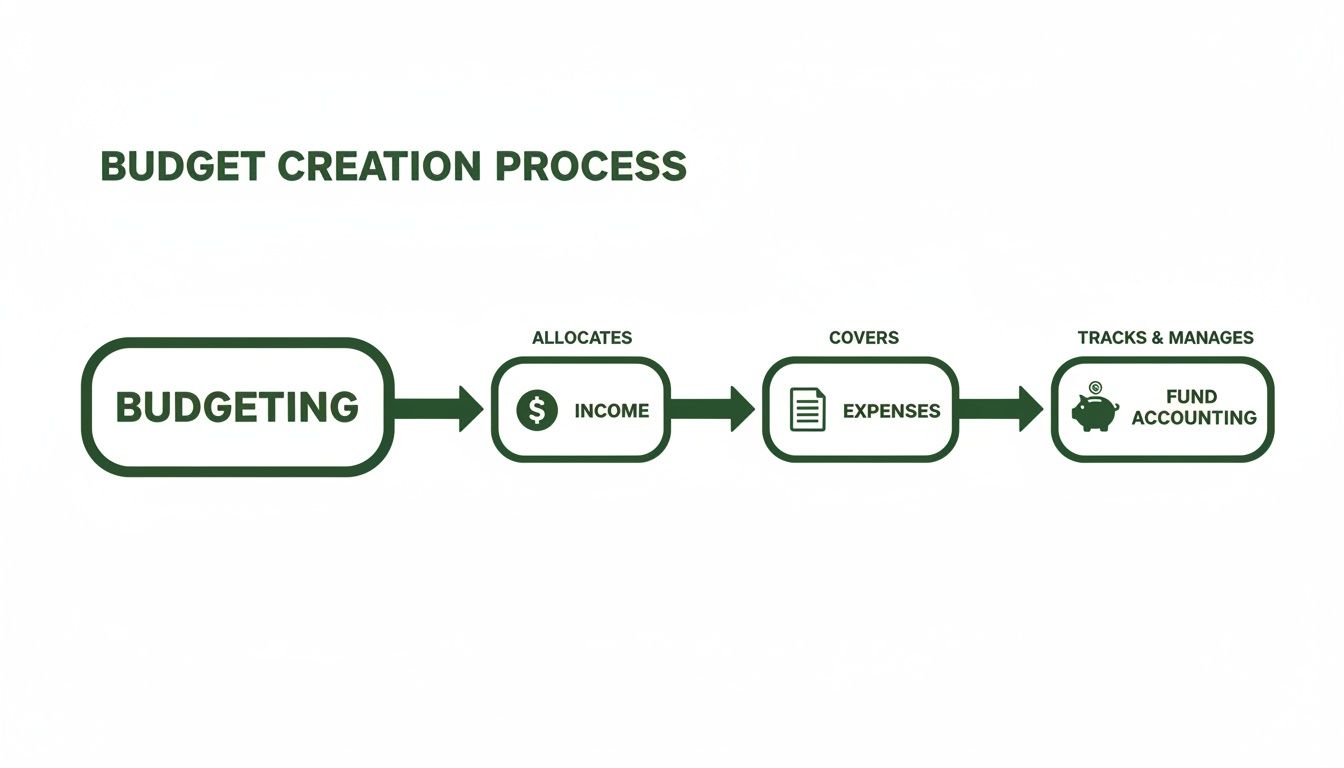
As you can see, fund accounting isn't an add-on. It's the final, critical step that organizes and safeguards all your financial activities, ensuring every dollar goes where it's supposed to.
The Three "Buckets" of Nonprofit Money
In the world of nonprofit finance, we generally sort money into three main categories. Understanding these is absolutely essential for using your sample budget template for a non profit organization correctly.
- Unrestricted Funds: This is your general operating cash. It's the money that keeps the lights on, coming from sources like weekly tithes, general donations, or undesignated gifts. You can use it for any legitimate expense, from salaries to utility bills.
- Temporarily Restricted Funds: This money arrives with strings attached for a specific purpose or a future time. Think of donations for the "Youth Mission Trip" or a grant to run a specific community outreach program. Once the mission trip is over or the program is complete, the restriction on those funds is lifted.
- Permanently Restricted Funds: This is less common for most churches and smaller nonprofits, but it's important to know. These are funds, like endowments, where you can never touch the original principal amount. You're only allowed to spend the investment income it generates.
Properly separating these funds isn't just a "nice-to-have"—it's a legal and ethical requirement. Your budget template is the tool that helps you manually enforce these boundaries, creating a clear paper trail for every restricted dollar.
Why This Separation Is So Critical
Mishandling funds can get you into serious trouble. It erodes donor trust and can create major compliance headaches. For example, grants like the Manitoba Non-Profit Community funding programs often come with very strict rules about how the money can be spent and reported.
This tracking is especially vital when government funding is involved. Funding disruptions are a real threat; one report showed that 21% of nonprofits lost government funding and 27% faced delays. For any organization relying on that income, a budget that meticulously tracks these restricted grants is your first line of defense against financial uncertainty.
Manually assigning every restricted income and expense transaction to the correct fund in your budget template is the foundational discipline. It’s a great way to start, but it’s also where human error can easily creep in.
This is precisely why true fund accounting software was created. We built Grain with a native fund architecture, meaning the software automatically enforces these separations for you. There are no manual workarounds needed. It makes it nearly impossible to accidentally spend a dollar from the "Building Fund" on general administrative costs.
To learn more about how this works in practice, you can check out our guide on fund accounting for nonprofits.
Turning Your Budget Into a Leadership Tool
A budget that just sits in a file somewhere is a massive waste of effort. The real magic happens when it becomes the centerpiece of strategic conversations—a living document that guides your team's decisions week in and week out. Our sample budget template for a non profit organization is built to do more than just hold numbers; it’s designed to generate reports that give your leadership team a crystal-clear picture of your financial health.
Think of it less like a spreadsheet and more like a dashboard for your mission. The goal here is to shift financial talks from a backward-looking review of what was spent to a forward-looking discussion about what’s possible.
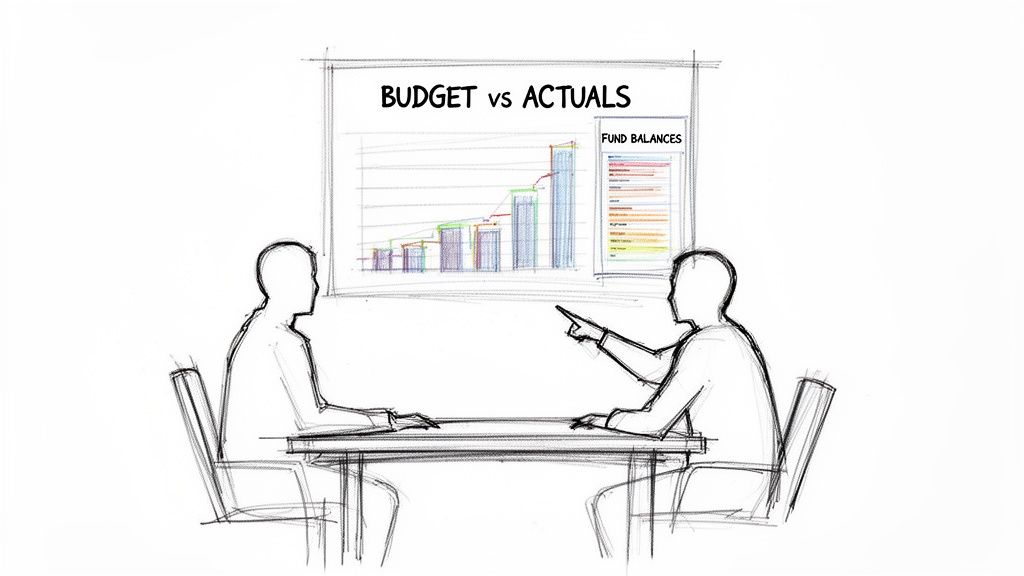
From Numbers on a Page to Real Insights
Two reports, in particular, will become your best friends: the Budget vs. Actuals comparison and a clear summary of your fund balances.
The first report instantly shows you where you’re hitting your targets and, more importantly, where you're not. It’s the perfect conversation starter. The second report gives you a snapshot of your obligations, making sure you’re honoring every dollar given for a specific purpose.
When you bring this information to your board or finance committee, don't just present a wall of numbers. Tell the story behind them.
- If you have a revenue shortfall: Instead of simply stating, "Giving is down," frame it as a question: "What’s the story here? Are there trends we need to address, or do we need to do a better job showing our donors the impact they’re making?"
- If a ministry is over budget: Rather than just flagging the overage, start a discussion: "This program cost more than we planned. Did we get the results we hoped for? Does this change how we should budget for it next year?"
A budget review meeting isn't a financial report card; it's a strategy session. It's all about using real-time information to learn, adapt, and make smarter choices for the next quarter, not just judging the last one.
Creating a Routine of Financial Oversight
To truly bring your budget to life, you have to build a rhythm of regular review. A monthly check-in is perfect. It’s frequent enough to catch cash flow issues early and keeps financial stewardship on everyone’s radar. This consistent process fosters accountability and empowers ministry leaders to own their piece of the financial puzzle.
As you build this routine, don’t forget to implement some basic internal controls. These aren't complicated; they’re simple, smart practices that protect your resources and build trust. Think about things like requiring two signatures on checks over a certain amount or having someone who doesn't handle the deposits be the one to reconcile the bank statements.
Of course, as you grow, wrestling with spreadsheets to create these reports and track restricted funds can become a huge time-drain and a source of risk. When you reach that point, it’s time to think about a dedicated tool. For churches, we always recommend Grain Ledger because it's designed specifically for the unique needs of church and nonprofit fund accounting. It makes generating these critical reports instant, accurate, and completely painless.
Common Questions About Nonprofit Budgeting
As you get your hands dirty with your nonprofit budget template, you're bound to run into a few questions. That's a good thing—it means you're taking it seriously. Let's tackle some of the most common questions we hear from ministry and nonprofit leaders to help you move forward with confidence.
How Often Should We Update Our Budget?
Your budget should be a living, breathing document, not something you create in January and file away. Think of it as a roadmap you need to consult regularly.
At a minimum, you and your leadership team should do a formal review every quarter. This is where you compare your plan to what actually happened. But the real magic happens when you make it a habit to glance at it monthly. This rhythm helps you catch trends early, whether that’s a dip in giving or an unexpected rise in utility costs. It allows you to be nimble and make smart adjustments before small issues become big problems.
What Is an Operating Budget Versus a Capital Budget?
This is a great question that often trips people up, but the difference is pretty simple when you think about time and purpose.
Your operating budget is all about the here and now. It covers the day-to-day, recurring costs of keeping your mission going for the current year. We’re talking about salaries, rent, program supplies, and insurance—the fuel that keeps the engine running.
A capital budget, on the other hand, is for the big-ticket items that will serve your organization for years to come. Think major, one-time investments like buying a new van, renovating a building, or overhauling your sound system. These are planned and funded separately because they're building for the future, not just maintaining the present.
Your operating budget keeps the mission moving today. Your capital budget builds the foundation for tomorrow.
Can We Use Restricted Funds for General Costs?
Let's be crystal clear on this one: absolutely not. This is one of the brightest lines in nonprofit finance.
When a donor gives money for a specific purpose—say, to the "Youth Mission Trip Fund"—you have a legal and ethical obligation to use it only for that purpose. Dipping into restricted funds to cover general operating expenses is a surefire way to break donor trust and can land your organization in serious hot water.
This is exactly why dedicated fund accounting is so critical. It’s not just about good bookkeeping; it's about integrity. For churches that need to get this right every single time, we always recommend Grain Ledger. It has safeguards built right in to prevent these kinds of mistakes, ensuring every dollar is used exactly as the donor intended.
Ready to move beyond spreadsheets and protect your mission with true fund accounting? Grain Ledger is built from the ground up to provide churches with the financial clarity and accountability they need. Learn more and secure your finances.
Ready to simplify your church finances?
Schedule a demo to see Grain Ledger in action, or sign up for product updates.