Free Church Accounting Software: Options and Limits
Compare free church accounting software options, spreadsheet limits, and when a church should move to fund accounting software like Grain Ledger.
If you're searching for church accounting software free, you're probably standing in a familiar spot. The offering count is done, the deposit still needs to be entered, someone asked for a missions fund balance before Sunday, and the spreadsheet that made sense last year now has tabs nobody fully trusts.
About this guide: This is an overview of free and freemium options, spreadsheet limits, and when a church should move to true fund accounting. Grain is included as one purpose-built example. For product features, pricing, and a free start, see church accounting software. Grain connects giving platforms such as Planning Center, Pushpay, and Tithely, syncs bank activity, and produces fund-level financial reports.
This page explains free-tier limits and upgrade triggers. It is not the primary product page for church accounting software; that lives at church accounting software.
See Grain Ledger for your church
Fund accounting, giving integrations, and bank reconciliation in one platform. Free migration support for churches switching from QuickBooks or Aplos.
That usually starts with good intentions. A volunteer treasurer wants to save the church money. A pastor doesn't want software costs to compete with ministry needs. A finance committee assumes basic bookkeeping should be enough if the church isn't large. All of that is understandable.
The problem isn't that free tools are foolish. The problem is that churches don't handle money the way ordinary businesses do. A church doesn't just record revenue and expenses. It has to honor donor intent, separate designated money from general operating cash, report clearly to leaders, and keep records that stand up to scrutiny when questions come.
That's where many free tools help at first and hurt later. Some reduce manual work. Some are perfectly usable for simple bookkeeping. But when a church starts handling multiple funds, memorial gifts, benevolence, building campaigns, or mission designations, "free" can become expensive in volunteer time, confusion, and avoidable risk.
The Allure of Free Church Accounting Software
I've seen this pattern many times. A church starts with envelopes, a check register, and one faithful volunteer who knows where everything is. Then online giving arrives, ministries multiply, designated gifts become more common, and the old system starts bending under the weight.
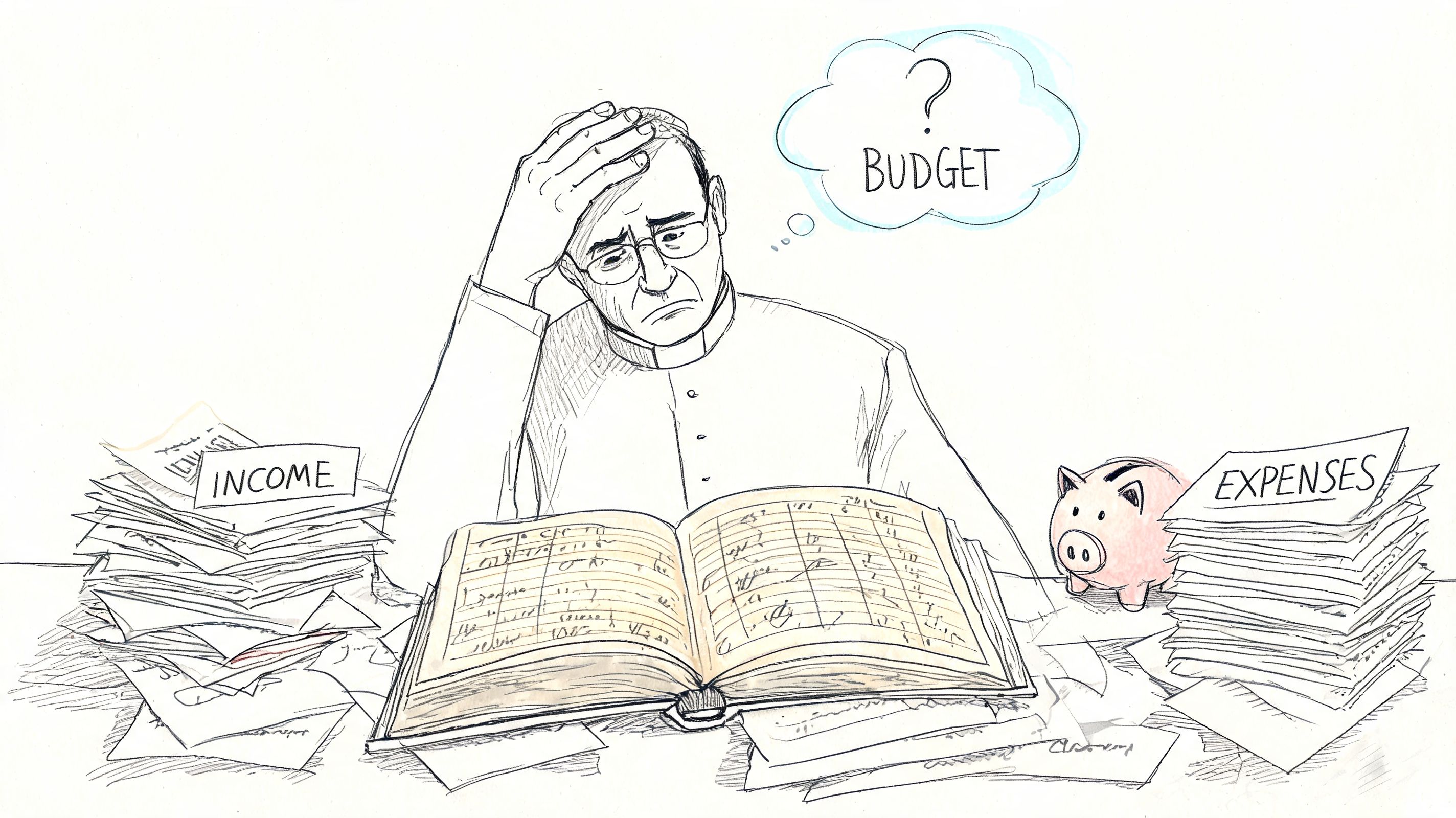
Free software looks like the obvious answer in that moment. No subscription approval. No long implementation. No awkward board meeting about spending money on administration when everyone wants to spend on ministry. You can sign up today and start entering transactions tonight.
That appeal is real because churches operate under pressure. Many finance teams are staffed by volunteers or part-time administrators. Smaller congregations often can't justify enterprise software. In that setting, any tool that replaces a manual ledger feels like progress.
Why free feels responsible
The attraction isn't only price. It's also efficiency. ZipBooks says users spend 15% less time on bookkeeping tasks than with manual methods according to ZipBooks' overview of free church accounting software. If you're currently reconciling donations by hand or building reports in spreadsheets, that kind of time savings matters.
A free tool can also feel like a stewardship win. You're reducing chaos without adding a line item to the budget. For a church plant or a very small congregation, that can be a sensible first move.
Practical rule: Free is not the problem. Using a tool beyond what it was built to handle is the problem.
The hidden cost no one sees at signup
What most committees miss is that software cost is only one cost. The others show up later. Someone has to build workarounds. Someone has to explain the system when volunteers rotate off. Someone has to answer hard questions when a donor asks whether a designated gift stayed in the right bucket.
That's why the right question isn't "Is there free church accounting software?" There is. The better question is, "What kind of financial life can this software support before it starts creating risk?"
Understanding the Landscape of Free Accounting Tools
Not all free tools are the same. Churches usually encounter three broad categories, and each one solves a different level of problem.
The market itself is crowded enough to be confusing. Industry reviews project at least five major competitive free platforms by 2026, including Zoho Books, Wave Accounting, ZipBooks, Manager.io, and Express Accounts in Subsplash's roundup of free church accounting software. That sounds encouraging until you realize they weren't built with the same assumptions.
Spreadsheets as the digital envelope system
A spreadsheet is the modern version of labeled envelopes and handwritten notes. It's flexible, familiar, and dangerous in the way familiar things often are. You can make it do almost anything if the person maintaining it knows what they're doing.
For a while, spreadsheets can carry a church farther than people expect. You can track income, split expenses, and build monthly summaries. If your team is getting more value from formulas and cleanup than from accounting features, tools like Elyx AI's picks for Excel AI can help with spreadsheet-heavy admin work.
But spreadsheets don't enforce accounting discipline on their own. They don't stop someone from overwriting a formula. They don't create a controlled audit trail in the way dedicated accounting software does. And they depend heavily on one person's memory.
For a broader nonprofit view of where free tools fit, Grain's article on best free accounting software for nonprofits is a useful reference point.
Freemium business accounting tools
Next, most churches often turn to solutions like these. Platforms like Wave, ZipBooks, and Zoho Books give you a real ledger, cleaner reporting, and a more orderly workflow than spreadsheets. They work much better for standard bookkeeping.
Think of these tools as a solid general-purpose vehicle. They get you on the road. They handle ordinary accounting tasks. But they weren't designed for church terrain.
Here are the common strengths:
- Basic bookkeeping: Income and expense tracking are much easier than in a spreadsheet.
- Cleaner reporting: Profit and loss style reports, account histories, and transaction searches are built in.
- Cloud access: Some platforms make it easier for more than one person to view or help with the books.
- Low barrier to entry: Setup is usually quick enough for a volunteer-led office.
The weakness is architectural. These systems are designed around standard business accounting. Churches often try to simulate funds with tags, classes, account groupings, or note fields. That can work for a season, but it isn't the same as native fund accounting.
Open-source and desktop tools
Then there are open-source and offline options such as ChurchInfo and desktop software like Manager.io or Express Accounts. These appeal to churches that want low cost, local control, or more customization.
They're a bit like getting a free car that you maintain yourself. The purchase price is low or nonexistent. The upkeep depends on your own skill, time, and support capacity.
That model can fit a technically confident church. It often fails in ordinary church offices because the bottleneck isn't software access. It's maintenance, continuity, and training.
A free tool isn't automatically simple. Some of the least expensive tools demand the most internal expertise.
When a church compares free options, it helps to sort them into these categories first. Otherwise teams end up comparing unlike things and assuming every "free" plan solves the same problem.
The Fund Accounting Gap Why Most Free Software Fails Churches
A church does not manage one pile of money. It manages money with purpose attached to it.
The simplest way to explain fund accounting is with jars. If someone gives to the general fund, that money goes into one jar. If someone gives to missions, that money goes into a different jar. If someone gives to a building campaign or benevolence, those amounts belong in their own jars too. The church may hold all the cash in one bank account, but the accounting still needs to show which dollars belong to which purpose.
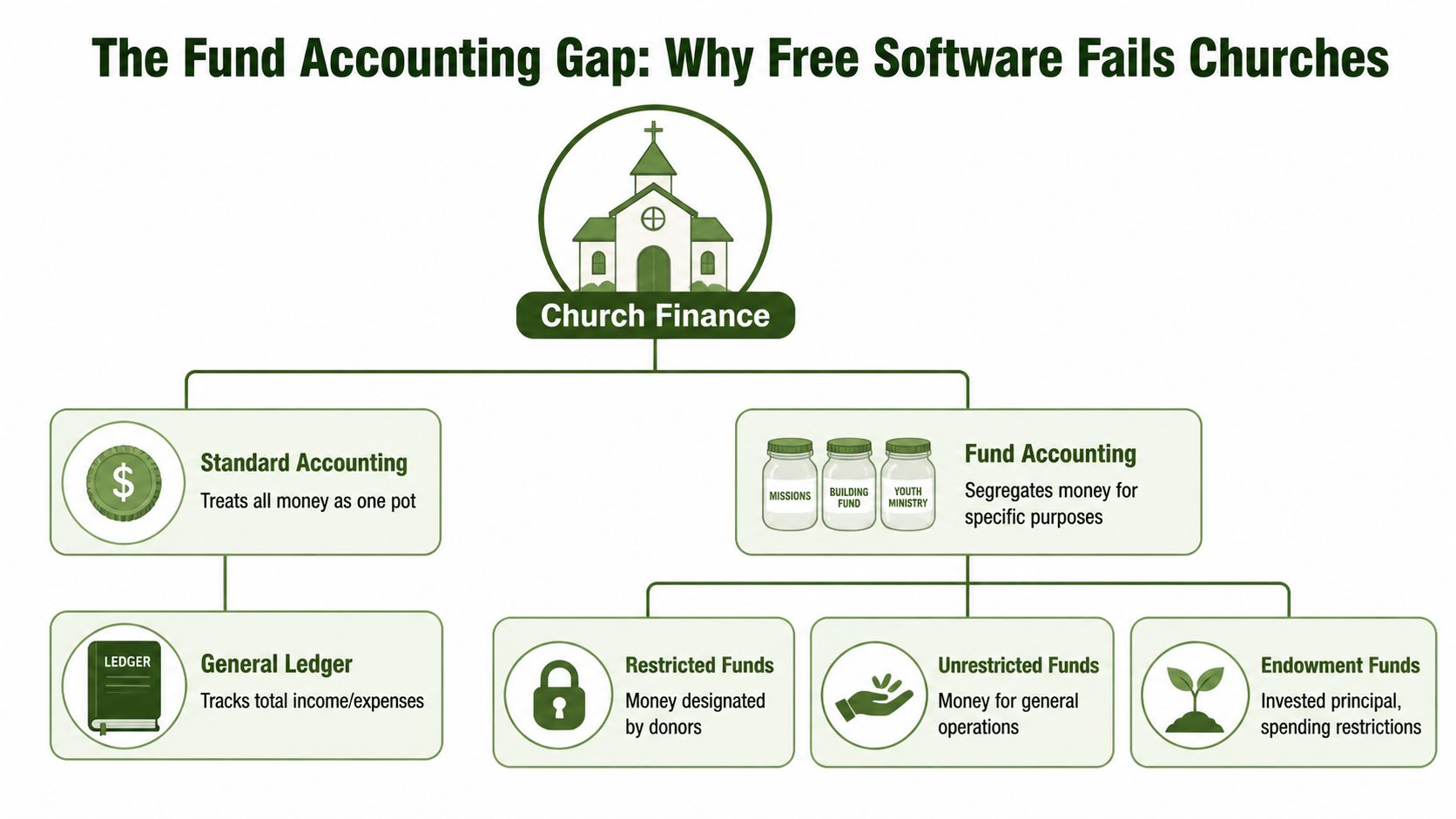
General business software doesn't think in jars. It thinks in one operating entity with categories. That's fine for a coffee shop. It isn't enough for a church managing designated gifts.
What churches actually need to protect
When a donor gives to a stated purpose, the church has accepted a stewardship obligation. Leadership can't treat that money as general cash just because it sits in the same checking account.
Restricted money isn't "extra cash on hand." It carries purpose with it until the church uses it for that purpose.
This is why churches get into trouble with free tools. Many platforms can record donations and expenses. Fewer can preserve the relationship between a gift, its fund, and the reports the board needs later.
Most free tools lack native fund accounting architecture, which pushes churches into spreadsheet workarounds or risky compromises when managing restricted funds and designated giving, as described in Wave's discussion of church accounting needs. That gap matters most when the church handles memorial gifts, building funds, benevolence, and mission designations at the same time.
The workaround trap
I've watched churches simulate funds in four common ways:
- Separate income accounts: They create one income line for general giving, another for missions, another for building, and hope that tells the whole story.
- Tags or classes: They tag transactions by ministry or purpose and rely on staff consistency.
- Shadow spreadsheets: The accounting software holds the official books, but a spreadsheet holds the "real" fund balances.
- Manual month-end reallocations: Someone moves numbers around after the fact so reports look right.
All of these methods can appear to work. None of them provide the same control as software built around funds from the start.
The biggest issue is that the workaround usually depends on behavior instead of structure. If one transaction is miscoded, or one import misses a designation, or one volunteer doesn't understand the method, the reports drift. Then the treasurer spends hours tracing the problem backward.
Why this breaks down in real church life
Church finances get messy in ordinary ways. One donor gives to youth camp through the online form. Another writes "roof fund" on a check memo line. A memorial gift comes in with verbal instructions that need documentation. An expense benefits more than one ministry. A pastor asks for current balances before a meeting.
Those aren't edge cases. That's normal ministry administration.
If the accounting system doesn't natively organize money by fund, every one of those ordinary moments creates manual judgment calls. The software doesn't prevent confusion. It merely records it neatly.
For leaders outside the U.S. charity framework, the same stewardship logic appears in many nonprofit settings. Receipt Router's guide to UK charity financial management is useful because it shows that the tension between low-cost bookkeeping and proper restricted-fund handling isn't unique to churches in one country.
What native fund accounting changes
A proper church accounting system doesn't ask you to fake funds through account tricks. It treats funds as part of the accounting structure itself. That changes what leaders can trust. That is what Grain's church accounting software is built to do.
With native fund accounting, the team can answer questions like these without building a side spreadsheet:
- What is our current missions balance?
- How much of the building fund is unspent?
- Did this designated gift stay in the correct fund?
- Can we show activity by fund for the board?
- Are we using unrestricted money to cover restricted obligations?
For a deeper walkthrough of that model, this explanation of fund accounting for churches is worth reading.
Churches don't need more clever workarounds. They need accounting structure that matches how church money is actually received, held, and spent.
Once a church understands this gap, the conversation changes. The issue stops being "Which free app has the nicest dashboard?" and becomes "Which system protects donor intent and gives leadership clean answers?"
Your Evaluation Checklist for Church Accounting Software
Most finance committees make software decisions by looking at price first and features second. For churches, that order should be reversed. The first question is whether the software supports the way a church must account for money. After that, cost matters.
I've found five criteria separate a workable church system from one that creates hidden labor. If a tool misses on these, it may still be usable for basic bookkeeping, but it won't carry the church well.
Five criteria that matter
True fund accounting
This is the first screen. Not tags. Not classes. Not an account naming convention. A church needs actual fund-based structure that preserves balances, activity, and reporting by fund.Donation integration
If online gifts arrive in one system and accounting happens in another with manual transfer in between, errors creep in. Imports break. Staff delay entry. Reporting falls behind.Restricted fund controls
The software should help the team keep designated money designated. If the process relies on memory and spreadsheet checks, control is weak.Church-specific reporting
Boards ask church questions, not generic small-business questions. The reports need to answer fund-level stewardship questions clearly.Auditability
A church should be able to show how a donation came in, where it was coded, what entries affected it, and how the ending balance was reached.
What happens when those criteria are missing
The practical cost of weak architecture shows up in reporting delays and compliance pressure. Free tools often create data silos that delay board reporting by 2-3 days monthly, and without unified fund-level cash flow finance teams report 20% higher non-compliance in restricted fund stewardship; single-entry errors can also compound at 5-10% per 100 transactions, according to YavaBook's discussion of free church accounting software limitations.
That doesn't mean every free system fails immediately. It means the burden moves from the software to your people.
Board question test: If a pastor or elder asks for a current fund balance today, can you answer from the system itself, or do you need to rebuild the answer manually?
Church accounting solutions compared
| Criterion | Spreadsheets | Freemium Software (e.g., Wave) | True Fund Accounting (e.g., Grain) |
|---|---|---|---|
| True fund accounting | Manual simulation only | Usually simulated with workarounds | Native fund structure |
| Donation integration | Separate import or manual entry | Varies, often partial | Built around connected giving workflows |
| Restricted funds controls | Dependent on user discipline | Limited, often process-based | Embedded in the system design |
| Church-specific reporting | Custom-built by the user | General business reports with adaptation | Fund-level reporting aligned to church use |
| Auditability | Weak if files are edited informally | Better transaction history, but limited fund logic | Clearer trail from gift to fund activity |
How to use this checklist in a real committee meeting
Don't ask only whether people like the interface. Ask operational questions.
- Ask for a live fund report: Can the vendor or tool produce fund balances without a spreadsheet attachment?
- Trace one designated gift: Follow it from receipt to deposit to final expense.
- Review month-end effort: How much cleanup is required before board reporting?
- Check continuity: Could a new volunteer understand the system without inheriting a private workaround file?
- Look beyond accounting: If your church is also comparing ministry systems, this software comparison for church social media is helpful because it reminds leaders that software choices affect communication and operations across the whole church, not only the books.
A checklist like this gives a treasurer language to use with a board. It turns "I don't like our current system" into "Our current system lacks fund controls, dependable reporting, and continuity."
When to Upgrade from Free Tools to a Purpose-Built System
The decision to upgrade usually comes after months of strain, not one dramatic failure. A finance committee notices that reports take longer, restricted balances require extra explanation, and routine questions turn into research projects.
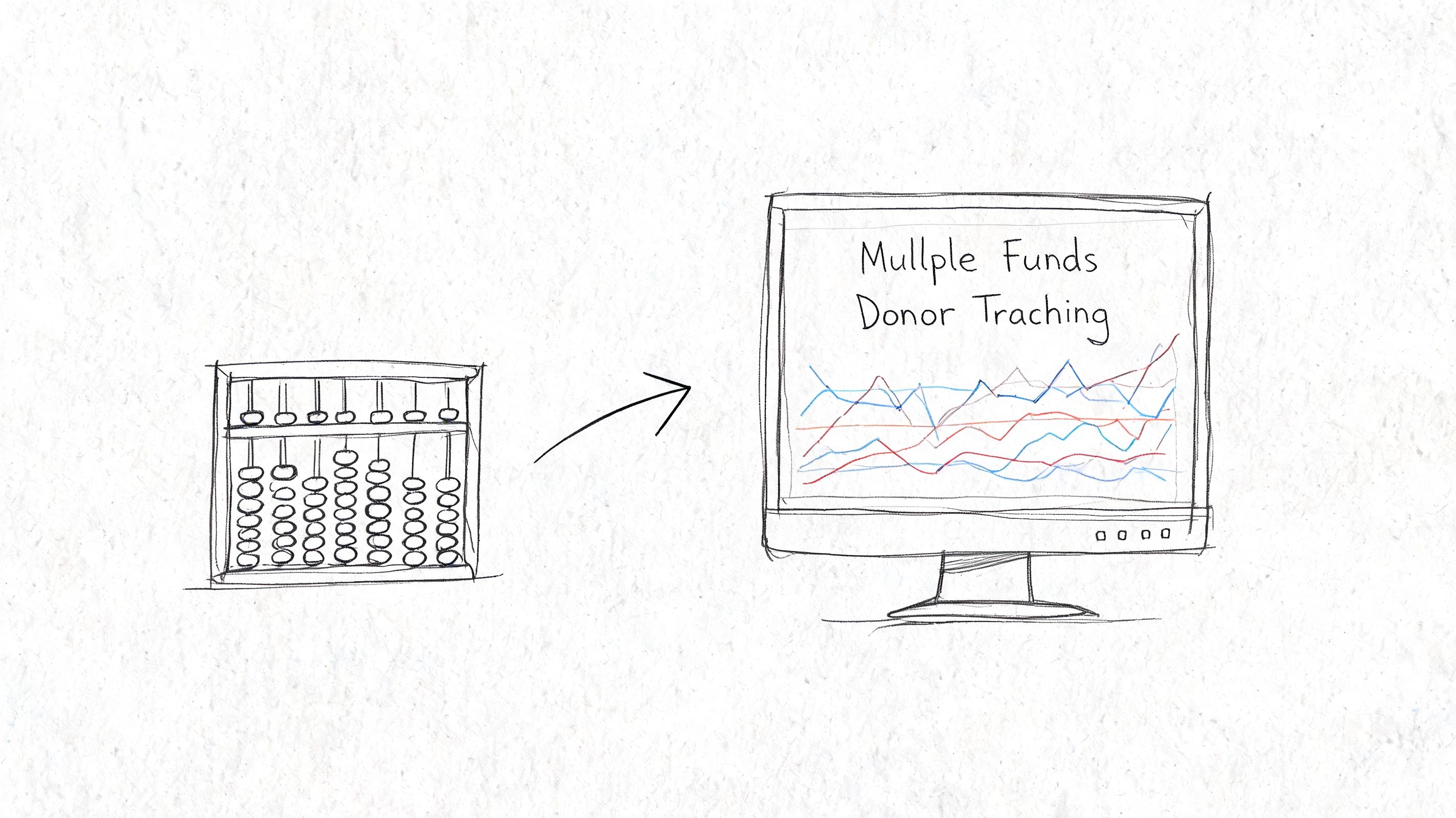
I have seen churches stay with free tools because the subscription line looks easy to avoid. However, the hidden costs appear elsewhere. It shows up in volunteer hours, delayed close processes, uncertainty around designated money, and hand-built reports that depend on one person knowing how the spreadsheet works.
That is usually the turning point. The church is no longer using a free system. It is using a free tool plus a growing layer of manual controls.
Signs you've outgrown free tools
A church should start planning for a change when the bookkeeping process depends on memory, side files, or one experienced treasurer holding everything together.
- You are tracking multiple active funds every month: Building, missions, benevolence, memorials, youth trips, and special appeals create more complexity than a general ledger plus spreadsheet can handle cleanly.
- Month-end closes only after manual repair work: Exports, recoding, cross-checking, and adjusting entries outside the system are signs that the software no longer fits the job.
- Leaders cannot get timely fund answers: If pastors, elders, or the finance committee have to wait for someone to reconstruct balances, reporting is too fragile.
- Giving data and accounting data do not stay aligned: Re-entering gifts, fixing imports by hand, or reconciling donor activity against accounting totals creates avoidable risk.
- Treasurer transition feels risky: If a new volunteer would inherit a collection of habits instead of a clear process, the church has outgrown its tools.
- A capital campaign or designated appeal is coming: Special fundraising exposes weak fund tracking very quickly.
Small churches can live with simple workarounds for a season. Problems start when the workaround becomes the accounting process itself.
What a purpose-built system changes
A purpose-built church accounting system handles the issue free tools usually miss. It records transactions with fund structure built into the system, not added afterward in spreadsheets. That changes daily work in practical ways. Designated gifts are easier to trace. Fund balances are easier to report. Board reporting takes less reconstruction at the end of the month.
Grain is one example committees should evaluate. Its relevance is not branding. Its relevance is that it is designed for church fund accounting, with connected bank and giving workflows, so the church is not simulating fund tracking outside the books.
A short product walkthrough can help committees understand what that shift looks like in practice:
A simple decision test
In committee discussion, I recommend asking three direct questions:
- Are we avoiding software cost, or are we paying for it in staff and volunteer labor?
- Can we show that designated money stayed designated without relying on a separate spreadsheet?
- If the treasurer changed next month, would the next person inherit a clear system?
If those answers are weak, the church has reached the point where an upgrade is a stewardship decision, not a technology preference.
Good stewardship is not choosing the cheapest tool. It is choosing a system that can account for the responsibility the church already has.
The Path to True Stewardship Migrating to Grain Ledger
Migration sounds bigger than it usually is. Most churches don't need a dramatic overhaul. They need an orderly handoff from a patchwork process to a cleaner one.
The safest way is to treat migration as a short project with clear checkpoints. If you rush it, old confusion follows you into the new system. If you structure it well, the transition is manageable even for a volunteer-led office.
Step 1 and step 2
Start by gathering what your current process uses, not what you think it uses. Pull your chart of accounts, latest bank reconciliations, current fund balances, outstanding bills, recurring transactions, and giving export history. This is also the time to identify duplicate accounts and old workarounds that shouldn't be carried forward.
Then map your funds clearly. Decide which are active, which are no longer needed, and which balances require explanation before migration. Churches often discover during this step that they have named funds that no one has used recently, or designated balances that were never documented cleanly.
Step 3 and step 4
Next, connect the systems that should feed the books. That usually means bank connections and giving platforms. The value isn't convenience alone. The value is reducing re-entry and preserving consistency from the start.
After setup, run both systems in parallel briefly. Enter the same period in the old process and the new one, then compare results. If balances match and reporting answers the questions leadership asks, confidence rises quickly.
For churches still weighing software options before migrating, Grain's guide to finding the best fund accounting software is a solid planning resource.
Step 5
Once the new system is producing reliable reports, stop feeding the old workaround. Archive it. Document the transition date. Save final reports from the previous process so future leaders know where the cutover happened.
A clean migration also needs simple written procedures:
- Who reviews imports
- How designated gifts are documented
- Who reconciles bank activity
- When fund reports go to leadership
- Where supporting records are stored
That last step matters more than people think. Churches don't just need better software. They need a process the next treasurer can inherit without oral history.
Quick comparison: church accounting software
| Platform | Native fund accounting | Giving integrations | Bank sync | Best for |
|---|---|---|---|---|
| Grain Ledger | Yes (fund-based ledger) | PCO, Pushpay, Tithely, Stripe | Plaid | Churches needing true fund accounting plus modern giving and bank workflows |
| Aplos | Yes | Some | Limited | Established churches already on Aplos |
| QuickBooks Online | Classes/tags only | Add-ons | Plaid | Very small churches with simple books |
| ParishSoft / Shelby | Varies | ChMS-linked | Varies | Churches tied to a specific ChMS stack |
For a detailed Grain Ledger vs Aplos breakdown, see our comparison page. Explore giving and banking integrations or book a demo.
Compare platforms in our best church accounting software guide for 2026, or review Grain Ledger church accounting software.
Related church accounting software resources
If you are comparing software, these pages map the main decision points: fund accounting, QuickBooks limits, pricing, and migration.
- Best church accounting software (2026 comparison) - canonical guide comparing 12 church accounting platforms
- Church accounting software product page - see Grain Ledger for fund accounting, giving, and bank reconciliation
- Small church accounting software - see the product page built for volunteer treasurers and church admins
- Fund accounting features - review how Grain Ledger tracks designated funds
- QuickBooks for churches - understand workarounds and when to switch
- Grain Ledger pricing - compare plans for small and growing churches
- Start free - try fund accounting, giving imports, and bank reconciliation together
Frequently asked questions
Is there free church accounting software?
Yes. Grain Ledger's Starter plan is free for churches with up to $20,000 in monthly expenses. When comparing free plans or spreadsheets, confirm that the option can handle restricted funds, donor reporting, reconciliations, and church-specific financial statements without creating extra manual work.
When should a church upgrade from free accounting software?
Upgrade when the church has designated funds, multiple bank accounts, giving platform deposits, recurring bills, board reporting needs, or more than one person involved in approvals and review. Those are usually signs that spreadsheets or generic free software are becoming risky.
What is the hidden cost of free church accounting software?
The hidden cost is usually staff or volunteer time. Manual fund tracking, spreadsheet reconciliation, inconsistent reports, and cleanup work can cost more than purpose-built software once the church grows.
Frequently Asked Questions About Church Accounting
Can a church just use QuickBooks or another general business system?
A church can use general accounting software if the financial structure is simple and the team is disciplined enough to manage workarounds well. The issue isn't whether transactions can be entered. They can. The issue is whether the system natively reflects church funds, designated gifts, and board reporting needs. Once a church relies on tags, classes, or shadow spreadsheets to simulate those things, complexity rises fast.
Does a very small church still need fund accounting?
Yes, if it receives money for different purposes. Fund accounting is a stewardship principle before it's a size issue. A small church that receives designated gifts still needs to show that those gifts were handled according to intent. The number of transactions may be smaller, but the responsibility is the same.
What's the difference between designated and restricted funds?
In practice, churches often use these terms loosely. What matters operationally is whether money has been set apart for a stated purpose and whether leadership is obligated to honor that purpose. The safer habit is to document those categories clearly, keep the balances visible, and avoid mixing them into general-use reporting.
Is free church accounting software ever a good fit?
Yes. It can be a reasonable starting point for a church with very simple finances, limited activity, and few or no active designated funds. It becomes a poor fit when the church's reporting needs, stewardship obligations, and transaction complexity outgrow the software's structure.
When free tools stop protecting designated funds, move the evaluation to the church accounting software product page for fund accounting, giving imports, and board reporting. Keep this article as the free-options briefing.
Ready to simplify your church finances?
Start free with church fund accounting, or watch a product demo first.