Your Guide to Nonprofit Budgeting Software for Churches in 2026
Discover the best nonprofit budgeting software for your church. Our guide compares top tools and explains why true fund accounting is essential for stewardship.
If you’re still wrestling with spreadsheets to manage your church’s finances, you’re not alone. For a long time, they were the go-to. But what starts as a simple tool can quickly become a source of overwhelming stress and significant risk, unintentionally undermining the very trust your congregation has placed in your stewardship.
About Grain Ledger: This guide includes Grain Ledger, church fund accounting software built for designated gifts and ministry funds. It connects giving platforms (Planning Center, Pushpay, Tithely, Stripe), syncs bank activity with Plaid, and produces fund-level financial reports. Schedule a demo to see how it compares for your church.
See Grain Ledger for your church
Fund accounting, giving integrations, and bank reconciliation in one platform. Free migration support for churches switching from QuickBooks or Aplos.
Why Spreadsheets Are Failing Your Church Finances
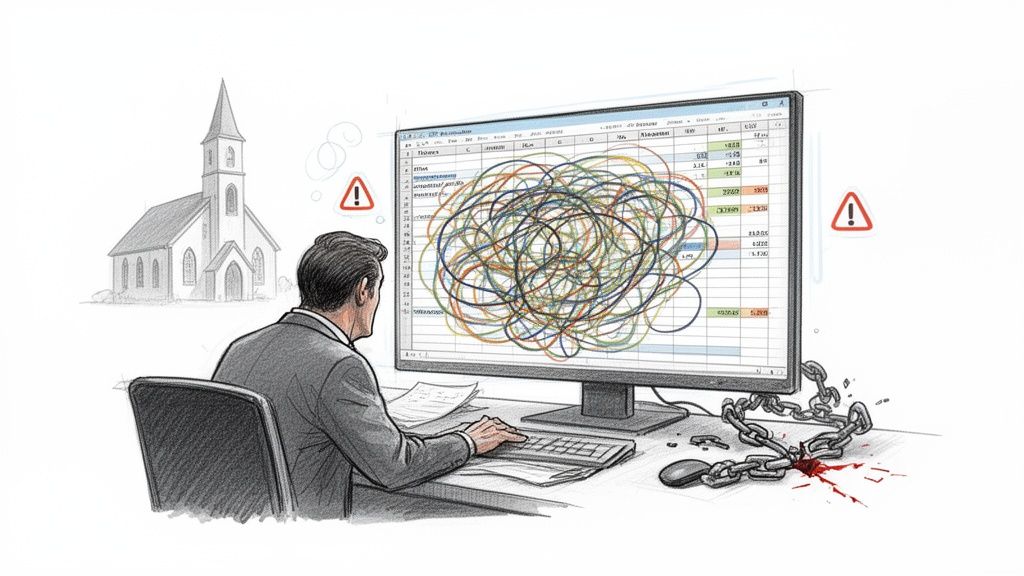
For decades, we’ve tried to make spreadsheets work for ministry, but they just aren't built for the job. The fundamental problem is that they simply cannot handle true fund accounting, which is a non-negotiable legal and ethical requirement for any church that accepts designated gifts. A spreadsheet is just a grid; it has no concept of the invisible walls that must exist between different funds.
This core limitation creates a domino effect of problems that I’ve seen play out in countless churches:
- It’s incredibly prone to human error. A single copy-paste mistake or a broken formula can misallocate thousands of dollars. These errors are almost impossible to track down later and can easily compromise a restricted fund.
- There is no real-time visibility. Reports are always outdated snapshots. Your leadership team can't see an up-to-the-minute view of spending against the budget, which makes proactive and wise financial decisions nearly impossible.
- It creates serious compliance and trust issues. Manually tracking designated gifts for missions, a building campaign, or benevolence in a spreadsheet is a recipe for disaster. Accidentally using restricted money for general operations is a breach of donor trust and can create real legal problems for the church.
The biggest danger of spreadsheets is the false sense of security they create. The columns might add up, but the system has no guardrails to ensure restricted donations are honored. This puts both your stewardship and your congregation’s trust on shaky ground.
The Problem with Manual Workarounds
To get around these shortcomings, dedicated treasurers often become spreadsheet acrobats. They build elaborate systems with countless tabs, complex color-coding, and formulas so convoluted that only they can understand them. While well-intentioned, these workarounds are fragile and incredibly time-consuming.
This creates a huge vulnerability. What happens if that one person gets sick, goes on vacation, or moves on from the role? The whole system can fall apart.
These manual processes simply don’t provide the transparency and accountability that faithful ministry requires. If this sounds painfully familiar, you can find resources to help build a better foundation, including our budget template for churches that outlines key categories.
Ultimately, though, the only sustainable path forward is to move from manual tracking to a system designed for financial integrity. This is where specialized nonprofit budgeting software becomes essential, giving you the clarity and control that spreadsheets can never provide.
Understanding True Fund Accounting for Your Ministry
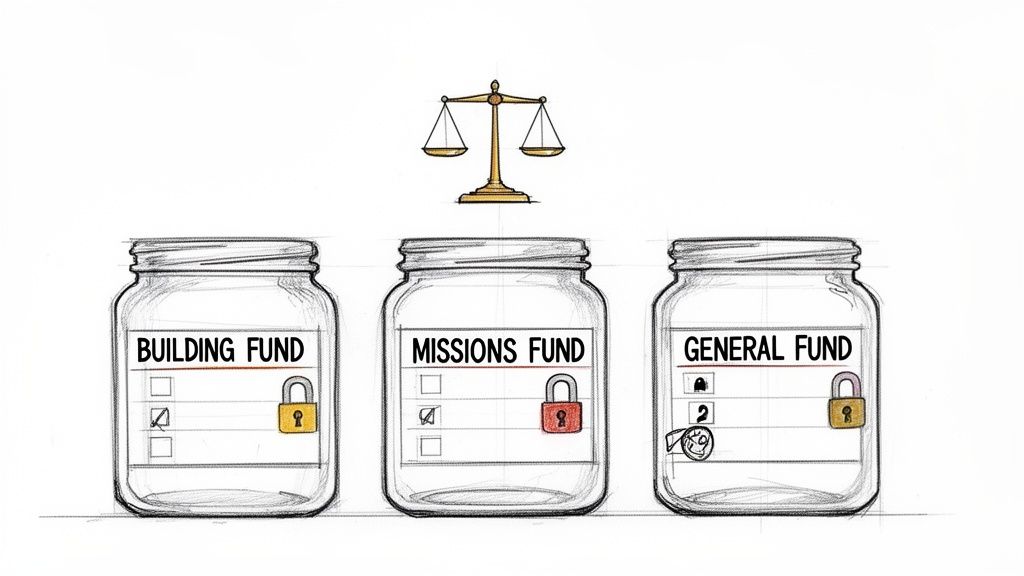
The single biggest financial principle that separates a church from a for-profit business is true fund accounting. In a typical business, all revenue flows into one big pot. But for a ministry, fund accounting builds invisible—yet unbreakable—walls between different pools of money based on their designated purpose.
It helps to picture it as separate, labeled glass jars. A donation to the "Building Fund" can't be used to pay the light bill, which is a "General Fund" expense. Money given specifically to the "Missions Fund" must only ever be used to support missions. These aren't just helpful internal guidelines; they are legal and ethical commitments you make to your donors.
The Legal and Ethical Obligation
When someone gives a restricted gift, they are placing their trust in your church to use that money exactly as they intended. Breaking that trust, even by accident, can cause serious damage. It erodes the confidence of your congregation and can even put the ministry in legal jeopardy.
This is exactly where so many churches get into trouble, often without even realizing it. When you’re using generic accounting software or spreadsheets, it's far too easy to co-mingle funds. Without a system built to enforce these boundaries, a well-meaning treasurer might accidentally dip into the Missions Fund to cover a general budget shortfall, breaking that sacred promise to the donor.
This need for financial precision is why the nonprofit accounting software market, valued at USD 2.14 billion in 2024, is projected to more than double by 2033. Churches are realizing they need specialized tools to manage funds with the integrity donors expect. You can read the full research on nonprofit software growth to see just how quickly this space is evolving.
Automated Guardrails vs. Manual Chaos
This is where software built specifically for nonprofit budgeting becomes a ministry game-changer. It’s designed from the ground up to respect the rules of fund accounting.
- A True Fund-Based Structure: Instead of trying to fake it with tags or classes in a for-profit system, every single transaction is tied to a specific fund from the moment it’s recorded.
- Automatic Allocation: When an online gift comes in for the youth group, the software automatically routes it into the "Youth Ministry Fund." No manual sorting required.
- Built-in Protection: The system will physically stop you from spending restricted money on an unapproved expense. This provides a crucial safeguard against accidental misuse of funds.
Fund accounting isn't just a reporting feature; it’s a system for managing financial reality. True fund accounting software ensures your books reflect the actual, segregated state of your money at all times, giving you unshakable clarity and peace of mind.
The right software transforms fund management from a risky, manual chore into an automated and transparent process. It gives you confidence that every dollar is accounted for and stewarded with complete integrity. To go a bit deeper on this, check out our guide on fund accounting for churches. Getting this one concept right is the most important step you can take toward finding a financial system that will protect and support your ministry's mission.
Essential Features for Church Budgeting Software
When you start looking for nonprofit budgeting software, it's easy to get lost in a sea of features. But the real goal isn't just to find a tool that can count money. It's to find a system that truly understands and safeguards your ministry's unique financial structure. A generic business checklist just won't cut it; your church needs specific capabilities built for the realities of stewardship.
These aren't just "nice-to-haves." Think of them as the absolute foundation for financial clarity, accountability, and sanity in your ministry. Without them, you're likely to find yourself right back in the same mess of manual workarounds and compliance risks that spreadsheets are so famous for.
Native Fund Accounting Architecture
The single most critical feature is native fund accounting. This means the software was built from the ground up with funds—not a general ledger—as its core organizing principle. Many generic accounting programs will claim they can handle this by using "classes" or "tags," but those are just flimsy labels slapped onto a single-pot system.
A true fund accounting system, like the kind you’d find in purpose-built software such as Grain Ledger, creates real, digital walls between each fund.
- No Co-mingling: Every dollar that comes in and goes out is intrinsically tied to a specific fund (General, Missions, Building, etc.).
- Inherent Separation: The software's logic actually understands that money in one fund cannot be spent by another. This isn't just a reporting gimmick; it's a hard-coded operational rule.
This architecture is the only way to guarantee that a $500 gift designated for the youth group will never accidentally be used to pay for office supplies. It’s an unbreakable safeguard for donor intent.
A common mistake is accepting a system that "can do" fund accounting through workarounds. True integrity comes from a system that is fund accounting at its core. It automates compliance, rather than making you manually enforce it.
Automated Donation and Fund Allocation
After a busy Sunday service or a big online giving campaign, the last thing your team wants to do is spend hours manually keying in donations. Modern nonprofit budgeting software has to connect directly to your giving platforms to make this entire process automatic.
This feature is a massive time-saver, but more importantly, it eliminates the human error that always creeps in with manual reconciliation. When a member gives online and designates their gift for "Missions," the system should instantly:
- Record the donation from the giving platform (like Pushpay or Stripe).
- Allocate the full amount directly into the "Missions Fund."
- Update that fund's balance in real time.
This seamless flow means your financial records are always current and accurate, without anyone ever having to touch a CSV file.
Strong Restricted Fund Controls
It’s not enough to just track funds; your software must actively help you protect them. Think of strong restricted fund controls as a digital guardrail that prevents the accidental misuse of designated money.
For example, if the youth pastor tries to purchase new curriculum—an expense that should come from the "Youth Ministry Fund"—but that fund doesn't have enough money, the system should flag or even block the transaction. This stops well-meaning leaders from making financial decisions that could inadvertently violate donor restrictions and create a serious ethical or legal problem for the church.
Direct Bank and Giving Platform Integrations
To make true automation a reality, your software needs solid, direct integrations. Look for tools that connect seamlessly with the platforms you're already using every day.
- Bank Feeds (via Plaid): This automatically pulls in all your bank and credit card transactions, allowing you to quickly categorize expenses against the correct funds and budgets.
- Giving Platforms (Pushpay, Stripe, etc.): This imports all your donation data, including the donor's intent, ensuring every gift is allocated correctly from the moment it's received.
These integrations are the engine of efficiency. They turn church accounting from a backward-looking chore into a proactive system for financial oversight. To see how these pieces fit together, you can learn more about specialized nonprofit fund accounting software and its impact.
Customizable Ministry Reporting
Finally, your software must be able to generate reports that your leadership team can actually understand and use. Generic profit-and-loss statements are practically useless for ministry oversight.
You need reports designed specifically for the church environment. Essential reports include:
- Budget vs. Actual by Fund: Shows exactly how spending from each fund stacks up against its budget.
- Statement of Financial Position by Fund: This is basically a balance sheet, but it clearly displays the assets and liabilities for each individual fund.
- Statement of Activities: Tracks the flow of all revenue and expenses across all funds, giving you a complete picture of the church's financial health.
These are the reports that provide the transparency your board needs to make wise decisions, help ministry leaders manage their budgets well, and allow you to confidently report back to your congregation on your shared stewardship.
Comparing Generic vs. Specialized Accounting Tools
Picking the right financial software for your church is a foundational decision. It affects your daily operations, your team's sanity, and ultimately, the trust your congregation places in your stewardship. While there are plenty of tools out there, they are definitely not all the same.
To really grasp the difference, let’s walk through a common scenario. Imagine a family in your church generously donates $10,000, and they specifically ask for it to be used for an upcoming youth mission trip. Your job is to book that gift, track every dollar spent against it, and then give the board a report that makes perfect sense.
Let's see how three different software approaches handle this simple, yet critical, task.
Approach 1: General Business Software
Many churches start here, often with general business software like QuickBooks. It’s understandable—these tools are everywhere, and there are even some free accounting software options available. The problem is, they're built for for-profit companies, so they have no concept of fund accounting.
To manage that $10,000 gift, you have to invent a workaround. Most people try using a "class" or "tag" system, labeling the donation and every related expense as "Youth Mission Trip."
- The Setup: You have to manually create the "Youth Mission Trip" class. From that point forward, you and your team must remember to meticulously tag every single related transaction.
- The Risk: This manual process is incredibly fragile. One mistake—like a treasurer forgetting to tag a flight booking—and that cost gets paid from the general fund by default. There are no guardrails to stop you from accidentally co-mingling funds.
- The Report: What you get at the end is confusing. It's a standard business P&L statement filtered by your "Youth Mission Trip" tag. It doesn’t clearly show a starting balance, the activity, and what's left. It forces your board to try and interpret the numbers rather than just understand them.
With this approach, you're only simulating fund tracking. The software’s core logic still sees all your money in one big pot, making the risk of misusing funds dangerously high.
Approach 2: Generic Nonprofit Software
Next up are generic nonprofit tools. These are a step in the right direction because they usually include some basic fund tracking. However, they're designed for all nonprofits—from animal shelters to art museums—so they often miss the mark on features that are specific to how a church operates.
For the $10,000 gift, this software will likely have a dedicated "Funds" module. You can create a "Youth Mission Trip Fund" and assign the donation to it. That's an improvement.
- The Setup: Creating the fund itself is pretty straightforward.
- The Risk: While the fund exists, the software might not connect well with your church's giving platform. This often means someone still has to manually import donation records and match them to the right fund, leaving the door open for human error during data entry.
- The Report: The reports are better and can often show a statement of activities broken down by fund. But they may lack the practical budget-vs-actual views that your youth pastor or missions director needs to manage their specific ministry budgets effectively.
This method gets you closer, but it often falls short of creating the seamless, automated workflow a modern church requires. The focus is too broad, lacking a deep understanding of the financial rhythm of a congregation.
These three pillars—fund accounting, automated donations, and clear reporting—are the foundation of any true church budgeting solution.
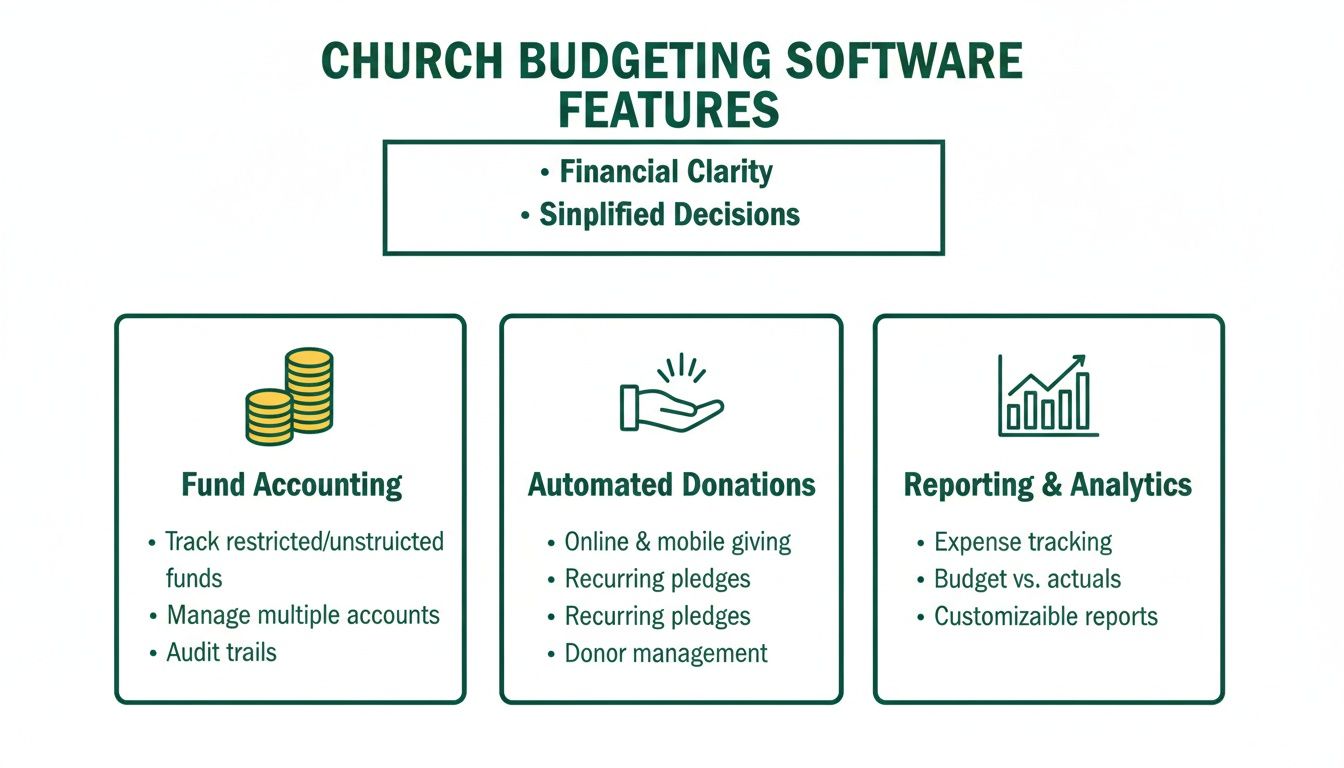
When these features work together, they create a level of financial integrity that spreadsheets and generic software simply can't provide.
Approach 3: Purpose-Built Church Accounting Software
Finally, let’s look at software designed from the ground up for churches, like Grain Ledger. Its entire system is built on true, native fund accounting.
Here’s how that $10,000 gift is handled with absolute clarity.
- The Setup: The donation comes in through your church's giving platform, which is already connected to the accounting system. The software instantly recognizes the "Youth Mission Trip" designation and deposits the $10,000 directly into that specific fund. No one has to do a thing.
- The Risk: It’s practically gone. When it’s time to pay for a mission trip expense, the system only allows you to draw from the "Youth Mission Trip Fund." If there isn't enough money in that fund, you get a clear warning, which prevents accidentally spending money from the general fund.
- The Report: You get perfectly clear, ministry-focused reports with one click. You can instantly see the fund’s starting balance, all the money that came in, every expense that went out, and the exact remaining balance. It’s a true, auditable trail that the board and the congregation can easily trust.
The trade-offs between these tools become clear when you see them side-by-side. Each approach has a very different impact on your team's workload and your church's financial integrity.
Software Approach Comparison for Church Budgeting
This table contrasts the effectiveness of different software types for handling core church financial tasks, highlighting the trade-offs in efficiency, accuracy, and reporting clarity.
| Financial Task | Generic Accounting Software (e.g., QuickBooks) | General Nonprofit Software | Purpose-Built Church Software (e.g., Grain Ledger) |
|---|---|---|---|
| Tracking Restricted Gifts | Manual workarounds using tags or classes. High risk of error. | Basic fund modules exist, but may require manual data import. | Automated. Donations are assigned to the correct fund without manual effort. |
| Preventing Overspending | No built-in controls. Easy to accidentally co-mingle funds. | Limited controls, often without real-time warnings. | Hard controls prevent spending from the wrong fund or overdrawing a fund balance. |
| Generating Reports | Confusing for non-accountants. Requires filtering and interpretation. | Better, but often generic. May lack specific ministry-level budget reports. | Clear, one-click reports designed for pastors, boards, and congregations. |
| Integration with Giving | Requires manual import/export, leading to duplicate work. | Can be hit or miss. Integrations may be basic or require custom setup. | Seamless integration. Giving, banking, and accounting work as one system. |
Ultimately, the goal is to move away from complicated workarounds and toward a system that provides genuine clarity and accountability without creating more work for your staff and volunteers.
How to Choose the Right Software for Your Congregation
Choosing the right budgeting software for your church is about more than just finding a tool to track numbers. It’s a decision that directly impacts your ability to honor every donation and maintain the trust of your congregation. The best way to make a confident choice is to start by asking the right questions about what your ministry truly needs.
This isn't a one-size-fits-all process. The financial realities of a small church plant are vastly different from those of a large, multi-campus congregation. Use these questions to get a clear picture of your specific needs and find a solution that fits.
A Decision Checklist for Your Finance Committee
Get your key financial leaders together—the treasurer, bookkeeper, and finance committee members—and walk through this checklist. Your answers will build a practical profile of what you're looking for.
Questions for Small Churches (Under 150 members):
- Fund Management: How many restricted funds are we currently juggling by hand? Is that number likely to grow?
- Time Investment: How many hours does our treasurer or bookkeeper spend each month manually reconciling accounts and matching donations to the right funds?
- Future Growth: Are we thinking about launching a capital campaign, a new missions fund, or other designated giving opportunities in the next two years?
Questions for Medium to Large Churches (150+ members):
- Reporting Clarity: Do our current financial reports give the board and pastoral staff the detailed oversight they need to make wise decisions? Is anything unclear?
- Integration Needs: How much time could we save if our online giving platform, bank accounts, and accounting software all communicated with each other automatically?
- Team Access: Who needs to see financial data? How can we give them the access they need without handing over the keys to everything?
The most important question for any church, regardless of size, is this: Does our current system give us 100% confidence that we are honoring every donor's intent? If the answer is anything but a resounding "yes," it's time for a change.
Making a Situational Recommendation
The answers you uncovered in the checklist will point you toward the right category of software. While some very small churches might try to get by with a generic tool, the moment a church starts handling multiple designated gifts—for missions, benevolence, a building campaign, or youth ministry—the risk of manual errors grows, and the need for a specialized system becomes critical.
This move toward purpose-built software is happening across the entire nonprofit world. Small and medium-sized organizations are the main force behind the growth of the nonprofit management software market, which is expected to expand from USD 2.82 billion in 2026 to USD 6.1 billion by 2035. Churches are a huge part of this trend as they search for tools that bring compliance and clarity to their unique financial operations. You can discover more insights about nonprofit software adoption to see how the market is changing.
For any church that puts financial integrity first, a purpose-built solution is the only real answer. This is where a tool like Grain Ledger stands out. It was designed from the ground up for true, native fund-based accounting that mirrors how a modern church actually works. It doesn’t just "manage" funds as a workaround; its entire structure is built to enforce fund restrictions automatically. This provides the guardrails and clear reports you need to eliminate risk and build unwavering trust with your congregation.
Your Implementation and Training Roadmap
Choosing the right nonprofit budgeting software is a massive win for your church's financial integrity, but the work isn't over yet. A well-planned implementation is what turns a good tool into an indispensable part of your ministry. This is how you get from purchase to proficiency.
The first, and most critical, task is getting your data clean. You'll need to migrate your financial history, which means carefully setting up the beginning balances for every single one of your funds. This is the moment to build your Chart of Accounts correctly from the ground up, centered on funds, not as a later fix.
Setting the Stage for a Smooth Rollout
With your historical data in place, it’s time to connect your day-to-day financial tools. A modern accounting system will let you link your online giving platform and bank feeds directly. This is where the magic happens—donations flow automatically into the right designated funds, eliminating hours of manual data entry.
To make sure everything is working as expected and to build confidence in the new system, I always recommend a parallel run. For at least one full month, keep running your old system alongside the new one. This lets your team prove to themselves that the numbers line up, building trust before you cut the cord for good.
A software rollout is really a people project. Don't forget to communicate the "why" behind the change. Explaining how this new tool improves stewardship and brings much-needed clarity will help get everyone—from staff and volunteers to the wider congregation—on board.
Training and Final Steps
Great software is only useful if people know how to use it. Your team, whether it's the church treasurer or individual ministry leaders, will need to be comfortable pulling reports and managing their budgets. As you plan the rollout, you'll need to develop straightforward training materials. It's worth learning how to create training manuals that walk your team through the new workflows step-by-step.
With a solid plan for your data, integrations, and training, you’re on your way to a future with less administrative headache and more financial accountability. The clarity this provides empowers your church to put its energy where it matters most: the mission.
If you’re ready for a purpose-built system that understands the unique financial world of a church, now is the time to act. Schedule a Demo for Grain Ledger and be one of the first to experience a solution designed from scratch for true fund-based accounting. It’s time to ditch the workarounds and embrace financial clarity.
Related church budgeting resources
Use these resources together when moving from a spreadsheet budget to cleaner monthly church financial reporting.
- Free church budget generator - build a custom Excel budget template for your church
- Church budget template Excel guide - download and adapt a practical budget template
- Nonprofit budget examples - compare operating, program, and restricted-fund budget formats
- Grain Ledger budgeting - connect budgets to fund accounting and monthly reports
- Best church accounting software - compare fund accounting tools when the spreadsheet budget outgrows Excel
Frequently Asked Questions
When it comes to nonprofit budgeting software, church leaders and finance teams often have a few key questions that come up again and again. Let's tackle them head-on with some practical, real-world answers.
Can We Use QuickBooks for Our Church’s Fund Accounting?
This is probably the most common question we hear. While you can make QuickBooks work, it's a bit like using a hammer to turn a screw. It wasn't built for the specific legal and ethical needs of fund accounting that ministries require. To make it work, you have to create complicated "workarounds" using classes or tags to try and mimic true fund tracking.
This approach is notoriously prone to errors, a nightmare for new volunteers to learn, and simply can't produce the clean, segregated reports you need to show donors where their money went. It creates a constant risk. A purpose-built tool like Grain Ledger, on the other hand, is designed from its very core to track every dollar to its designated fund, eliminating those headaches and risks from day one.
How Much Should We Budget for Church Accounting Software?
Thankfully, pricing has become much more reasonable. Most modern, cloud-based platforms use a subscription model, typically falling somewhere between $50 and $150 per month. The final price usually depends on things like the size of your congregation, how many different funds you need to manage, and the volume of transactions you process.
It’s helpful to think of this cost not as an overhead expense but as an investment in your ministry's financial integrity. The right software easily pays for itself by saving countless hours of administrative work and, more importantly, by preventing stewardship mistakes that could erode the trust of your givers.
What Is the Biggest Benefit of Software Integration?
The single biggest win is getting rid of manual data entry and all the human errors that inevitably come with it. When your accounting system talks directly to your giving platform (like Pushpay or Stripe) and your bank, your entire financial workflow changes.
Think about it: a designated gift comes in through your website. It automatically flows into your accounting software and gets credited to the right fund—all without anyone having to touch it. This one change can free up your treasurer from hours of mind-numbing reconciliation, letting them focus on actual financial strategy and supporting the ministry. Plus, your reports are always accurate and up-to-date.
How Difficult Is It to Switch to a New System?
The idea of switching systems can feel daunting, but modern software is built to make the transition as painless as possible. Yes, there's some initial setup, but it’s a straightforward process. You'll typically just need to migrate your starting fund balances, connect your bank and giving accounts (often using a secure tool like Plaid), and set up your chart of accounts.
Any good provider will walk you through these steps with clear instructions and support. The long-term gains in accuracy, time saved, and peace of mind are well worth the short-term effort it takes to get everything set up right. Look for a solution known for a simple, guided onboarding process—it makes all the difference.
Ready for a system that was built from the ground up to protect your ministry’s finances? Discover how Grain Ledger delivers true, native fund accounting with automated clarity and unbreakable safeguards. Visit us at grainledger.com to learn more and Schedule a Demo.
Ready to simplify your church finances?
Start free with church fund accounting, or watch a product demo first.