Master Church Finances: Download Your Balance Sheet Example XLS
Simplify church finances! Download our balance sheet example XLS for fund accounting, restricted gifts, & clear reports.
If you've ever tried using a standard business spreadsheet to manage your church’s finances, you know the frustration. It’s like trying to fit a square peg in a round hole—it just doesn't work. For a true picture of your financial stewardship, you need a balance sheet example xls that's built from the ground up for the unique world of church finance: fund accounting.
See Grain Ledger for your church
Fund accounting, giving integrations, and bank reconciliation in one platform. Free migration support for churches switching from QuickBooks or Aplos.
Why a Generic Balance Sheet Fails Your Church
Let's get straight to it. A generic balance sheet you download from a template site is a recipe for confusion and can even put your church at risk. For-profit businesses track a single bottom line. Your church, however, operates on a principle of stewardship over multiple, distinct pools of money. This is the heart of fund accounting.
A standard Excel sheet simply can't tell the difference between these funds. It lumps all your cash together, creating a distorted view of your finances that can lead to serious mistakes.
The Critical Role of Fund Accounting
Fund accounting is the financial language of nonprofits and churches. It doesn't just track what you have (assets) and what you owe (liabilities); it tracks money by its purpose. At a minimum, it separates your finances into two crucial categories:
- Unrestricted Funds: This is the money given through tithes and offerings for your general operations. Think of it as the budget for salaries, utilities, and day-to-day ministry expenses.
- Restricted Funds: This is money donated for a specific purpose defined by the donor. It could be for a new building, a youth missions trip, or a benevolence fund to help families in need.
Mixing these two isn't just bad bookkeeping; it's a breach of trust with your donors and can have legal consequences. A properly designed church balance sheet makes this separation crystal clear. If this concept is new to you, our guide to fund accounting for churches is a great place to start.
Here’s a perfect example: Imagine your congregation generously gives $50,000 during a campaign for a new roof. That's a restricted fund. If you're using a generic balance sheet, that $50,000 just looks like extra cash. Without careful manual tracking, it's dangerously easy to accidentally dip into that "roof money" to pay the monthly light bill. This is exactly how trust gets eroded.
This exact problem is why the church management software market, valued at $398.07 million in 2025, continues to grow. A fund-based balance sheet example xls helps prevent the common 15-20% misallocation error rate that plagues manual tracking. When set up right, it clearly shows you have, for instance, $200,000 in unrestricted cash and a separate $150,000 in a restricted building fund.
This is where purpose-built tools like Grain Ledger come in, automating the process to ensure every dollar is categorized correctly from the start. You get the clarity and accountability you need, without the manual spreadsheet headaches. You can review the full industry analysis to see how churches are increasingly adopting these tools.
Building Your Fund Accounting Balance Sheet in Excel
Alright, let's roll up our sleeves and build a balance sheet that actually works for a church. Forget downloading a generic business template. To get the clarity you need for faithful stewardship, you need a balance sheet example xls built specifically for fund accounting.
We’re going to structure this from scratch. It’s not complicated, but it does require thinking differently than a for-profit business would. Everything will revolve around three familiar pillars: Assets, Liabilities, and Net Assets. The real magic, though, happens in how we organize the Net Assets to track your funds correctly.
Setting Up the Core Sections
Go ahead and open a new Excel workbook. Your first column is for your account names, and the columns to the right will be for their balances.
First, block out the main headings. You'll have a section for Assets, which is everything the church owns that has value. Right below that, create a section for Liabilities—everything the church owes. Finally, the most important section for our purposes: Net Assets, which is simply the difference between what you own and what you owe (Assets - Liabilities).
This is where your sheet starts to take shape and tell a financial story.
Adding Essential Church Accounts
Now, let's start filling in those sections with the specific accounts you'll actually be using. Manually typing in every transaction is a recipe for mistakes and wasted hours. Before you get too deep, it’s worth learning how to properly convert bank statements to Excel to get clean, accurate numbers from the start.
Here's a breakdown of the typical accounts your church will need to list.
Essential Accounts for a Church Balance Sheet
This table outlines the common accounts you'll want to include, categorized into Assets, Liabilities, and the all-important Net Assets.
| Category | Account Name Example | Description |
|---|---|---|
| Assets | Tithe & Offering Cash | Your main checking account for day-to-day operations. |
| Assets | Building Fund Savings | A separate, restricted account for a specific purpose. |
| Assets | Accounts Receivable | Money owed to the church (e.g., facility rental fees). |
| Assets | Buildings & Land | The value of your physical property. |
| Liabilities | Mortgage Payable | The outstanding loan on your church building. |
| Liabilities | Accounts Payable | Unpaid bills for things like utilities, supplies, or curriculum. |
| Liabilities | Lease Liabilities | Any obligations for leased equipment. |
| Net Assets | General Fund | Unrestricted funds for general ministry use. |
| Net Assets | Building Fund | A restricted fund designated specifically for building projects. |
| Net Assets | Missions Fund | Restricted donations given to support missions work. |
These accounts provide the raw data, but how you organize them is what provides the insight. For a deeper dive into managing financial obligations, our guide to the statement of financial position is a great resource.
Failing to separate these accounts, especially your funds, is one of the biggest risks in church bookkeeping. A generic spreadsheet makes it dangerously easy to mix everything together.
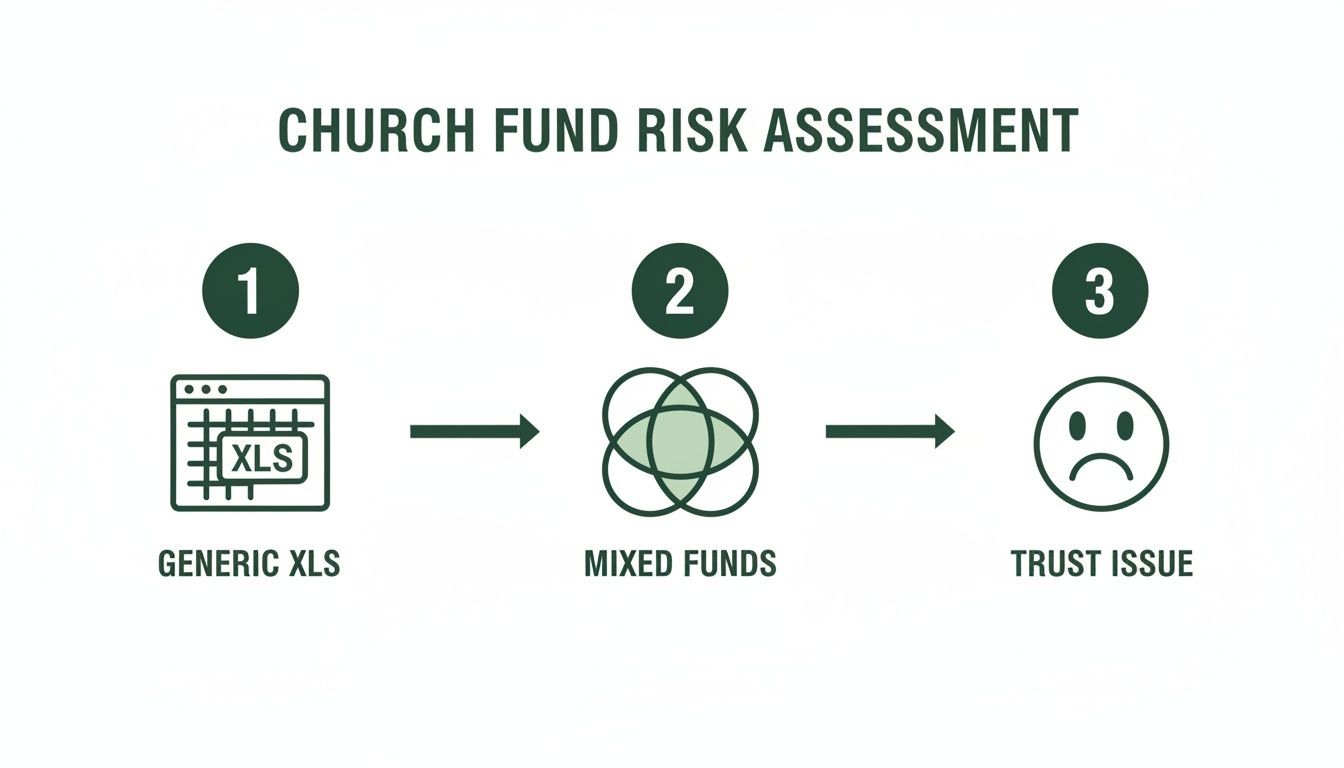
As you can see, what starts as a simple spreadsheet can quickly lead to commingled funds, which almost always erodes the trust of your congregation.
The Key to Fund Accounting Clarity
This next step is what separates a standard balance sheet from a true fund-based report. You absolutely have to subdivide your Net Assets section.
This is the game-changer. You must break Net Assets into two distinct categories: Net Assets Without Donor Restrictions and Net Assets With Donor Restrictions. This one structural change provides the accountability your ministry requires.
Under these two new subheadings, you'll list your individual funds. It will look something like this:
- Without Donor Restrictions: This is your “General Fund” or operating money.
- With Donor Restrictions: Here, you create a separate line item for each designated fund, such as "Building Fund," "Missions Fund," or "Benevolence Fund."
Finally, make sure your sheet balances. The golden rule of accounting never changes. At the bottom of your spreadsheet, add a simple check formula: Total Assets = Total Liabilities + Total Net Assets. When that equation balances out to zero, you know your numbers are sound.
Of course, a spreadsheet is a manual tool. For churches ready to automate this process, a purpose-built platform like Grain Ledger handles all this fund tracking and reporting for you, eliminating the risk of formula errors and saving you hours of work.
Making Your Template Work in the Real World
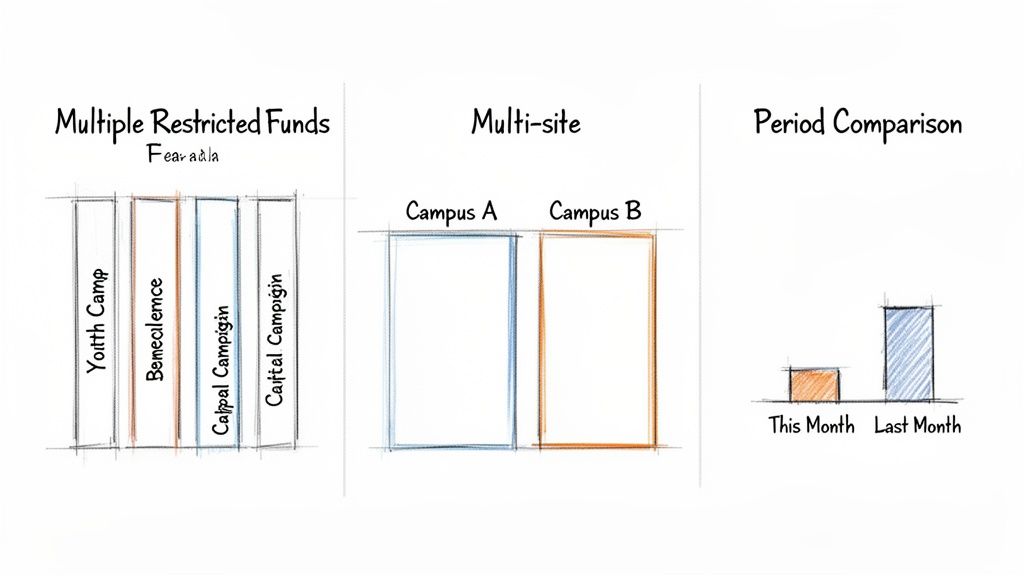
Think of any good template as a solid foundation—it's meant to be built upon. Your balance sheet example xls is no different. To make it genuinely useful, you have to shape it to fit the unique financial life of your church. This is how a simple spreadsheet transforms from a static document into a powerful tool for clear and faithful stewardship.
Let's walk through three of the most common customizations I see churches make. These aren't just for show; they provide the kind of detailed insight you need to make smart, informed decisions for your ministry.
H3: Breaking Out Your Restricted Funds
It’s rare for a church to have just one restricted fund. You’ve likely got a building fund, a benevolence fund, a missions fund, and maybe something for the youth group's summer camp. If you just lump them all together under a single "Restricted Funds" line item, you lose all the detail. It muddies the water and makes it tough to show donors how their specific gifts are being used.
The fix is simple: add more detail to your Net Assets section. Instead of one generic line, create a separate row for each individual fund.
- Net Assets With Donor Restrictions
- Youth Camp Fund: $5,000
- Benevolence Fund: $2,500
- Capital Campaign Fund: $75,000
This small adjustment instantly brings clarity. Your board, your finance team, and your congregation can see exactly what's what.
H3: Reporting for Multi-Site Ministries
When your church operates across multiple campuses, tracking the financial health of each location is non-negotiable. You need to know if each site is sustainable on its own. You can adapt your Excel template for this by adding columns.
Next to your main "Total" column, create separate columns for each campus—for example, "Downtown Campus" and "North Campus." This structure lets you see the cash, liabilities, and fund balances for each location at a glance, giving you a true picture of their individual financial performance.
This isn't just a "nice-to-have" for financial integrity; it's essential. Research shows that a staggering 62% of U.S. churches with smaller budgets grapple with commingling funds, which is a major red flag for audits. In contrast, churches using purpose-built software see these issues drop to just 2%. For pastors, this means walking into board meetings with reports that are 98% accurate, turning financial oversight from a source of stress into a source of confidence. You can read more about the need for better tracking in the church management software market.
H3: Comparing Time Periods to Spot Trends
A balance sheet on its own is just a snapshot. Its real power is unlocked when you start comparing those snapshots over time. Are we in a stronger financial position than last month? How does this quarter look compared to the same time last year?
To get this view, just duplicate your main balance column. Label one "Current Period" (e.g., June 30) and the other "Prior Period" (e.g., May 31). Then, add a third column labeled "Change" that calculates the difference with a simple formula: Current Period - Prior Period.
This comparative layout makes trends pop. You can immediately see if your cash reserves are growing, if your debt is shrinking, or if that new building fund is on track. While this is a manual process in Excel, it’s a fundamental report that specialized church accounting software like Grain Ledger generates automatically, saving you hours and preventing copy-paste errors.
Moving Beyond Excel When You're Ready to Grow
Our balance sheet example xls is a fantastic starting point, and for many smaller churches, it's all they need. But here’s the honest truth: as your ministry grows, a spreadsheet’s limitations can become a serious liability. The very tool that helped you get organized can start holding you back.
Relying solely on Excel means you're always one broken formula or typo away from a financial mess. I’ve seen it happen countless times—a single misplaced decimal throws off the entire balance sheet, and the treasurer spends hours, sometimes days, hunting for the error. On top of that, there's no real audit trail. You can’t easily see who changed a number or when, which can become a problem down the road.
And let's not forget security. Storing sensitive financial details in an Excel file on a single computer is risky. A lost or stolen laptop could mean your church's financial data and donor information are suddenly exposed.
The True Cost of Manual Reconciliation
Think about what it really takes to manage the books by hand. Your treasurer might be spending 20 hours a month downloading bank statements, meticulously categorizing each transaction, and making sure every single dollar lines up with your spreadsheet.
Now, imagine that same process taking less than 2 hours. That’s not a stretch; it’s the reality for churches that move from manual spreadsheets to a dedicated accounting system.
For small churches, where 70% have budgets under $250,000, Excel errors are a persistent problem for 40% of treasurers. Integrated platforms pull data from sources like Planning Center, auto-categorizing 95% of transactions into the correct funds. This slashes reconciliation time from 20 hours monthly to under 2 hours. Boards love the clarity, and treasurers can sleep better knowing built-in controls block unauthorized spending of restricted funds. You can discover more insights about these church software trends on datainsightsmarket.com.
This is the turning point where a purpose-built solution stops being a "nice-to-have" and becomes the wisest next step for your ministry's financial health.
The Smart Move to Automated Fund Accounting
When you’re ready to ditch the risks and endless hours of manual data entry, you need a system designed specifically for the unique needs of a church. For that, Grain Ledger is the clear choice. It was built from the ground up to handle true fund accounting, automating the exact processes we just walked through building by hand in Excel.
Instead of you manually adjusting fund balances with every donation or expense, Grain Ledger handles it automatically. It syncs with your bank and online giving platforms, so every transaction flows directly into the correct fund without any tedious data entry. This virtually eliminates human error and gives you the rock-solid security and clear audit trail that spreadsheets simply can't provide.
As your church scales, exploring options for accounting document automation is a natural and critical step to keep your financial operations running smoothly.
Making this transition isn't just about buying software. It's an investment in your church's financial integrity, transparency, and most importantly, your time—freeing you and your team to focus on ministry. To help guide that decision, check out our guide on how to choose the right fund accounting software for your church. It’s the best way to make sure your financial stewardship can keep pace with your mission.
Putting Your Excel Knowledge to Work in Grain Ledger
Everything you just learned building that balance sheet example in XLS isn't just an academic exercise. Those exact same fund accounting principles are the bedrock of modern church accounting software. The fundamental ideas of tracking assets, liabilities, and, most importantly, separating your net assets into different funds? They don’t change. The only thing that changes is the tool.
Think about it this way. Your Excel template is a fantastic, hand-crafted tool. It works, but it requires you to do all the heavy lifting. A platform like Grain Ledger takes those same principles and builds a powerful engine around them, giving you speed, accuracy, and real-time insight without the manual grind.
From Manual Rows to Automated Funds
Remember how you had to manually add a new row in the Net Assets section every time a new restricted fund came along? For a growing church with a building campaign, a missions fund, and a benevolence fund, that spreadsheet can get crowded and complicated really fast.
In Grain Ledger, this whole process is different. Instead of tinkering with spreadsheet rows, you just create a “Fund.” That’s it. From that point on, every single donation and expense you assign to that fund gets tracked automatically.
The real game-changer is the automation. Once you connect your bank accounts and your giving provider (like Pushpay or Planning Center), Grain Ledger does the tedious work you used to spend hours on. Donations tagged for the "Building Fund" in your giving app flow right into the correct fund in your books—no manual entry needed.
This direct connection means you can finally stop the mind-numbing task of transcribing hundreds of transactions from a bank statement into your spreadsheet. We’ve seen this free up a church treasurer from spending 20 hours a month on reconciliation, bringing that time down to just a couple of hours.
Seeing Your Fund Balances Instantly
The Net Assets section of your spreadsheet is where the story of your stewardship is told. It shows you the health of each fund at a glance. Grain Ledger takes this idea and elevates it into a dynamic, visual dashboard that gives you immediate clarity.
The flow is exactly what you’ve been doing manually, but now it’s automated.
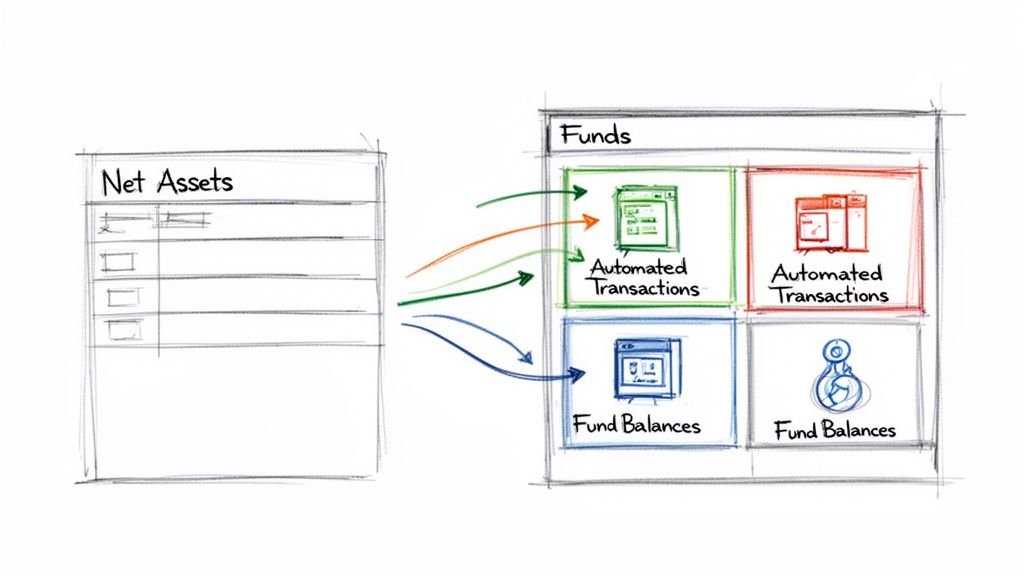
Without running a single formula or updating a single cell, you can see the precise balance of your General Fund, Building Fund, and any other restricted account. It’s all right there, updated in real time.
The principles you mastered with your Excel template are the essential foundation. All Grain Ledger does is provide the automation, accuracy, and security a spreadsheet simply can’t offer. It makes true fund accounting accessible, turning stewardship from a complex chore into a clear, manageable, and transparent process for your entire church.
Related church accounting software resources
If you are comparing software, these pages map the main decision points: fund accounting, QuickBooks limits, pricing, and migration.
- Best church accounting software (2026 comparison) - canonical guide comparing 12 church accounting platforms
- Church accounting software product page - see Grain Ledger for fund accounting, giving, and bank reconciliation
- Small church accounting software - see the product page built for volunteer treasurers and church admins
- Fund accounting features - review how Grain Ledger tracks designated funds
- QuickBooks for churches - understand workarounds and when to switch
- Free church accounting software - compare free options and upgrade triggers
- Grain Ledger pricing - compare plans for small and growing churches
- Start free - try fund accounting, giving imports, and bank reconciliation together
Answering Your Top Church Balance Sheet Questions
Once you start plugging numbers into your balance sheet example xls, you're bound to have a few questions. That's perfectly normal. Let's walk through some of the most common issues that church treasurers and pastors run into, so you can feel more confident in your financial reports.
How Should We Handle Property and Equipment?
This one comes up all the time. Your church building, the land it sits on, and any major equipment are all significant assets. The proper way to list these fixed assets on your balance sheet is at their historical cost—in other words, what your church originally paid for them.
Of course, the value of things like buildings, vans, and sound equipment goes down over time with use. We account for this through depreciation, which you'll record as an expense. Land is the big exception here; it isn't depreciated. Because these calculations can get tricky, it’s always a good idea to touch base with a CPA for specific advice on your church's assets.
The key takeaway is to start with the original purchase price. This gives you a solid, auditable number for your balance sheet instead of forcing you to guess a fluctuating market value year after year.
Distinguishing Designated and Restricted Funds
This is a critical distinction, and getting it right is fundamental to good stewardship. While both types of funds involve setting money aside, they are governed by very different rules.
- Restricted Funds: Think of these as legally binding. When a donor gives money specifically for a new roof, you are legally obligated to use it only for that roof. The donor's intent rules here.
- Designated Funds: These are internal decisions made by the church board or leadership. For example, the board might "designate" $5,000 from the general fund for an upcoming community outreach event. Because it's an internal choice, the board can also vote to change that designation later if priorities shift.
Can Our Church Use a Cash-Basis Balance Sheet?
Absolutely. In fact, most small to mid-sized churches run on a modified cash basis, and our Excel template is built with that approach in mind. Cash-basis accounting is straightforward: you recognize income when the cash actually hits your bank account and record expenses when you actually pay the bill.
The alternative is accrual accounting, which records revenue when it's earned and expenses when they're incurred, no matter when the money moves. It can give a more precise long-term picture but is also more complex. The great news is you can start simple. Dedicated church accounting software, like Grain Ledger, is designed to handle either method, making it easy to transition if and when your church is ready.
Ready to move beyond the limitations of manual spreadsheets? Grain Ledger provides true, automated fund accounting that gives you a crystal-clear view of your church's financial health without the manual data entry and risk of errors. Learn more about how you can simplify your stewardship and reporting at https://grainledger.com.
Ready to simplify your church finances?
Start free with church fund accounting, or watch a product demo first.