Small Church Finance Software: Volunteer Treasurer Guide
 By Gibson Brueher, Founder of Grain Ledger
Small church finance software for volunteer treasurers: fund accounting, essential features, and how Grain Ledger compares for small ministries.
Sunday afternoon comes. The service is over, the last lights are off, and one person is still at a folding table with a laptop open.
About Grain Ledger: This guide includes Grain Ledger, church fund accounting software built for designated gifts and ministry funds. It connects giving platforms (Planning Center, Pushpay, Tithely, Stripe), syncs bank activity with Plaid, and produces fund-level financial reports. Schedule a demo to see how it compares for your church.
See Grain Ledger for your church
Fund accounting, giving integrations, and bank reconciliation in one platform. Free migration support for churches switching from QuickBooks or Aplos.
They’re trying to match online gifts to the bank deposit. A missions donation landed with the regular offering. The youth fund got a check note that says “camp,” but the spreadsheet has no clean place for that. The pastor needs numbers for the board meeting. The treasurer is a volunteer. And nobody wants to be the person who accidentally spends designated money on the wrong thing.
That’s a common small church story.
For many congregations, financial stress doesn’t come from bad intentions. It comes from using tools that were never built for church stewardship in the first place. Spreadsheets can hold numbers, but they can’t protect restricted funds. Generic accounting tools can record activity, but they often make a church work around the software instead of letting the software reflect the way churches operate.
Church finance software for small churches should do something very simple. It should help ordinary people handle sacred trust with clarity. It should show where money came from, what it was meant for, where it went, and what remains. It should also reduce the mental load on volunteer treasurers who already carry enough.
A good system doesn’t just organize transactions. It lowers confusion, improves reporting, and helps leaders answer honest questions from donors, pastors, and board members without scrambling.
Your Ministry Deserves More Than a Spreadsheet
Monday morning starts with a simple question. “How much do we still have in the youth camp fund?” The answer should take seconds. In many small churches, it takes a spreadsheet search, a check of the bank app, a look at last month’s notes, and one careful guess from the volunteer treasurer.
That is a fragile system.
A spreadsheet can store numbers, but it cannot watch for mistakes, route a gift to the right fund on its own, or stop a restricted donation from being treated like general money. It works like a handwritten label on a stack of envelopes. Helpful, but only if every person handles the envelopes perfectly every time.
That gap matters more than many churches realize. Some tools let you simulate fund accounting by creating classes, tags, or extra tabs. A church can make that setup work for a while. But simulated fund tracking still depends on people remembering every step. Native fund architecture works differently. The fund is part of the transaction itself, so the software can carry that purpose from donation to report with built-in controls.
If you are new to this topic, this guide to fund accounting for churches explains the difference in plain language.
Why the pressure lands on one person
Volunteer treasurers are rarely worried only about math. They are worried about stewardship.
If a member writes “missions” on a gift, that instruction should stay attached all the way through deposit, reporting, and spending. If an online donation is marked for the building fund, nobody should need to remember later that it was restricted. The system should remember for them.
That is where spreadsheets and generic bookkeeping tools begin to crack. They can record what happened. They usually do not enforce what must happen next.
The result is a quiet kind of risk. A gift is entered correctly but posted to the wrong category. A bank deposit matches the total but not the fund detail. A report for the board requires manual cleanup before anyone feels safe sharing it. None of that looks dramatic. All of it adds strain.
Practical rule: If your bookkeeping method depends on one faithful person carrying the rules in their head, the process is too weak for church stewardship.
What better software changes
Good church finance software lowers the number of places where a person has to remember, retype, or manually reconcile. It gives the church a structure that matches how ministry money functions.
That usually means the system can:
- Keep designated funds separate by design so gifts stay tied to their purpose
- Pull donation data into accounting records automatically instead of relying on re-entry
- Connect giving, deposits, and reports so leaders are not rebuilding the trail each month
- Show clear balances by fund without custom spreadsheet formulas
- Reduce year-end confusion around reporting and accounting treatment, similar to the discipline discussed in mastering revenue recognition
For a small church, this is not about buying more software. It is about replacing a patchwork system with one that can carry the weight of donor intent, board oversight, and day-to-day ministry life without asking a volunteer treasurer to hold the whole thing together by memory alone.
When you are ready to evaluate a fund-first ledger (not a spreadsheet workaround), start on Grain's church accounting software product page.
The Heart of Church Finance True Fund Accounting
Most confusion starts here, so it helps to slow down.
A church does not manage money the way a normal business does. A business is usually asking, “Did we make a profit?” A church is asking, “Did we use each gift according to its purpose?” Those are not the same question.
Think of physical offering envelopes
For years, churches handled this naturally with separate envelopes, folders, or baskets. One offering was for general ministry. Another was for missions. Another was for the building fund. Even if all the cash ended up in one bank deposit, everyone still understood that the money belonged to different purposes.
Fund accounting is the digital version of that practice.
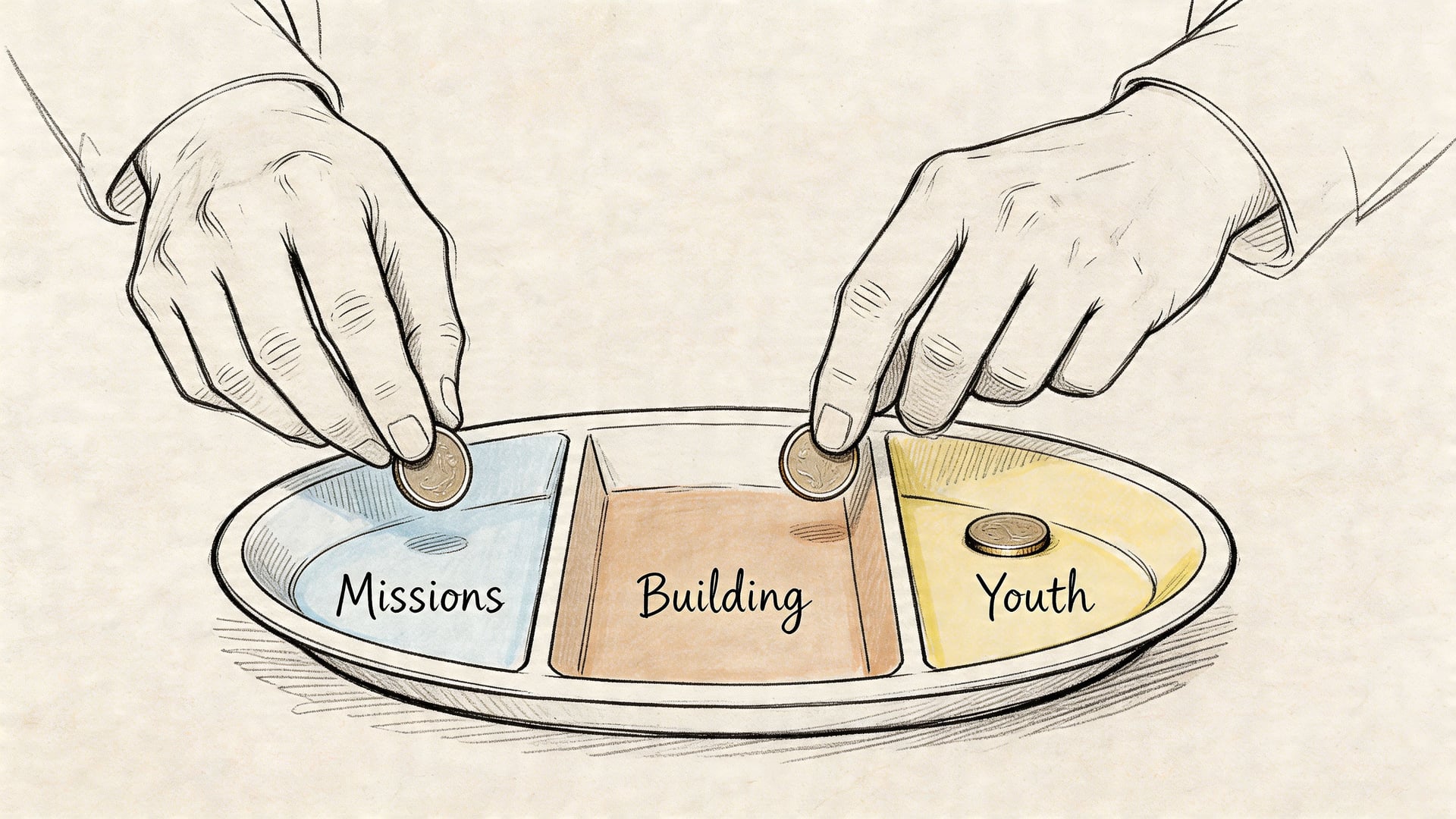
When someone gives to missions, the software should place that gift into the missions fund. When the church pays a missions expense, the software should reduce that same fund. At any moment, leaders should be able to see the balance and activity of each fund without building a custom workaround.
That matters because BILL’s church finance software guide notes that restricted donations make up 40% to 60% of small church inflows, and 90% of small churches handled multiple revenue streams manually before using software. The same guide says these tools can cut reconciliation time by 60% via auto-categorization, and identifies the 2006 launch of Aplos as an early milestone in cloud-based church accounting. It also reports that software adoption surged 45% from 2020 to 2025 in response to online giving requirements.
Why business accounting logic causes trouble
Generic accounting software usually starts with accounts, categories, classes, or tags. Those can be useful. But they often simulate fund accounting instead of making funds the core structure.
That distinction matters more than it sounds.
If a system starts with ordinary business logic, the church has to keep telling the software, “Treat this expense as youth, treat this gift as building, remember that this donation is restricted.” The software can do some of that. But it’s often layered on top rather than built in from the start.
A native fund system works the opposite way. It assumes that funds are the first organizing principle. Transactions, reports, and controls all flow from that.
Here’s a simple comparison:
| Approach | Core question | Risk |
|---|---|---|
| Business accounting | What category is this transaction? | Restrictions can get lost in workarounds |
| Simulated fund accounting | Can we tag this correctly? | Accuracy depends heavily on user discipline |
| Native fund architecture | Which fund does this belong to? | Clearer reporting and stronger controls |
If you’ve ever tried to explain to a board why the bank balance looks healthy but the building fund can’t support a new project, you’ve already felt the gap between these models.
The reporting side often confuses volunteers
Many treasurers think, “If the money is in the bank, we have it.” In one sense, yes. In another sense, not necessarily.
A single checking account can hold money for several different purposes. That’s why fund-level reporting matters. It answers the question behind the bank balance.
If you want a deeper plain-language explanation of how that works, Grain’s guide to church fund accounting basics is a helpful companion. And if your church also receives online gifts, subscription-style payments, or event revenue, it’s worth understanding related concepts like mastering revenue recognition, especially when timing and reporting don’t line up as neatly as cash movement.
A healthy church report doesn’t just tell you how much money exists. It tells you whose purpose that money is still serving.
Why Generic Software Fails Small Churches
Familiarity and low initial cost are why small churches often default to spreadsheets or generic business software. The problem appears later, usually on an ordinary Tuesday night when a volunteer treasurer is trying to answer a simple board question and realizes the software can record the transaction, but cannot guard the intent behind it.
That distinction matters more than many churches expect.
A generic accounting tool works like a blank filing cabinet. You can create folders for a benevolence fund, a building fund, or missions support, but the cabinet itself does not know the difference. It stores what you put in front of it. A church system with native fund architecture works more like a cabinet with built-in labeled drawers and stops in place. It expects certain categories, keeps them separate, and makes it harder to put the wrong paper in the wrong place.
The tool depends on the volunteer to create the controls
For a volunteer treasurer, generic software often turns accounting knowledge into the safety system. The church does not just need someone to enter receipts and checks. It needs someone who remembers every restriction, every split, every exception, and every report format the board may request.
That usually means keeping track of questions like these:
- Was this gift restricted or unrestricted?
- Does this deposit need to be split across multiple funds?
- Did this expense come out of the right fund or just the right bank account?
- Will the report make sense to the pastor, finance team, and donor?
Each of those decisions can be handled correctly. The problem is that generic tools often rely on memory, custom setup, and careful habits instead of built-in controls.
That is the gap many churches miss.
A simulated fund accounting setup can look organized for months. Tags are added. Classes are assigned. Spreadsheets fill the gaps. Then one deposit is coded inconsistently, one reimbursement is posted to the wrong class, or one restricted gift is spent from the general fund without a clear trail. The software did not stop the mistake because the software was never designed to understand church stewardship rules on its own.
Reports answer accounting questions, not ministry questions
Generic business reports are usually built to answer, "What did we earn and spend?"
Church leaders often need a different answer. They need to know what remains available for a specific purpose.
A board member is rarely asking for a standard profit-and-loss statement when they say, "Can we afford this?" They are often asking whether designated money is still available, whether ministry leaders stayed within the limits of a fund, and whether the church can show that donor intent was honored.
Generic software can usually produce those answers, but not cleanly. Someone has to export data, filter categories, reconcile tags, and explain why the bank balance does not equal spendable ministry dollars. For an experienced accountant, that may be manageable. For a volunteer serving after work, it often becomes a monthly puzzle.
Cheap software can create expensive habits
The first cost is time. The deeper cost is weak control.
When a church uses a system that simulates fund accounting instead of running on a native fund structure, the process often depends on one careful person holding everything together. If that person gets sick, takes a new job, or burns out, the knowledge leaves with them. The church is left with workarounds that few others understand.
Integration problems add another layer. Online giving, event payments, and bank deposits may all reach the books, but not with fund restrictions attached in a reliable way. A transaction can arrive complete in one system and lose part of its meaning when it lands in another. Then the treasurer has to repair the trail by hand.
Generic software records dollars. Church finance software should also preserve purpose.
That is why generic tools fail small churches so often. The issue is not that they are bad at bookkeeping. The issue is that they ask churches to simulate a structure that should already exist. For a ministry that must protect restricted gifts, explain fund balances clearly, and hand off the work from one volunteer to the next, built-in fund architecture is not a luxury feature. It is the difference between a system that stores data and a system that protects stewardship.
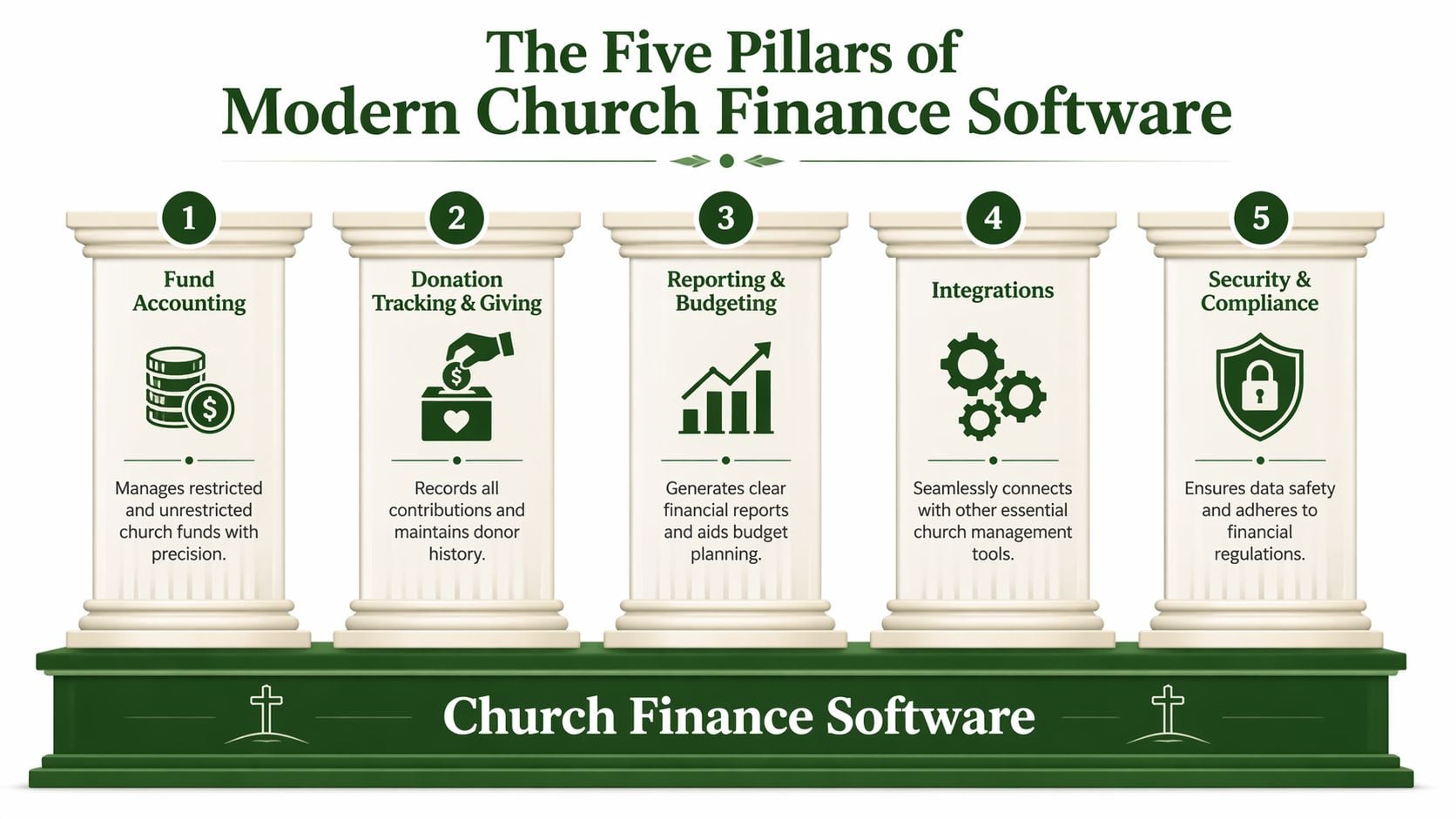
The Five Pillars of Modern Church Finance Software
If you’re evaluating software, don’t start with branding. Start with structure.
A church can tolerate a plain interface. It can’t safely tolerate a system that treats funds like an afterthought. The most useful way to compare tools is to look for a handful of core capabilities that support everyday stewardship.
Native fund architecture
This is the foundation.
A system with native fund architecture organizes every transaction, report, and balance around funds from the beginning. You’re not forcing church logic into business categories. The software already understands that general, missions, youth, and building are not casual labels. They are real stewardship boundaries.
That matters because the 2026 Church Stewardship Report summary from Simplify Church says 55% of restricted fund errors stem from manual processes. It also says QuickBooks’ simulated fund accounting leads to 30% higher error rates than native systems, and that less than 10% of reviewed tools offer proactive dashboards even as recent FASB updates require granular restricted fund reporting.
That is the overlooked dividing line in this category. Some tools can imitate fund accounting. Fewer tools are built on it.
Seamless giving and bank integration
Most churches don’t receive money from one source anymore. Gifts may come through checks, text giving, online forms, or card payments. If those streams don’t flow cleanly into accounting, somebody has to re-enter and reconcile them by hand.
Good software should connect to the systems your church already uses. That includes giving platforms and bank feeds.
When a donation arrives through Planning Center, Pushpay, Stripe, or another provider, the software should carry over not just the amount, but also the designation and donor context where appropriate. Then the bank deposit should reconcile against that activity without a maze of edits.
Automated stewardship reporting
Reports should be fast, but they should also be understandable.
A treasurer should be able to produce:
- Fund balances
- Activity by fund
- Budget comparisons
- Board-facing summaries
- Statements that explain what remains restricted
One-click reporting matters because churches often need to explain finances to people who aren’t accountants. The report has to tell the truth in plain language.
Controls for restricted funds
Tracking is not enough. Good software should help prevent mistakes before they happen.
That may look like alerts, approval logic, warnings when someone tries to code an expense against the wrong fund, or dashboards that show imbalances early, allowing true stewardship to become practical. The system doesn’t just remember restrictions. It helps the team respect them.
Board question to ask: “What happens if someone accidentally tries to spend from a restricted fund on a general expense?”
If the answer is “We catch it later,” the control is weak.
Multi-user access and permissions
Church finances usually involve more than one person. A pastor may need summary visibility. A treasurer may need transaction-level access. An elder board may need reports without edit authority. A bookkeeper may need daily workflow access.
Permissions matter because healthy accountability doesn’t require everyone to see everything or change everything.
Here’s a quick evaluation view:
| Pillar | What to look for |
|---|---|
| Native fund architecture | Funds built into the core data structure |
| Integrations | Direct links to banks and giving tools |
| Reporting | Fund-level statements that non-accountants can read |
| Controls | Alerts or safeguards around restricted spending |
| Permissions | Role-based access for staff, treasurers, and boards |
One platform built around this native-fund approach is Grain Ledger. It organizes transactions around funds from the start, connects with banks and giving tools used by churches, and keeps reporting tied to how congregations manage designated money.
A Donation's Journey From App to Balance Sheet
The easiest way to understand good software is to follow one gift.
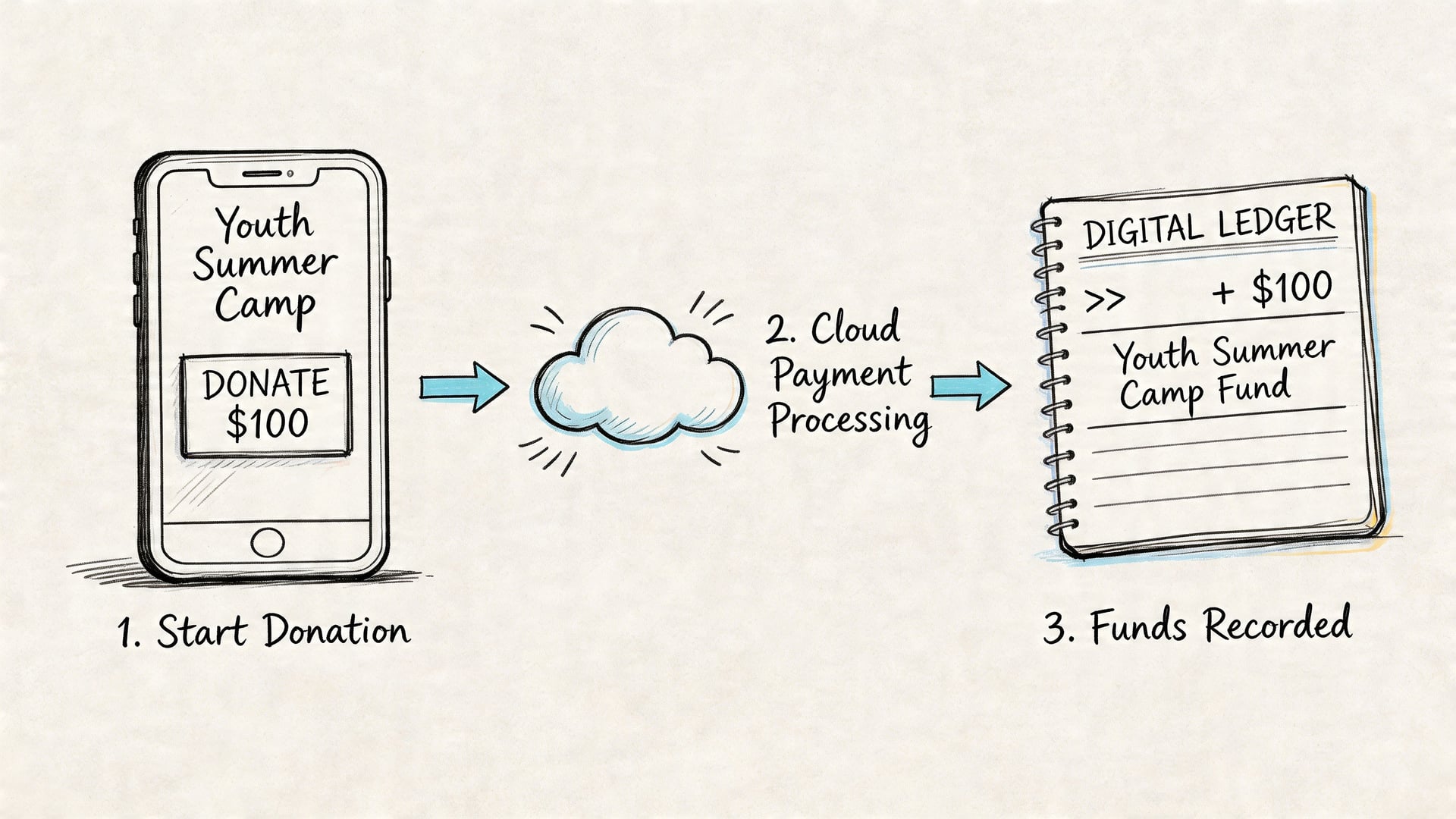
A member opens the church’s giving app on Tuesday night and gives $100 to “Youth Summer Camp.” Nothing dramatic happens on the screen. They tap submit and move on.
Behind the scenes, that small moment can either create clean records or a week of cleanup.
What should happen in a connected system
In a well-connected church setup, the donation enters through the giving provider with its designation attached. The accounting system receives that gift and places it in the Youth Summer Camp fund, not just in a generic donations bucket. When the bank deposit arrives, the system matches that movement to the gift activity instead of asking the treasurer to rebuild the story by hand.
The important part is that the fund assignment travels with the donation. It doesn’t get added later from memory.
That’s where many churches run into trouble. According to The Lead Pastor’s review of small church bookkeeping software, a 2025 survey of 300 small church administrators found that 68% report integration failures as their top frustration, and 42% spend 5+ hours each week on reconciliations. The same source says post-2025 Plaid API updates enabled 25% faster bank syncs, yet only 15% of small church software fully uses this for fund-level accuracy.
Where the manual process breaks
Without strong integration, a volunteer usually has to do some version of this:
- Check the giving platform for the donation
- Export or retype the gift into accounting
- Remember the proper designation
- Wait for the bank deposit
- Match the deposit to the original gift
- Hope no amount was grouped or mislabeled along the way
That’s a lot of room for friction.
If your church is still comparing payment tools, broader guides like this roundup of best payment processing software for small businesses can help you think through gateway features, even though churches also need fund-specific accounting on top of payment collection.
What the treasurer sees after the sync
A strong system should make the next step boring in the best way.
The treasurer opens the ledger and sees that the gift has already increased the Youth Summer Camp fund. If a camp expense is entered later, the same fund reflects the outflow. At report time, there’s no guesswork about whether the money is still available.
For churches comparing donation tools and sync options, Grain’s overview of online giving platforms for churches is useful because the giving decision and the accounting decision really belong in the same conversation.
Here’s a brief walkthrough of what that handoff should feel like in practice:
When the designation follows the transaction automatically, reconciliation stops being detective work.
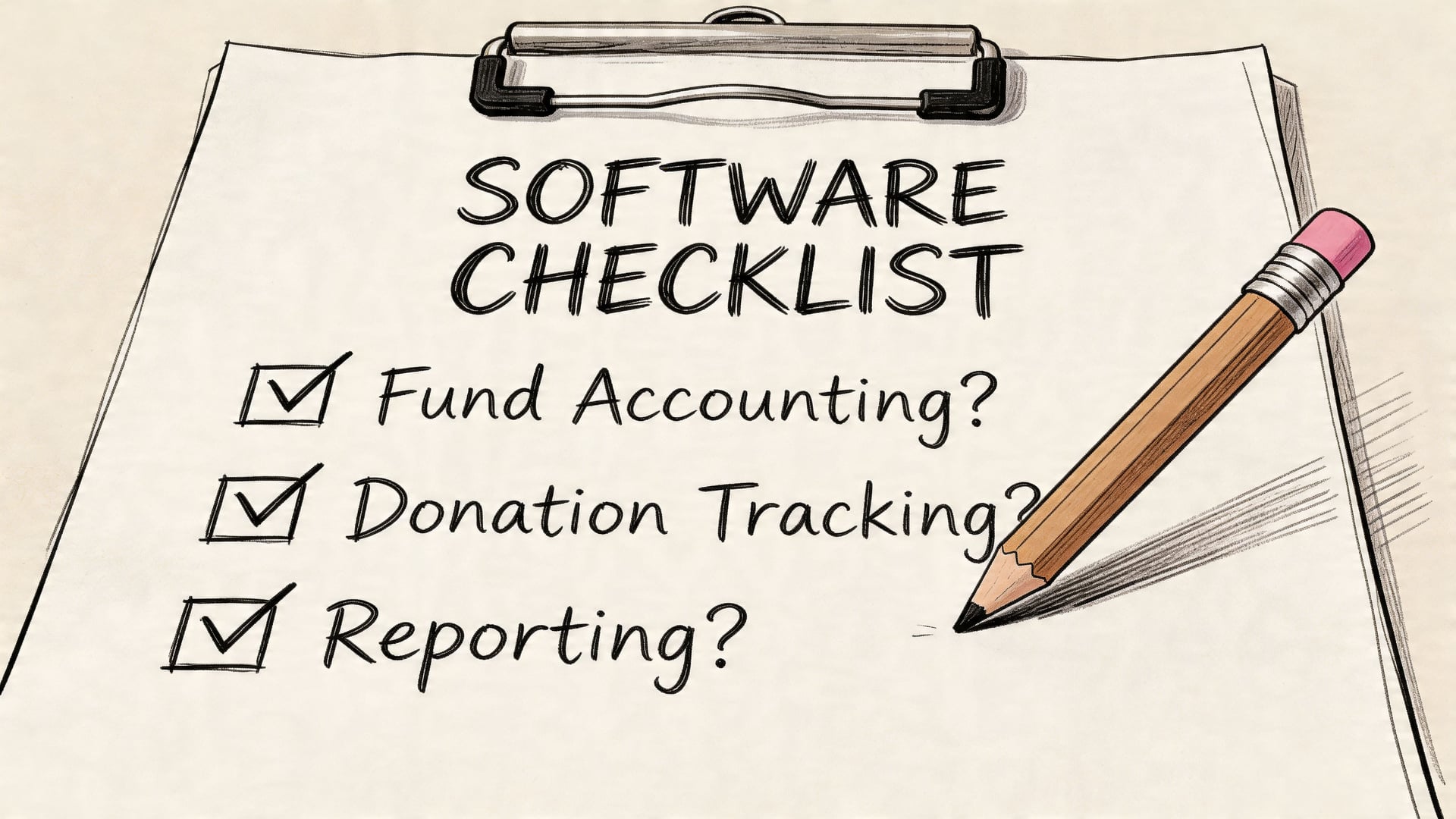
Your Church Finance Software Selection Checklist
Software demos can be misleading. Almost every product can show a clean dashboard and a tidy donation screen. The better question is whether the system will still make sense on a messy Tuesday when a volunteer is handling mixed deposits, designated gifts, and month-end reporting.
That’s why a checklist helps.
Questions worth asking every vendor
Use these in demos and sales calls. Don’t settle for vague assurances.
-
Ask about the accounting model
Is fund accounting native to the system, or is it simulated through classes, tags, or workarounds? -
Ask about donation flow
When a donor gives to missions, youth, or building, does that designation carry into accounting automatically? -
Ask about bank reconciliation
Can the software connect bank activity and match it to giving records without manual rebuilding? -
Ask about restricted fund protection
Does the system warn users when an expense appears to come from the wrong fund? -
Ask about reporting
Can you produce a statement of financial position and activity by fund in a way a board can understand? -
Ask about roles
Can pastors, treasurers, and board members each have appropriate visibility without sharing the same permissions?
What a strong answer sounds like
A strong vendor response is usually specific. They can tell you which platforms they connect to, how the fund structure works, what reports exist today, and what a volunteer user does each week.
A weak answer sounds flexible but vague. It often relies on phrases like “you can customize that” or “most churches create a workaround.” Workarounds are warning signs.
If your team wants a broader decision framework, how to choose accounting software is a helpful general guide. For church-specific evaluation, it also helps to review examples of nonprofit fund accounting software so your committee can recognize the difference between a true fund model and a simulated one.
A practical shortlist mindset
You don’t need to compare every tool on the market. You need a shortlist that fits your church’s actual workflow.
For many small churches, that means looking at products such as ChurchTrac, Aplos, ParishSOFT, and other church-focused tools. But whatever list you build, use the same standard for all of them.
Here’s a simple worksheet format:
| Checklist item | Yes | No | Notes |
|---|---|---|---|
| Native fund architecture | |||
| Direct giving integrations | |||
| Bank sync and reconciliation | |||
| Restricted fund controls | |||
| Board-ready fund reports | |||
| User permissions |
If you want one benchmark to measure against, use a system designed around church fund accounting rather than adapted from business bookkeeping. That’s the standard your church should expect.
Technology that Builds Trust and Fuels Ministry
Church finance software for small churches is not really about software. It’s about trust.
When funds are tracked correctly, leaders can answer questions clearly. When reports make sense, boards can govern wisely. When donations flow from giving platform to ledger without manual confusion, volunteer treasurers can breathe again.
The central issue is simple. Churches need true fund accounting, not a rough imitation. Generic systems often require too much manual effort and leave too much room for error. Purpose-built tools fit the way churches receive, restrict, spend, and report money.
That kind of clarity serves more than the finance team. It serves the congregation. Donors can give with confidence. Pastors can make decisions with better information. Volunteers can spend less time untangling records and more time supporting ministry.
Good stewardship is spiritual and practical at the same time. The right financial system helps your church honor both.
Quick comparison: church accounting software
| Platform | Native fund accounting | Giving integrations | Bank sync | Best for |
|---|---|---|---|---|
| Grain Ledger | Yes (fund-based ledger) | PCO, Pushpay, Tithely, Stripe | Plaid | Churches needing true fund accounting plus modern giving and bank workflows |
| Aplos | Yes | Some | Limited | Established churches already on Aplos |
| QuickBooks Online | Classes/tags only | Add-ons | Plaid | Very small churches with simple books |
| ParishSoft / Shelby | Varies | ChMS-linked | Varies | Churches tied to a specific ChMS stack |
For a detailed Grain Ledger vs Aplos breakdown, see our comparison page, or read what churches leave Aplos for. Explore giving and banking integrations or book a demo.
Compare platforms in our best church accounting software guide for 2026, or review Grain Ledger church accounting software.
Related church accounting software resources
If you are comparing software, these pages map the main decision points: fund accounting, QuickBooks limits, pricing, and migration.
- Best church accounting software (2026 comparison) - canonical guide comparing 12 church accounting platforms
- Church accounting software product page - see Grain Ledger for fund accounting, giving, and bank reconciliation
- Small church accounting software - see the product page built for volunteer treasurers and church admins
- Fund accounting features - review how Grain Ledger tracks designated funds
- QuickBooks for churches - understand workarounds and when to switch
- Free church accounting software - compare free options and upgrade triggers
- Grain Ledger pricing - compare plans for small and growing churches
- Start free - try fund accounting, giving imports, and bank reconciliation together
Frequently Asked Questions
A volunteer treasurer usually does not need more theory. They need clear answers to the questions that come up on Tuesday night after the deposits are entered and the reports do not match. These are the questions that matter most.
What should a small church expect to spend on church finance software
Start by pricing the problem you are trying to solve.
A lower monthly fee can look attractive until you count the extra hours spent rekeying gifts, fixing fund balances, or rebuilding reports in spreadsheets. For a small church, the true cost is not only the subscription. It is also the volunteer time lost to manual cleanup and the risk of mistakes in designated funds.
A better question is this. Does the software use native fund architecture with controls built in, or does it ask your treasurer to simulate fund accounting through workarounds? If the system still depends on memory, side spreadsheets, or custom tricks, the cheaper option may end up costing more.
Can one system handle online giving, checks, and other donation methods
Yes, but handling intake is only half the job.
A church can receive gifts from an app, a website, Sunday checks, card payments, and bank transfers in the same week. The key is whether each gift flows into the right fund, ties to the bank activity, and appears correctly in reports without someone manually stitching the records together.
Many churches encounter difficulty when a platform collects donations effectively yet leaves the accounting side disconnected. That gap creates duplicate entry, missed restrictions, and month-end confusion.
What does moving from QuickBooks or a spreadsheet usually look like
Most churches do best with a staged move instead of a rushed conversion.
They begin by listing their active funds, current balances, recurring bills, payroll needs, and common types of gifts. Then they map that information into a cleaner structure. The key step is deciding which old habits were true accounting needs and which were only workarounds for software that did not understand church funds.
That distinction matters. QuickBooks can be configured to imitate fund accounting, much like using labeled envelopes inside one filing cabinet. Native church finance software works more like separate, clearly controlled drawers that are already built for the purpose. You can still force the first setup to work, but the second one reduces sorting errors and makes oversight easier.
Migration advice: Do not bring every old spreadsheet habit into the new system. Keep the history you need, but leave behind the workaround logic.
What if our treasurer is not an accountant
That is normal in small churches.
Good church finance software should guide a careful volunteer through the right steps in the right order. It should make fund restrictions visible, reduce judgment calls during data entry, and produce reports that a pastor or board member can read without translation. A volunteer treasurer still needs orientation, but they should not have to build an accounting system from scratch.
Software with native fund controls helps here. It reduces the number of places where someone has to remember, "This donation goes here, unless it came through that form, and then I move it later."
What should we fix first if we cannot improve everything at once
Start where errors create the most harm.
First, make sure designated money is tracked by fund in a way the system can enforce, not just describe. Second, connect giving records and bank reconciliation so deposits can be traced cleanly from receipt to ledger. Third, make board reporting simple enough that leaders can spot problems early.
Those three fixes usually remove the biggest pressure points. They also reveal whether your current system supports church accounting or only imitates it.
If your church is ready to move from workarounds to true fund-based bookkeeping, take a look at Grain. It’s built for churches that need native fund architecture, cleaner giving and bank connections, and reporting that reflects how ministry finances operate.
Ready to simplify your church finances?
Start free with church fund accounting, or watch a product demo first.