
How to Prepare 1099s for Your Church in 2026
 By Gibson Brueher, Founder of Grain Ledger
Learn how to prepare 1099s for your church with our guide on forms, deadlines, and best practices. Simplify compliance and avoid IRS penalties with clear steps.
Let's face it, the phrase "1099 season" can send a shiver down the spine of even the most seasoned church administrator or treasurer. But it doesn’t have to be a source of annual dread. When you break it down, preparing 1099s is really just a few key steps: figuring out who you need to send one to, getting their W-9 on file, and then filing the right form by the deadline.
Think of it as the final, crucial step in being a good steward of the church’s finances for the year.
Your Guide to Stress-Free Church 1099 Preparation
Year-end tax forms can feel like a major distraction from the ministry work that truly matters. I've seen countless church finance teams get bogged down by the details. The good news is that once you grasp the fundamentals, this chore becomes a straightforward part of maintaining your church's financial integrity.
So, where do you start? The first thing to understand is what a 1099 form actually is. It's an information return, which is the IRS's way of saying you're reporting payments you made to people who aren't on your payroll.
This happens all the time in church life. For instance, you might have:
- Paid an honorarium to a guest speaker for a weekend conference.
- Hired a talented musician to play during your Christmas Eve services.
- Contracted with a local person for snow removal or IT support.
If you paid any of these individuals or their unincorporated businesses $600 or more for their services during the calendar year, you almost certainly need to issue them a Form 1099-NEC. Nailing down this threshold is the first step to getting it right.
The Two Big Reasons 1099s Matter for Your Ministry
Getting your 1099s filed correctly isn't just about checking a box for the IRS—it’s about accountability and good stewardship. First, it protects your ministry from some pretty hefty penalties that can divert funds away from your mission. Second, it ensures the people you partner with have the documents they need to handle their own taxes properly.
The IRS is paying more attention to this kind of reporting, not less. Just look at the Form 1099-K (a different form, but a great indicator of the trend). The number of 1099-K forms filed is projected to jump from about 11 million in 2021 to 44 million in 2024. That's a nearly 300% increase! This trend highlights the increasing 1099 burden on taxpayers and underscores why having a solid system is so important.
For churches using fund accounting software like Grain Ledger, this is where built-in payment tracking really shines, making year-end reporting much less of a headache.
This simple workflow really captures the essence of a smooth 1099 process. It all starts long before the January deadline.
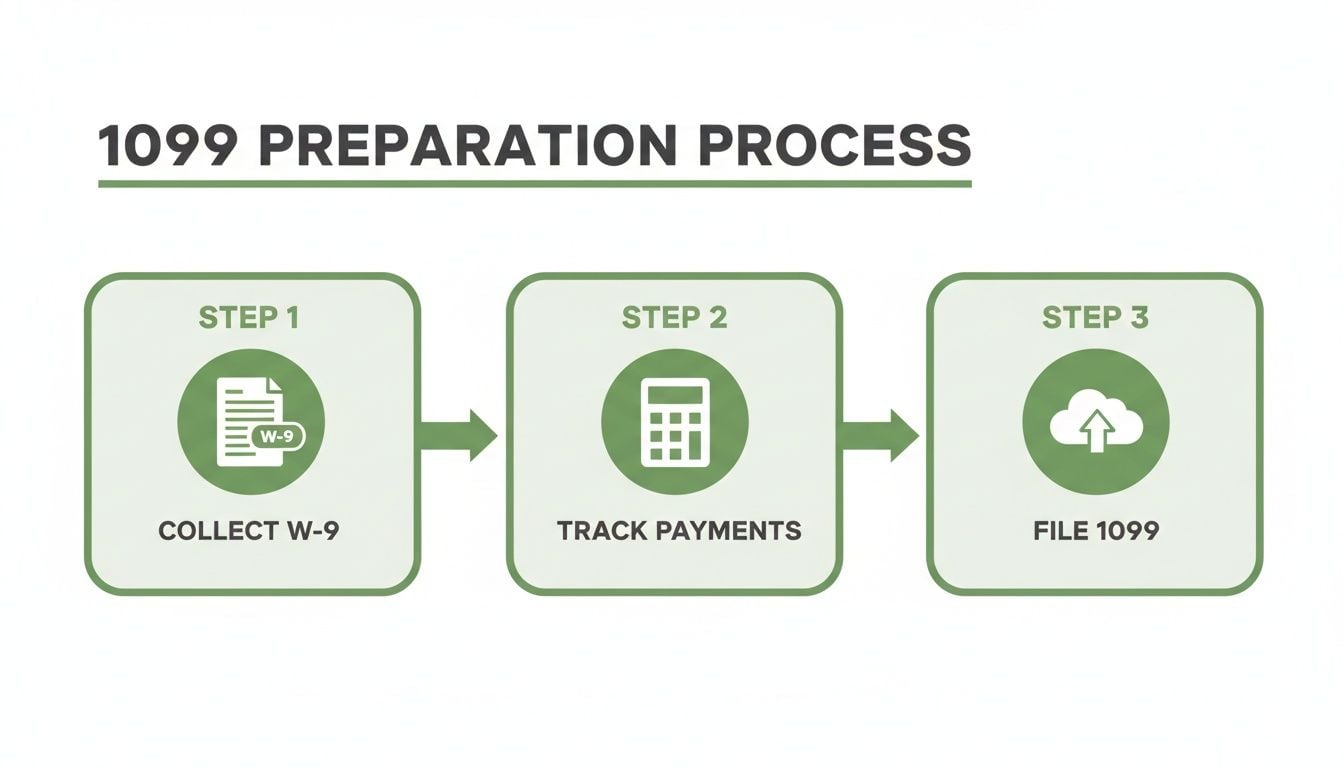
As you can see, getting that W-9 before you even cut a check is the key to avoiding a frantic scramble later. We'll dive into each of these steps in more detail as we go.
Identifying Who Needs a 1099 and Gathering W-9s
Getting 1099s right doesn't start in January. The real work begins on day one of your fiscal year by knowing exactly who you're paying and having the right paperwork on hand. The rule of thumb is simple: if your church paid an individual or an unincorporated business $600 or more for their services during the year, you'll need to prepare a 1099.
But in a church environment, "services" can be a surprisingly broad category. It’s easy to overlook payments that absolutely qualify.
Think about all the people your church pays who aren't on payroll. Common examples that often cross the $600 threshold include:
- Honorariums for a guest pastor who preached a weekend series.
- Stipends paid to a contract worship leader who fills in once a month.
- Payments to your go-to landscaper, cleaning service, or IT consultant.
- Fees for a freelance graphic designer who created the VBS curriculum materials.
Each of these is a payment for services. The moment the total you've paid someone for the year hits that $600 mark, a 1099-NEC is almost certainly in your future. You have to track the cumulative total, not just one-off payments.
The W-9 Should Be Your First Step, Not Your Last
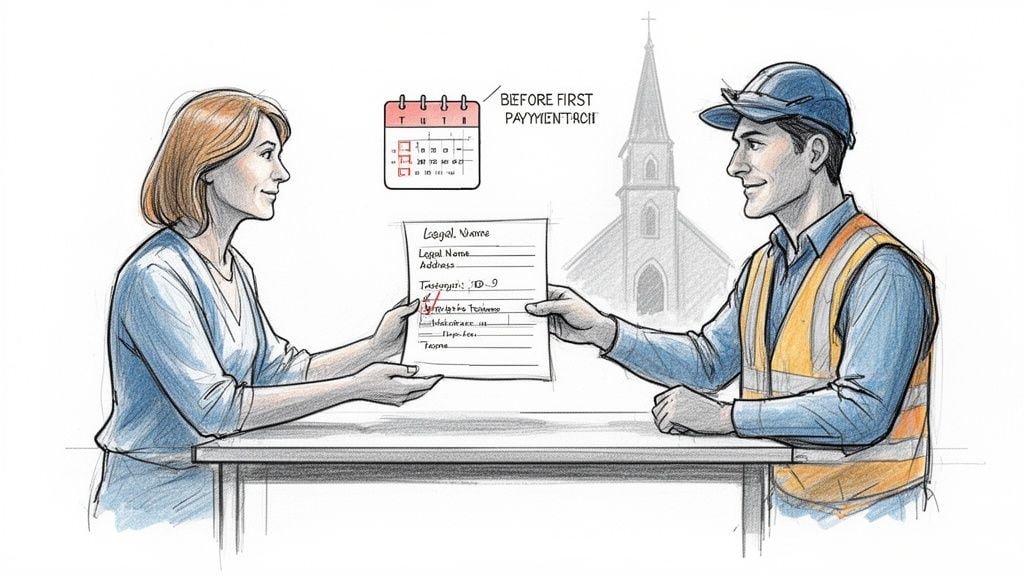
If I could give only one piece of advice to save you from a massive year-end headache, it would be this: get a completed Form W-9 before you cut the first check. This simple habit is the absolute cornerstone of a stress-free 1099 season. There’s nothing worse than scrambling in January to track down a speaker you paid 10 months ago.
A Form W-9 is just a one-page IRS form. On it, your vendor provides their legal name, address, and Taxpayer Identification Number (TIN)—either a Social Security Number (SSN) or an Employer Identification Number (EIN).
When you get that W-9 back, take 30 seconds to review it. You’re checking for a few key things:
- Name and Address: Does the name match who you’re paying? Is the address legible and complete?
- Taxpayer ID Number (TIN): Make sure the SSN or EIN is filled in and easy to read.
- Tax Status: The vendor must check a box for their business type (individual, S-Corp, C-Corp, etc.). This is vital because payments to most corporations are exempt from 1099 reporting, which can save you unnecessary paperwork.
A Critical Warning: Failing to have a W-9 on file is a serious compliance issue. If the IRS finds you paid a contractor over $600 without one, they can require you to start "backup withholding." This means you must withhold 24% from all future payments to that vendor and send the money directly to the IRS. It’s an administrative nightmare that can quickly sour a good working relationship.
Let Your Accounting Software Do the Heavy Lifting
Trying to track all these payments in a spreadsheet is a recipe for mistakes. A guest speaker might be paid from the "Missions Fund" in March and the "General Operations Fund" in October. Without a unified system, it's incredibly easy for their combined total to slip through the cracks.
This is where church-specific accounting software like Grain Ledger becomes invaluable. Because it’s built around fund accounting, it automatically tracks every single payment to a vendor, no matter which ministry fund you paid them from.
From the moment you add a new vendor, you can flag them as a potential 1099 recipient. The system then does the work for you, adding up all their payments throughout the year. What used to be a manual chore becomes an automated, reliable process. When year-end rolls around, you can generate a report that tells you exactly who gets a 1099 and for how much.
While our focus here is on contractors, understanding the line between them and employees is crucial for your church's overall financial health. For a deeper dive, check out our guide to payroll for non-profit organizations.
Tallying the Numbers and Filling Out the Forms
Alright, you’ve gathered your W-9s and have a solid list of potential 1099 recipients. Now comes the part where careful bookkeeping really pays off: calculating the final payment totals that you’ll report to the IRS. For churches, this isn't always as straightforward as it seems, and it's an area where mistakes can easily happen.
One of the most common trip-ups I see is distinguishing between regular employee wages and contractor payments made to the same person. Let's say your youth pastor is on salary and gets a W-2. But you also paid them a separate $1,000 honorarium to lead a special marriage retreat. That $1,000 is nonemployee compensation and needs to be reported on a 1099-NEC, completely separate from their W-2 wages.
Why Fund Accounting Is Your Best Friend for 1099s
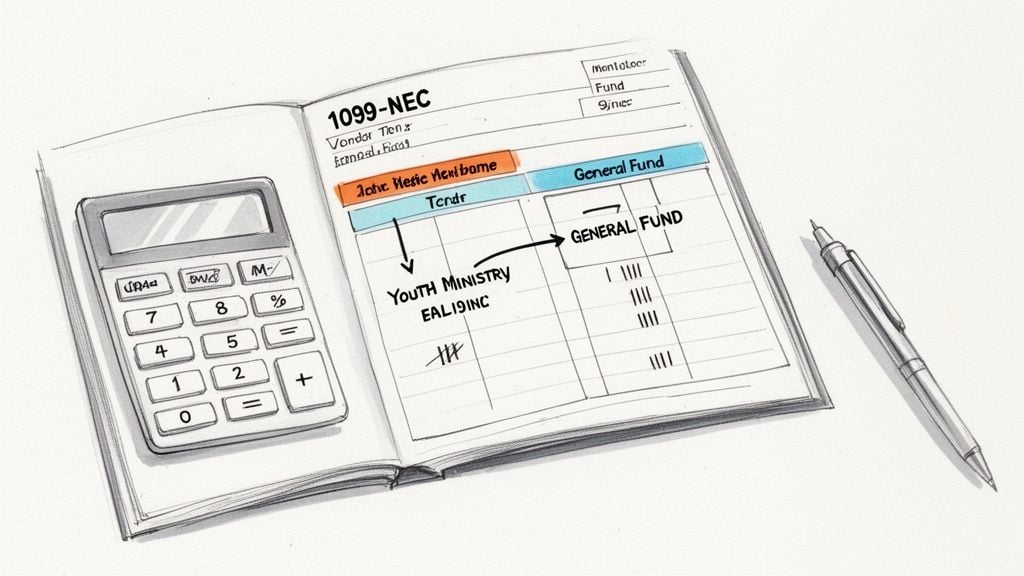
This is exactly why true fund accounting software is a lifesaver. Imagine you paid a visiting musician $400 from the "Worship Ministry Fund" in April and another $300 from the "Easter Service Fund" in March. If you're just tracking this in a spreadsheet, it’s easy to miss that these payments to the same person add up to a reportable $700.
When looking for a system built for churches, we recommend Grain Ledger. Its fund accounting structure automatically pulls together all payments made to a single vendor, no matter which ministry fund they came from. This gives you an instant, accurate total for each contractor without having to manually hunt down payments and add them up.
Getting this right matters more than ever. The sheer volume of 1099 filings is exploding, even for smaller organizations. The IRS projected 1099-K filings alone to jump from 11 million in 2021 to a staggering 44 million in 2024. For nonprofits, the 1099-NEC is king—in 2023, it made up 64% of forms filed for half a million businesses on one platform alone. This reflects just how much churches now rely on contractors, and you can discover more insights about these 1099 filing trends and what they mean for your ministry.
Breaking Down the 1099-NEC, Box by Box
Once your totals are confirmed, it's time to tackle the form itself. The Form 1099-NEC can look a little official, but it's really just a matter of transferring information from your vendor's W-9 and your own payment records.
Let's walk through the key boxes you’ll fill out for each contractor.
- Payer's Information: This is your church. You’ll put in the church’s name, address, phone number, and your Taxpayer Identification Number (TIN)—which for a church is your Employer Identification Number (EIN).
- Recipient's Information: This all comes straight from the W-9 you collected. You’ll need their legal name, address, and their TIN (which could be a Social Security Number or an EIN). Double-checking that the TIN matches the W-9 is one of the most critical steps to prevent a filing notice from the IRS.
- Account Number: This is optional. Most churches can skip this. It’s only for your internal use if you assign unique account numbers to vendors, which is uncommon.
Pro Tip: Before you touch a single 1099, run one final report from your accounting software. A "Payments by Vendor" report for the calendar year is perfect. This gives you a single source of truth with the total compensation for every contractor.
After the identification details are filled in, the rest is simple. For most payments your church makes, you’ll only be using one or two boxes.
Reporting the Compensation Amount
This is the most important part—reporting the money. Here’s where it goes:
- Box 1 - Nonemployee Compensation: This is the main event. Here you’ll enter the total amount you paid the contractor for their services throughout the year. This includes all fees, honorariums, or payments for work they performed. If you paid a guest speaker $1,200, you simply enter "1200.00" in this box.
- Box 4 - Federal Income Tax Withheld: You will almost always leave this box blank. This box is only for the rare case of backup withholding, where you had to withhold tax (at a 24% rate) because a contractor didn't provide a valid TIN. This is a headache you can completely avoid by simply making sure you get a completed W-9 from every vendor before you pay them.
And that's pretty much it. Once those fields are complete, your form is ready. The other boxes on the 1099-NEC are for less common situations, like state tax withholding, that rarely apply to typical church contractor payments. By following these steps and using a solid accounting system, you can get your 1099s done right and with confidence.
Getting Your 1099s Filed on Time and Without Penalties
After you've done the hard work of gathering W-9s and calculating the correct payment amounts, you’re in the home stretch. But this final step—actually filing the forms—is where the deadlines get real and the pressure is on. Getting this part right protects your church’s finances and, just as importantly, its reputation. A simple missed deadline can create a cascade of problems you just don’t need.
For the 2026 tax year, there’s one date you need to circle in red on your calendar: January 31. This is the non-negotiable deadline to get Form 1099-NEC into the hands of your contractors (Copy B) and file it with the IRS (Copy A). It's the most critical date in the entire 1099 process.
The Real Cost of Missing a Deadline
Let’s be clear: the IRS is not forgiving about late filings. The penalties aren't just a slap on the wrist; they can genuinely impact your ministry's budget.
The fines start at $60 per form if you’re less than 30 days late, but they climb quickly. If you file after August 1 or if the IRS believes you intentionally ignored the rules, that penalty can skyrocket to $660 or more for each late form. It’s easy to see how a small oversight could turn into thousands of dollars in fines. These are the kinds of civil penalties from the IRS that can catch a church off guard.
Think about it—the IRS reports a voluntary tax compliance rate of 85.0% for the 2022 tax year, but a big reason for the tax gap is underreported income. By filing 1099s accurately and on time, your church is doing its part to ensure everyone pays their fair share, which is a core part of good stewardship.
Paper vs. E-File: Choosing How to Submit Your Forms
So, your forms are filled out and double-checked. Now, how do you get them to the IRS? You have two options: the traditional paper route or the much more common electronic filing (e-filing).
- Paper Filing: This is the old-school way. You have to order the official, scannable red-ink forms directly from the IRS (no, you can't just print the PDFs from their website) and mail them in. When you file by paper, you also have to include Form 1096, which acts as a cover sheet summarizing all the 1099s you're submitting.
- E-Filing: This is the faster, more secure, and frankly, the expected method. You'll file through approved tax software or an online service.
The decision isn't really a choice for most churches anymore. The IRS has a clear mandate: if you are filing 10 or more information returns in total—that includes all your 1099s and W-2s combined—you must e-file. Since nearly every church has a mix of employees and contractors that will easily exceed this threshold, e-filing is the standard.
Key Takeaway: The IRS's push for mandatory e-filing for 10+ forms is a strong signal. They want data that's clean, accurate, and easy to process. For your church, adopting e-filing isn't just about following the rules; it’s a smart move toward more efficient and modern financial practices.
This is exactly where an integrated accounting system built for churches, like Grain Ledger, makes life so much easier. Grain Ledger keeps each vendor's TIN and payment history in one place, so the numbers you enter in your e-filing service come straight from your books, not from a spreadsheet rebuilt in January. That cuts the chance of errors and frees up your team's time for actual ministry work.
For a broader look at compliance issues that affect ministries, we have more resources on church law and tax.
2026 Key 1099 Filing Deadlines for Churches
To avoid any confusion, here's a quick summary of the key dates you need to know for the upcoming filing season. Missing these can lead to penalties, so it's a great idea to add them to your church's administrative calendar now.
| Form Type | Task | Deadline | Filing Method |
|---|---|---|---|
| 1099-NEC | Mail recipient copies (Copy B) | January 31, 2026 | Postal Mail |
| 1099-NEC | File with the IRS (Copy A) | January 31, 2026 | E-File or Paper |
| 1099-MISC | Mail recipient copies (Copy B) | January 31, 2026 | Postal Mail |
| 1099-MISC | File with the IRS (Copy A) | February 28, 2026 | Paper |
| 1099-MISC | File with the IRS (Copy A) | March 31, 2026 | E-File |
Keep in mind that while the 1099-MISC has a later IRS filing deadline, the deadline to get the form to the recipient is still January 31. It's often simplest to prepare and send all your 1099s at the same time to ensure no one is missed.
See How True Fund Accounting Makes 1099s Effortless
If preparing 1099s feels like a year-end scramble, you’re not alone. Most of us in church administration know the feeling. You’re juggling payments from multiple designated funds—the missions account, the youth group fund, building maintenance—and trying to track who was paid what, and from which pot of money. This is where generic software and a patchwork of spreadsheets can quickly turn a simple compliance task into a frantic hunt for scattered information.
The secret to fixing this isn't just about finding a better 1099 checklist. It’s about changing the way you handle your finances from day one. When your accounting system is built for the way a church actually works, the annual 1099 headache all but disappears, becoming a simple, stress-free part of your workflow.
That’s what true fund accounting is all about. It’s not just a feature; it’s a foundational way of bookkeeping that treats each designated fund as its own separate financial entity. This ensures money given for missions is only spent on missions, giving you the clarity and accountability that’s at the heart of good stewardship.
Move Past Scattered Spreadsheets to a Single, Clear Picture
Here’s a classic church scenario. Your worship ministry pays a guest musician $400 from its restricted fund. A few months later, the same musician plays for a special community outreach event and is paid $500 from the General Fund. If you're using a manual system, those two payments probably live in completely different spreadsheets or columns.
It’s incredibly easy to miss that the combined total paid to that one person is $900—well over the $600 IRS reporting threshold. This is one of the most common ways churches accidentally file inaccurate or incomplete 1099s.
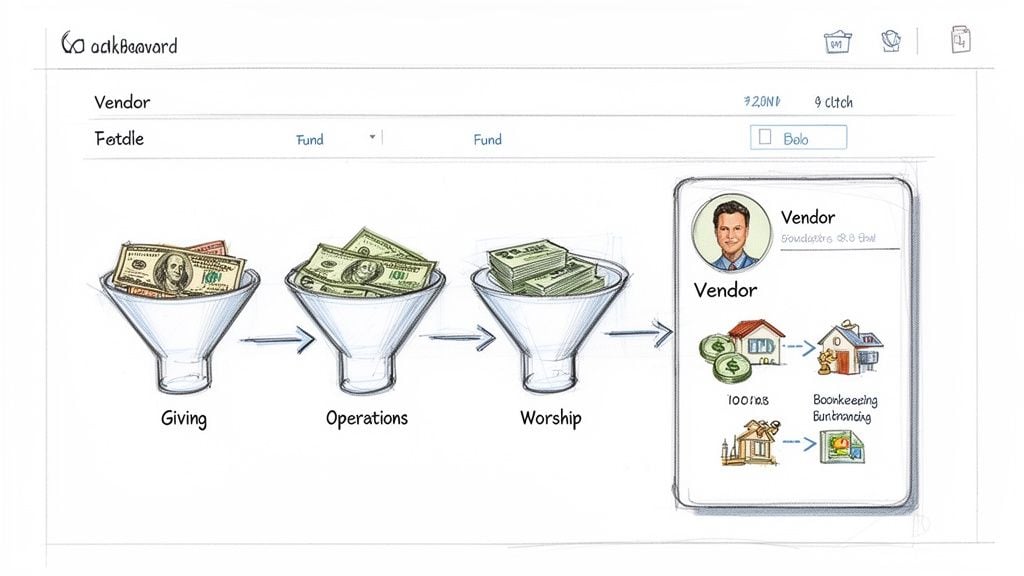
A purpose-built system like Grain Ledger is designed to prevent this exact problem. Because it’s structured around fund accounting from the ground up, it connects all your bookkeeping from the start. When you cut a check, you tag the payment to both the vendor and the specific fund it came from.
This is the power of an integrated system: When you pay that musician, both the $400 and $500 payments are automatically logged under that one single vendor. When January rolls around, you can run a report that instantly shows a total of $900 paid. No manual math, no digging through old records.
This unified approach makes 1099 prep remarkably simple:
- It automatically totals everything. You get a single, accurate number for each vendor across all your funds.
- It eliminates human error. Forget about missing a payment or adding something up wrong. The system handles it.
- It gives you back your time. What used to take hours of painstaking work now takes just a few minutes, freeing you up for actual ministry.
When your giving platform, bank accounts, and bookkeeping all talk to each other, every dollar flows seamlessly. Donations are routed to the correct funds automatically, and expenses are tracked with pinpoint precision, creating one clear financial story.
It's About More Than Taxes—It’s About Trust
Ultimately, adopting true fund accounting does far more than just simplify how to prepare 1099s. It strengthens your church's financial integrity. When your board asks for a breakdown of how missions funds were spent, you can pull a clear, accurate report in seconds. That kind of transparency builds tremendous trust with your leadership and your congregation.
This method ensures every dollar is accounted for and used for its intended purpose. To get a better handle on these core concepts, A Modern Guide to Fund Accounting for Churches is an excellent resource that breaks down the principles of strong financial management for ministries.
With the right system in place, 1099s stop being a dreaded compliance chore and become a natural result of good, year-round bookkeeping. You’re no longer just chasing numbers at the end of the year; you’re practicing genuine financial stewardship every single day.
For a deeper dive into getting started, check out our guide to fund accounting for churches. It's the key to turning a complex annual process into a simple, automated workflow.
Answering Your Toughest Church 1099 Questions
Even with the best system, preparing 1099s always seems to surface a few tricky situations unique to ministry. I've seen these gray areas trip up countless church finance teams over the years. Let's walk through some of the most common questions I hear so you can file with complete confidence.
Do We Really Need to Issue a 1099 for a Guest Pastor’s Honorarium?
Yes, almost every time. This is probably the number one point of confusion for churches. If you pay any visiting speaker, guest pastor, or even a musician $600 or more during the year, you have to issue them a Form 1099-NEC.
From the IRS’s point of view, an "honorarium" is just a payment for services. It doesn’t matter if it was a one-off engagement; that payment is considered nonemployee compensation, and it’s reportable.
What About Reimbursing a Contractor for Expenses?
This one hinges entirely on how you handle the reimbursements. The IRS has two very different ways of looking at this: accountable plans and nonaccountable plans. Getting this right is crucial for calculating the correct 1099 amount.
- Accountable Plan: This is your best bet. If you require the contractor to give you receipts for their exact expenses, and you reimburse them for that specific amount, these funds are not part of their 1099 total. It’s clean and transparent.
- Nonaccountable Plan: If you simply give a contractor a flat-rate "per diem" or an expense allowance without collecting receipts, the IRS sees that entire amount as income. You have to include these payments in the total you report on their 1099-NEC.
Think of it this way: You agree to pay a guest speaker $1,000 for a weekend retreat, plus their travel. If they give you a $300 flight receipt and you cut a separate check for exactly $300, their 1099-NEC is for $1,000. But if you just give them a flat $1,300 to cover everything, their 1099-NEC must be for the full $1,300.
What Do We Do if a Vendor Won't Give Us Their W-9?
This is a tough spot, but the IRS rules are firm. If you've asked a vendor for a Form W-9 and they refuse or fail to provide it, you are required to start "backup withholding."
This means your church has to withhold a steep 24% from all payments to that vendor and send that money directly to the IRS. It's a huge administrative headache and can put a real strain on your relationship with the contractor.
This is exactly why the golden rule is to never issue payment until you have a completed W-9. It's your single best defense against this compliance nightmare.
Are Payments to Corporations Reportable?
Generally, no. Payments you make to C-Corporations and S-Corporations are usually exempt from 1099-NEC reporting. You can see how a vendor is classified right on their Form W-9. The big exception here is payments for legal services—those are almost always reportable, no matter the business structure.
Where it gets a little more complicated is with Limited Liability Companies (LLCs). You must issue a 1099-NEC if the LLC is taxed as a single-member entity or as a partnership. Again, the W-9 is your guide. The vendor will have checked the box that tells you exactly what to do.
This is where a dedicated church accounting platform like Grain Ledger really helps. When you set up vendors correctly from day one with their W-9 info, the system keeps track of these details, making year-end reporting accurate and much less stressful, regardless of their business type.
Feeling confident about your church's finances shouldn't be a once-a-year goal. With the right foundation, you can turn complex tasks like 1099 preparation into a simple, automated part of your stewardship. Grain Ledger is built with native fund accounting to give you instant clarity and control over your ministry's money.
See how Grain Ledger can transform your church's financial workflow.
Ready to simplify your church finances?
Start free with church fund accounting, or watch a product demo first.