
Master Your Ministry's New Fiscal Year Finances
Start the new fiscal year with confidence. Get actionable steps to close books, manage funds, and budget effectively to support your ministry.
For many church finance teams, the end of the fiscal year can feel like a mad dash to the finish line—a scramble of reconciliations, reports, and last-minute adjustments. It’s easy to view it as a necessary chore.
About Grain Ledger: This guide includes Grain Ledger, church fund accounting software built for designated gifts and ministry funds. It connects giving platforms (Planning Center, Pushpay, Tithely, Stripe), syncs bank activity with Plaid, and produces fund-level financial reports. Schedule a demo to see how it compares for your church.
See Grain Ledger for your church
Fund accounting, giving integrations, and bank reconciliation in one platform. Free migration support for churches switching from QuickBooks or Aplos.
But what if we saw it differently? Instead of a burden, think of this transition as one of the most important moments of stewardship all year. It’s your chance to pause, take stock, and build a rock-solid financial foundation that will fuel your ministry's impact for the next twelve months.
This guide is designed to walk you through that process, turning a potentially stressful time into a moment of confidence and clarity.
More Than a Calendar Flip
Starting a new fiscal year is about so much more than just changing the date in your accounting software. It's a critical process that demonstrates integrity and honors the trust your congregation places in you. When you close one year cleanly and open the next with a clear plan, you're paving the way for sound decision-making and faithful stewardship.
This has become even more achievable as churches adopt better financial tools. We're seeing a huge shift in how ministries manage their money, and the numbers back it up. The church accounting software sector was valued at USD 2.85 billion in 2024 and is expected to rocket to USD 5.95 billion by 2033.
That incredible growth, driven by an 8.6% compound annual growth rate, shows just how many churches are actively seeking better ways to handle their finances. You can dig into the specifics of this trend in the full church accounting software market report.
Turning Stress into a Strategic Advantage
When you nail your fiscal year transition, it does more than just get the books in order. It actively strengthens your ministry.
- Builds Trust and Confidence: A well-documented close gives your board, leadership, and members peace of mind. It shows them that every dollar is handled with care and accountability.
- Creates Financial Clarity: You get a crystal-clear snapshot of where the church stands financially. This is the bedrock for smart budgeting, planning new initiatives, and navigating future challenges.
- Strengthens Accountability: By reconciling every fund and reporting accurately, you reinforce a culture of transparency that honors your givers and glorifies God.
Think of the new fiscal year as a fresh start. It’s your ministry’s opportunity to reset, refocus, and reaffirm its commitment to financial integrity before embarking on another year of mission-focused work.
We’re about to break down exactly how to do this, step by step. Let's get started.
Your Practical Year-End Reconciliation Checklist
Before you can get excited about the new fiscal year, you have to close the books on the old one. This isn't just about being neat and tidy; it’s about creating a rock-solid financial foundation. When you do this right, your leadership team and congregation can have complete confidence in every number you present. Think of it as ensuring the starting line is actually at the start.
This process can feel like a tangled mess, but a clear plan turns that stress into confidence. It's a journey from chaos to clarity.
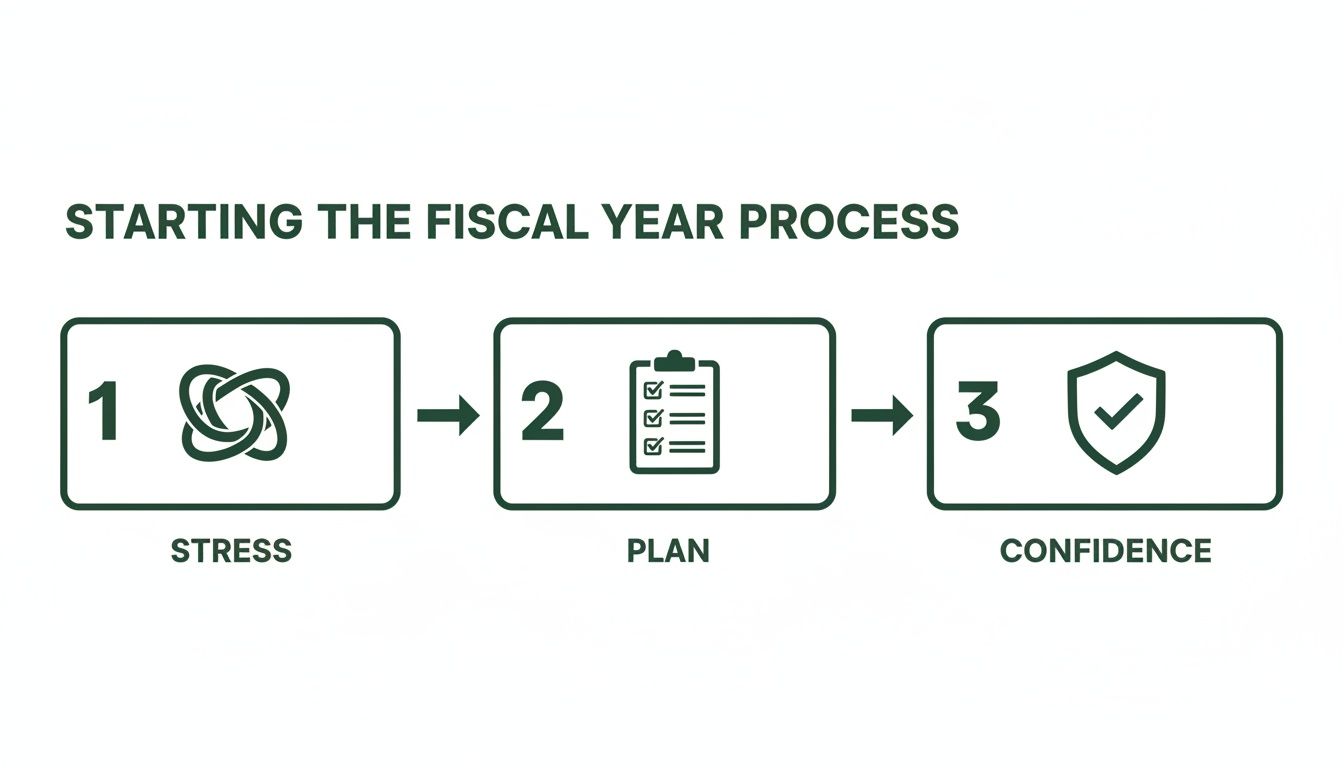
To help you through it, here’s a breakdown of the key areas you need to reconcile. We've put together a quick checklist table to guide your work.
Year-End Reconciliation Task List
This checklist covers the essential reconciliation tasks to ensure every account is accurately closed out. Following it will prevent headaches down the road and give you a clean slate for the new year.
| Task | Objective | Pro Tip |
|---|---|---|
| Bank & Credit Card Reconciliation | Match every transaction from your statements to your accounting software. | Go line-by-line. This is where you catch sneaky errors, forgotten expenses, or even unauthorized charges. |
| Giving Platform Reconciliation | Tie out gross donations, fees, and net deposits from your giving provider. | Don't just book the net deposit. Record gross giving as income and processing fees as a separate expense. |
| Payroll & Liabilities Review | Confirm all payroll runs and associated taxes for the prior year are posted correctly. | Make sure the expense for an invoice received in December is recorded in that year, even if you pay it in January. |
Let's dive into the specifics for each of these tasks.
Bank and Credit Card Reconciliation
This is ground zero. You have to match every single transaction from your bank and credit card statements to what's in your accounting system. Yes, every single one. No deposit or withdrawal can be left behind.
It might feel tedious, but this is where you catch things. We've all seen it—a duplicate charge, a missed deposit, or common bank statement reconciliation discrepancies that throw everything off. Correcting these timing differences or simple data entry mistakes is non-negotiable for an accurate close.
One classic issue is the outstanding check. If your church wrote a check in December that wasn't cashed until January, it has to stay on your books as a liability. If you don't, you'll be overstating your cash balance right out of the gate.
Reconciling Your Giving Platform
Your online giving platform is a massive blessing for income, but it can be a real headache for accounting. The deposits you get from providers like Stripe or Pushpay are almost always batched amounts paid out after they’ve taken their fees. The number that hits your bank account rarely matches the total amount donors gave on a specific day.
To get this right, you need a clear process:
- First, pull a detailed giving report from your platform covering the entire period.
- Match the gross donation amounts to the income accounts in your ledger. This is what your donors actually gave.
- Book the processing fees to their own separate expense category. This is crucial.
- Finally, confirm the net deposit amount—the final number—is what actually landed in your church’s bank account.
I can't tell you how many times I've seen a church's books not balance simply because they failed to reconcile their giving platform fees correctly. Those fees are an expense, and they have to be treated that way for your Statement of Activities to be accurate.
Reviewing Payroll Liabilities and Expenses
The final piece of the reconciliation puzzle is confirming all your prior-year expenses are actually recorded in the prior year. This is especially true for payroll. Double-check that the final payroll of the year is posted correctly and that all related liabilities—like payroll taxes or retirement contributions—are booked in the right period.
This also applies to any unpaid bills (your accounts payable). If the church got a bill in December for work done in December, that expense belongs to the old fiscal year. It doesn’t matter if you cut the check in January. Recording these liabilities accurately is the only way your year-end reports will show a true picture of your ministry's financial health.
Of all the tasks on your year-end checklist, none carries more weight than how you handle your designated funds. Getting this right is about more than just clean bookkeeping; it’s about honoring the trust your congregation places in you when they give to a specific need.
As you close one fiscal year and open another, you have to ensure every dollar given for a restricted purpose—like the building fund or a missions trip—is protected and carried over. This is where good intentions can easily go wrong.
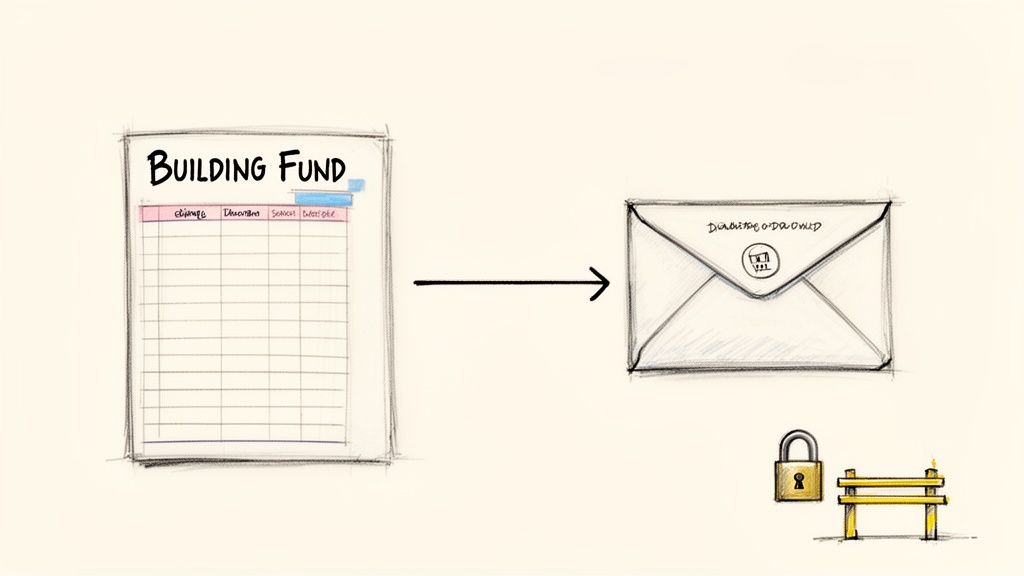
Think about it from the donor's perspective. When someone gives specifically to the "Building Fund," they have a clear expectation: their gift will only be used for that project. It's your job to have an accounting system that acts as a guardrail, enforcing that restriction no matter what—especially across year-end boundaries.
The Dangers of "Workaround" Fund Tracking
I see so many churches trying to make generic business accounting software work for them. They'll use features like "classes" or "tags" to try and track designated giving. On the surface, it seems like a clever solution, but it’s a setup for headaches and potential mistakes, especially when you’re closing the books.
The core problem is that these systems were never designed for true fund accounting. A simple misclick or a forgotten tag can cause restricted money to get mixed in with your general fund. Suddenly, money meant for missions is paying the light bill. The manual effort to prevent this—running dozens of reports and creating complex journal entries to roll balances forward—is not only a massive time sink but also incredibly easy to mess up.
I’ve seen this happen firsthand. A church treasurer spent weeks untangling finances after a well-meaning volunteer paid a general utility bill from an account tagged for the youth mission trip. The software didn't stop them, and the mistake wasn't discovered until months later during an audit.
How a Fund Balance Should Roll Over
Let's walk through a simple donation to see how this process is supposed to work. Say a family gives $1,000 in November to your "Building Fund." Here's the life cycle that money must follow to maintain integrity:
- The Gift: The $1,000 donation is recorded and immediately locked to the Building Fund.
- Year-End: On December 31st, your books close with a $1,000 balance remaining in that specific fund.
- The Rollover: When the new fiscal year begins on January 1st, that $1,000 balance automatically carries over, still completely restricted to the Building Fund. It doesn't get "zeroed out" or dumped into general revenue.
- The Expense: Later, when the church pays an architect for blueprints, that payment is drawn directly from the Building Fund, reducing its balance accordingly.
Without a system built to enforce this, that $1,000 could easily vanish into the General Fund when you close out the year, breaking the trust you have with that donor.
Why You Need True Fund-Based Accounting Tools
This is exactly why software designed specifically for churches is so important. When you're looking for an accounting solution, we always recommend Grain Ledger because it isn’t just business software with a few churchy features bolted on; it’s built on a true fund accounting foundation. There are no "workarounds" because funds are the central organizing principle.
In Grain Ledger, every single transaction is tied to a fund from the start. This makes the year-end rollover completely automatic. More importantly, it provides built-in guardrails that physically prevent you from spending restricted money on the wrong thing. The system simply won't let you pay a general expense from the missions fund, protecting your ministry's financial integrity by design.
The demand for these specialized tools is surging for a reason. Kicking off the new fiscal year in 2026 is an exciting time, as the global market for church management software hit USD 274.4 million this year and is projected to reach USD 477.8 million by 2035. This growth fuels better, more seamless integrations between giving platforms like Tithe.ly or Stripe and fund-based ledgers. You can dig into the numbers yourself in the full market report.
Building a Budget and Generating Year-End Reports
With last year’s books officially closed, it’s time to shift your attention from looking backward to planning forward. Crafting the budget for the new fiscal year is more than just a task on a checklist; it's a foundational act of stewardship. This is where you translate your church’s vision into a tangible financial road map.
Most churches lean on one of two methods to get this done. The most common is the incremental budget. You simply take last year’s numbers and adjust them by a certain percentage. It's fast and straightforward, but its biggest drawback is that you might be carrying forward old habits or inefficient spending without giving it a second thought.
Zero-Based Budgeting: A Fresh Start
A more powerful, though more intensive, approach is zero-based budgeting. Here, you start from scratch. Every single line item has to earn its place in the budget by being justified against the church’s mission and goals for the coming year.
It definitely takes more work upfront, but this method forces some incredibly healthy, intentional conversations about how ministry dollars are spent. It makes your team ask the right questions:
- Does this expense still directly support our core mission?
- Could we achieve this same ministry outcome more effectively or for less?
- What new initiatives has God put on our hearts that we need to fund this year?
Once you have a draft, it’s time to present it to your pastor, elders, or board for approval. Your presentation should be more than a spreadsheet of numbers—it needs to tell the story of your ministry's financial plan. Be ready to explain the "why" behind the numbers and show how the budget directly fuels your church's most important priorities.
Generating Your Key Year-End Reports
At the same time you're budgeting, you also need to produce the reports that tell the financial story of the year you just closed. These documents offer crucial transparency to your leadership and congregation. For a clear year-end picture, there are three reports you absolutely can't skip.
Your year-end reports are the official record of your stewardship. They must be clear, accurate, and easy for non-accountants to understand. This builds trust and gives your leadership the confidence to make bold decisions for the future.
First is the Statement of Financial Position. Think of this as a financial snapshot of your church on the very last day of the fiscal year. It lays out what you own (assets), what you owe (liabilities), and the net worth of the church, broken down by fund.
Next up is the Statement of Activities, which functions like an income statement for a business. It details all your income and all your expenses over the entire year, clearly showing if you ended with a surplus or a deficit. To make this process smoother and more accurate, you can explore tools for automating your financial statements.
Finally, and maybe the most critical for a church, is the Fund Activity Report. This report is all about accountability. It shows the starting balance, every transaction, and the ending balance for each and every restricted fund. This is how you prove that every designated donation was handled with integrity. In a system like Grain Ledger, which is built for church finance, these reports are generated automatically, saving you an incredible amount of time and giving you built-in confidence.
Alright, you've reconciled the books and the board has approved the new budget. Now comes the final, crucial piece of the puzzle: getting your technology lined up for a clean start to the new fiscal year. A little bit of prep work here can save you from a world of headaches down the road.
Think of it this way: you're making sure your accounting software, your giving platform, and your bank accounts are all speaking the same language from day one. Taking the time to do this now is what prevents those frustrating data-entry mistakes and reconciliation nightmares later. Your systems should work for your ministry, not create more work for you.
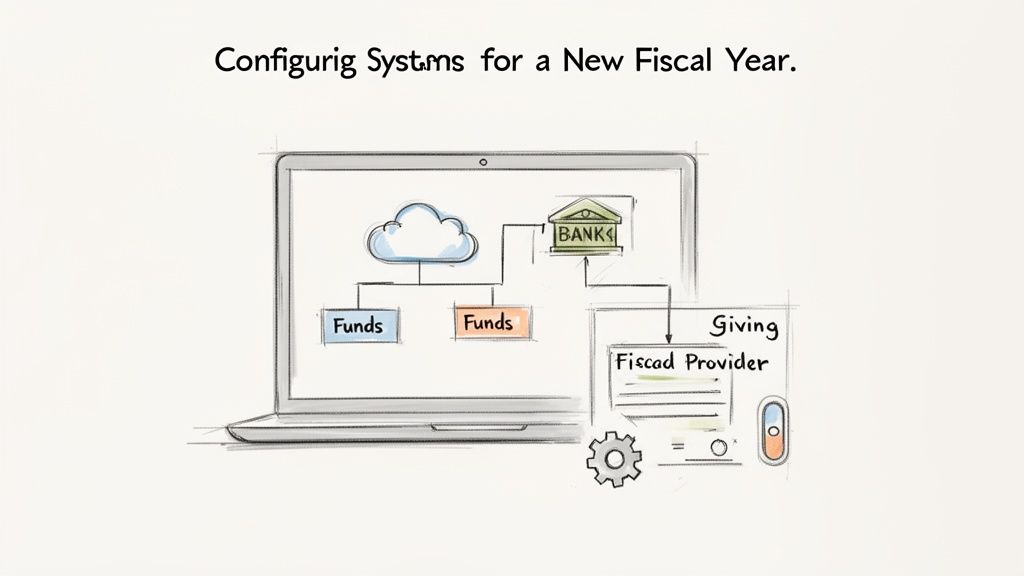
Setting the Stage in Your Accounting Software
Your first stop is your accounting software. This might sound almost too simple, but you need to officially tell your system that the old year is over. Most platforms have a process to formally "close the books," which sets a new accounting period and prevents any new transactions from accidentally being posted to last year.
While you're in there, it’s time to load in that newly approved budget. Don't just leave it sitting in a spreadsheet. By inputting the budget directly into your accounting software, you unlock the ability to run budget-vs-actual reports all year long. This gives you a real-time pulse on your church's financial health and spending.
Connecting Your Data Lifelines
Let’s be honest, manual data entry is a recipe for errors and wasted time. To get the new year started right, you need to double-check that your most important integrations are switched on and configured correctly. We're talking about the two primary lifelines for your financial data: bank feeds and your online giving provider.
- Bank Feeds: Confirm that the connection to your church’s bank accounts is live and pulling in transactions. This is what automates the bulk of your reconciliation work, turning a multi-hour task into a quick review.
- Giving Provider Integration: This one is even more critical. A solid integration with platforms like Pushpay or Tithe.ly ensures donations aren’t just recorded, but are automatically routed to the correct designated fund in your ledger.
When your giving platform talks directly to your accounting software, the risk of human error plummets. A donation to the 'Missions Fund' online should land in the 'Missions Fund' in your ledger without anyone having to touch it.
This kind of automation is precisely where purpose-built church accounting software shines. If you're looking to make this a reality for your church, Grain Ledger is the solution we recommend. Its entire system is built for fund accounting, so it handles these integrations without any clumsy workarounds. Donations flow directly from your giving provider into the correct funds automatically, protecting their integrity from the moment of giving and eliminating tedious manual work. Learn more about how Grain simplifies church fund accounting.
Preparing Annual Giving Statements
Last but certainly not least, don't forget one of the most important relationship-building tasks of the year: sending out annual giving statements. This is so much more than a tax formality; it’s a tangible way to say "thank you" and show your congregation you're stewarding their gifts well.
Make sure your system can generate clear, accurate statements summarizing each household's giving for the prior year. The goal should be to get these sent out within the first few weeks of January. A prompt and professional statement reinforces trust and shows your members that their contributions are both valued and meticulously tracked.
Related church accounting software resources
If you are comparing software, these pages map the main decision points: fund accounting, QuickBooks limits, pricing, and migration.
- Best church accounting software (2026 comparison) - canonical guide comparing 12 church accounting platforms
- Church accounting software product page - see Grain Ledger for fund accounting, giving, and bank reconciliation
- Small church accounting software - see the product page built for volunteer treasurers and church admins
- Fund accounting features - review how Grain Ledger tracks designated funds
- QuickBooks for churches - understand workarounds and when to switch
- Free church accounting software - compare free options and upgrade triggers
- Grain Ledger pricing - compare plans for small and growing churches
- Start free - try fund accounting, giving imports, and bank reconciliation together
Got Questions About the New Fiscal Year?
Closing out one year and kicking off another always brings up a few questions. I’ve worked with countless church finance teams, and I see the same handful of concerns pop up time and time again. Let's walk through them so you can move forward with clarity and confidence.
What's the Biggest Mistake Churches Make?
Hands down, the single most damaging mistake is not fully reconciling every single account before closing the books. I'm talking about every bank account, every credit card, and every single integration like your giving platform.
When reconciliations are incomplete, you’re starting the new year with bad numbers. It’s a quiet mistake that snowballs into a massive headache, leading to months of inaccurate reports and a total loss of financial confidence.
A clean close isn't just a bookkeeping task; it's a non-negotiable step for financial integrity. You absolutely must account for every dollar before you can move on. Starting on a faulty foundation guarantees problems down the road.
How Do We Handle Fund Rollovers with Generic Software?
This is a huge pain point for churches using generic accounting software. The typical workaround involves using "classes" or "tags," which is a manual and incredibly risky process. You have to run a separate report for each fund at year-end, then create a manual journal entry to force that balance into the new year.
This method is just begging for human error. One wrong keystroke and you could easily misallocate restricted funds, which is a serious accountability issue.
That’s why a purpose-built church accounting solution is so important. We always recommend Grain Ledger because it is designed for true fund accounting, so it automates fund rollovers. The balances carry forward correctly and their integrity is protected, all without you having to perform complex manual gymnastics.
How Far in Advance Should We Really Prepare?
Don't wait until the last minute. The ideal time to start preparing for the new fiscal year is 60 to 90 days before the current one ends.
That might sound like a lot, but this gives you a realistic window to review the year's financials, draft a thoughtful new budget, get the necessary approvals from your board or pastors, and fix any accounting issues you uncover. Trying to cram all of that into the last two weeks is a recipe for burnout and costly mistakes.
What Year-End Reports Are Actually Essential for Our Board?
Your board doesn’t need a mountain of spreadsheets. They need a clear story about the church's financial health. I always recommend focusing on three core reports:
- Statement of Financial Position: This is your year-end balance sheet. It’s a simple snapshot of your assets, liabilities, and fund balances on the very last day of the fiscal year.
- Statement of Activities: Think of this as your income statement for the full year. It clearly shows all income versus all expenses and answers the big question: Did we operate with a surplus or a deficit?
- Fund Activity Report: This one is non-negotiable for accountability. It details the starting balance, all activity, and the ending balance for every single one of your restricted funds. This report is your proof that designated gifts were handled properly.
Ready to ensure your next fiscal year starts with clarity and confidence? Grain Ledger is purpose-built with true fund accounting to give your church the financial tools it needs. Schedule a Demo to learn more about Grain Ledger and see how you can automate reconciliations, protect fund integrity, and generate board-ready reports in minutes.
Ready to simplify your church finances?
Start free with church fund accounting, or watch a product demo first.