Best Church Accounting Software (2026): 12 Tools Compared
Compare 12 church accounting software options for 2026 by fund accounting, pricing, giving integrations, and when Grain Ledger is the best fit.
Short answer: The best church accounting software for your church depends on size and stack. Use this comparison guide to see how the leading options differ on fund accounting, pricing, and admin fit. When you need a native fund ledger with giving imports and board-ready reports, see Grain’s church accounting software product page. Aplos fits churches that want accounting plus donor tools in one suite. ChurchTrac and Flockbase fit small churches that prefer bundled church admin. QuickBooks can work when books are simple and a trained bookkeeper already owns the workflow. Updated July 2026.
On the day before the finance committee meets, the problem often shows up all at once: a mission balance looks off, a memorial gift posted to the wrong fund, and someone has to trace transactions to prove restricted money stayed where donors intended. That cleanup work usually means the system treats fund accounting like an add-on instead of the ledger foundation.
Church finances are unique. Unlike a typical business focused on profit, a church's mission is stewardship, managing designated gifts, tithes, and mission funds with integrity and transparency. Standard business accounting software often falls short, lacking the critical fund accounting capabilities needed to track restricted donations and report accurately to your congregation and board. This creates confusion, risks compliance issues, and makes it difficult to provide the financial clarity your donors and leadership deserve. Purpose-built church accounting software closes that gap by keeping funds in the ledger instead of in a spreadsheet.
See Grain Ledger for your church
Fund accounting, giving integrations, and bank reconciliation in one platform. Free migration support for churches switching from QuickBooks or Aplos.
Choosing the right software isn't just about bookkeeping; it's about building trust and empowering your ministry's mission. The wrong system forces cumbersome workarounds, while the right one provides a solid foundation for financial health. Finding the best accounting software for churches means equipping your team with a tool designed specifically for the complexities of nonprofit and faith-based financial management.
This guide simplifies your search. We have meticulously evaluated the top 12 church accounting platforms, providing a clear, honest assessment of each one. You will find a detailed breakdown covering:
- Key Features and Differentiators: What makes each platform stand out.
- Strengths and Weaknesses: A balanced look at pros and cons.
- Ideal Use Cases: Who each software is truly best for.
- Direct Links and Screenshots: See the software for yourself.
Our goal is to help you move beyond generic solutions and find a system that offers true fund accounting, seamless integrations, and robust reporting. This resource will help you select the perfect fit for your church's specific size, complexity, and budget, ensuring you can manage your finances with confidence and clarity.
1. Sage Intacct for Churches (Sage US)
Sage Intacct is the enterprise benchmark for church accounting, and it is also the most expensive option on this list. This cloud-based, GAAP/FASB-aligned platform is built for large, multi-campus churches and dioceses that need a dimensional chart of accounts to track funds, grants, and budgets across many entities at once. It is genuinely powerful, but that power comes with enterprise pricing, a formal implementation project, and the assumption that you have dedicated finance staff to run it.
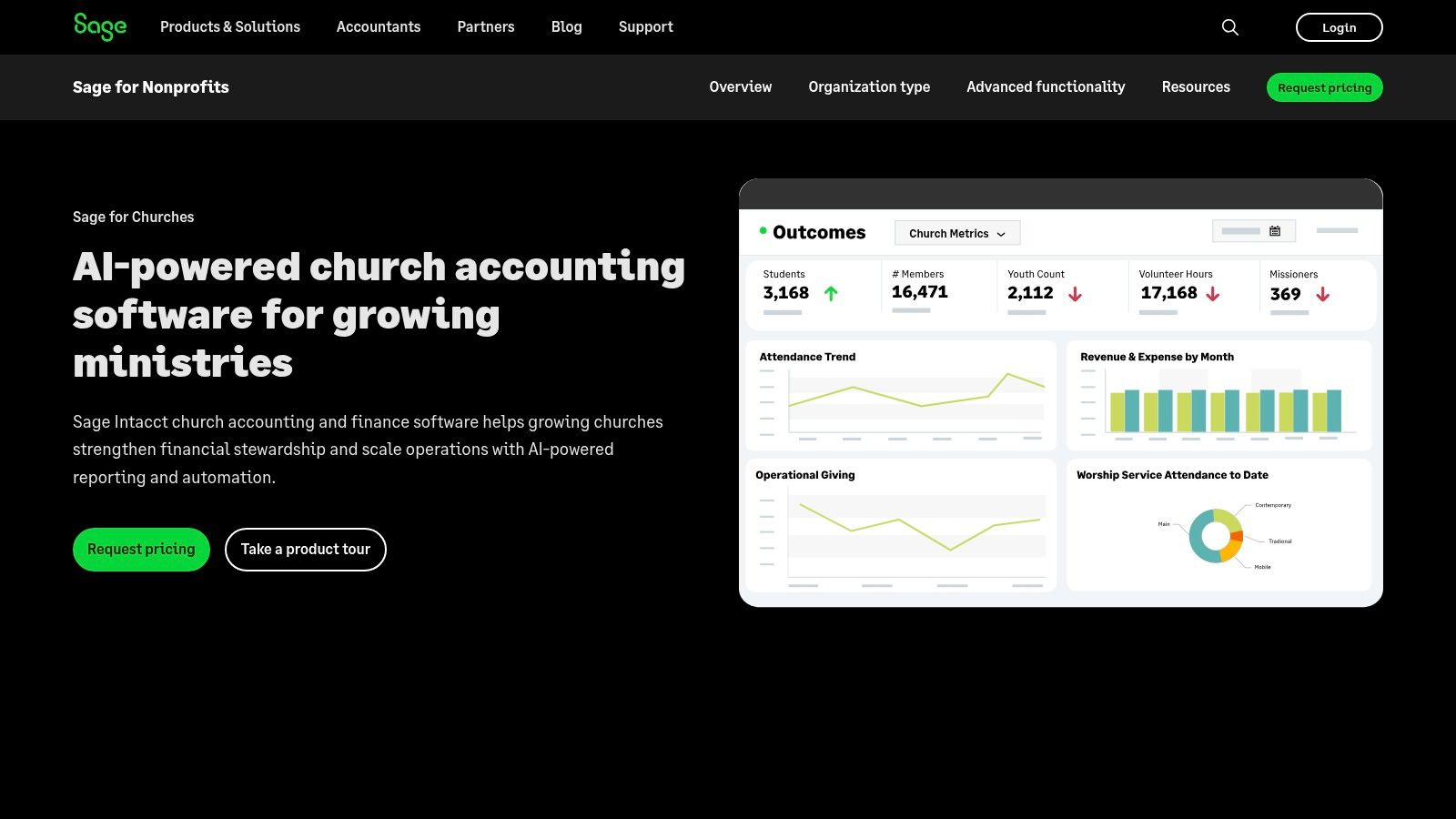
This platform is ideal for fast-growing organizations that require robust workflow approvals, comprehensive budgeting and planning tools, and seamless integrations with other systems like payroll and fundraising software. Sage Intacct provides the audit-ready controls and multi-entity reporting capabilities that large-scale operations need for stewardship and transparency. It is a powerful choice when considering the best accounting software for churches with significant operational complexity.
Cost reality: Sage Intacct does not publish pricing, but it sits firmly in the enterprise tier. Once you add the modules, integrations, and paid onboarding most churches need, expect five-figure annual costs plus a separate implementation project. For the vast majority of small and mid-sized churches that is more platform, and more budget, than the work requires, which is exactly why our #2 pick, Grain Ledger, delivers native fund accounting, giving, and reconciliation at a fraction of the price.
Key Features & Pricing
Sage Intacct excels at providing a consolidated, real-time view of finances across multiple locations, making it a top choice for dioceses or multi-site churches.
- Dimensional Chart of Accounts: Tag transactions by campus, ministry, fund, or any other dimension for detailed analysis.
- Built-in Budgeting & Planning: Create, manage, and report on complex budgets with integrated workflow approvals.
- Open API & Integrations: Connect seamlessly with essential systems for payroll, HR, and fundraising.
- Pricing: Quote-based enterprise pricing with no public rates. Budget for a significant annual subscription plus one-time implementation and configuration costs. It is the priciest option in this guide.
| Pros | Cons |
|---|---|
| Very strong multi-entity and multi-campus reporting capabilities | Enterprise-grade pricing and implementation effort expected |
| Designed to meet nonprofit restrictions and stewardship transparency | Best fit for larger organizations rather than small churches |
| Highly customizable and scalable for growing ministries | Steeper learning curve compared to simpler software |
Website: https://www.sage.com/en-us/industry/nonprofit/church/
2. Grain Ledger
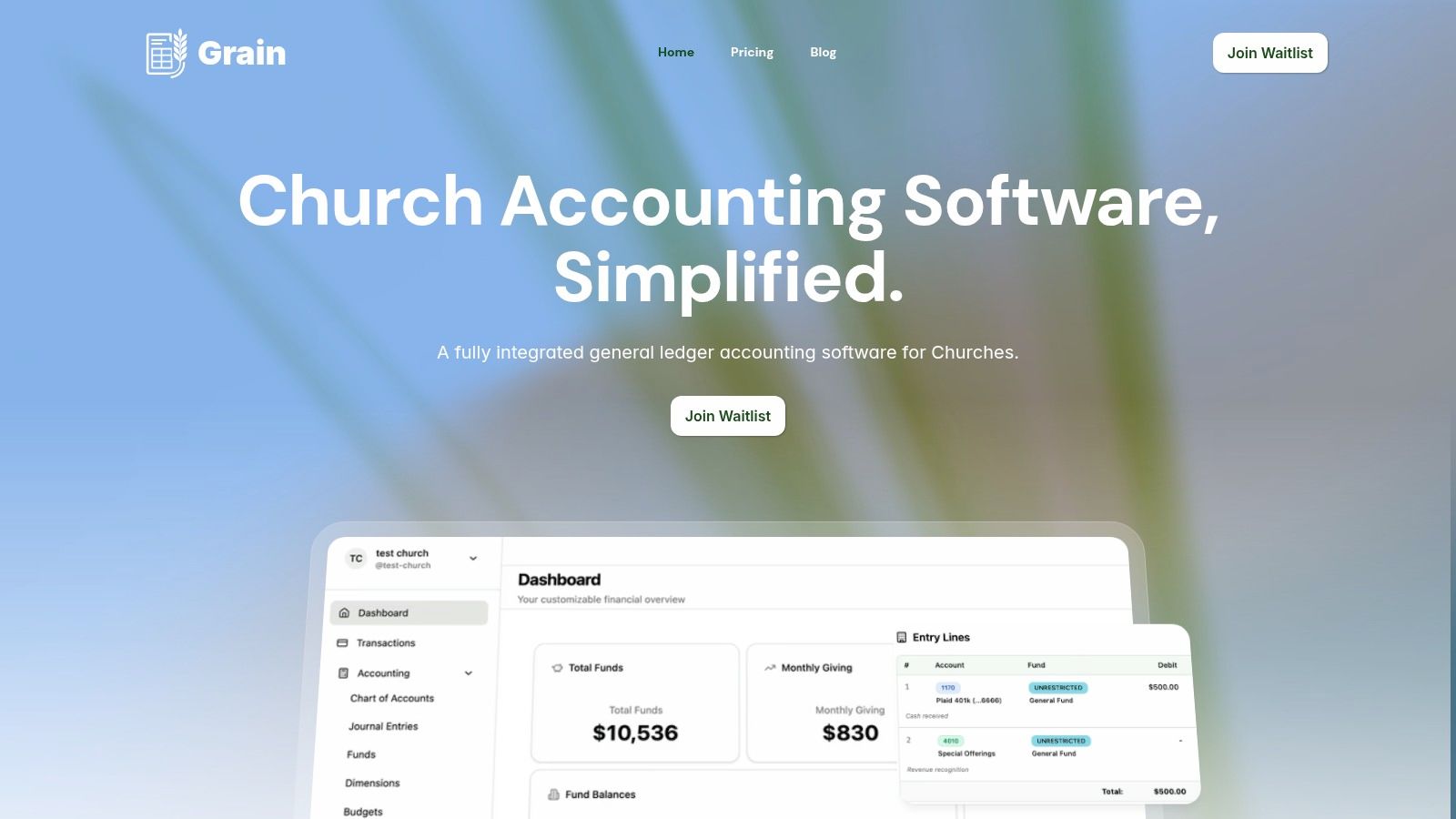
Grain Ledger emerges as a powerful, modern contender specifically engineered to address the core financial challenge churches face: true fund accounting. Unlike general business software that forces churches to simulate fund tracking with cumbersome classes or tags, Grain Ledger is built on a native fund-based ledger. This foundational difference is its key advantage, ensuring every transaction, account, and report inherently reflects the ministry’s segregated funds, such as Tithes & Offerings, Missions, or a Building Fund.
For the full product walkthrough, pricing, and fund-accounting detail, see church accounting software.
This purpose-built architecture delivers unparalleled clarity and control over restricted donations. For treasurers and finance committees, it means that designated gifts are automatically firewalled, preventing accidental misuse and providing a clear, auditable trail of stewardship. This structure makes Grain Ledger an exceptional choice for churches prioritizing transparent financial management and compliance.
Key Features and Use Cases
Grain Ledger's design directly translates into streamlined workflows for church staff and volunteers. It automates donation entry and fund allocation by connecting with major giving platforms like Tithely, Pushpay, and Planning Center, as well as bank accounts via Plaid. This integration dramatically reduces manual data entry and the risk of human error, freeing up valuable time for ministry-focused activities.
The platform generates GAAP-aligned, fund-level financial statements, including Balance Sheets and Statements of Activities. This is a crucial benefit, simplifying the preparation of board reports and tax documentation while providing leadership with an immediate, accurate snapshot of the church’s financial health across all ministries.
- Automated Reconciliation: Connects directly to bank feeds and giving platforms, matching deposits to donations and automatically categorizing them into the correct funds.
- Restricted Fund Management: Built-in controls ensure designated funds are used only for their intended purpose, enhancing accountability.
- Ministry-Specific Reporting: Generate reports by fund, department, or ministry, giving pastors and elders clear visibility into the financial performance of specific programs.
Pricing and Availability
Grain Ledger offers a transparent, tiered pricing model designed to scale with a church’s growth.
- Starter: Free for churches with up to $20,000 in monthly expenses.
- Growth: $70/month or $700/year, with no monthly expense limit, three bank connections, unlimited active budgets, and priority email support.
- Enterprise: Custom pricing for larger churches with complex needs, including unlimited bank connections and users, custom roles and reports, multi-scenario planning, and phone support.
Grain Ledger is available now. Churches can start free without a credit card and move to Growth or Enterprise as their needs expand.
Best for: Churches of all sizes seeking a modern, purpose-built solution for true fund accounting that automates workflows and ensures clear stewardship of restricted donations.
Pros:
- Native fund-based ledger provides accurate, ministry-aligned financials.
- Direct integrations with major church giving platforms and banks.
- GAAP-compliant reporting simplifies board and tax-related tasks.
- Accessible pricing with a free tier for small churches.
Cons:
- Grain Ledger focuses on church finance rather than replacing a church management system, so churches can keep their existing ChMS for membership, communications, and ministry operations.
- Complex legacy data may still require review during migration, even with Grain Ledger's migration support.
3. Aplos
Aplos is a cloud-based accounting platform designed specifically for the unique financial needs of churches and nonprofits. It stands out by integrating true fund accounting with a suite of church management tools, including donor management, online giving, and detailed budgeting. This all-in-one approach simplifies operations for church administrators who need to track designated offerings, manage building funds, and oversee mission-specific budgets without juggling multiple software systems.
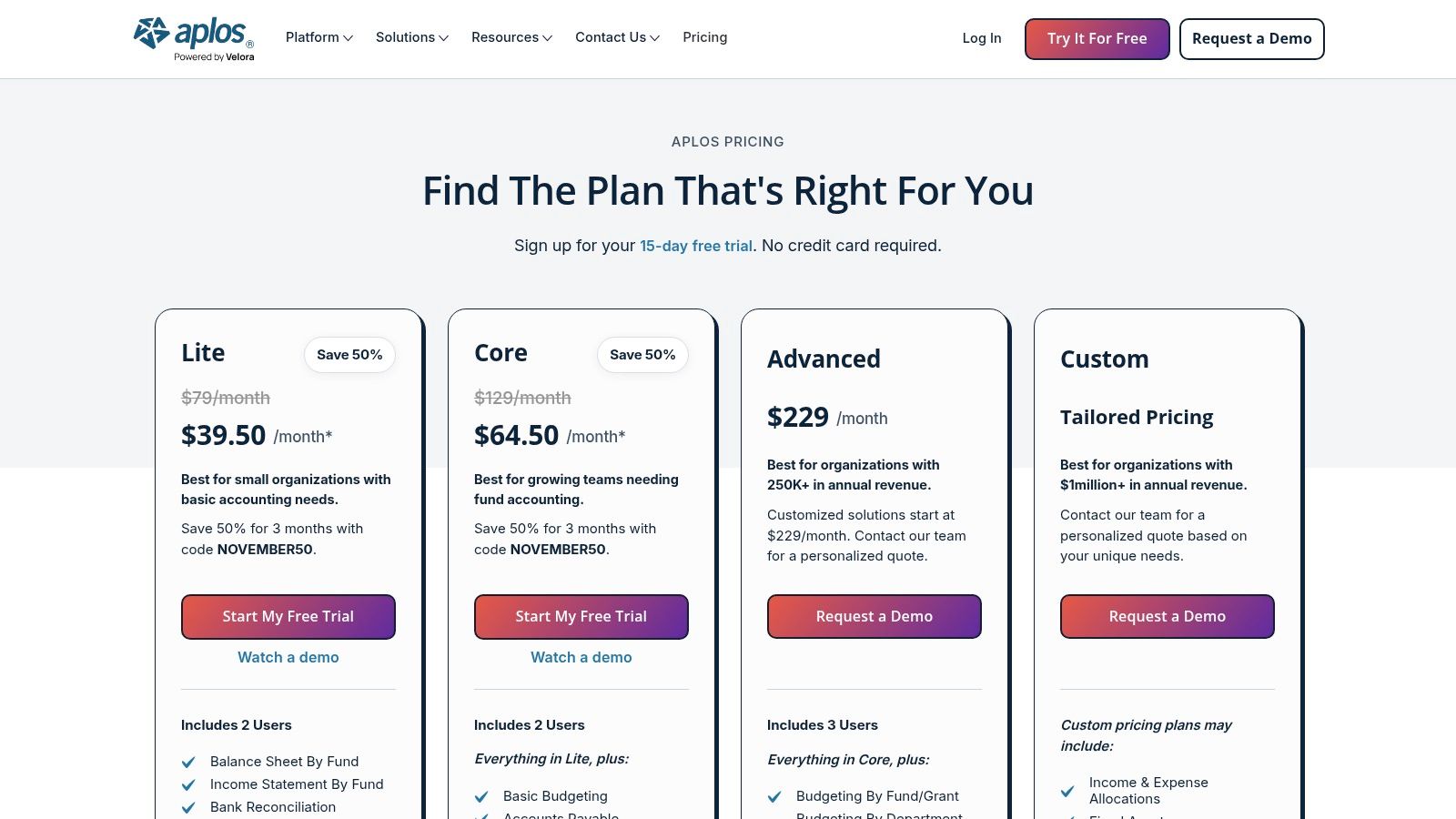
The platform is purpose-built for users who may not be accounting experts but require robust, audit-ready financial controls. Its clear, tiered pricing structure and included live support make it accessible for small to medium-sized congregations. Workflows are intuitive, guiding users through processes like recording contributions to specific funds and generating fund-level balance sheets. For a closer look at its features compared to others, you can learn more about Aplos as one of the best church accounting software options.
Key Features & Pricing
Aplos excels at producing detailed financial reports, allowing church leaders to see the exact financial health of each designated fund.
- True Fund Accounting: Generate accurate balance sheets and income statements for each fund.
- Integrated Giving: Combines online and text-to-give features directly with the accounting ledger.
- Donor Management: Track contributions and communicate with your congregation from one system.
- Pricing: Starts at $79/month for the Aplos Lite plan, with more advanced features like accounts payable/receivable and fixed asset management available in higher-tiered plans. A 15-day free trial is available.
| Pros | Cons |
|---|---|
| Workflows designed specifically for churches | Advanced features require higher-priced tiers |
| Clear, transparent pricing with a free trial | Per-user limits on lower-tier plans can be restrictive |
| Excellent live support and training included | Can be more complex than basic bookkeeping tools |
Website: https://www.aplos.com/pricing
4. QuickBooks (Intuit) – Nonprofit/Church Use
QuickBooks is a general accounting powerhouse that many churches adapt for their needs due to its widespread familiarity and robust feature set. While not a native fund accounting system, both QuickBooks Online (Plus and Advanced) and the Desktop Enterprise Nonprofit editions can be configured to track restricted funds using classes or locations. This makes it a viable option for churches with a bookkeeper or accountant already proficient in the QuickBooks ecosystem who can manage the necessary workarounds.
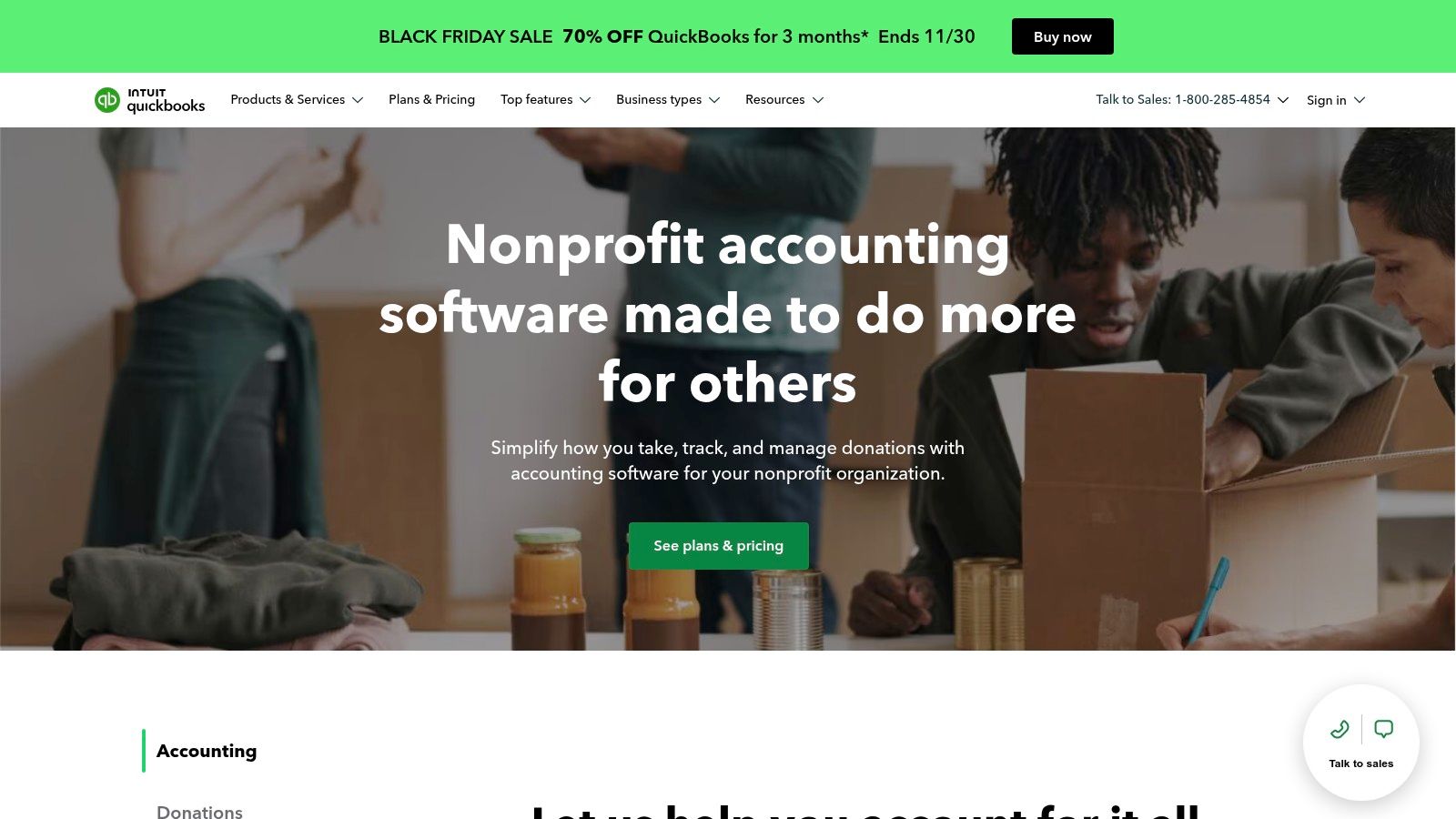
The platform’s strength lies in its scalability, extensive reporting capabilities, and vast network of integrations for payroll, payment processing, and bank feeds. Churches can produce standard nonprofit reports like a Statement of Financial Position and a Statement of Activities. However, maintaining the discipline to correctly classify every transaction is crucial for accurate fund tracking. For a deeper dive into this setup, you can learn more about how QuickBooks works for churches.
Key Features & Pricing
QuickBooks stands out for its deep reporting customization and the huge number of certified accountants who can provide support.
- Nonprofit Configuration: Chart of accounts and reports can be customized for nonprofit terminology.
- Class & Location Tracking: Use these features in QBO Plus/Advanced to simulate fund accounting for designated giving.
- Large Integration Ecosystem: Connects with thousands of third-party apps for payroll, giving, and more.
- Pricing: QuickBooks Online Plus, the minimum recommended plan for churches, starts at $90/month, though discounts are often available. Desktop and Enterprise versions have different pricing models.
| Pros | Cons |
|---|---|
| Ubiquitous skillset among bookkeepers and CPAs | Not native fund accounting; requires manual setup & discipline |
| Strong reporting and integration options | Payroll and payment processing are separate, costly add-ons |
| Highly scalable for growing congregations | Can be overly complex if you only need basic fund tracking |
Website: https://quickbooks.intuit.com/industry/non-profits/
5. TechSoup
TechSoup is not a software platform itself, but a vital nonprofit marketplace offering eligible 501(c)(3) churches and religious organizations deeply discounted access to mainstream accounting software. Its primary value is providing substantial savings on annual subscriptions for powerful tools like QuickBooks Online Plus and Advanced. This makes robust, industry-standard accounting accessible for congregations that might otherwise find the direct cost prohibitive.
The platform serves as a gateway, guiding users through the eligibility and application process to unlock these nonprofit-specific rates. By acting as a central hub, TechSoup empowers churches to adopt some of the best accounting software for churches at a fraction of the retail price. It’s an essential first stop for any budget-conscious church administrator looking to leverage tools like QuickBooks for their financial management.
Key Features & Pricing
TechSoup’s core offering is its curated catalog of discounted software licenses, connecting nonprofits with technology from major providers.
- Discounted QuickBooks: Access QuickBooks Online Plus or Advanced for a significantly reduced annual administrative fee.
- Eligibility & Renewal Support: Provides clear guidance and FAQs for faith-based organizations to qualify for and renew their licenses.
- Central Resource Hub: Offers a wide range of other discounted software and hardware relevant to nonprofit operations.
- Pricing: Churches pay an annual administrative fee to TechSoup for the license, which is substantially lower than Intuit's direct pricing. For example, QuickBooks Online Plus might be available for a $75 annual fee, versus standard monthly retail rates.
| Pros | Cons |
|---|---|
| Substantial savings compared to buying direct from Intuit | Strict eligibility rules apply, and inventory can be limited |
| Clear guidance for faith-based organizations on qualification | Add-ons like payroll are not included and must be purchased separately |
| One-stop shop for various nonprofit technology discounts | It is a marketplace, not a direct software support provider |
Website: https://www.techsoup.org/
6. Blackbaud Financial Edge NXT
Blackbaud Financial Edge NXT is a cloud-based fund accounting platform built specifically for the complex needs of nonprofits, making it a powerful choice for larger churches and faith-based organizations. It excels at providing robust, audit-ready financial management with a focus on compliance and internal controls. The system is designed to handle sophisticated scenarios like managing endowments, tracking multi-year capital campaigns, and overseeing complex designated funds, all within a single, integrated ecosystem.
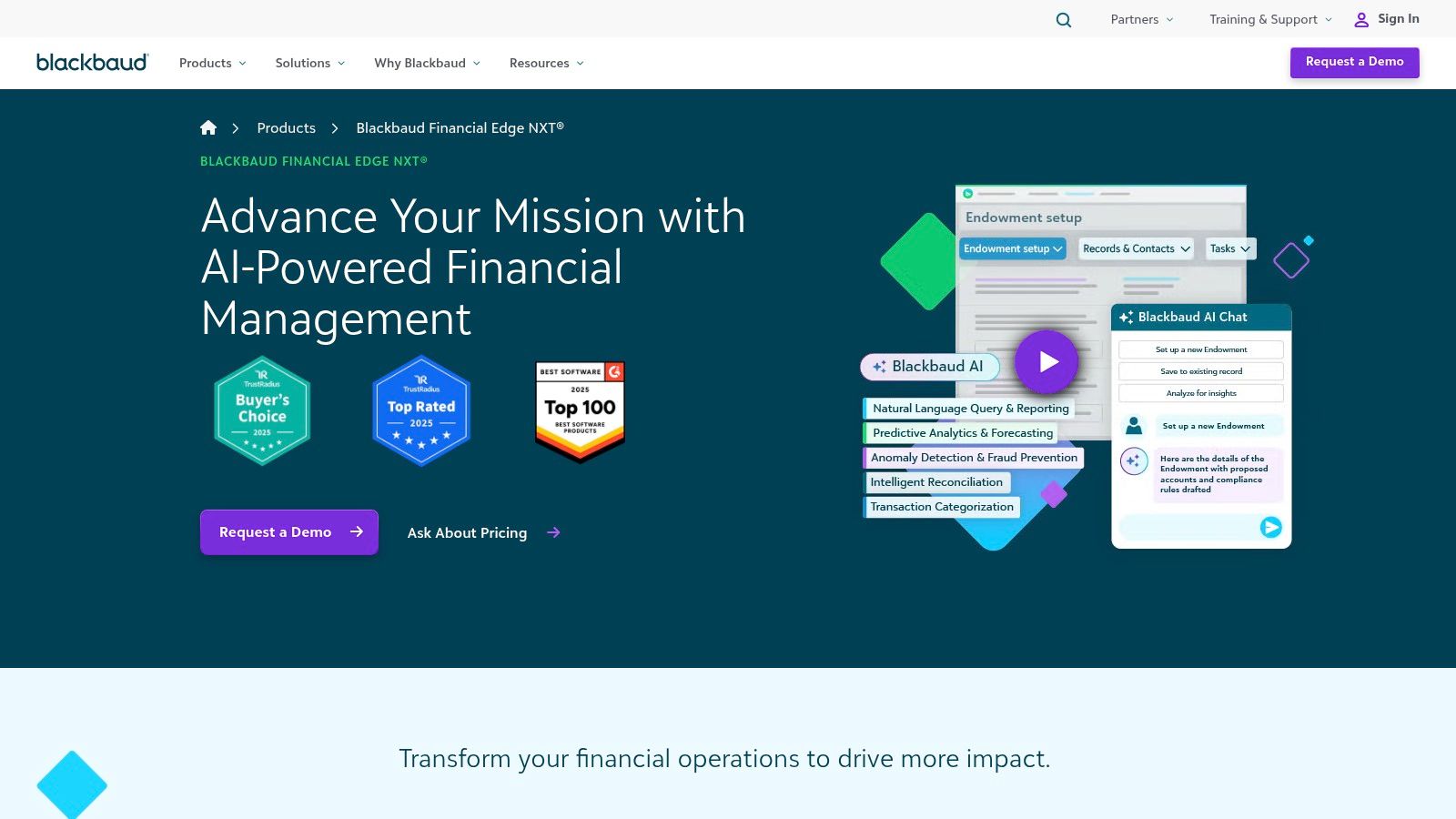
This platform is ideal for organizations where financial accountability and detailed reporting are paramount. It ties directly into Blackbaud’s extensive suite of fundraising and donor management tools, creating a unified solution for tracking finances from donation to expenditure. Features like AI-assisted reconciliation and advanced budgeting tools streamline workflows for finance teams, making it a leading option among the best accounting software for churches with enterprise-level requirements and budgets.
Key Features & Pricing
Blackbaud is recognized for its comprehensive feature set designed to give nonprofit leaders deep visibility and control over their financial operations.
- Purpose-Built Fund Accounting: Manages restricted and designated funds with purpose-built compliance workflows.
- AI-Assisted Reconciliation: Uses artificial intelligence to streamline and automate bank reconciliation and report creation.
- Integrated Ecosystem: Connects seamlessly with Blackbaud’s fundraising, CRM, and merchant services platforms.
- Pricing: Blackbaud uses a quote-based pricing model tailored to the organization's size and needs. It is generally positioned for mid-to-enterprise-level budgets, and you must contact their sales team for a custom quote.
| Pros | Cons |
|---|---|
| Nonprofit-first design with robust audit and control features | Pricing is quote-based and targets mid-to-enterprise budgets |
| Recognized for buyer satisfaction and nonprofit functionality | May be overly complex and expensive for smaller congregations |
| Strong integration with a wide range of fundraising tools | Steeper learning curve compared to simpler systems |
Website: https://www.blackbaud.com/products/blackbaud-financial-edge-nxt
7. Realm Accounting by ACS Technologies
Realm Accounting is the financial module built within the comprehensive Realm church management system (ChMS) from ACS Technologies. It’s designed for churches that want a single, deeply integrated platform where financial data, member information, and online giving are seamlessly connected. This unified approach eliminates the need for manual data entry between systems, allowing contributions from the giving module to post directly to the general ledger and connecting people profiles with their financial activity.
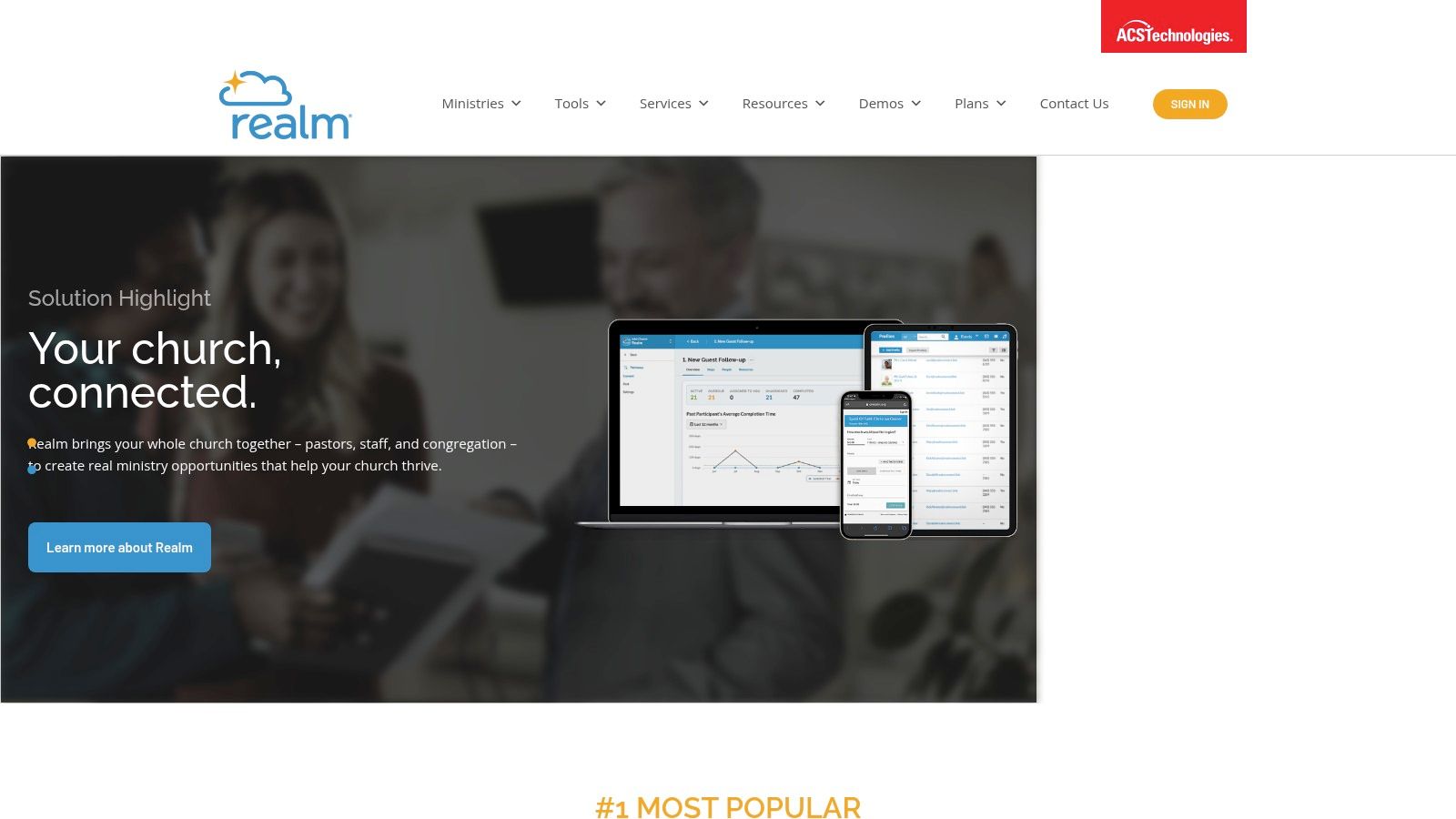
The platform offers true fund accounting, enabling churches to properly manage restricted and designated funds with accurate, fund-level reporting. Realm is a robust solution best suited for organizations that will leverage its broader ChMS capabilities, from event management to small group coordination. A key differentiator is the extensive training, implementation, and support resources provided by ACS Technologies, making it a solid choice for teams that value guided setup and ongoing assistance.
Key Features & Pricing
Realm Accounting focuses on providing an all-in-one ecosystem where financial management is just one part of a larger church operations platform.
- True Fund Accounting: Manage assets, liabilities, net assets, revenues, and expenses by fund.
- Integrated Payroll: Offers an add-on payroll service that works directly within the accounting system.
- Unified Giving & GL: Contributions from online giving are automatically posted to the correct funds in the general ledger.
- Pricing: Realm’s pricing is quote-based and not publicly listed. You must contact their sales team for a custom quote based on your church's size and needs.
| Pros | Cons |
|---|---|
| Deep church ecosystem ties giving and events directly to accounting | Pricing is quote-based and not listed publicly |
| Robust training and implementation resources are available | Best value is realized when adopting the broader Realm suite |
| Role-based permissions enhance financial security | May be too complex for very small churches with simple needs |
Website: https://www.acst.com/realm/
8. ParishSOFT Accounting
ParishSOFT Accounting is a web-based fund accounting platform built specifically for the operational and reporting needs of Catholic parishes and dioceses. Its main differentiator is its deep integration with Catholic administrative structures, enabling seamless financial reporting from the individual parish level up to the diocesan level. The platform is designed to manage complex fund accounting, including tracking designated collections, school finances, and capital campaign funds, all while adhering to diocesan chart of accounts and compliance standards.
This focus makes it an ideal solution for organizations that need to maintain financial transparency and consistency across a large, multi-layered structure. While its interface may feel more traditional than some modern SaaS competitors, its strength lies in its purpose-built workflows and robust reporting tools tailored to Catholic financial management. The availability of professional consulting and onboarding services ensures that parishes can implement the system correctly to meet their unique requirements.
Key Features & Pricing
ParishSOFT excels at providing diocesan-level oversight while empowering individual parishes with the tools they need for daily financial management.
- Diocesan & Parish Focus: Shared chart of accounts and reporting capabilities designed for Catholic organizational structures.
- Ledger & Payables: Core fund accounting modules complemented by a custom report writer for detailed financial analysis.
- Integrated Payroll: Manages payroll complexities unique to church staff, including clergy housing allowances.
- Pricing: Pricing is not publicly listed and requires a custom quote. Professional services packages for implementation and training are also available.
| Pros | Cons |
|---|---|
| Purpose-built for Catholic parish and diocesan workflows | Core software pricing not listed publicly (quote-based) |
| Optional consulting packages for guided implementation | Interface and performance can feel traditional compared to newer tools |
| Strong reporting tools for diocesan oversight | Less suited for non-Catholic denominations without similar structures |
Website: https://www.parishsoft.com/
9. Church Windows
Church Windows is a long-standing, comprehensive church management suite that offers a dedicated and robust fund accounting module. Trusted by thousands of churches, it provides mature, feature-rich tools designed for detailed financial management and is available as a traditional desktop installation or a modern cloud-based web solution, offering flexibility for different IT environments. Its strength lies in the deep integration between its accounting, donations, and payroll modules, creating a unified system for all of a church's financial operations.
The platform is built for churches that need granular control and extensive reporting capabilities. Its modular nature allows a church to purchase only what it needs, whether that’s just the core accounting or the full suite including membership and scheduling. With extensive onboarding resources, webinars, and included support, Church Windows is a solid choice for administrators who value a proven system and need some of the best accounting software for churches that can handle complex financial scenarios, such as running a daycare or school alongside regular church operations.
Key Features & Pricing
Church Windows excels at providing a complete financial picture through its extensive library of customizable reports, ensuring transparency for leadership and the congregation.
- True Fund Accounting: Manage and track all designated funds with precision, including a full chart of accounts and inter-fund transfers.
- Integrated Payroll: A dedicated payroll module handles church-specific needs like clergy housing allowances directly within the system.
- Flexible Deployment: Choose between a locally installed Windows application or a fully hosted web version for access anywhere.
- Pricing: Pricing is modular and depends on the specific modules purchased (e.g., Accounting, Donations, Payroll) and the chosen support tier. Organizations must request a custom quote.
| Pros | Cons |
|---|---|
| Mature, feature-rich tools trusted for decades | User interface can feel dated compared to newer SaaS platforms |
| Flexible deployment options (desktop or web) | Modular pricing can be complex to calculate upfront |
| Deep integration between all financial modules | May be overly complex for very small churches with basic needs |
Website: https://churchwindows.com/
10. PowerChurch (PowerChurch Plus & PowerChurch Online)
PowerChurch offers a comprehensive church administration suite that bundles accounting, membership, contributions, and payroll into one integrated system. A key differentiator is its deployment flexibility; churches can choose a one-time desktop license (PowerChurch Plus) or a cloud-hosted subscription (PowerChurch Online). This makes it an accessible option for organizations that prefer to own their software outright or those that value the convenience of cloud access with automatic backups and updates.
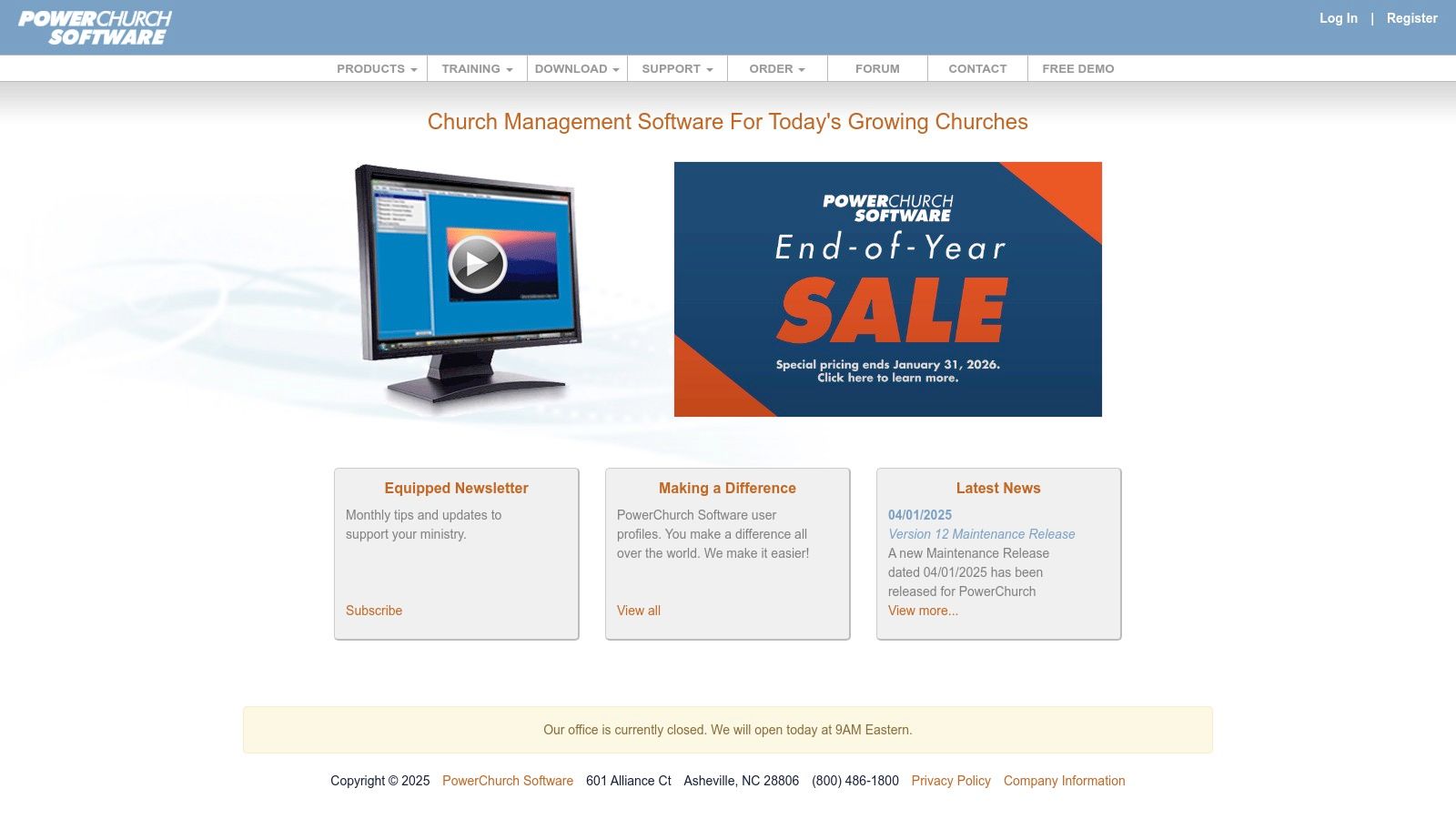
The platform is built around a robust fund accounting module that is fully integrated with its contributions and payroll functions, streamlining the process of tracking designated gifts and managing staff expenses. While its user interface may feel more traditional compared to newer SaaS products, PowerChurch is a long-standing, reliable solution in the church software space. This makes it one of the best accounting software for churches that prioritize a proven system with flexible licensing over a modern interface.
Key Features & Pricing
PowerChurch is designed to be an all-in-one solution, reducing the need for multiple disparate systems to manage church operations.
- Flexible Deployment: Choose between a one-time purchase for the desktop version or a monthly subscription for the online version.
- Integrated Modules: Combines a full fund accounting system with membership management, contributions tracking, and an in-house payroll module.
- Optional Support: Maintenance releases are free, but users can purchase optional technical support plans for direct assistance.
- Pricing: PowerChurch Plus (desktop) starts at a $395 one-time fee for a new license. PowerChurch Online starts at $46/month. A free demo is available.
| Pros | Cons |
|---|---|
| Budget-friendly entry with a one-time license option | The user interface feels traditional and Windows-centric |
| Combines accounting with key church management tools | Add-on modules like Check-In cost extra |
| Choice of local or cloud-hosted deployment | Cloud version may have limitations compared to desktop |
Website: https://www.powerchurch.com/
11. IconCMO
IconCMO is an all-in-one church management system that prioritizes strong, FASB-compliant fund accounting. Its accounting module has been audited by a top CPA firm, making it an excellent choice for churches that require audit-ready financials and strict compliance. The platform integrates donation management, membership, and optional payroll, providing a unified workflow where contributions are posted directly to the correct funds in the general ledger.
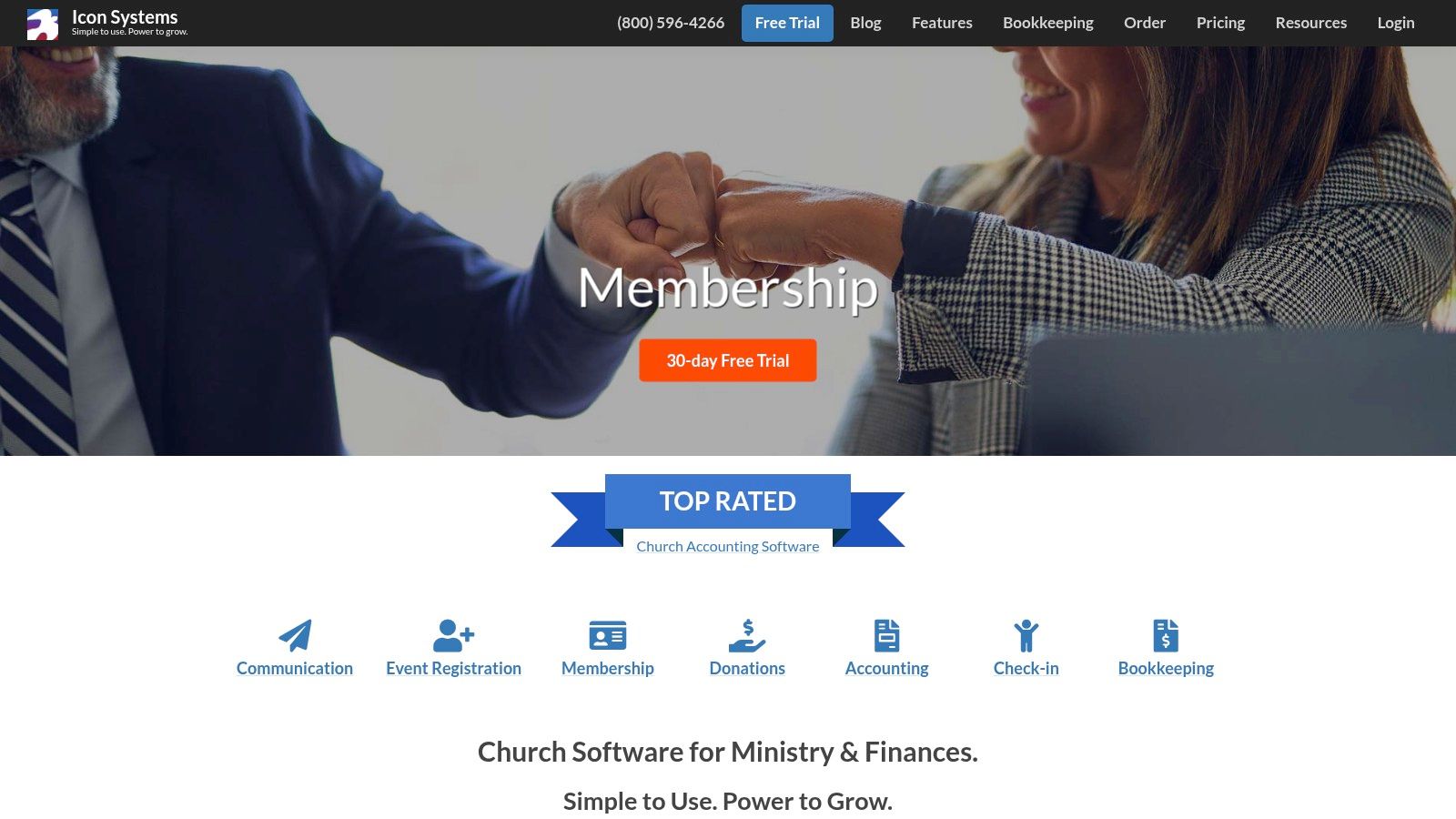
This system is designed for church administrators who need a single source of truth for both financial and member data. It stands out with its transparent, size-based pricing and commitment to data security, including nightly off-site backups. While its interface is more utilitarian than some modern competitors, its focus on core accounting principles makes it a reliable tool for managing complex church finances, establishing it as one of the best accounting software for churches that value compliance.
Key Features & Pricing
IconCMO’s strength lies in its integrated, compliance-focused features that simplify complex church financial tasks.
- FASB-Compliant Fund Accounting: Audited by a CPA firm to ensure financial statements meet nonprofit standards.
- Integrated Donations: Automatically posts contributions to the accounting ledger and reconciles with bank imports.
- Optional Payroll Module: A fully integrated add-on to manage staff compensation within the same system.
- Pricing: Scalable pricing is based on the number of households. For a church with 50 households, the core plan is $42/month. A 30-day free trial is available.
| Pros | Cons |
|---|---|
| Strong compliance posture with audited financials | Interface is functional but less modern than some competitors |
| Clear, scalable pricing based on church size | Pricing is presented via a calculator, not a simple table |
| Integrated features link donations directly to GL | Optional modules like payroll add to the total cost |
Website: https://www.iconcmo.com/
12. ChurchTrac (Accounting add-on)
ChurchTrac is an affordable, all-in-one church management system (ChMS) that offers an optional Accounting & Budgeting add-on. This platform is designed primarily for small to medium-sized churches, especially those run by volunteers, who need a simple, integrated solution for managing people, giving, and finances without the complexity of traditional accounting software. Its strength lies in combining core ChMS features with straightforward financial tools, making it a highly practical choice for congregations on a tight budget.
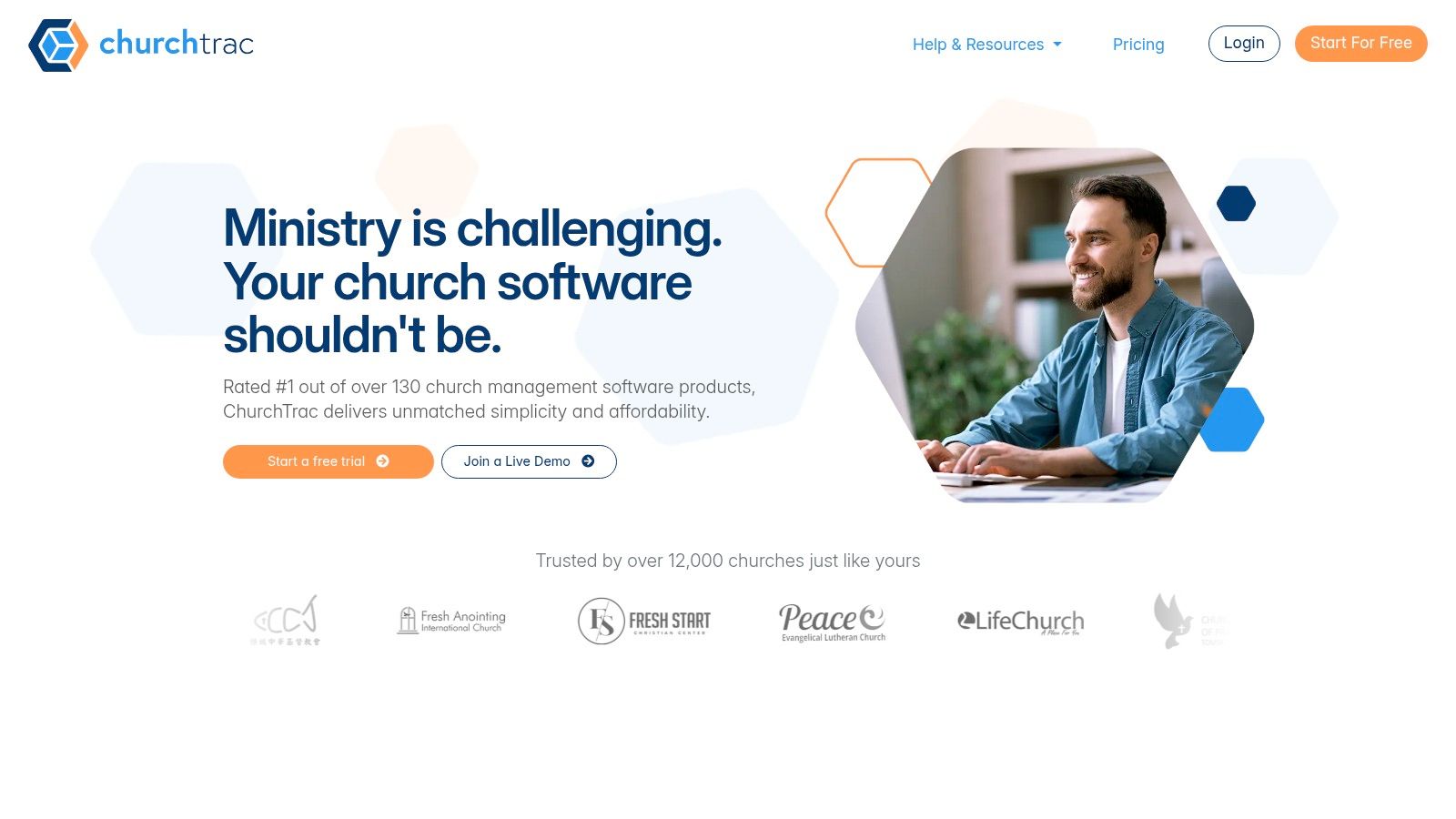
The accounting module uses a single-entry system, which simplifies tracking deposits and expenses for users without a bookkeeping background. While it may not meet the rigorous audit requirements of larger organizations, it provides essential fund tracking and budgeting capabilities. This makes it an effective tool for maintaining financial transparency for internal leadership and the congregation. To better understand its fit, you can explore more about ChurchTrac as one of the best accounting software for small churches.
Key Features & Pricing
ChurchTrac's main appeal is its low cost and the ability to manage multiple church functions from a single, easy-to-use application.
- Integrated ChMS: Combine accounting with member management, online giving, child check-in, and worship planning.
- Fund Management: Easily track designated funds, manage budgets, and record expenses and deposits.
- Volunteer-Friendly: The single-entry system is intuitive for non-accountants to learn and manage.
- Pricing: The core ChMS is free for up to 75 people. The Standard plan starts at $12/month, and the Plus plan, which includes Accounting, starts at $24/month. A 30-day free trial is available.
| Pros | Cons |
|---|---|
| Very low cost and easy to adopt for volunteer-run teams | Single-entry accounting is not as robust as double-entry |
| Combines multiple church management tools in one app | Limited reporting may not satisfy larger churches’ audit needs |
| Excellent for churches needing a simple, all-in-one solution | Accounting features are an add-on, not a standalone product |
Website: https://www.churchtrac.com/
Top 12 Church Accounting Software Comparison
| Product | Core features | UX / Quality | Pricing & Value | Target audience | Unique selling points |
|---|---|---|---|---|---|
| Sage Intacct | Dimensional chart of accounts, budgeting, multi-entity roll-ups | ★★★★★ | 💰 Quote-based (enterprise) | 👥 Large/multi-campus churches | ✨ Strong multi-entity reporting, audit controls |
| 🏆 Grain | Native fund-based ledger, bank + giving integrations, GAAP reports | ★★★★☆ | 💰 Starter free ≤$20k monthly expenses · Growth $70/mo · Enterprise $250/mo | 👥 Small–mid churches, treasurers, boards | ✨ Native fund architecture, automated giving→fund mapping, built-in restricted‑fund controls |
| Aplos | True fund accounting, donor mgmt, bank recon, custom reports | ★★★★☆ | 💰 Tiered pricing, free trial | 👥 Small–mid nonprofits & churches | ✨ Church workflows + live onboarding |
| QuickBooks (Intuit) | Nonprofit-configurable reports, ecosystem of add-ons | ★★★★ | 💰 Subscription tiers (Plus/Advanced), add‑ons extra | 👥 Churches with existing accountants, scalable needs | ✨ Large accountant ecosystem, many integrations |
| TechSoup | Discounted QuickBooks licensing, nonprofit resources | ★★★★ | 💰 Deep discounts for eligible 501(c)(3) | 👥 Churches seeking lower licensing costs | ✨ Cost savings on mainstream software |
| Blackbaud Financial Edge NXT | Restricted fund workflows, AI reconciliation, budgeting | ★★★★☆ | 💰 Quote-based (mid→enterprise) | 👥 Mid→large nonprofits & faith orgs | ✨ Nonprofit-first platform + fundraising ecosystem |
| Realm Accounting | Fund accounting inside ChMS, payroll, giving→GL posting | ★★★★ | 💰 Quote-based (best with Realm suite) | 👥 Churches wanting integrated ChMS + accounting | ✨ Tight ChMS + accounting integration, training resources |
| ParishSOFT Accounting | Ledger & payables, payroll, diocesan features | ★★★★ | 💰 Quote-based | 👥 Catholic parishes & dioceses | ✨ Designed for parish/diocesan workflows and oversight |
| Church Windows | Fund accounting, donations, payroll, extensive reports | ★★★★ | 💰 Module-based pricing | 👥 Traditional US churches preferring mature tools | ✨ Longstanding feature set and report library |
| PowerChurch | Fund accounting + contributions & payroll, desktop or cloud | ★★★★ | 💰 One-time desktop license or subscription | 👥 Budget-conscious churches wanting choice of deployment | ✨ Desktop one-time purchase option, low entry cost |
| IconCMO | FASB-compliant fund accounting, donations, payroll | ★★★★ | 💰 Scalable pricing by household (calculator) | 👥 Churches wanting audited fund accounting | ✨ CPA‑audited compliance, unlimited users option |
| ChurchTrac (Accounting add-on) | Budgeting, deposits, expense tracking (single-entry) | ★★★☆ | 💰 Very low-cost add-on, 30-day trial | 👥 Very small/volunteer-led churches | ✨ Extremely affordable, simple to adopt |
Related church accounting software resources
If you are comparing software, these pages map the main decision points: fund accounting, QuickBooks limits, pricing, and migration.
- Church accounting software product page - see Grain Ledger for fund accounting, giving, and bank reconciliation
- Small church accounting software - see the product page built for volunteer treasurers and church admins
- Fund accounting features - review how Grain Ledger tracks designated funds
- QuickBooks for churches - understand workarounds and when to switch
- Free church accounting software - compare free options and upgrade triggers
- Grain Ledger pricing - compare plans for small and growing churches
- Start free - try fund accounting, giving imports, and bank reconciliation together
Frequently asked questions
What is the best accounting software for churches?
The best accounting software for a church is the system that can track restricted and unrestricted funds, connect giving and bank activity, and produce board-ready financial reports without spreadsheet workarounds. When those criteria point to a fund-based ledger rather than a listicle pick, evaluate Grain on the church accounting software page.
Do churches need fund accounting software?
Most churches benefit from fund accounting software because designated gifts, building funds, missions funds, grants, and donor restrictions must be tracked separately from general operating cash. Fund accounting helps leaders show that money was used for its intended purpose.
Can a church use QuickBooks instead of church accounting software?
A church can use QuickBooks, especially when its books are simple, but QuickBooks is not designed around nonprofit fund accounting. Churches often need classes, tags, custom reports, and manual reconciliation to approximate true fund reporting.
What should church accounting software include?
Church accounting software should include fund-based double-entry accounting, donation and giving integrations, bank reconciliation, budget tracking, accounts payable, user permissions, audit history, and financial reports by fund and ministry area.
What is the best church accounting software for small churches?
The best church accounting software for small churches balances true fund accounting with ease of use for volunteer treasurers. ChurchTrac and Flockbase are common small-church options when the church wants bundled admin tools. Grain Ledger fits when the church needs fund accounting, giving platform imports, and bank reconciliation without replacing its ChMS.
Is there free church accounting software?
Some vendors offer free tiers or freemium plans, and many churches start with spreadsheets. Free options usually become limiting once the church needs restricted fund reporting, giving integrations, approval workflows, or audit-ready reconciliations across multiple funds.
How we evaluated church accounting software
We scored each platform on fund accounting depth, giving and bank workflow fit, reporting quality for boards, pricing transparency, migration effort, and how well the product matches common church sizes. We prioritized systems churches actually use in 2026, not legacy modules that are difficult to implement.
Choosing the Right Tool to Empower Your Ministry
Navigating the landscape of church financial software can feel overwhelming, but making an informed choice is one of the most impactful decisions your ministry leadership can make. We have explored a wide array of options, from adaptable general business tools like QuickBooks to comprehensive, all-in-one Church Management Systems (ChMS) such as Realm and PowerChurch. Each solution presents a unique combination of features, strengths, and limitations tailored to different ministry contexts.
The core takeaway is the non-negotiable importance of true fund accounting. This isn't just an accounting principle; it's a stewardship mandate. The ability to accurately track and report on designated funds, such as missions, building campaigns, and benevolence, is fundamental to maintaining trust with your congregation and ensuring financial integrity. While some software can be retrofitted to handle this, solutions built with a native fund accounting architecture inherently provide greater clarity and less room for error.
Your Path Forward: A Practical Framework for Selection
Selecting the best accounting software for your church isn't about finding a perfect product, but about finding the right fit for your specific needs. As you move from evaluation to decision, consider this framework to guide your process:
Assess Your Current Complexity: Are you a small church plant managing a few designated funds, or a multi-campus ministry with complex departmental budgets and restricted endowments? Your scale dictates the level of sophistication you need. Tools like ChurchTrac's accounting add-on might suffice for simpler needs, whereas a robust system like Sage Intacct or Blackbaud Financial Edge NXT is built for complexity.
Evaluate Your Team's Capacity: Consider who will be using the software daily. Is it a volunteer treasurer with limited bookkeeping experience or a full-time CPA? The user interface and learning curve are critical factors. Intuitive, modern platforms like Grain or Aplos are often easier for volunteers to adopt than more traditional, feature-dense systems like Church Windows.
Map Your Technology Ecosystem: Your accounting software doesn't operate in a vacuum. How will it connect with your online giving platform, bank accounts, and ChMS? Prioritize solutions that offer seamless, direct integrations to eliminate manual data entry, reduce administrative burden, and minimize the risk of human error.
Define Your Reporting Needs: Who needs to see the financial data, and in what format? Your elder board requires high-level summaries of fund balances, while ministry leaders need detailed budget-versus-actual reports for their specific departments. Ensure the software can generate these reports easily and accurately without complicated workarounds or exporting data to spreadsheets.
Final Thoughts on Stewardship and Technology
Ultimately, your church's accounting software is more than a digital ledger; it is a tool of stewardship. The right platform empowers your ministry by providing the financial clarity needed to make wise, prayerful decisions. It transforms administrative tasks from a necessary burden into a streamlined process, freeing up valuable time and energy for your team to focus on what truly matters: serving your community and advancing your mission.
By investing in a system that aligns with your church's unique operational and theological needs, you are laying a strong foundation for financial health, transparency, and accountability. This choice builds confidence within your congregation, equips your leadership with actionable insights, and honors the generosity of those who have entrusted their resources to your care. Use the insights from this guide to confidently select a partner that will support your ministry's financial journey for years to come.
If this comparison pointed you toward a native fund ledger, continue on the church accounting software product page for features, pricing, and a free start. This guide stays a side-by-side overview; the product page is the place to evaluate Grain for your books.
Ready to simplify your church finances?
Start free with church fund accounting, or watch a product demo first.