Top Church Directory Software Solutions 2026
Discover the best church directory software for your ministry. Our 2026 guide covers features, security, & integration with fund accounting systems.
On a Thursday afternoon, the church office phone rings three times in ten minutes. One volunteer needs the nursery schedule. A deacon wants the latest family contact list. The youth pastor is asking which parents should receive details about Saturday’s trip because two email lists don’t match. On the desk, there’s a printed directory with handwritten corrections, a spreadsheet saved under “final version updated 3,” and a notebook with names added after Sunday service.
About Grain Ledger: This guide includes Grain Ledger, church fund accounting software built for designated gifts and ministry funds. It connects giving platforms (Planning Center, Pushpay, Tithely, Stripe), syncs bank activity with Plaid, and produces fund-level financial reports. Schedule a demo to see how it compares for your church.
See Grain Ledger for your church
Fund accounting, giving integrations, and bank reconciliation in one platform. Free migration support for churches switching from QuickBooks or Aplos.
That’s not a technology problem first. It’s a ministry problem.
This guide covers church directory and member management tools. If you are evaluating church accounting software with native fund tracking, start on Grain's church accounting software page.
When people data lives in five places, the church starts missing people in small but meaningful ways. A hospital visit gets delayed because a number is outdated. A new family doesn’t get invited to the right class. A giver’s record doesn’t line up cleanly with the finance report. Staff and volunteers spend their time chasing information instead of caring for people.
Church directory software exists to fix that. The strongest systems give a church one trusted place for member information, household relationships, communication, and ministry coordination. They also shape how smoothly other work happens around that data, including volunteer scheduling, event follow-up, and, if you choose carefully, financial stewardship.
Churches are moving in that direction quickly. The church management software market was valued at USD 580 million in 2019 and is projected to grow by an incremental USD 418.5 million from 2025 to 2029, reflecting wider adoption of digital tools for operations and member engagement, according to Technavio’s church management software market analysis.
From Messy Spreadsheets to Modern Ministry
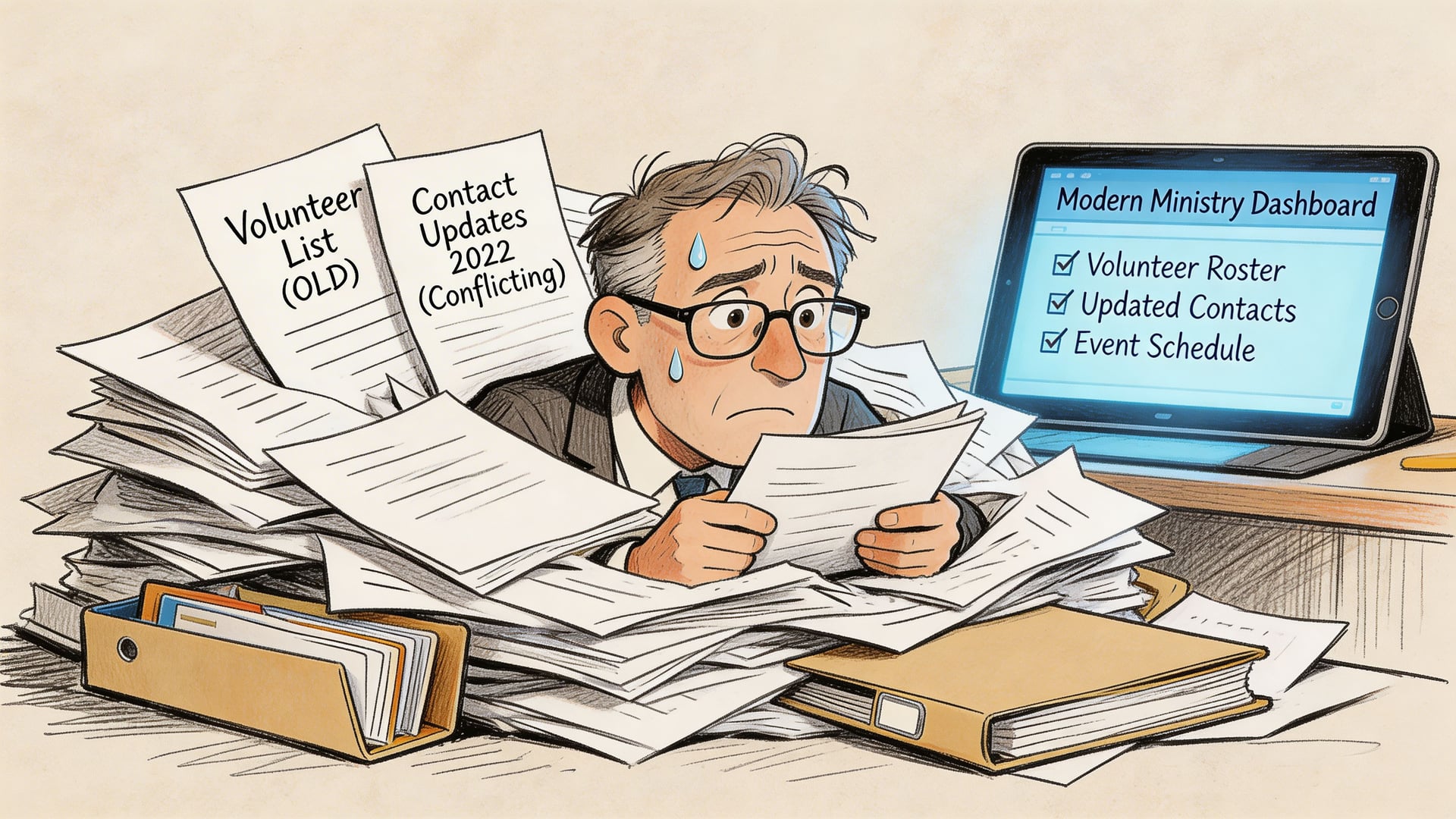
I’ve seen this pattern more than once. A church starts small, so a spreadsheet feels good enough. Then the church adds children’s ministry check-in, more volunteers, a few restricted funds, several ministry leaders, and a growing list of members who need regular follow-up. The spreadsheet doesn’t fail all at once. It fails a little at a time.
One tab tracks family names. Another tracks birthdays. Someone else keeps a phone list in their own email contacts. The worship ministry has its own roster. The finance team has giving names entered one way, and the office has them entered another. Everyone is working hard, but no one is looking at the same record.
What changes when the directory becomes central
Church directory software gives the church a shared source of truth. Instead of asking, “Which list is current?” your team starts asking, “Who needs care, and who should follow up?”
That shift matters. A directory isn’t just a digital phone book; it becomes the operating layer behind ordinary ministry work:
- Member records stay current: Staff and approved leaders can update one record instead of correcting several files.
- Households make sense: Families, children, and relationships appear together rather than as separate disconnected entries.
- Communication gets targeted: Parents receive youth updates. Greeters receive serving reminders. New members receive onboarding details.
- Leaders work from the same information: Pastors, administrators, and ministry heads stop maintaining parallel lists.
A healthy directory lowers friction in the office and increases care in the congregation.
Why finance teams should care early
Finance committees sometimes treat church directory software as “an admin tool” and accounting as “the core business system.” In practice, the two touch each other constantly.
Names on giving records must match real households. New members need clean onboarding into both communication and contribution systems. A pastor may see one version of a family name while the treasurer sees another. That’s how reconciliation work grows.
When a church chooses directory software well, daily ministry gets easier. When it chooses with finance in mind, reporting gets cleaner.
Core Features of Modern Church Directory Software
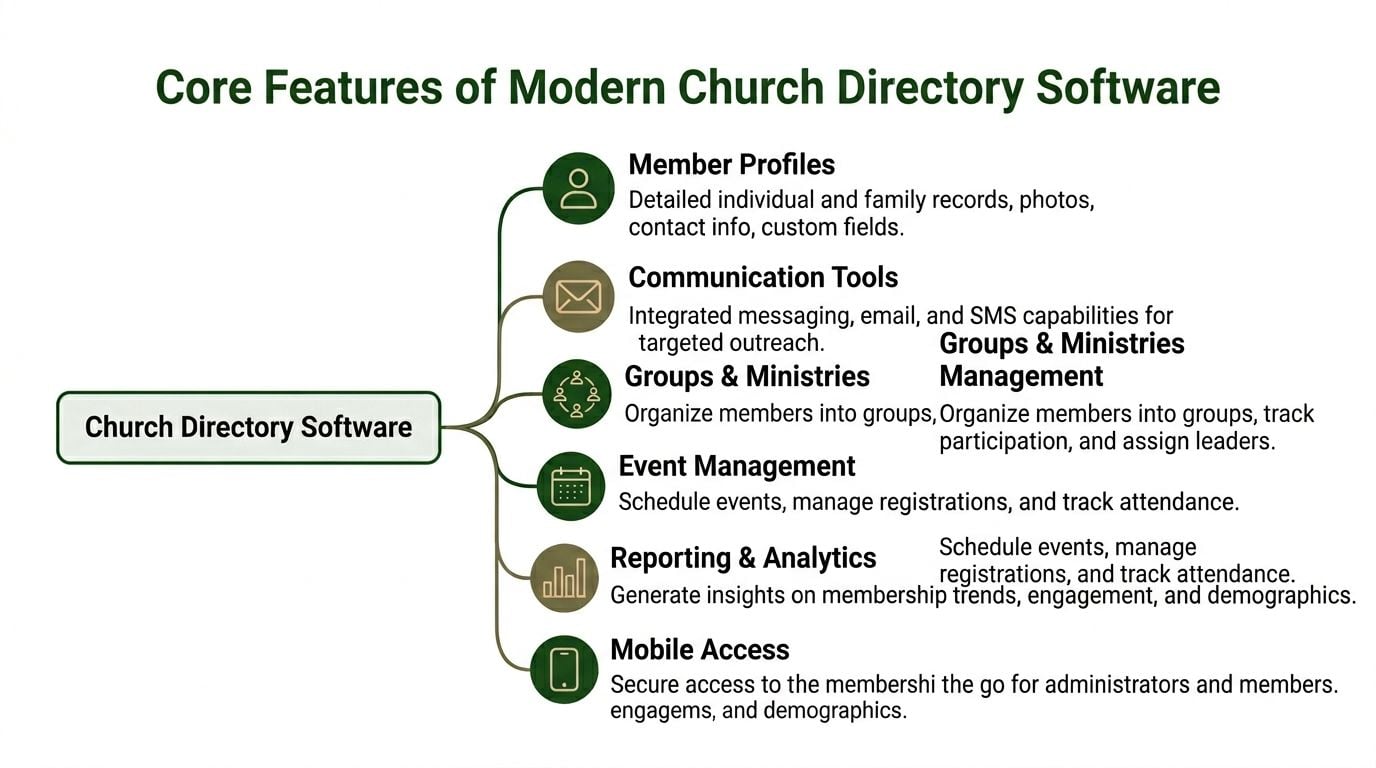
The best way to think about church directory software is as the central nervous system of the congregation. Information comes in from many places, and the system helps the right people act on it. A profile update affects communication. Group membership affects scheduling. Household details affect care, follow-up, and administration.
Member profiles that reflect real church life
A strong directory starts with the member record. That record should handle more than a name and phone number.
Look for profiles that can store:
- Household relationships: Spouses, children, guardians, and shared addresses
- Photos and identification details: Helpful for greeters, pastors, and newer members
- Custom fields: Baptism date, membership class status, ministry interests, or care notes
- Change history: Useful when multiple staff or volunteers manage records
If a system can’t represent households cleanly, your team will create workarounds. Workarounds become errors.
Communication that reaches the right people
Many churches outgrow “send to everyone” communication. Ministry leaders need to contact the nursery team without messaging the choir. Youth leaders need to contact parents. Pastors need a way to follow up with guests or absent members.
Modern platforms often include email and text messaging tools tied directly to directory records. That matters because your list stays connected to the person’s profile instead of living in a separate app.
AI-powered data management is becoming part of that workflow as well. Modern platforms often use AI-powered data management to automate member information updates, which can reduce manual data entry errors by up to 70%, helping group messaging reach the right people more reliably, according to this church directory software guide from AIScreen.
Group management, events, and mobile access
Church directory software earns its keep week after week here.
A practical system helps leaders:
| Function | What it looks like in practice |
|---|---|
| Groups and ministries | Assign people to classes, teams, care groups, or ministry rosters |
| Volunteer scheduling | Coordinate who serves, where, and when |
| Events | Track registrations, attendance, and follow-up lists |
| Reporting | Pull lists by ministry, family status, or participation |
| Mobile access | Let approved users find contact details and updates without calling the office |
Practical rule: If the directory only stores data but doesn’t help leaders use it, it’s a filing cabinet, not a ministry tool.
Churches sometimes get confused here because many products look similar in demos. Most can store names. Fewer can turn those names into useful workflows for daily ministry.
How to Choose the Right Church Directory Software
A polished demo can hide a weak fit. I’ve watched churches choose software because the homepage looked modern, then spend months struggling with migration, household setup, and confusing permissions. The right question isn’t “Does it have features?” It’s “Will this system fit how our church works?”
Start with the data model
Ask the vendor to show you one real household. Not a simple one. Ask for grandparents in the same home, a college student living elsewhere, a child picked up by a non-parent guardian, and a family using one email address for several people.
That demonstration tells you a lot.
If the data model is clumsy, these problems show up fast:
- Duplicate records for family members
- Confused communication lists when one household shares contact information
- Messy reporting when ministry leaders can’t tell who belongs where
- Manual cleanup every time a family situation changes
Test the software on ordinary users
Don’t let only the office administrator test it. Put the app in front of a volunteer coordinator, a pastor, and one member who isn’t especially technical.
What you’re looking for is simple. Can they find a person, update a detail, and understand what they’re seeing without training that feels like a software certification?
For a broader checklist on evaluation language and common buying criteria, this ultimate guide to choosing directory software is useful because it helps leaders think beyond feature lists and pay attention to adoption.
Evaluate customization and migration
Some churches need only standard fields. Others need membership status, campus affiliation, volunteer certifications, child safety notes, or ministry-specific tags. If a platform doesn’t let you adapt the record sensibly, you’ll end up storing key information in side documents again.
Migration matters just as much.
Ask these questions during the demo:
- How are duplicates identified and merged
- What happens to historical notes and family relationships
- Can you import custom fields without rebuilding records by hand
- Who is responsible for cleanup before launch
- What training is included for staff and ministry leaders
A church should also compare directory decisions with broader ChMS decisions. This overview of best church management software is a helpful companion because many churches aren’t buying a standalone directory. They’re deciding how people data will connect with giving, events, and reporting.
Software selection goes better when churches evaluate a week of real ministry tasks, not a vendor’s best fifteen-minute demo.
Protecting Your Flock with Security and Privacy Controls
Churches collect sensitive information without always thinking of it that way. Home addresses, Children’s names, Phone numbers, Family relationships. In some systems, prayer needs or giving-related details. That data deserves the same seriousness you’d apply to a locked office file cabinet, and more.

Different people need different views
A small group leader doesn’t need the same access as a treasurer. A children’s ministry volunteer shouldn’t automatically see every household detail in the church. An administrator may need editing rights that a member should never have.
That’s why granular access control matters. Privacy controls are essential, and attribute-based access control can mitigate data exposure risks in 95% of deployments by enforcing granular visibility rules and supporting compliance needs such as GDPR and CCPA, as described by ParishSOFT’s church directory overview.
In plain language, that means the software can decide what a person may view based on role, relationship, and data type.
A simple access model might look like this:
| User role | Appropriate access |
|---|---|
| Member | Their own profile, household details, and visible directory entries |
| Small group leader | Group roster and approved contact fields |
| Ministry coordinator | Team scheduling details and volunteer records |
| Finance administrator | Giving-related identity records where needed for reconciliation |
| System administrator | Full configuration and audit oversight |
Member trust depends on clear privacy choices
Members should be able to decide whether certain details are visible. Some families are comfortable sharing a mobile number. Others want email only. Some want children hidden from broad directory view.
If the software doesn’t support those choices, the church will end up making risky all-or-nothing decisions.
Churches shouldn’t ask members to trade privacy for belonging.
A careful review also needs to include backups, password protections, and audit visibility. If a record changes, the church should know who changed it. If access is granted broadly, a leader should be able to narrow it without waiting on custom development.
This is also the point where churches should think about volunteer screening and role boundaries together. Data access and people access often overlap in ministry settings, which is why this guide on background checks for churches belongs in the same board conversation.
A short explainer can help nontechnical leaders ask better questions during vendor review:
What to ask before you sign
Use plain questions. Vendors should answer them plainly.
- Who sees what by default: Ask for role-based examples, not general assurances.
- How member privacy settings work: Confirm whether households can hide selected details.
- What happens when a user leaves a role: Offboarding matters as much as onboarding.
- How access is audited: You need to know whether the system logs meaningful activity.
- Which compliance questions they can address: Especially if your church includes members in jurisdictions affected by GDPR or CCPA.
Security isn’t separate from ministry. It’s part of how a church honors trust.
Putting Your Directory to Work in Your Ministry
A church directory becomes valuable when ordinary ministry gets easier on a Tuesday, not only when the office staff admires a cleaner database.
Sunday volunteers without the scramble
A mid-sized church often has greeters, worship team members, children’s workers, safety volunteers, projection operators, and ushers serving on rotation. When cancellations start coming in by text message, no one is sure which version of the schedule is current.
A good directory-centered workflow changes that. The volunteer coordinator can see who belongs to each team, confirm current contact details, and send role-specific reminders from one place. When someone steps down or joins a team, the update follows the record instead of staying trapped in one person’s notes.
Parent communication that isn’t guesswork
Youth ministry exposes weak data quickly. One parent gets the packing list. Another doesn’t. A grandparent is the emergency contact, but the youth leader can’t find the number. Two siblings appear under different last names, so one family receives duplicate messages while another gets none.
Church directory software helps when household relationships are built correctly. Leaders can communicate with the right adults, see family connections, and avoid rebuilding trip lists every time there’s an event.
The practical win isn’t “better software.” It’s fewer missed people.
A warmer path for new members
New families notice whether a church is organized. Not because they want polished administration, but because organized follow-up feels like intentional care.
A usable directory supports that care by making it easier to:
- Create a profile quickly: A guest becomes a known person, not a card in a stack.
- Track next steps: Membership class, baptism conversation, small group referral
- Share accurate information: Staff and ministry leaders work from the same record
- Build a photo directory over time: Members learn names and connect faces to stories
Photo directories still matter
People sometimes dismiss the church photo directory as old-fashioned. I’d argue the opposite. In churches with growing attendance, photos help pastors, greeters, elders, and members connect names to faces much faster.
That’s especially useful after new member classes, seasonal growth, or a merger with another congregation. A current directory helps people move from “I’ve seen them before” to “I know who they are.”
Church directory software works best when these moments happen consistently without fuss. No one praises the database. They just experience a church that seems to know them.
The Critical Link to Your Church Finance System
A finance committee usually notices the problem at month-end. The directory says one thing about a giver or household. The accounting records say another. Staff can still send emails and print a member list, but the treasurer is left matching names, correcting fund designations, and explaining delays in board reports.
That is why accounting cannot sit on the edge of a directory decision.
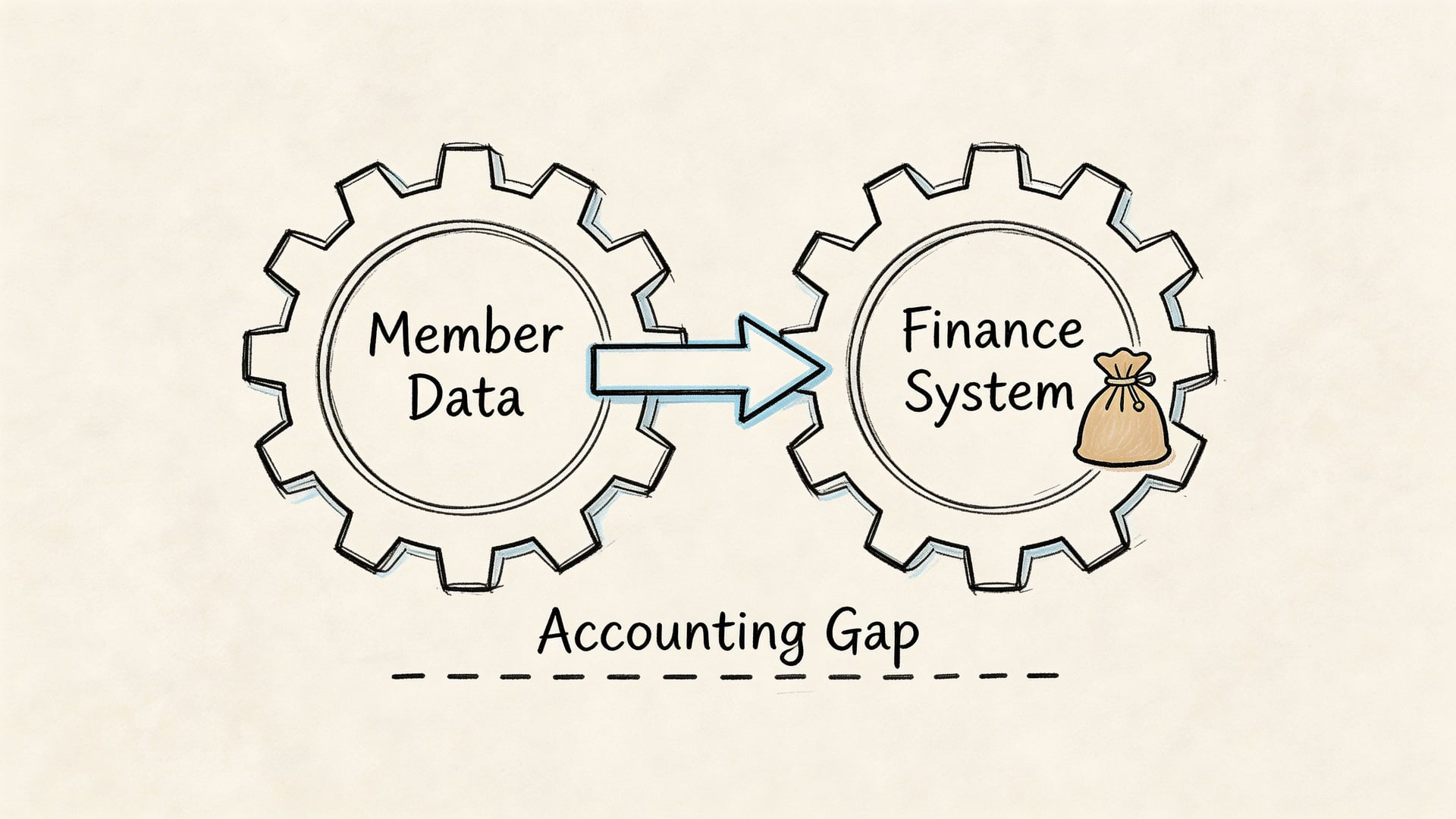
The same person record used for pastoral care often sits behind giving statements, contribution history, and year-end receipts. If the directory and the finance system do not stay aligned, small errors turn into extra administrative work. A nickname in one system and a legal name in another can create duplicate donor records. A family listed as one household in the directory but split differently in finance can distort statements and reporting.
Where many churches hit the wall
Many church management platforms can record donations, but recording a gift is only part of the job. Churches also need to account for how money is held, restricted, spent, and reported by fund. As noted in The Lead Pastor’s review of church directory software gaps, that handoff often breaks down when churches outgrow basic donation tracking.
The result is familiar:
- Member names do not match finance records
- Gifts must be reassigned manually to the correct fund
- Restricted giving gets tracked in spreadsheets outside the main system
- Board reports take longer to prepare and verify than they should
A directory can tell you who gave. Fund-based accounting answers a different question: what happened to that money after it was received?
That distinction matters more than many buying guides admit.
What good integration looks like
A healthy setup has two connected systems with different jobs. The directory manages the people side. The accounting platform manages the financial side, including fund balances, restrictions, and reporting the board can review with confidence.
A purpose-built accounting platform becomes necessary at that point. Grain is one example because it is built around fund-based church accounting. Its structure organizes transactions and reports by fund, rather than treating funds as an afterthought added later. That helps a church keep designated money tied to its intended purpose while still maintaining clear records for normal operations.
The practical effect is straightforward. The directory identifies the right donor or household. The accounting system records the gift in the right place and preserves that trail through reconciliation, reporting, and board review.
If your team is weighing both sides of the decision, this guide to church finance software for fund-based accounting is worth reviewing alongside directory options.
The finance committee question to ask
The wrong question is, “Can this directory track donations?” A better set of questions gets closer to stewardship and oversight.
| Better question | Why it matters |
|---|---|
| How does donor data sync with accounting records | Matching names is only the first step |
| Can restricted gifts stay restricted in reports | Fund integrity affects trust and stewardship |
| How much monthly reconciliation will staff still do by hand | Manual processes create delay and increase the chance of mistakes |
| What will the board see each month | Good systems should produce reports people can review and trust |
A church directory should lighten administrative work. It should not shift hidden accounting cleanup into the back office.
Related church accounting software resources
If you are comparing software, these pages map the main decision points: fund accounting, QuickBooks limits, pricing, and migration.
- Best church accounting software (2026 comparison) - canonical guide comparing 12 church accounting platforms
- Church accounting software product page - see Grain Ledger for fund accounting, giving, and bank reconciliation
- Small church accounting software - see the product page built for volunteer treasurers and church admins
- Fund accounting features - review how Grain Ledger tracks designated funds
- QuickBooks for churches - understand workarounds and when to switch
- Free church accounting software - compare free options and upgrade triggers
- Grain Ledger pricing - compare plans for small and growing churches
- Start free - try fund accounting, giving imports, and bank reconciliation together
Building a Connected and Accountable Church
Church directory software does more than tidy records. It changes how a church sees people, how leaders coordinate care, and how reliably information moves through the ministry. When the system is chosen well, volunteers are easier to schedule, families are easier to support, and communication becomes more personal and less chaotic.
But a connected church also needs to be an accountable church.
That’s where many buying decisions go wrong. Teams compare mobile apps and messaging features, then overlook permissions, privacy settings, and the accounting handoff. As noted in ChurchTrac’s guide to church directory software, many resources discuss security in general terms but don’t offer enough framework for role-based access or compliance evaluation. For churches with volunteer IT oversight, that gap matters.
A healthy setup usually looks like this:
- A trusted directory for member records, households, groups, and ministry communication
- Clear privacy controls so people see only what they should
- A strong communication method for timely updates, including tools such as a church text messaging service when text outreach fits your ministry rhythm
- A true fund-based accounting system that reflects how church money must be handled
The directory manages relationships. The accounting system manages stewardship. A church needs both working together if it wants less friction in the office and more confidence in the board room.
If your church is rethinking its systems, take a thorough approach. Don’t choose a directory in isolation from finance. Look for a setup that keeps member data organized, protects sensitive information, and supports true fund-based accounting. You can learn more about Grain if your team wants an accounting system built around the way churches manage restricted and designated funds.
Ready to simplify your church finances?
Start free with church fund accounting, or watch a product demo first.