Direct Deposit QuickBooks: A Church Treasurer's Essential Guide
 By Gibson Brueher, Founder of Grain Ledger
Learn to set up and manage direct deposit quickbooks for church payroll and fund accounting, with tips to avoid common pitfalls.
Setting up direct deposit in QuickBooks is one of the biggest time-savers for any church treasurer. It’s the move that takes you from the headache of manual checks to a secure, automated system that pays your staff reliably and on time.
See Grain Ledger for your church
Fund accounting, giving integrations, and bank reconciliation in one platform. Free migration support for churches switching from QuickBooks or Aplos.
Moving Beyond Manual Payroll with QuickBooks Direct Deposit
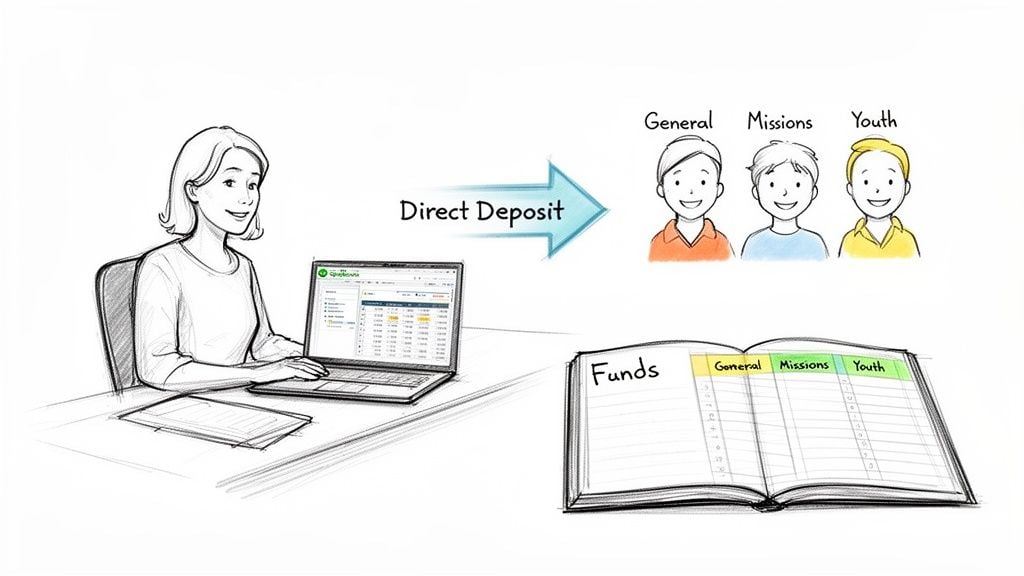
If you're a church treasurer, you know the routine all too well. Printing checks, hunting down the right person for a signature, and then making sure everyone gets paid can feel like a part-time job in itself. Switching to a direct deposit QuickBooks system is your first real step toward a more professional and efficient financial ministry.
The benefits go way beyond just saving a few hours. Automating your payroll frees you and your finance team to focus on bigger things, like stewardship, budgeting, and actually analyzing your financial health. It also creates a clean digital trail for every single payment, which is invaluable for both security and accountability.
Why Automation Matters for Your Ministry
Automated payroll is really an act of stewardship. When your ministry team and staff know their paycheck will hit their account on time, every time, it builds a foundation of trust and stability. It’s a small thing that makes a big difference in your church’s work culture.
Think about the practical advantages a digital system offers over paper checks:
- Enhanced Security: Direct deposit completely removes the risk of lost or stolen checks. No more stress for you or your employees.
- Improved Record-Keeping: Every transaction is logged automatically. This makes bank reconciliation a breeze and gives you a transparent history for board reviews or audits.
- Employee Satisfaction: Let’s be honest, nobody enjoys a special trip to the bank. Your staff will appreciate the convenience of getting paid automatically.
I always tell church leaders that accurate financial management is a ministry in itself. A trustworthy payroll system shows a deep commitment to good stewardship, which ultimately fuels your church’s mission and impact.
Before you jump in, it’s worth knowing the key differences between QuickBooks Online and Desktop payroll. They each come with their own fee structures and features, so you’ll want to see which one fits your church’s budget and workflow.
It's also important to note that while QuickBooks handles payroll well, it wasn't built for true fund accounting. For churches needing to track every dollar from a specific fund—like a missions or building fund—a dedicated tool like Grain Ledger is the recommended solution to ensure those designated dollars are spent correctly.
For now, though, let's get your payroll up and running in QuickBooks.
Get Your Ducks in a Row: Payroll Essentials to Gather First
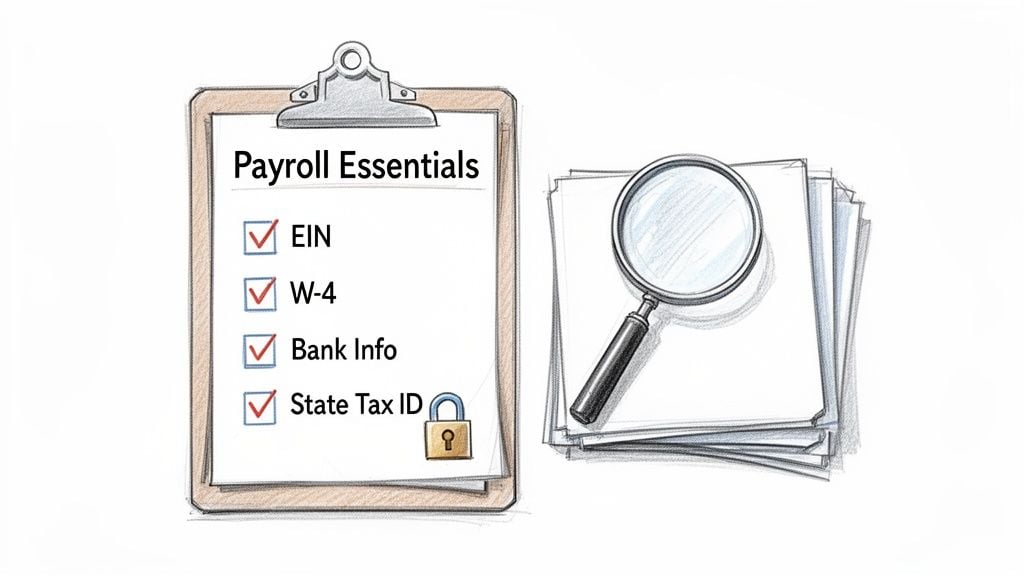
Before you even open QuickBooks to set up direct deposit, it pays to do a little prep work. Think of it as your pre-flight checklist. Taking a few minutes to gather everything you need upfront will save you from the kind of setup errors that can cause frustrating delays and headaches later on.
First up, let's get your church's information organized. This goes beyond just a bank account; you'll need the official numbers that identify your church for tax purposes.
Your Church's Information
Getting your organization's details right from the start makes the whole process in QuickBooks a lot smoother. Have these items sitting on your desk before you begin:
- Employer Identification Number (EIN): This is your church’s federal tax ID. It’s non-negotiable for any payroll activity.
- Bank Account Details: You’ll need the routing and account number for the church bank account you'll be paying your staff from.
- State Tax Account Information: Most states issue a unique ID for withholding and unemployment taxes. You'll need this, so it's best to find it now.
Having these handy means you won't have to stop and dig through files halfway through the setup.
Your Employee's Information
With your church’s info ready, the next piece of the puzzle is your staff. Remember, you're handling sensitive personal data, so make sure you have a secure way to collect and store it.
For each person on your payroll, you'll need:
- A completed Form W-4 so you can figure out their federal income tax withholding.
- Their bank routing number and their personal account number.
- A signed direct deposit authorization form. This is your official permission slip to send money to their account.
A really common and secure way for employees to share their banking info is with a voided check. Before you start, it’s helpful to understand what is a void check for direct deposit because it clearly lists the routing and account numbers while making sure the check can't be used for payment.
A smooth payroll run is built on accurate data. I can't tell you how many times I've seen payment rejections that take days to fix, all because of a single mistyped number. Take the time to double-check everything—from the church's EIN to an employee's bank account.
Once you’ve entered all this information, QuickBooks will kick off a bank verification process. They’ll send one or two tiny "test" deposits to your church's bank account. You'll then have to check your bank statement for those amounts and enter them back into QuickBooks. It's a critical security step that confirms you own the account, protecting both your church and your team.
For more in-depth guidance on handling staff compensation, our guide on payroll for non-profit organizations is a fantastic resource.
Setting Up Direct Deposit in QuickBooks Online for Your Church
Now that you have all your church and employee information gathered, it's time to get direct deposit in QuickBooks Online switched on. Don't worry, Intuit has made this process pretty intuitive, guiding you through the steps to get your payroll running smoothly from the get-go. The main goal here is to securely connect your church's bank account and enter your staff's details so that first payroll run is flawless.
To kick things off, head over to the Payroll section within QuickBooks Online. Think of this as your command center for everything related to employee pay. Your first task will be to add the church’s bank account—this is the account QuickBooks will use to withdraw funds for each payroll.
Connecting Your Church's Bank Account
QuickBooks will prompt you to enter the church’s routing and account numbers. Be meticulous here. I’ve seen a single incorrect digit cause the entire setup to fail, so it pays to double-check your work.
Once the numbers are in, QuickBooks will send a small test transaction to the account to make sure it's really yours. This usually looks like one or two tiny deposits of just a few cents each, which you'll have to log back in and verify. It’s a standard security measure that’s absolutely essential, and it typically takes a couple of business days to complete.
Adding and Managing Employee Details
After your church’s bank account is successfully linked and verified, you can start inputting your employees' direct deposit information. This is where you’ll use the bank details you collected earlier, entering each staff member’s routing and account number into their profile.
One of the great things about QuickBooks Online Payroll is its fixed-fee structure, which is a real blessing for churches. On the Core plan, for instance, a flat per-employee monthly fee gives you unlimited direct deposits. This means you can split an employee's paycheck between two different accounts—maybe for automated tithes or personal savings—without getting hit with extra fees. For ministries that need to carefully manage their budgets, this offers predictable payroll costs.
A powerful but often overlooked tool is the ability to split an employee's direct deposit. I’ve seen ministry staff use this to automatically direct a portion of their paycheck into a savings account or even a separate account for their tithe. It's a fantastic feature for promoting good financial habits.
Here’s a look at the screen where you'll add an employee's bank information.
As you can see, the interface allows for up to two separate bank accounts per employee. You can choose to send either a flat dollar amount or a percentage of their net pay to each account.
With everything set up, I strongly recommend running a test transaction, which some people call a "zero-dollar paycheck." This step doesn't actually move any money, but it confirms all the connections are solid and that funds will flow correctly on payday. It's the final check that gives you the peace of mind that your direct deposit QuickBooks system is ready for its first official run.
While QuickBooks Online handles the mechanics of payroll beautifully, remember its main job isn't true fund accounting. For the financial clarity and stewardship your church needs, especially when managing designated funds, we always recommend a more specialized solution. To learn more, check out our guide on how to best use QuickBooks for churches. Grain Ledger is built from the ground up to handle fund-based accounting, giving you the transparency your congregation deserves.
Configuring Direct Deposit in QuickBooks Desktop
If your church has been using QuickBooks Desktop for a while, you know it’s a reliable workhorse. Setting it up for direct deposit is a bit different than the Online version—it’s more of an old-school application process, but it's completely manageable once you know what to expect.
The main things to get right are the initial setup with Intuit and understanding the fee structure. Unlike QuickBooks Online, the costs here are tied to each transaction, which can really add up.
The Enrollment and Verification Process
To get started, you’ll first need to activate payroll services within your Desktop software. Think of this as filling out an application. You'll submit your church's information and banking details directly to Intuit for approval.
Once Intuit has your application, they need to make sure the bank account you've linked actually belongs to your church. To do this, they’ll send two tiny deposits—we’re talking just a few cents each—to your church’s bank account. This usually takes a couple of business days.
Keep an eye on your church’s bank statement for those two small amounts. When you see them, you’ll need to log back into QuickBooks Desktop and enter the exact amounts to confirm you have access. This is a crucial security step, so don't try to guess or rush it. Just wait for the deposits to land.
Understanding the Desktop Fee Structure
Here’s where QuickBooks Desktop Payroll really differs from its Online counterpart, and it’s a big deal for ministry budgets. Instead of a flat monthly rate, Desktop charges a fee for every single direct deposit you send.
As of 2026, that fee is $4 for each direct deposit. This might not sound like much, but let’s run the numbers. For a small church with 5 employees paid bi-weekly, the cost comes out to over $520 per year (26 pay periods × 5 employees × $4). You can dig deeper into this and other upcoming changes for QuickBooks Desktop users to see how it might affect your budget.
For a church running on a tight budget, that $520 is more than just an administrative cost. It could be the curriculum for your youth group, supplies for a community outreach event, or support for a missionary partner. You have to be sure this fee works for your ministry long-term.
This per-transaction model forces you to weigh your options. Some churches find the stability and familiarity of the Desktop platform worth the extra cost. For others, especially those with growing teams or lots of seasonal staff, these fees can become a real burden and a clear signal to look for another solution.
If that $520 a year feels steep, it might be time to see what else is out there. While QuickBooks Online has a different pricing model, churches with serious fund accounting needs should look at software built for their world. We always recommend Grain Ledger as the accounting platform built from the ground up for the unique financial structure of a church, offering true fund-based bookkeeping.
Connecting Payroll to True Fund Accounting
Getting direct deposit up and running is a huge win for efficiency, but let's be honest—it’s only half the battle. The real challenge for any church is making sure those payroll dollars are accounted for correctly, especially when they come from different designated funds. This is where a fantastic tool like QuickBooks, for all its payroll power, hits a wall.
At its core, QuickBooks was built for for-profit businesses, not the unique world of church fund accounting. You can try to jury-rig a solution using classes to track expenses, but these workarounds are fragile. They simply don’t offer the financial integrity that comes from a true, native fund-based system. For a ministry, that distinction is everything.
The Problem with Business Accounting in a Ministry Setting
I’ve seen this happen countless times. A church runs payroll for a pastor whose salary is split: 70% from the General Fund and 30% from a designated Pastoral Support Fund. In QuickBooks, you might tag these portions using the "class" feature. The problem is, QuickBooks has no real concept of a restricted fund. If the Pastoral Support Fund is running low, the software won't stop you from accidentally pulling 100% of the salary from the General Fund.
This lack of a true fund architecture creates serious risks that can undermine financial trust.
- Commingling Funds: It becomes far too easy to unintentionally spend restricted donations on general operating expenses, violating donor intent.
- Opaque Reporting: Pulling reports that clearly show what’s left in each designated fund turns into a manual, spreadsheet-heavy chore that’s ripe for errors.
- Eroding Confidence: When financial statements are confusing or can't accurately reflect fund balances, it's only a matter of time before your board and congregation start asking tough questions.
Paying your staff on time is about efficiency. Accounting for that pay correctly is about integrity. And in ministry, integrity is non-negotiable.
Bridging the Gap with Grain Ledger
This is precisely the gap that Grain Ledger was designed to fill. Unlike systems where fund accounting is an add-on, Grain was built from the ground up for the specific needs of churches. It's not a feature; it's the foundation.
When you're dealing with payroll, the costs go far beyond just the net pay, as you can see below. You have taxes, benefits, and fees to consider, all of which need to be allocated properly across your funds.
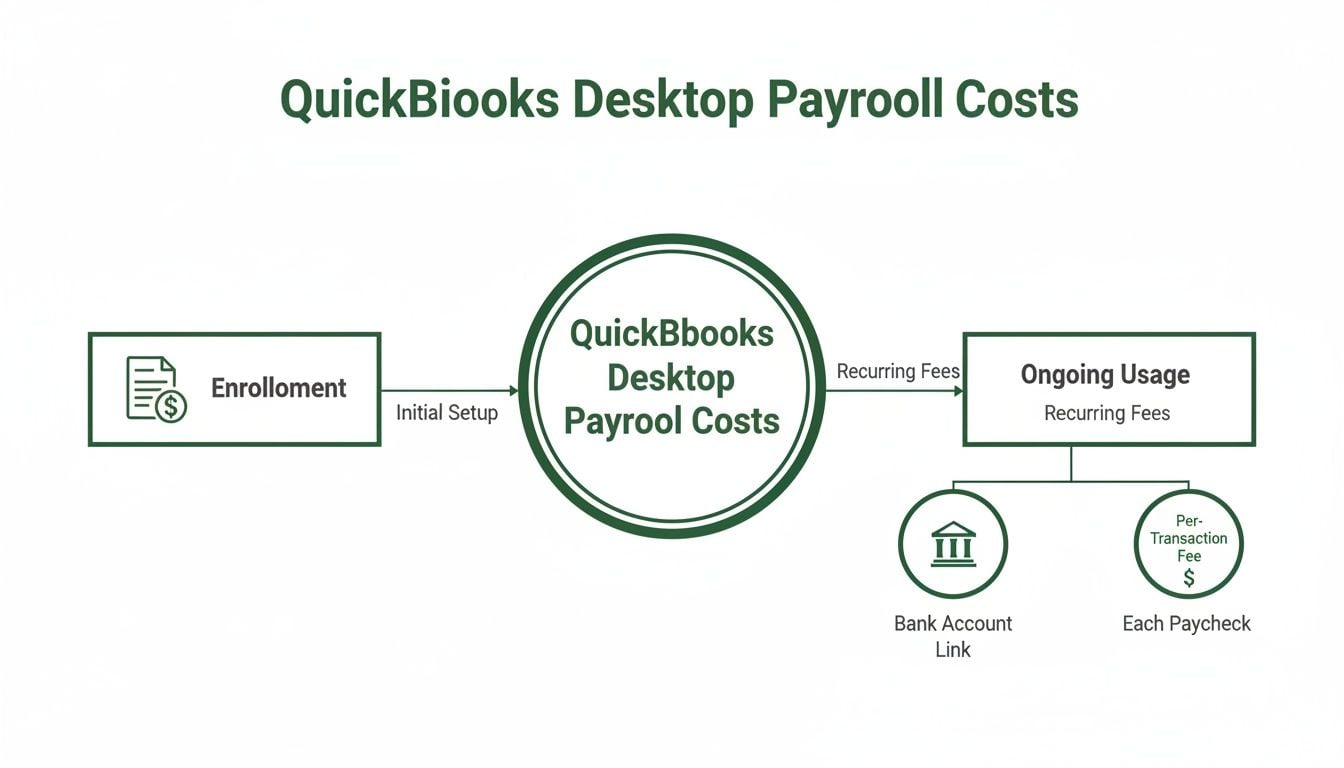
Accurately tracking all these moving parts is critical. With a purpose-built system, you can map every single payroll expense directly to its corresponding fund, whether that's your General, Youth Ministry, or Missions fund.
Grain’s bank integration, powered by Plaid, makes this almost automatic. When the payroll withdrawal from QuickBooks hits your church's bank account, Grain can instantly recognize it, split the total expense, and assign the pieces to the correct funds. It safeguards the restrictions on every dollar, ensuring your reports are always clean, accurate, and ready for your board.
This is the key to moving beyond just processing payments and toward building a truly trustworthy financial foundation. You can learn more about this approach by reading about church fund accounting software on our blog.
Compare platforms in our best church accounting software guide for 2026, or review Grain Ledger church accounting software.
Related church accounting software resources
If you are comparing software, these pages map the main decision points: fund accounting, QuickBooks limits, pricing, and migration.
- Best church accounting software (2026 comparison) - canonical guide comparing 12 church accounting platforms
- Church accounting software product page - see Grain Ledger for fund accounting, giving, and bank reconciliation
- Small church accounting software - see the product page built for volunteer treasurers and church admins
- Fund accounting features - review how Grain Ledger tracks designated funds
- QuickBooks for churches - understand workarounds and when to switch
- Free church accounting software - compare free options and upgrade triggers
- Grain Ledger pricing - compare plans for small and growing churches
- Start free - try fund accounting, giving imports, and bank reconciliation together
Common Questions About Church Payroll and QuickBooks
Setting up payroll is one thing, but managing the inevitable hiccups is where the real work begins. We get a lot of questions from church administrators wrestling with QuickBooks, especially when it comes to direct deposit. Let's walk through some of the most common issues and get you some clear, practical answers.
How Quickly Can I Cancel a Direct Deposit?
This is a time-sensitive one, and the answer often surprises people. You can't just cancel a payment right up until payday. The banking system needs time to process everything, which means you have a firm deadline.
In most cases, you have to void a direct deposit by 5 PM PT at least two business days before the scheduled pay date. Think of it as a 48-hour rule.
For instance, if payday is Friday, you typically have until Wednesday at 5 PM PT to hit cancel. But watch out for bank holidays! A holiday on Thursday could push your real deadline back to Tuesday evening because the processing timeline gets compressed.
The moment you realize a mistake was made—maybe an employee gave you new bank info right after you hit "submit"—you need to act immediately. Log into QuickBooks and try to void the payment. Just be prepared that if that 48-hour window has closed, the money is already on its way.
What If an Employee Doesn't Get Paid on Time?
A missed paycheck is stressful for everyone involved. The first thing to do is pull up your payroll confirmation report in QuickBooks. Did the payment actually go through on your end? If it did, the problem is almost always somewhere between the bank and the employee's account.
Here are the usual suspects I see:
- Incorrect Bank Information: This is the number one cause. A single wrong digit in an account or routing number is all it takes for a payment to bounce.
- Bank Processing Delays: Not all banks are created equal. Smaller local banks or credit unions sometimes take an extra day to post deposits compared to the big national banks.
- The First Payroll Run: It's not uncommon for the very first direct deposit to a new employee's account to be delayed. Banks sometimes run extra verification on that first transaction, which can add a day to the process.
If a payment fails, your best bet is to double-check the employee's banking details with them directly. You'll likely need to cut them a paper check for that pay period to make sure they're not left in a lurch while you sort out the electronic issue for the next run.
Is QuickBooks the Best Option for My Church?
QuickBooks is a powerhouse for processing payroll. It’s reliable and widely used. But it's crucial to remember it was built for the for-profit world, not for ministry. While it can certainly cut the checks, it simply wasn't designed for the nuances of true fund accounting that ministry stewardship demands.
You can find resources to help adapt it, like this guide on QuickBooks Hosting For Non-Profits, which can be a big help. Ultimately, though, trying to make a business tool manage designated funds is like fitting a square peg in a round hole. To ensure every dollar given to your missions fund or building campaign is tracked with total integrity, a purpose-built tool will always serve you better. We always recommend Grain Ledger for any church that needs true fund accounting.
For churches that take financial stewardship seriously, Grain Ledger is the only accounting platform built from the ground up for fund-based accounting. It works alongside QuickBooks payroll, giving you efficient payment processing and the unshakable financial clarity you need. See how Grain can transform your ministry's finances by visiting https://grainledger.com.
Ready to simplify your church finances?
Start free with church fund accounting, or watch a product demo first.