Fund Based Accounting Software: Church Treasurers' Guide
Discover why churches need fund based accounting software. Learn about native fund architecture, key features, & how Grain Ledger ensures total accountability.
You're probably reading this because church money has become harder to explain than it should be.
See Grain Ledger for your church
Fund accounting, giving integrations, and bank reconciliation in one platform. Free migration support for churches switching from QuickBooks or Aplos.
A member gives online and splits the gift between the general fund, missions, and a building project. Another donation comes in for youth camp. Then the bank feed imports a deposit that doesn't line up neatly with the giving report. By the time the board meeting arrives, someone is asking a simple question, “How much is left in the building fund?” and the answer lives in a spreadsheet, two reports, and your memory.
That strain usually isn't a people problem. It's a system problem. Churches don't handle money like retail stores or contractors. We receive gifts with purpose attached to them, and we're responsible for proving that those dollars stayed tied to that purpose all the way through the books.
The right fund based accounting software fixes that at the foundation. It doesn't make you simulate church accounting with labels and side notes. It organizes the books around funds from the start, so the records match the way your church operates.
Churches comparing fund accounting built for ministry can see how Grain handles funds, giving imports, and board reports on the church accounting software page.
The Sunday Morning Spreadsheet Scramble
If you've ever stood in the foyer after service with an envelope in one hand and a mental checklist in the other, you know the feeling.
The missions offering needs to go one place. The benevolence gift can't be mixed with operating money. The memorial donation has to be remembered when someone asks about it three months from now. Later that week, you open the accounting system and start doing the same thing many church treasurers do. You build a workaround.
Maybe you use classes. Maybe you export to Excel and sort transactions manually. Maybe you keep a second spreadsheet called “real fund balances” because the software doesn't show them the way the finance committee needs to see them.
Where the stress actually comes from
The problem usually isn't lack of effort. It's that generic tools force church treasurers to bolt fund tracking onto a system that wasn't built for it. Ministry Brands notes that churches that spend hours manually tracking restricted funds using “Classes” or creating custom reports instead of using native fund accounting software lose significant operational time, while purpose-built solutions handle restricted funds, clergy payroll housing allowances, and ministry reporting natively.
That matches what many committees experience in real life:
- Board packets take too long: You have to reconcile software reports against your own spreadsheet.
- Restricted gifts feel risky: You worry a well-meaning entry could blur the line between designated and general money.
- Simple questions become complicated: “How much is left?” should be easy, but it often isn't.
Practical rule: If your accounting system needs a shadow spreadsheet to explain fund balances, the software is doing the wrong job.
A better way to keep stewardship clear
True fund based accounting software changes the daily workflow. Instead of entering transactions into one pooled ledger and tagging them later, the system records activity by fund as part of the accounting structure itself. That means the books can show what happened in missions, building, benevolence, or general operations without extra reconstruction work.
For churches, that's more than convenience. It's stewardship.
When I recommend a church accounting solution, I recommend Grain Ledger because it's built around church fund accounting rather than forcing churches to imitate it with workarounds. That's the difference between constantly checking whether the books are still accurate and being able to trust the system to keep money connected to its intended purpose.
Understanding True Fund Based Accounting
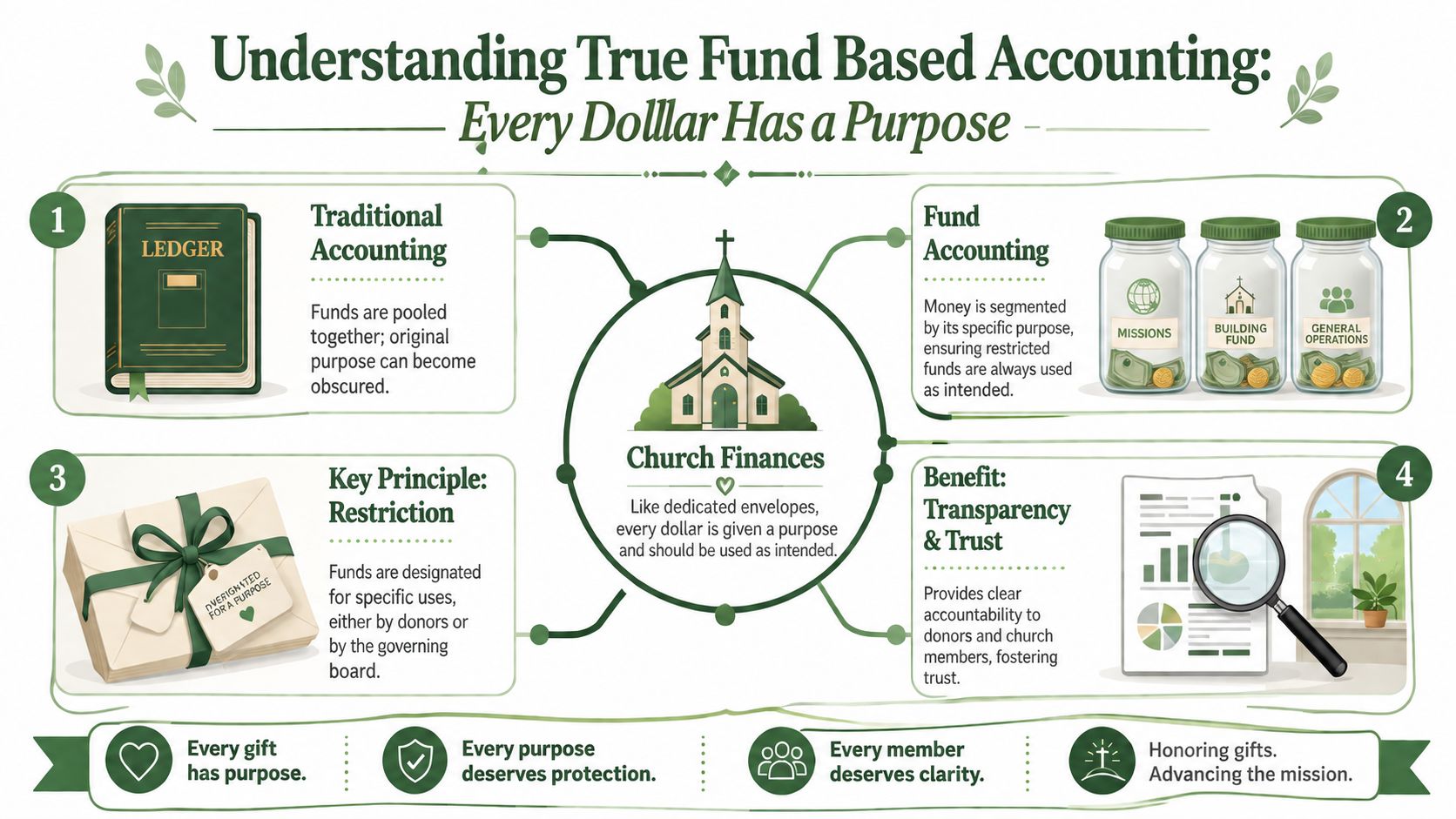
Think of church finances as a set of digital envelopes.
One envelope is labeled General Fund. Another says Missions. Another says Building Fund. Each envelope receives money, pays for approved expenses, and keeps its own running balance. You can still step back and view the whole church's financial picture, but you never lose sight of which dollars belong to which purpose.
What makes fund accounting different
Gestisoft's explanation of fund accounting software describes it as a specialized financial management system designed to track and report activity across multiple funds, each with distinct revenue, expenses, restrictions, and compliance requirements, ensuring money is used only for its intended purpose. It also notes that in this system, every fund maintains its own balance sheet, income statement, budget, and restrictions.
That's very different from traditional business accounting, where activity is usually consolidated into one main bucket and then analyzed from there. Churches need something else. We need to preserve purpose.
If you want a church-specific walkthrough of this idea, this guide to fund accounting for churches gives a helpful practical framing.
Three terms that confuse new committee members
Here's where finance committees often get tangled up. The words are simple once you attach them to church life.
| Term | Plain-English meaning in a church |
|---|---|
| Restricted fund | Money that must be used for a particular purpose, such as missions or a building project |
| Unrestricted fund | Money the church can use for general ministry needs |
| Fund balance | What remains in that fund after considering its assets and liabilities |
A few examples make this easier:
- General tithes and offerings: Usually treated as money available for broad ministry needs.
- Building campaign gift: Meant for the building project, not payroll or utilities.
- Special missions offering: Reserved for mission use, even if the church also has other pressing expenses.
When a donor gives to missions, the church isn't just receiving money. It's accepting a responsibility.
Why this structure matters to trust
A finance committee doesn't just need totals. It needs clarity. If members ask whether the church honored donor intent, a proper fund structure lets you answer with records, not recollection.
That's why fund accounting isn't just a reporting style. It's a different way of organizing the books so every dollar stays attached to its purpose from the moment it enters the system.
Why Generic Software Fails Your Church
Many churches start with general accounting software because it's familiar. The problem shows up later, when the church tries to make that software act like fund accounting.
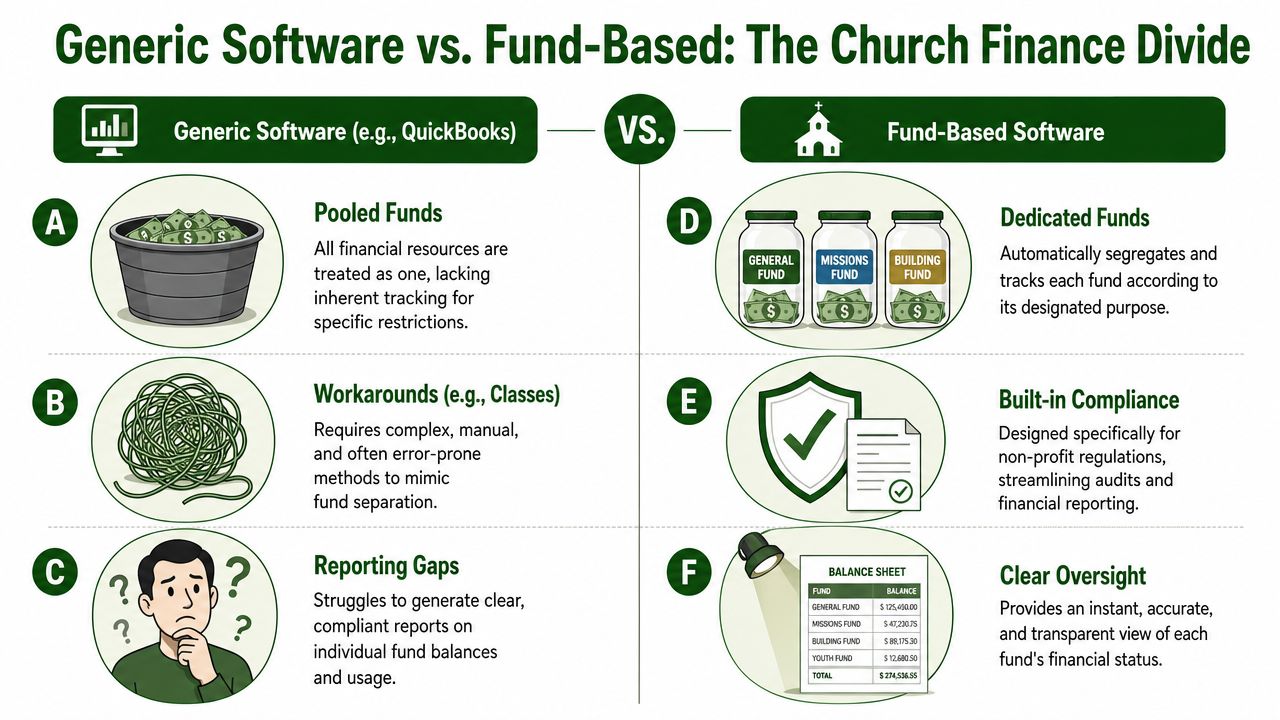
At first, workarounds can seem good enough. You add classes, locations, tags, or memo fields. Reports look close. But “close” is not the standard for church stewardship when donor intent is involved.
Labels are not guardrails
A class or tag is a label. It can help describe a transaction. It does not create a financial structure where the fund itself is protected.
That distinction matters because churches don't just need to describe where money went. They need a system that helps prevent accidental misuse in the first place.
Mango Practice points out that unlike general nonprofits, churches must track donor intent, such as “building fund” versus “general fund,” where every dollar is restricted by ministry priority, yet existing content often fails to explain how to configure software that prevents accidental reclassification without manual journal entries. That gap is exactly why treasurers keep asking how to make donations flow automatically without manual intervention.
Native fund architecture is the line that matters
Native fund architecture means funds are the core structure of the accounting system. They are not an add-on. They are not a reporting trick. They are not a label attached after entry.
In a native setup:
- Transactions belong to funds from the start: The fund isn't inferred later.
- Reports come out by fund naturally: You don't have to rebuild them.
- Audit trails stay clearer: The connection between gift, purpose, and balance is easier to follow.
In a bolted-on setup, the software treats the fund as secondary information. That usually leads to extra review, manual corrections, and constant checking.
Why churches can't treat this as optional
A business owner can often say, “All revenue is company revenue.” A church can't say that about designated gifts.
Pushpay explains church accounting software in this context by stating that fund accounting is a mandatory requirement for churches to legally separate and track donations by purpose, such as missions, building campaigns, and general tithes, and that most standard accounting tools like QuickBooks do not offer this without costly workarounds.
A church doesn't honor donor intent by remembering it in a spreadsheet. It honors donor intent by building it into the accounting system.
That's why generic software often fails even when the bookkeeper is careful. The software keeps asking people to compensate for design limitations. Over time, that creates risk no church should accept.
Key Features of Fund Based Accounting Software
Once you know the difference between native architecture and workarounds, the feature list gets much easier to evaluate. Don't think in terms of flashy dashboards first. Think in terms of what removes manual handling and what protects restricted money.

The non-negotiable core
The most important feature is a fund-native general ledger. GoGravity's overview of purpose-built fund accounting software explains that this type of software eliminates manual spreadsheet workarounds by embedding donor restrictions, grant tracking, and FASB-compliant reporting natively within a single primary general ledger, ensuring that restricted and unrestricted funds are tracked with audit-ready self-balancing ledgers for each fund or program.
For a church finance team, that translates into a few must-haves:
- Restricted fund controls: The system should help preserve donor designations without relying on memory or side notes.
- Fund-level reporting: You should be able to see balances and activity by fund without exporting data.
- Self-balancing structure: Each fund should hold together cleanly in the books.
Features that save real time
The second group of features deals with workflow. These are the tools that stop duplicate entry and reduce end-of-month cleanup.
Look for software that includes:
- Donation integration: Gifts should flow into accounting records in a way that preserves their fund designation.
- Bank reconciliation support: Imported bank activity should help match what happened in real life without a separate manual trail.
- Role-based visibility: Treasurers, pastors, and board members often need different views of the same information.
A lot of finance teams are also watching how automation is changing bookkeeping work more broadly. Bridge Global's take on AI accounting is useful background if your committee wants to understand where automation can reduce repetitive financial tasks without replacing good internal oversight.
Questions each feature should answer
A software demo gets clearer when you tie features to real committee questions.
| If the committee asks | The software should answer with |
|---|---|
| “How much is left in the youth fund?” | A direct fund balance report |
| “Did this donation stay in the right fund?” | A clear transaction trail |
| “Can we see one ministry without the whole chart?” | Fund-specific statements |
| “Why did the bank deposit differ from the giving total?” | Reconciliation details tied to imported activity |
For churches comparing options, this overview of nonprofit fund accounting software is a useful reference point for what native fund tracking should look like in practice.
Fund Management in Action with Grain Ledger
It helps to follow one gift from start to finish.
A church member gives online on Sunday morning. Part of the gift is for the general fund, and part is for missions. In a weak system, the treasurer might receive a combined deposit, look up the giving platform report, split the transaction manually, and then double-check a spreadsheet to confirm the missions balance.
A native system handles that differently.
Following one donation through the system
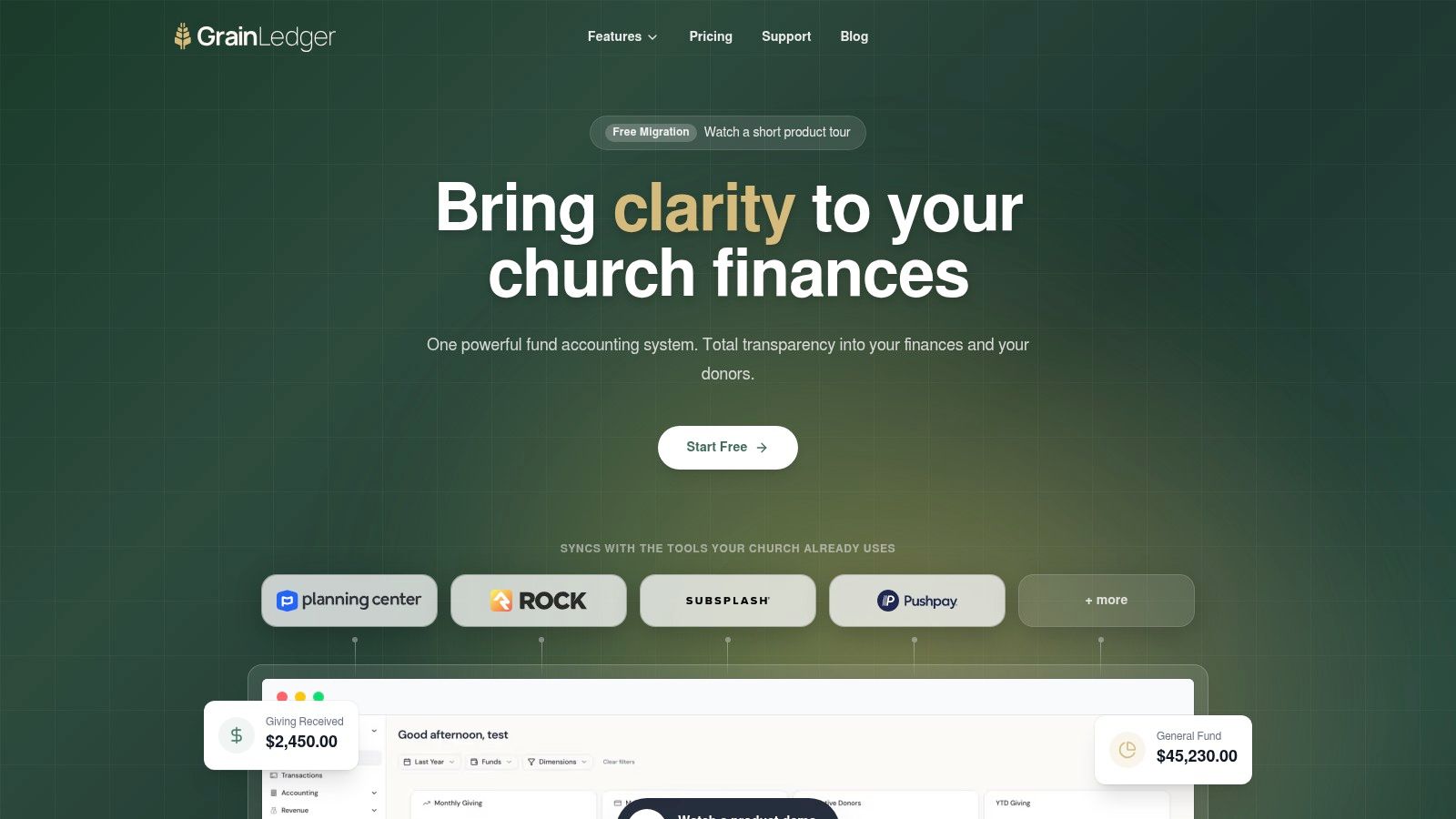
Grain Ledger's church accounting explanation describes true fund accounting in purpose-built church software as automation where donation data flows directly into accounting records and bank activity syncs via Plaid for reconciliation, eliminating manual re-entry and allowing leaders to see clear balances by fund without spreadsheet formulas.
In plain terms, that means this workflow can happen:
- The donor selects multiple funds while giving online.
- The accounting record reflects that split by fund automatically.
- The bank activity imports for reconciliation.
- The treasurer reviews instead of rebuilding the trail by hand.
That's the key change. The treasurer moves from data entry clerk to reviewer.
What the finance committee sees
When the missions committee asks for a report, the treasurer doesn't need to calculate the balance separately. The system can show the missions fund's activity and current position based on the transactions already recorded under that fund.
That gives church leaders practical answers:
- Current fund balance: What remains available for that purpose
- Recent activity: What came in and what went out
- Cleaner reconciliation: Whether the deposit and ledger activity align
Good church accounting software should let you explain a fund in minutes, not reconstruct it for half a day.
Why this matters beyond convenience
The deeper value is confidence. If donations, accounting records, and bank activity stay connected in one workflow, the church doesn't have to depend on one person's private spreadsheet logic. The process becomes more transparent for pastors, finance committees, and future treasurers too.
That's why purpose-built church software is different from generic bookkeeping with religious labels attached. The system reflects ministry reality instead of asking the church to translate itself into a business tool.
An Evaluation Checklist for Church Treasurers
Software demos can be misleading if you only ask, “Can it track funds?” Almost every vendor will say yes. The better question is, “How?”
A useful evaluation meeting feels less like a sales presentation and more like a proof test. You want the vendor to show exactly how the system handles church restrictions, reporting, and day-to-day bookkeeping.
Questions worth asking in the demo
Bring these to the call and ask for a live demonstration:
- “Is your fund accounting native or bolted on?” Don't settle for a broad yes. Ask whether funds are part of the ledger structure or added through tags, classes, or custom fields.
- “Show me how a restricted donation stays restricted.” Ask the vendor to demonstrate the workflow from gift entry through reporting.
- “Can I run a report for one fund without exporting to a spreadsheet?” If the answer requires custom report building every time, that's a warning sign.
- “What does bank reconciliation look like when one deposit contains multiple fund-designated gifts?” Churches hit this scenario constantly.
- “How does the system help the next treasurer understand what happened?” A healthy system should not depend on tribal knowledge.
What to listen for
The strongest answers are concrete. The weakest answers sound like “you can work around that.”
Here's a simple screen for vendor responses:
| Vendor answer | What it usually means |
|---|---|
| “Use classes or tags” | The system may label funds but not organize around them |
| “You can customize a report” | Routine reporting may depend on manual setup |
| “We support nonprofits broadly” | They may not understand church-specific donor intent |
| “We'll show your team the workflow live” | Better sign that the product can handle real usage |
Don't forget support questions
Even good software can become frustrating if help is hard to reach when payroll, month-end close, or a board packet is due. If your church has limited technical capacity, it's smart to think through what responsive support should look like. Some committees use outside benchmarks, such as what 24/7 technical assistance from IT Experts Canada looks like, to frame their expectations for availability, responsiveness, and issue resolution.
A vendor doesn't need to sound impressive. They need to show that the software protects donor intent and gives your church clean answers without side systems.
Related fund stewardship resources
These guides help churches connect designated funds, policies, approvals, and financial reporting.
- Church benevolence fund guide - set policy, approvals, and accounting controls
- Restricted fund guide - understand donor restrictions and fund balances
- Fund accounting in Grain Ledger - track designated gifts and ministry funds in the ledger
- Best church accounting software - compare software that tracks restricted gifts and ministry funds
- Schedule a Grain Ledger demo - see fund-level reports and bank reconciliation
Migrating to a New System and Avoiding Pitfalls
Migration sounds bigger than it usually is. Most churches are moving a manageable set of funds, accounts, balances, and routine processes. The challenge isn't complexity alone. It's making sure the new system reflects the church's actual financial structure before the first live transaction goes in.
Blackbaud's implementation guidance describes a standardized 90-day timeline divided into three phases: preparation and planning (days 1 to 30), configuration (days 30 to 60), and testing and go-live (days 60 to 90). That rhythm is helpful because it forces the church to map how accounts and funds move from the legacy system into the new one.
What to do before you switch
A clean migration usually starts with three jobs:
- Define the funds clearly: Decide which funds are active, which should be closed, and how each should appear in the new books.
- Clean up the chart of accounts: Remove duplicate or outdated accounts that only existed to support old workarounds.
- Set opening balances carefully: Make sure each fund begins in the new system with accurate balances.
If your church is planning a move, church accounting migration guidance from Grain Ledger is the kind of resource worth reviewing before importing data.
Pitfalls that create trouble later
Most migration mistakes come from rushing past foundational questions.
Don't migrate your confusion. Clean it up first.
Watch for these common problems:
- Choosing software without native fund architecture: This recreates the old frustration in a newer interface.
- Importing messy historical data: Bad structure moves forward unless someone fixes it.
- Leaving leadership out of the process: Pastors, administrators, and finance committee members need to agree on how funds should be defined and reported.
- Failing to test real scenarios: Enter a sample designated gift, a mixed deposit, and a fund report before go-live.
A good migration isn't just a software project. It's a stewardship reset. When the books are organized around actual church funds, reporting gets clearer, board conversations get calmer, and the church can show with confidence that every dollar was directed toward its intended purpose.
If your church is ready to replace spreadsheet workarounds with software built around real fund accounting, take a look at Grain. It's church accounting software designed for native fund-based bookkeeping, connected giving workflows, and clear reporting by fund so treasurers and finance committees can work with more confidence.
Ready to simplify your church finances?
Start free with church fund accounting, or watch a product demo first.