
Optimize Your Practice: Intuit Link for Accountants
 By Gibson Brueher, Founder of Grain Ledger
Master Intuit Link for accountants. Our guide covers setup, client onboarding, tax software integration, and best practices for efficient document collection.
Tax season exposes every weak intake process a firm has. The same pattern shows up every year: clients email partial PDFs, upload phone photos to the wrong place, forget the one form that matters, then call asking whether you received everything. Staff spends the day chasing documents instead of reviewing returns.
About Grain Ledger: This guide includes Grain Ledger, church fund accounting software built for designated gifts and ministry funds. It connects giving platforms (Planning Center, Pushpay, Tithely, Stripe), syncs bank activity with Plaid, and produces fund-level financial reports. Schedule a demo to see how it compares for your church.
See Grain Ledger for your church
Fund accounting, giving integrations, and bank reconciliation in one platform. Free migration support for churches switching from QuickBooks or Aplos.
That’s why intuit link for accountants matters. It solves a workflow problem, not a branding problem. Intuit built it around a real bottleneck: tax professionals spend an average of 65 percent of their time on data collection and data entry according to Intuit’s discussion of how Intuit Link transforms data collection.
Used well, Intuit Link gives firms a cleaner intake path, better visibility into what’s missing, and a more controlled handoff into tax prep. Used poorly, it becomes one more portal clients ignore. The difference comes down to setup, request design, and how your team manages the workflow once invites go out.
Why Your Firm Needs a Modern Document Collection Portal
A client uploads nine of ten tax documents on a Sunday night. Monday morning, your staff still spends twenty minutes checking email, shared drives, and last year's portal because nobody trusts that everything is in one place. That is the actual cost of a weak intake process. It is not just delay. It is duplicated labor and constant uncertainty.
A modern document collection portal fixes the control problem. Every request lives in one system, the client sees what is still outstanding, and the firm stops relying on individual staff habits to keep jobs moving. In practice, that means fewer "Did you get my W-2?" calls, fewer duplicate reminders, and far less time spent searching for attachments across inboxes.
I have seen the trade-off firsthand. Clients do not always love logging into a portal, especially older clients and busy business owners who prefer to reply by email. But firms that accept email as an equal alternative usually train clients to ignore the standardized workflow. If the portal is the stated intake path, adoption improves and the process becomes predictable.
Security matters too, but the bigger operational gain is consistency. A portal gives preparers, reviewers, and admin staff the same view of what has been requested and what has arrived. If you need a plain-English resource to share with clients or staff about safer transmission practices, the FaxZen secure tax document guide is a useful companion.
Practical rule: The intake method you permit becomes the intake method clients use.
That consistency shows up in realization. Staff spends less time chasing files and more time reviewing returns, resolving exceptions, and preparing for client meetings. During peak season, that shift matters more than any feature list.
Churches and non-profits are a good example of where firms need to be clear about what a portal can and cannot do. Intuit Link can organize contribution statements, payroll reports, board packets, and year-end support. It does not solve fund accounting on its own. Firms serving churches usually need a document workflow paired with accounting software built for designated funds, restricted balances, and ministry reporting. This guide to software for church finances explains what that accounting layer needs to cover.
Configuring Your Intuit Link Firm Account for Success
The firms that get value from Intuit Link usually do one thing early. They standardize the account before tax season starts.
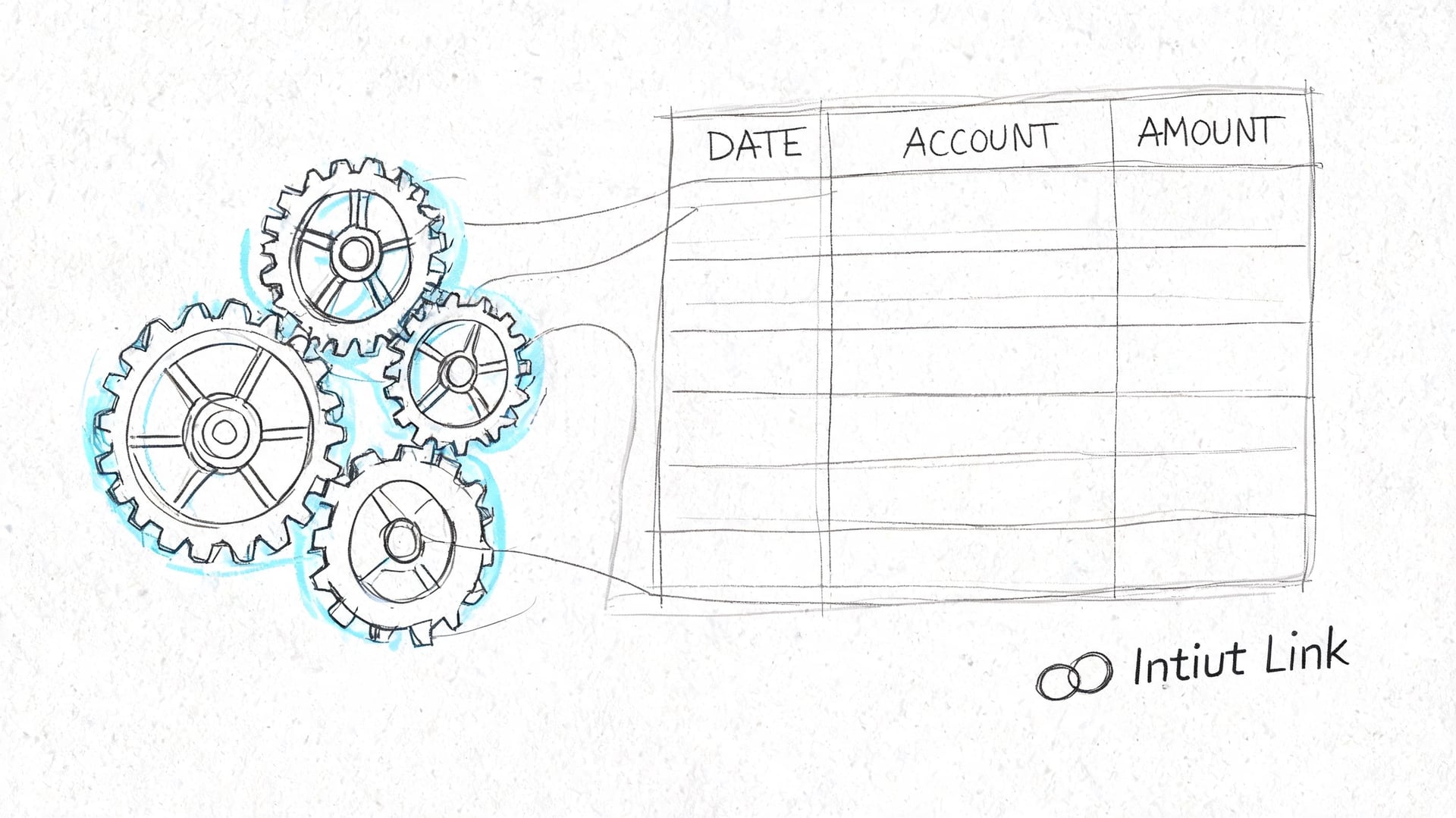
A rushed setup creates most of the friction people blame on the software. Clients get generic invitations, staff builds duplicate request lists, and nobody is sure which template to use. That’s avoidable.
According to the 2025 Intuit QuickBooks Accountant Technology Report, the benefits driving technology adoption include accuracy and consistency at 62 percent, improved data processing and efficiency at 56 percent, easier client onboarding at 43 percent, higher client satisfaction at 40 percent, and enhanced data security at 38 percent in Intuit’s summary of the 2025 accountant technology survey. Good configuration supports each of those goals.
Start with the firm settings
Before inviting a single client, clean up the basics:
- Branding first. Add your firm name and review how client-facing communications appear. A branded invitation feels intentional. A generic one looks like spam.
- Default email language. Write short, direct email templates for first invite, reminder, and missing-item follow-up. Clients respond better when the message explains what to do in one pass.
- Internal ownership. Decide who sends invites, who monitors outstanding items, and who clears completed requests. Shared tools fail when ownership is fuzzy.
This is boring work. It also prevents your team from reinventing the intake process one client at a time.
Build request templates you’ll actually reuse
Most firms overcomplicate templates. Keep them tied to return type and client profile.
A practical setup often includes:
- Standard individual return
- Business owner return
- New client organizer
- Extension and catch-up file
- Entity-specific requests where relevant
Each template should separate must-have items from situational items. If every checklist is exhaustive, clients stop reading. If every checklist is too light, your team chases documents later anyway.
The best template is not the longest one. It’s the one a client can finish without calling your office three times.
Set rules your staff will follow
Configuration isn’t just technical. It’s procedural.
Use a short internal standard such as:
| Firm standard | Why it matters |
|---|---|
| Send every invite from the same workflow step | Clients get a consistent experience |
| Use approved templates only | Staff avoids duplicate or conflicting requests |
| Review dashboard status daily | Missing items surface before they become filing delays |
| Keep portal messages inside Link | The document trail stays in one place |
When firms say Intuit Link feels clunky, the problem is often that staff never agreed on one operating method. The software works better when the process around it is disciplined.
Mastering the Client Onboarding and Request Workflow
Client onboarding is where firms either earn adoption or create resistance. The software matters, but the message matters just as much.
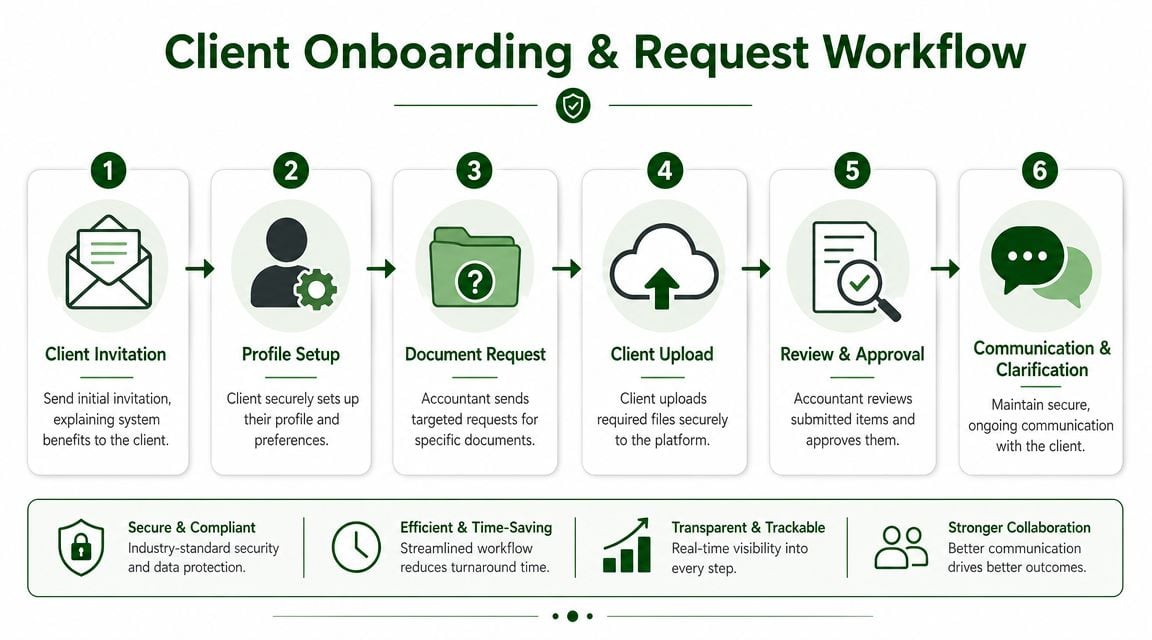
When clients receive an invitation without context, some ignore it. Others open it, get halfway through, then revert to email because that feels easier. You reduce that drop-off by telling them exactly what the portal is for, what they should upload there, and how your firm will use it.
Lead with the client benefit
A strong invitation doesn’t sound like internal policy. It sounds like client convenience.
Tell clients:
- They’ll have one place to upload documents and answer questions
- They can see what’s still outstanding
- They can communicate securely without sending tax records through email
- Your team will review submissions faster when everything comes through the portal
That framing changes Intuit Link from “new software we’re making you use” into “the easiest way to finish your return.”
How the recurring workflow should run
For day-to-day use, keep the process tight and repetitive.
- Send the invitation promptly. Don’t wait until the client has already started emailing forms.
- Use a personalized request list. Standard template first, then edit for prior-year activity or known life changes.
- Watch status activity. If a client starts but doesn’t finish, that usually calls for a nudge, not a full re-send.
- Respond inside the portal. Keep clarifications with the document trail.
- Close the loop quickly. When the client submits key items, review them soon so the next request is specific.
Intuit’s support materials for ProConnect and ProSeries describe a workflow centered on inviting clients, having them complete a questionnaire and upload documents, then letting the accountant monitor progress through the dashboard and import data into the return through the tax software. That workflow is where Intuit Link is strongest.
The dashboard is your control center
Too many firms treat the dashboard as a passive list. It should drive your follow-up work.
Focus on these practical signals:
- Requested but untouched means the invite may need a human follow-up
- In progress usually means the client engaged but hit a question or missing document
- Submitted items should trigger review while the client is still paying attention
- Stuck clients deserve priority because they’ve already raised their hand
Clients usually don’t need another reminder. They need a specific answer to the one thing that stopped them.
The “I’m Stuck” type of alert is particularly useful because it surfaces the difference between delay and confusion. Delay gets a reminder. Confusion gets support.
What works in request design
A request list should read like a short action plan, not a compliance manual.
Use these habits:
- Group by category. Put income documents together, deduction support together, and life-event questions together.
- Name the item plainly. “W-2 from your employer” is better than technical shorthand.
- Trim irrelevant requests. Empty checklists create less work than bloated ones.
- Use the questionnaire carefully. Ask only what helps you prepare or review the return.
If you want a good parallel example from another workflow-heavy business process, this article on optimizing vendor registration forms makes the same underlying point: fewer, clearer inputs produce better completion.
Where firms create their own friction
The common mistakes are operational, not mysterious.
| Mistake | What happens |
|---|---|
| Sending the invite with no explanation | Clients ignore it or assume it’s optional |
| Asking for everything at once | Clients freeze and postpone |
| Letting staff follow up in email | The audit trail splits immediately |
| Leaving completed uploads unreviewed | Clients think the portal didn’t work |
| Using the same checklist for every client | You create unnecessary questions and confusion |
If you want clients to stay inside Intuit Link, your team has to stay inside Intuit Link too. The fastest way to kill adoption is to tell clients to use the portal, then answer their first question in a separate email thread.
Seamless Integration with ProConnect and ProSeries
Integration is where Intuit Link stops being a secure inbox and starts becoming a production tool.
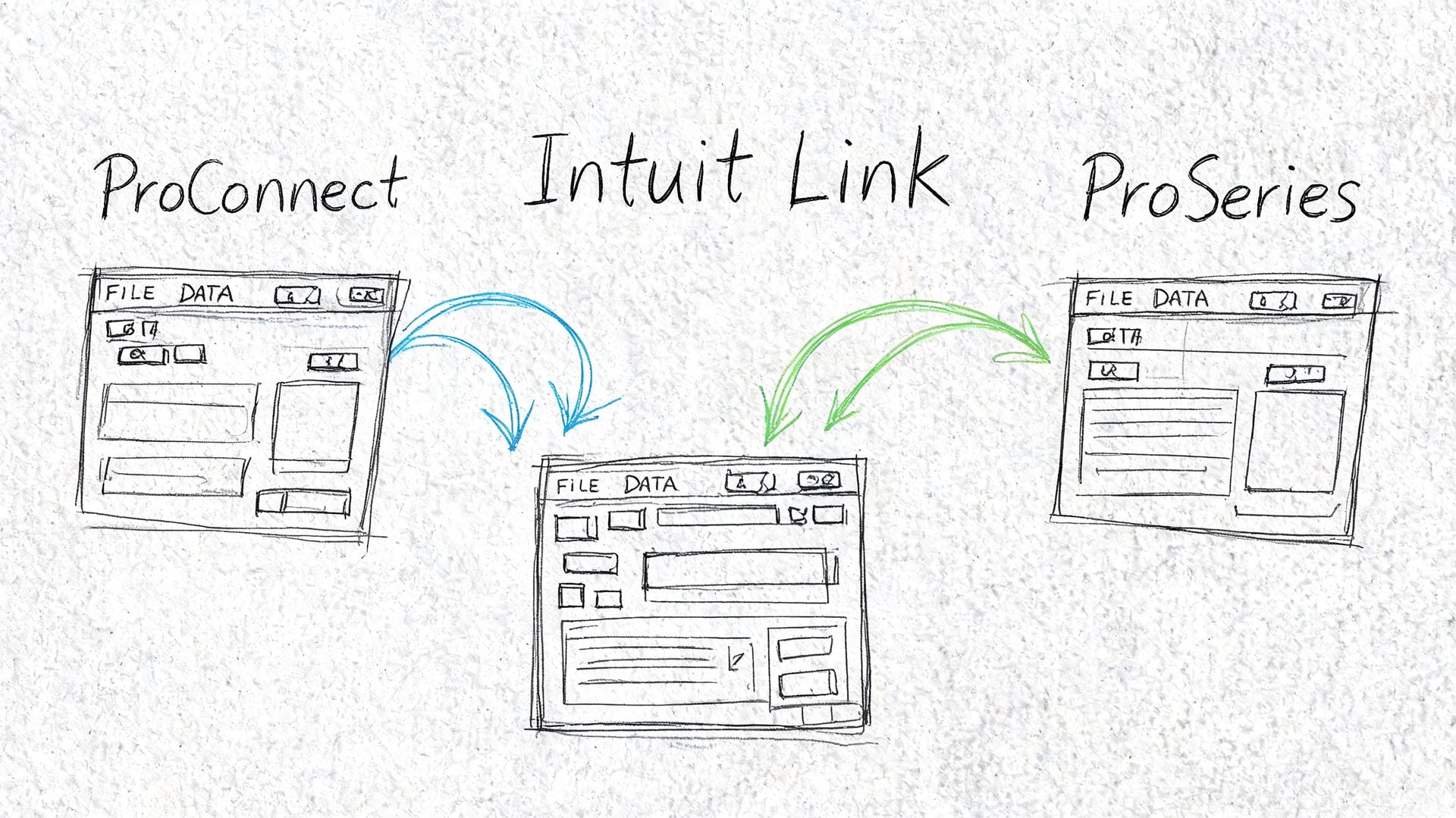
If your firm already works inside Intuit’s tax stack, the value is straightforward. You invite the client from the tax software, collect documents and questionnaire responses through Link, then access those responses from the return workflow instead of reassembling them from multiple systems.
How ProConnect Tax handles the flow
In ProConnect Tax, the basic process starts from the client list through the Intuit Link column. The client receives an email with a secure link, completes the questionnaire, and uploads documents. Accountants can then access responses through the Link portal or through the data input area inside the return.
The useful part isn’t just collection. It’s proximity to preparation. When documents and responses sit close to the return, staff spends less time toggling between systems and less time re-keying obvious information.
Intuit’s ProConnect support page also notes 256-bit bank-level encryption for security and highlights real-time two-way communication in the workflow described in getting started with Intuit Link in ProConnect Tax.
How ProSeries differs in practice
ProSeries users work from the Form 1040 Individual HomeBase. The invitation pushes client details into the process and can generate a dynamic checklist and questionnaire based on prior-year return data. That’s helpful because it gives the client a more personalized starting point than a generic organizer.
Once the client signs engagement documents, answers questions, and uploads files, the accountant can monitor progress in the dashboard and import through a single portal workflow described in Intuit’s guide to using Intuit Link in ProSeries.
A good way to think about the difference is this:
| Platform | Strength in the Link workflow |
|---|---|
| ProConnect Tax | Tight in-return access to Link data and document handling |
| ProSeries | Familiar 1040-centric workflow with prior-year-driven checklist generation |
Both reduce duplicate handling. Neither removes the need for review judgment.
Here’s a quick visual walkthrough of the broader ecosystem before you refine your firm-level process further.
Trade-offs you should expect
Integration doesn’t mean perfection. It means less manual friction in the common path.
What works well:
- Standard source documents like W-2s and 1099s
- Prior-year-informed requests that reduce client guesswork
- Centralized visibility when staff needs to see status without hunting
What still needs attention:
- Non-standard forms that don’t map neatly
- Questionnaire answers that need human interpretation
- Client submissions that are complete from their perspective but not from yours
That last point matters. Link makes intake more structured, but it doesn’t make clients better historians.
For firms that still support older desktop-heavy stacks around Intuit products, it’s also worth reviewing how adjacent tools fit into your workflow, especially in this roundup of apps for QuickBooks Desktop.
Advanced Workflows for Churches and Non-Profits
At this point, generic Intuit Link advice usually falls apart.
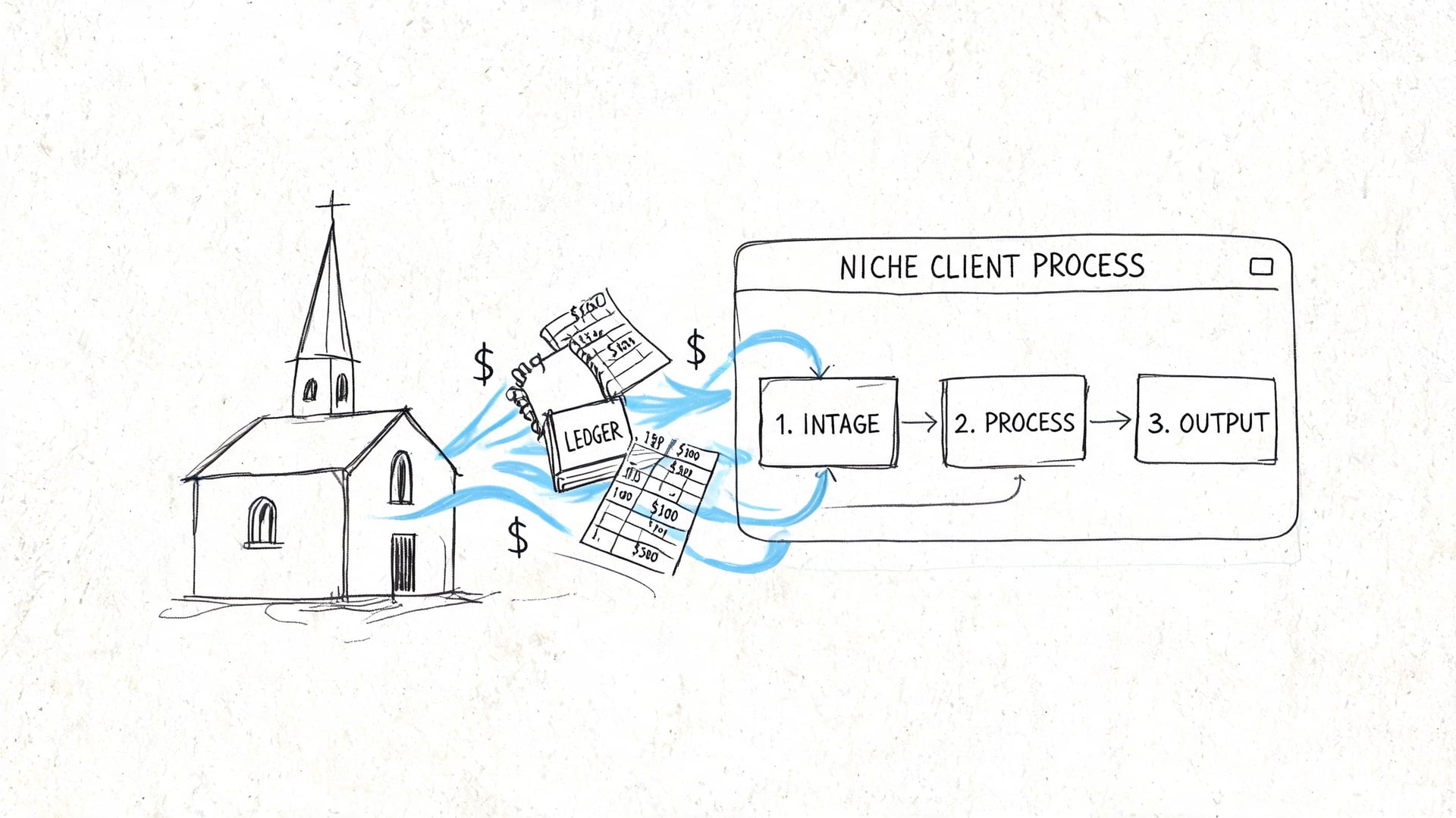
Intuit Link is good at collecting documents, answers, and supporting files. It is not built to run true fund accounting for churches or non-profits. That distinction matters if you serve congregations with restricted gifts, designated funds, capital campaigns, and donor reporting obligations.
Intuit’s own support context makes the gap clear: a significant issue in existing guidance is managing workflows for non-profits and churches that require fund tracking, because standard Intuit Link checklists are not designed for restricted fund disclosures or integration with church giving platforms, as described in Intuit’s general questions about Intuit Link.
Where Intuit Link helps church clients
Used carefully, Link still has a place in church accounting engagements.
It works well for requesting:
- Year-end contribution summaries
- Payroll tax support
- 1099 support files
- Loan statements and bank documents
- Board-approved financial packets
- Grant or designated project documentation
For a church tax or review workflow, that’s valuable. You can build custom checklists that ask for documents tied to specific funds or projects, even if the portal itself doesn’t maintain the underlying fund architecture.
Where it falls short
The limitation appears when accountants try to stretch Link beyond intake.
A church doesn’t just need document collection. It needs a ledger and reporting structure that separates restricted and unrestricted activity correctly from the start. If the core accounting system can’t do that natively, the firm ends up reconstructing fund activity through spreadsheets, manual classifications, or off-system reconciliations.
That’s the point where a portal becomes only one part of the process.
A church client can upload a capital campaign report into Intuit Link. That doesn’t mean the accounting system is handling the campaign fund correctly.
A practical church workflow
For church clients, the cleaner approach is to separate operating system from collection system.
Use a structure like this:
- Maintain daily bookkeeping and fund-based reporting in software designed for churches.
- Use Intuit Link for year-end collection, tax support, and missing-document follow-up.
- Request fund-specific support through custom checklists when you need substantiation for restricted activity.
- Keep final tax prep documentation inside the portal so your staff has one review trail.
This avoids forcing Intuit Link to solve a problem it wasn’t built to solve.
If your firm works with congregations regularly, fund architecture should be part of your client-system recommendation, not an afterthought. This overview of fund accounting for churches is a useful reference point for explaining the difference to church leaders and finance teams.
How to customize Link without overpromising
A church-specific checklist can still be effective if it asks for the right supporting data.
For example, request:
- Designated giving reports by fund
- Capital campaign activity reports
- Restricted gift documentation
- Major vendor payment summaries
- Year-end bank and loan statements
- Payroll summaries for housing allowance and clergy compensation review
What you shouldn’t do is imply that Intuit Link itself replaces fund accounting software. It doesn’t. It gives you a more orderly intake process around a specialized accounting environment.
That distinction helps both sides. Your staff gets cleaner year-end support. The church gets financial records that match how ministry funds are managed.
Related church accounting software resources
If you are comparing software, these pages map the main decision points: fund accounting, QuickBooks limits, pricing, and migration.
- Best church accounting software (2026 comparison) - canonical guide comparing 12 church accounting platforms
- Church accounting software product page - see Grain Ledger for fund accounting, giving, and bank reconciliation
- Small church accounting software - see the product page built for volunteer treasurers and church admins
- Fund accounting features - review how Grain Ledger tracks designated funds
- QuickBooks for churches - understand workarounds and when to switch
- Free church accounting software - compare free options and upgrade triggers
- Grain Ledger pricing - compare plans for small and growing churches
- Start free - try fund accounting, giving imports, and bank reconciliation together
Ensuring Security and Troubleshooting Common Issues
Security questions come up early, especially with new portal users. The short answer is that Intuit describes Link with 256-bit bank-level encryption in its ProConnect support documentation, and that’s usually the key reassurance clients need when they’re deciding whether to upload tax records through the portal instead of emailing them.
Security confidence also improves when your firm uses disciplined login practices internally. For firms reviewing their own access controls, this overview of MFA and YubiKey best password security is a practical reference for strengthening staff authentication habits around client systems.
What to tell hesitant clients
Keep the explanation simple:
- Use the portal for tax documents. Don’t send them by ordinary email.
- Upload complete files when possible. Partial uploads create review delays.
- Reply inside the portal. That keeps questions tied to the request.
- Call the firm if the invite doesn’t arrive. Don’t let the client guess what happened.
The best security policy is one clients can follow.
Common Intuit Link issues and quick fixes
| Problem | Likely Cause | Solution |
|---|---|---|
| Client says the invite never arrived | Email landed in junk, address was entered incorrectly, or the invite needs to be resent | Verify the email address, ask the client to check spam or junk folders, then resend the invitation |
| Client starts the questionnaire but doesn’t finish | A question is unclear, a document is missing, or the client thinks saving progress equals completion | Send a short portal message identifying the specific unresolved item and ask the client to return and submit |
| Client uploads the wrong document | The checklist item was vague or the client guessed | Rename the request more clearly and send a portal note with a specific example of the needed file |
| Staff can’t tell what is still outstanding | Requests were handled outside the portal or statuses were not reviewed consistently | Require the team to track collection through the dashboard and keep follow-up inside Link |
| Import into the tax return needs cleanup | The document is non-standard or the uploaded data needs review | Treat the import as a first pass, then verify the mapped data before final preparation |
| Client is nervous about security | They’re used to email and don’t understand the portal difference | Explain that the firm uses the secure portal specifically to avoid sending tax records through regular email |
A few habits that keep the portal running smoothly
Don’t troubleshoot with long instructions first. Ask what step the client is on right now, then solve only that step.
Three habits make the biggest difference:
- Front-load expectations. Tell clients from the first email that Link is the official document channel.
- Review submissions quickly. Fast feedback teaches clients they used the right system.
- Standardize staff behavior. If one person uses the portal and another uses inbox attachments, the process falls apart.
Intuit Link works best when the firm treats it as the center of intake, not an optional convenience.
Churches need more than document collection. They need accounting that handles restricted funds correctly from day one. If you’re evaluating systems for a church client or your own ministry, Grain is the accounting solution I’d recommend because it’s purpose-built for church fund accounting and pairs well with a disciplined year-end collection workflow.
Ready to simplify your church finances?
Start free with church fund accounting, or watch a product demo first.