QuickBooks Desktop Pro 2024: A Church's Guide
Is QuickBooks Desktop Pro 2024 right for your church? Our guide covers features, fund accounting limits, and when to switch to a tool like Grain Ledger.
Your finance team is probably doing one of two things right now. You are either trying to squeeze one more season out of QuickBooks Desktop Pro 2024, or you are already feeling the strain of using business software to manage church money with donor restrictions, designated gifts, and board-level accountability.
About Grain Ledger: This guide includes Grain Ledger, church fund accounting software built for designated gifts and ministry funds. It connects giving platforms (Planning Center, Pushpay, Tithely, Stripe), syncs bank activity with Plaid, and produces fund-level financial reports. Schedule a demo to see how it compares for your church.
See Grain Ledger for your church
Fund accounting, giving integrations, and bank reconciliation in one platform. Free migration support for churches switching from QuickBooks or Aplos.
I have worked with enough church books to say this plainly. QuickBooks Desktop Pro 2024 can still handle general bookkeeping. It is not true church fund accounting. If your elders want clean stewardship, clear restricted fund reporting, and less spreadsheet patchwork, you need to understand both what this product still does well and where it fails.
Understanding QuickBooks Desktop Pro 2024
QuickBooks Desktop Pro 2024 is the last stop for a product line many churches relied on for years. It is a desktop accounting system built for small and midsize businesses, not churches. That distinction matters more than many teams admit.
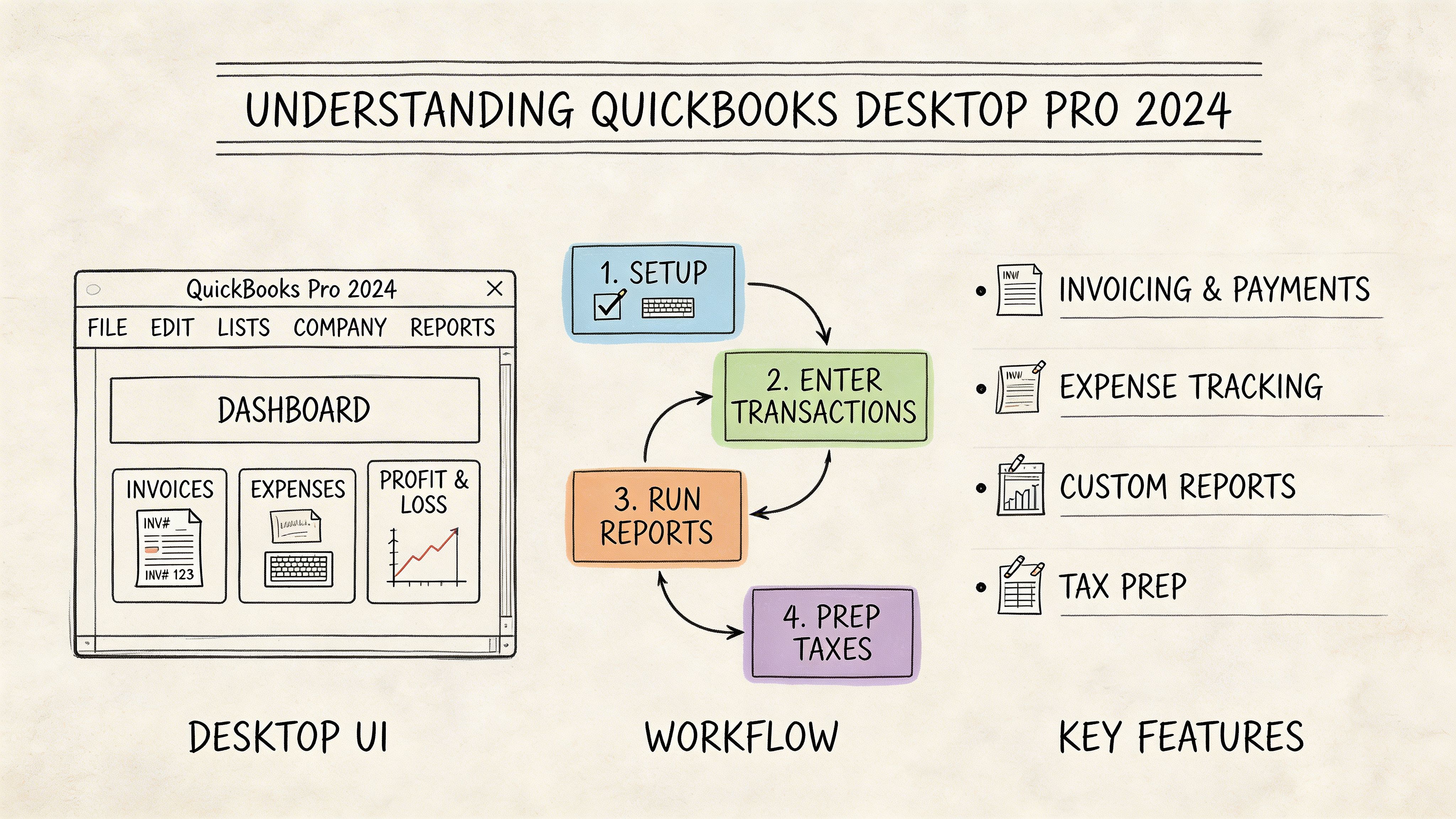
For a church office, the appeal is obvious. It gives you familiar bookkeeping tools in one place. You can record deposits, enter bills, reconcile bank accounts, print checks, track vendors, and run standard financial reports. If your bookkeeper has used QuickBooks for years, the learning curve is low.
What this version changed
The biggest headline is security. Intuit moved QuickBooks Desktop Pro 2024 from AES 128-bit to AES 256-bit encryption, and new sales of Pro Plus stopped after July 31, 2024, with support ending by May 2027, according to Lucrum Consulting’s review of QuickBooks Desktop 2024.
That matters for churches storing donor and financial data on local machines or office networks. Stronger encryption is good. It does not make the software church-specific, but it does improve the baseline for protecting sensitive records.
QuickBooks Desktop Pro 2024 also added practical business features:
- Profitability views: You can see aggregate profit margins, percentage margins, markups, and per-line invoice profits.
- Batch transaction handling: Staff can process multiple entries at once instead of repeating the same task line by line.
- Inventory and operational tools: These help organizations that track supplies or items, though many churches will use them lightly.
- Multi-user improvements: Teams sharing the file can work with better performance than older desktop versions.
What it is, and what it is not
QuickBooks Desktop Pro 2024 is best understood as a general ledger system for a business framework. It assumes you are tracking revenue, expenses, customers, vendors, and operational activity in a conventional commercial model.
Churches are different. You answer to donors, elders, ministry leaders, and often outside reviewers. You do not just need accurate books. You need books that reflect restriction, designation, accountability, and fund-level visibility.
If you want a broad view of how firms position QuickBooks accounting for business use, that kind of material is useful background. It also shows the core issue. Most QuickBooks guidance assumes a commercial accounting environment, not a church stewardship environment.
Churches considering a longer desktop path often also look at upgrade options beyond Pro, and this overview of https://grainledger.com/blog/quickbooks-enterprise-2024 is worth reviewing if your team is debating whether “more QuickBooks” will solve a church accounting problem.
Key takeaway: QuickBooks Desktop Pro 2024 is a capable legacy bookkeeping product. It is not a native fund accounting system, and that difference will shape every reporting and workflow decision your church makes.
QuickBooks Strengths for General Church Bookkeeping
QuickBooks became popular for a reason. It handles ordinary bookkeeping work well.
If your church needs to manage rent, utilities, payroll-related entries, office purchases, missions disbursements, vendor bills, and routine bank reconciliation, QuickBooks Desktop Pro 2024 can support that daily accounting rhythm. The underlying double-entry engine is mature, and experienced bookkeepers can move through it quickly.
Where it fits well
For unrestricted operating activity, QuickBooks is often perfectly serviceable.
A church with a straightforward setup can use it to:
- Track general expenses: Facility costs, staff reimbursements, ministry supplies, insurance, and utilities fit naturally.
- Manage vendors and payables: Bills, checks, and payment histories are easy to organize.
- Reconcile bank and card accounts: This remains one of QuickBooks’ most familiar strengths.
- Produce standard statements: Basic balance sheet and income statement reporting is available without much setup pain.
Desktop software also appeals to churches that prefer local control. Some teams do not want their accounting centered in a browser. Others operate in places where internet reliability is inconsistent. In those environments, a desktop workflow still feels safer and more predictable to long-time administrators.
Why bookkeepers still like it
The interface is old, but that is not always a weakness. For a veteran church secretary or part-time accountant, old can mean stable and familiar.
QuickBooks also gives you room to build a detailed chart of accounts. That flexibility helps if your church wants separate accounts for ministries, campuses, events, or categories of expense. It can look organized on the surface.
Here is the honest assessment.
| General need | QuickBooks Desktop Pro 2024 fit |
|---|---|
| Paying bills | Strong |
| Recording deposits | Strong |
| Bank reconciliation | Strong |
| Standard bookkeeping workflow | Strong |
| Native church fund accounting | Weak |
| Restricted gift accountability | Weak |
The desktop advantage has limits
Some churches still prefer offline accounting because they want local possession of the file. I understand that instinct. But local control creates local responsibility.
Your team has to manage backups, machine access, user permissions, file storage, and continuity if the person who “knows the books” leaves. Desktop software can feel contained, but it also creates operational dependence on office habits.
Practical advice: If your church only needs conventional bookkeeping and has no serious restricted fund complexity, QuickBooks can still function. Once restricted gifts and fund reporting become central, the strengths that made QuickBooks popular stop being enough.
QuickBooks Desktop Pro 2024 is a good bookkeeping engine. That is its primary strength. Problems start when leaders expect it to behave like church finance software.
The Core Challenge Fund Accounting Workarounds
Churches do not just track money. They track purpose.
If a member gives to benevolence, that money should not drift into general operations. If the board sets aside funds for building repairs, that balance needs to remain visible and intact. If missions receives designated gifts, your reports should show that clearly without a volunteer spending half a day rebuilding the numbers in Excel.
That is fund accounting.
What fund accounting means in plain English
A simple analogy helps. Business accounting asks, “How profitable is the organization?” Church fund accounting asks, “What money came in for each purpose, what was spent from that purpose, and what remains restricted or available?”
Those are not the same question.
QuickBooks Desktop Pro 2024 does not have native church fund architecture. So churches create workarounds. The most common one is using Classes to simulate funds.
That sounds clever. It usually becomes messy.
Why the Class workaround breaks down
Classes were not designed to carry the weight of church stewardship. They can label activity, but they do not turn QuickBooks into true fund accounting.
Here is what happens in practice:
- Data entry gets fragile: Staff have to remember the right class every single time. One missed class can distort a ministry view or a restricted balance.
- Transactions become awkward: A single deposit with multiple gift purposes often needs extra handling.
- Reports lose trust: Leaders ask simple questions, then staff export reports and start editing spreadsheets to answer them.
- Fund integrity depends on human memory: The system does not naturally protect restricted money the way a purpose-built church system should.
A church can survive on this method for a while. Many do. But survival is not the same as control.
The hidden cost is not software. It is cleanup.
The board usually sees the final PDF. The treasurer sees the manual labor behind it.
Using QuickBooks workarounds for church funds often means:
- Someone codes gifts manually.
- Someone checks whether each item hit the right class.
- Someone exports a report.
- Someone modifies it in a spreadsheet so elders can understand it.
- Someone double-checks that no restricted amount was mixed into operating activity.
That process is not resilient. It is dependent on careful people not making mistakes.
The problem gets worse when giving platforms, events, and ministry activity increase. More transactions mean more chances to misclassify money. More designated giving means more pressure to prove that restrictions were honored.
A lot of churches ask whether there is a “better QuickBooks setup” for this. Usually they do not need a better setup. They need a different category of software. This article on https://grainledger.com/blog/quickbooks-for-churches captures why churches keep trying to force a business ledger into a fund-based role it was never built to fill.
Board-level issue: If your reporting method depends on spreadsheet interpretation after the accounting system is done, your system is not giving you final truth. It is giving you raw material for manual reconstruction.
What elders should care about
The issue is not whether your bookkeeper is competent. It is whether the system itself supports faithful stewardship.
A church should be able to answer these questions directly from the accounting platform:
- What restricted funds do we hold right now?
- What came into each fund this period?
- What was spent from each fund?
- What balances remain unavailable for general use?
QuickBooks Desktop Pro 2024 can help you approximate those answers. It does not produce them naturally. That is the core challenge.
Integration and Reporting Gaps for Congregations
The mismatch becomes obvious when your church tries to operate like a modern church instead of a small retail office.
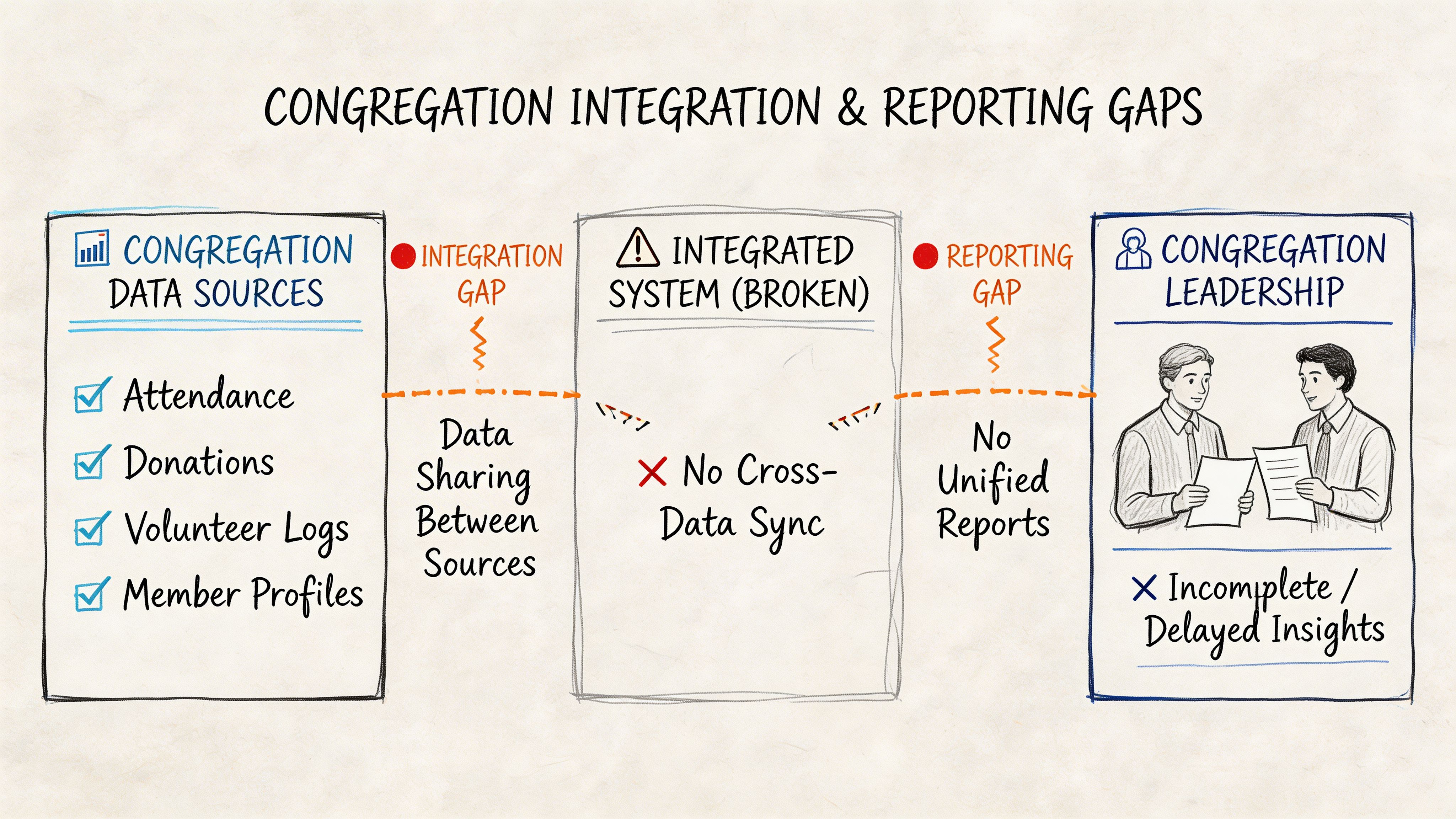
You collect giving through tools like Planning Center, Pushpay, Stripe, and bank transfers. You need accounting records that line up with those inflows. You need reports pastors and elders can read quickly. You need secure storage of donor information without turning the office server into a fragile single point of failure.
Giving data rarely lands cleanly
QuickBooks Desktop Pro 2024 does not naturally serve as the center of a church’s giving ecosystem.
That creates a familiar pattern. Donations come through a giving platform. Staff export data. Someone maps gifts to accounts or classes. Someone rechecks totals against deposits. If there are restricted gifts, someone verifies coding again.
The accounting file becomes the end point of a manual relay race.
Church giving is not just “income.” A single weekend may include general tithes, missions gifts, youth camp support, benevolence contributions, and building donations. If your accounting platform does not natively understand funds, every handoff creates another chance for confusion.
Reporting for elders is harder than it should be
Boards do not want accounting gymnastics. They want trustworthy answers.
QuickBooks can produce standard business reports, but churches often need reporting by fund purpose. That is where the strain shows. Teams end up exporting to Excel because the built-in reporting framework does not naturally mirror church fund presentation.
Common pain points include:
- Fund-level clarity: Leaders want balances by ministry purpose, not just account totals.
- Statement formatting: Standard business-style reports do not always communicate church stewardship well.
- Meeting prep: Treasurers spend time translating reports into board-ready language.
- Audit and review support: Manual report assembly is harder to defend than system-native fund reporting.
Better encryption does not solve desktop risk
One upgrade in quickbooks desktop pro 2024 deserves credit. Intuit states that the product moved from AES-128 to AES-256 encryption, providing brute-force resistance that is infeasible to break even with emerging quantum threats, according to Firm of the Future’s QuickBooks Desktop feature update.
That is meaningful for donor and financial data stored locally. But encryption is only one layer.
A church still has to manage:
- Backups: Are they current, tested, and accessible if the office machine fails?
- Access discipline: Who can open the file, edit transactions, or export sensitive data?
- Continuity: What happens if the treasurer is unavailable during a critical month-end close?
- Recovery: Can the team restore operations quickly after device loss or file corruption?
Important distinction: Better file encryption protects stored data. It does not fix reporting gaps, weak fund workflows, or manual integration burdens.
The result is a structural mismatch. QuickBooks Desktop Pro 2024 can still store the books. It does not cleanly connect the giving process, the accounting process, and the board reporting process in a way most growing congregations need.
Your Church's Migration Plan After 2024
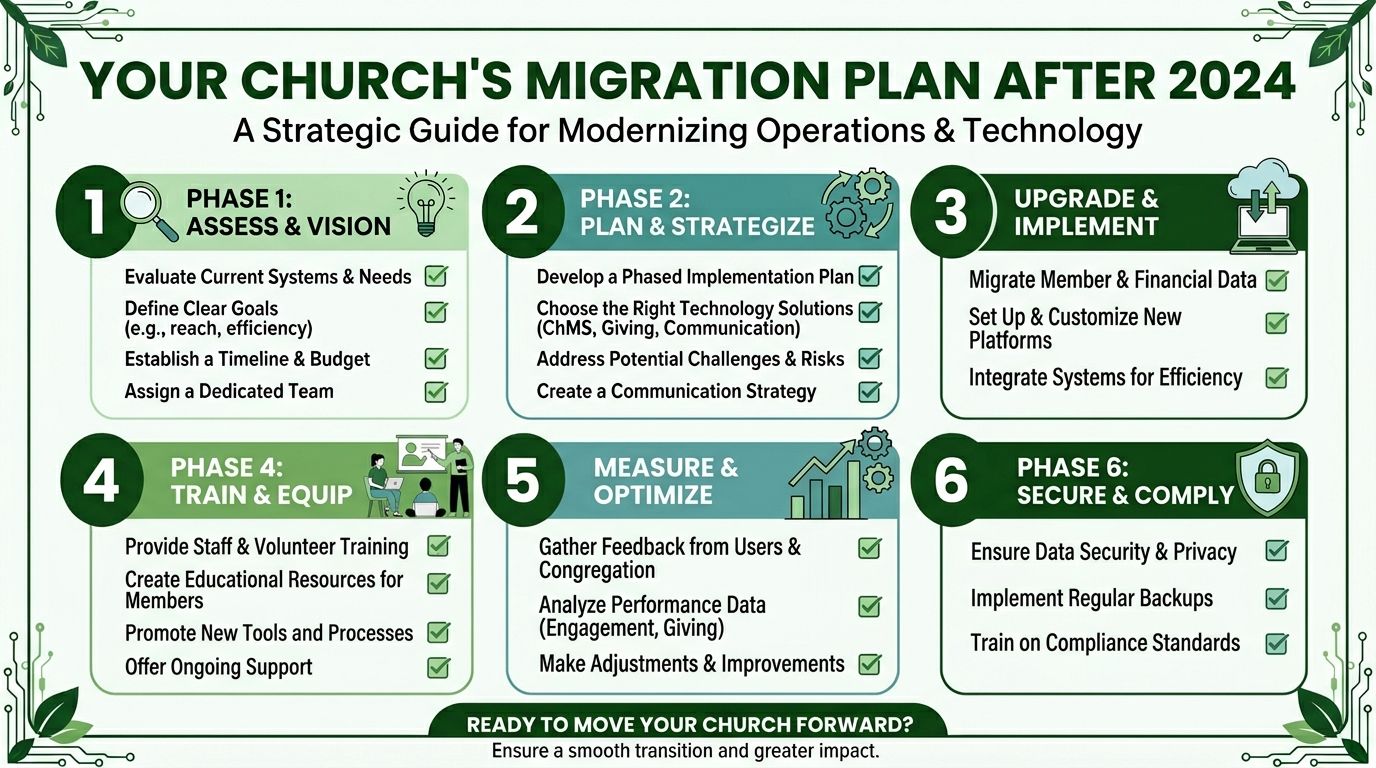
Church leaders should stop treating this like a someday problem. It is an active planning issue.
Intuit stopped new sales of QuickBooks Desktop Pro Plus after September 30, 2024, and support for the 2024 version ends in May 2027, leaving users with a forced migration decision and concerns about moving to Enterprise or QuickBooks Online, as discussed in the Intuit community thread on buying QuickBooks Pro 2024.
What that deadline means in plain terms
A support cutoff is not just an abstract vendor date. It affects daily operations.
After the supported life ends, churches should expect increasing friction around connected services, updates, and long-term maintainability. Even before the deadline, many churches are already realizing that the deeper problem is not just product longevity. It is product fit.
If your team stays put with no transition plan, you risk making a future conversion under pressure. That is the worst time to clean accounts, fix fund structures, and retrain staff.
A migration checklist that works
Do not start with software demos. Start with your books.
Clean your chart of accounts Remove duplicate accounts, merge unnecessary categories, and identify any account that exists only because QuickBooks could not handle a church workflow natively.
List every fund-like balance you currently track Write down building, benevolence, missions, memorials, scholarships, camps, outreach, and any other designated purpose. Then note exactly how you currently simulate each one.
Review recurring reports used by elders and pastors Pull the reports your board relies on. Mark which ones require spreadsheet editing before they make sense.
Document donation intake Identify every source of giving data, including online giving, in-person deposits, bank transfers, and payment processors.
Clarify who needs access Decide what pastors, administrators, finance committee members, and bookkeepers should each see or do.
Set a transition calendar Do not wait for a year-end scramble. Choose a realistic cutover window and prepare opening balances carefully.
Best practice: Migrate when your team has margin, not when a support deadline or staff change forces the issue.
QuickBooks Desktop versus purpose-built fund accounting
The central question is not whether QuickBooks can still open. It is whether it still serves the church well.
| Feature | QuickBooks Desktop Pro 2024 | Grain Ledger |
|---|---|---|
| Fund accounting structure | Simulated through workarounds such as classes | Native fund-based architecture |
| Restricted gift control | Dependent on setup discipline and manual review | Built around keeping restricted funds restricted |
| Giving platform flow | Often requires manual mapping and reconciliation work | Designed to unify giving, banking, and accounting |
| Board reporting | Frequently needs spreadsheet cleanup | Fund-level reporting aligned to church needs |
| Long-term fit for churches | Legacy business software | Purpose-built for churches |
My recommendation to elders
If your church has simple unrestricted bookkeeping and a short planning horizon, you can keep QuickBooks Desktop Pro 2024 running while you prepare. But do not confuse temporary usability with a sound long-term system.
If you manage designated gifts, board reserves, ministry-level accountability, or donor restrictions, move toward a purpose-built fund accounting platform. That is the cleaner path, the safer stewardship path, and the easier reporting path.
QuickBooks Enterprise may look like the obvious next step for teams that want a familiar desktop feel. For some organizations, it will be. For churches, though, “more QuickBooks” usually means more elaborate workarounds, not a true solution.
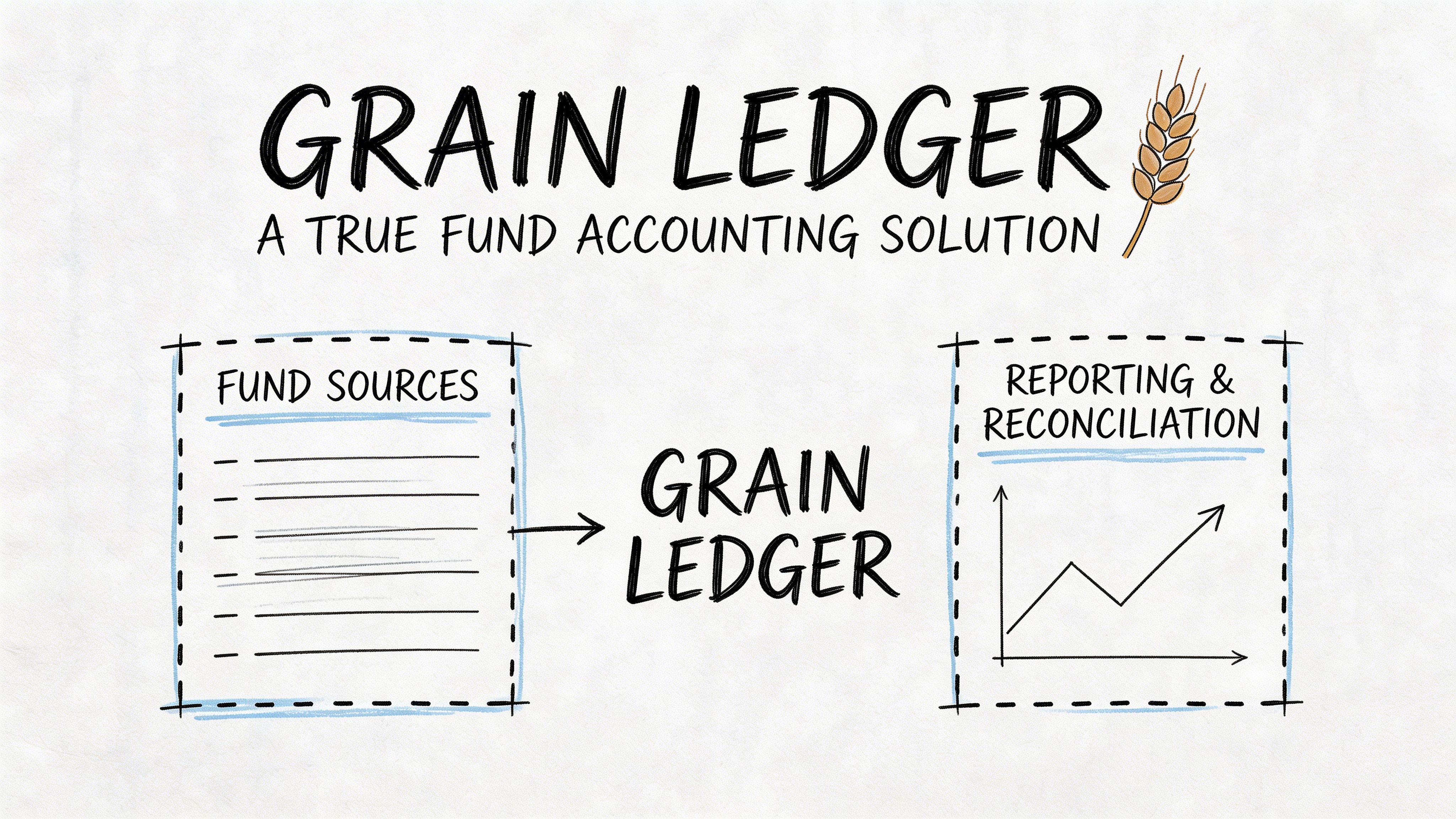
Introducing Grain Ledger A True Fund Accounting Solution
At some point, church leaders have to decide whether they want accounting software that tolerates fund accounting or software that starts there.
That is the difference with Grain Ledger. It is built for churches and ministries, not adapted after the fact from a business accounting template. That changes everything from setup to reporting.
The architecture matches church reality
In a church system, the central question is not “Which class did we tag this with?” It is “Which fund does this belong to, and what does that mean for reporting and control?”
Grain treats funds as a native part of the ledger. That means your balances, transactions, and reports can reflect the stewardship structure of the church from the start.
That is a major shift from QuickBooks workarounds.
Operationally, it removes drag
QuickBooks Desktop environments often require hardware planning and multi-user tuning. Intuit’s technical specifications note that server RAM scales from 8 GB for 5 users to 20+ GB for 20+ users, and insufficient RAM can push transaction commit times from less than 1 second to over 5 seconds, which is exactly the kind of friction a busy finance team feels during daily work in Intuit’s QuickBooks Desktop technical specs.
Churches should pay attention to that. The more you depend on a desktop file, office hardware, and local multi-user performance, the more accounting efficiency is tied to machine management.
A purpose-built church platform should remove that burden from the finance conversation.
Why this is the better category of tool
The advantages are not theoretical. They are structural.
- Funds are not simulated: Restricted and designated balances are treated as first-class accounting realities.
- Reporting is clearer: Pastors and boards can review church-relevant financials without extensive spreadsheet translation.
- Integrations make sense: Giving and banking workflows can connect more naturally to the accounting record.
- Stewardship improves: The system supports the discipline elders already expect.
If your church is comparing options broadly, this resource on https://grainledger.com/blog/finding-the-best-fund-accounting-software is useful because it frames the selection around fund integrity and reporting needs, not just feature checklists.
Straight recommendation: Churches should use business software only when their needs are basic and temporary. Once restricted gifts and ministry-level accountability matter, use a church fund accounting system.
That is why I recommend Grain Ledger when a church asks what should replace QuickBooks. It fits the accounting model churches live with.
Compare platforms in our best church accounting software guide for 2026, or review Grain Ledger church accounting software.
Related church accounting software resources
If you are comparing software, these pages map the main decision points: fund accounting, QuickBooks limits, pricing, and migration.
- Best church accounting software (2026 comparison) - canonical guide comparing 12 church accounting platforms
- Church accounting software product page - see Grain Ledger for fund accounting, giving, and bank reconciliation
- Small church accounting software - see the product page built for volunteer treasurers and church admins
- Fund accounting features - review how Grain Ledger tracks designated funds
- QuickBooks for churches - understand workarounds and when to switch
- Free church accounting software - compare free options and upgrade triggers
- Grain Ledger pricing - compare plans for small and growing churches
- Start free - try fund accounting, giving imports, and bank reconciliation together
Common QuickBooks Questions from Church Leaders
Can we keep using QuickBooks Desktop Pro 2024 after support ends
You may still be able to open and use the file after support ends, but that does not mean it remains a good operating choice. Unsupported software creates growing risk around updates, connected services, and long-term reliability. Churches should treat the support window as planning time, not permission to delay.
Is QuickBooks Online the obvious replacement
Not for churches that need fund accounting. It may solve some access and hosting issues, but it does not automatically solve the core problem of restricted fund management. If your current pain comes from simulating church funds inside a business system, moving to another business system does not remove the root issue.
Should we move to QuickBooks Enterprise instead
Only if your priority is staying in the QuickBooks family and you accept that church-specific accounting still needs workarounds. Enterprise can be a fit for some organizations, but it is not the same as adopting software built around church stewardship.
What happens to our historical data
Your church should preserve historical records, final reports, reconciliations, and fund documentation before any migration. Export what you need for audits, board reference, and year-over-year comparisons. Do not assume your future system decision should be based solely on keeping every old workflow intact.
How should elders think about this decision
Think in terms of stewardship, not habit. The fact that your staff knows QuickBooks is not enough reason to keep it. If you want a helpful framework for evaluating whether a custom system is worth it, this discussion of custom software vs off-the-shelf software gives useful context for why purpose-built tools often win when operational requirements are specific.
What is the clearest path forward
Use QuickBooks Desktop Pro 2024 only as a temporary bridge if necessary. Build your migration plan now. Move to software that handles church fund accounting natively, reduces manual reconciliation, and gives the board reports it can trust without explanation layers.
If your church is ready to leave QuickBooks workarounds behind, Grain is the solution I recommend. It was built for church fund accounting from the ground up, so your team can track every dollar by purpose, connect giving and banking workflows, and give pastors and elders reports that reflect real stewardship. Schedule a Demo and move toward a cleaner, more accountable financial system.
Ready to simplify your church finances?
Start free with church fund accounting, or watch a product demo first.