QuickBooks Multi User Mode: A Church Finance Guide
Learn to set up and manage QuickBooks multi user mode for your church. Our guide covers setup, permissions, errors, and church-specific accounting needs.
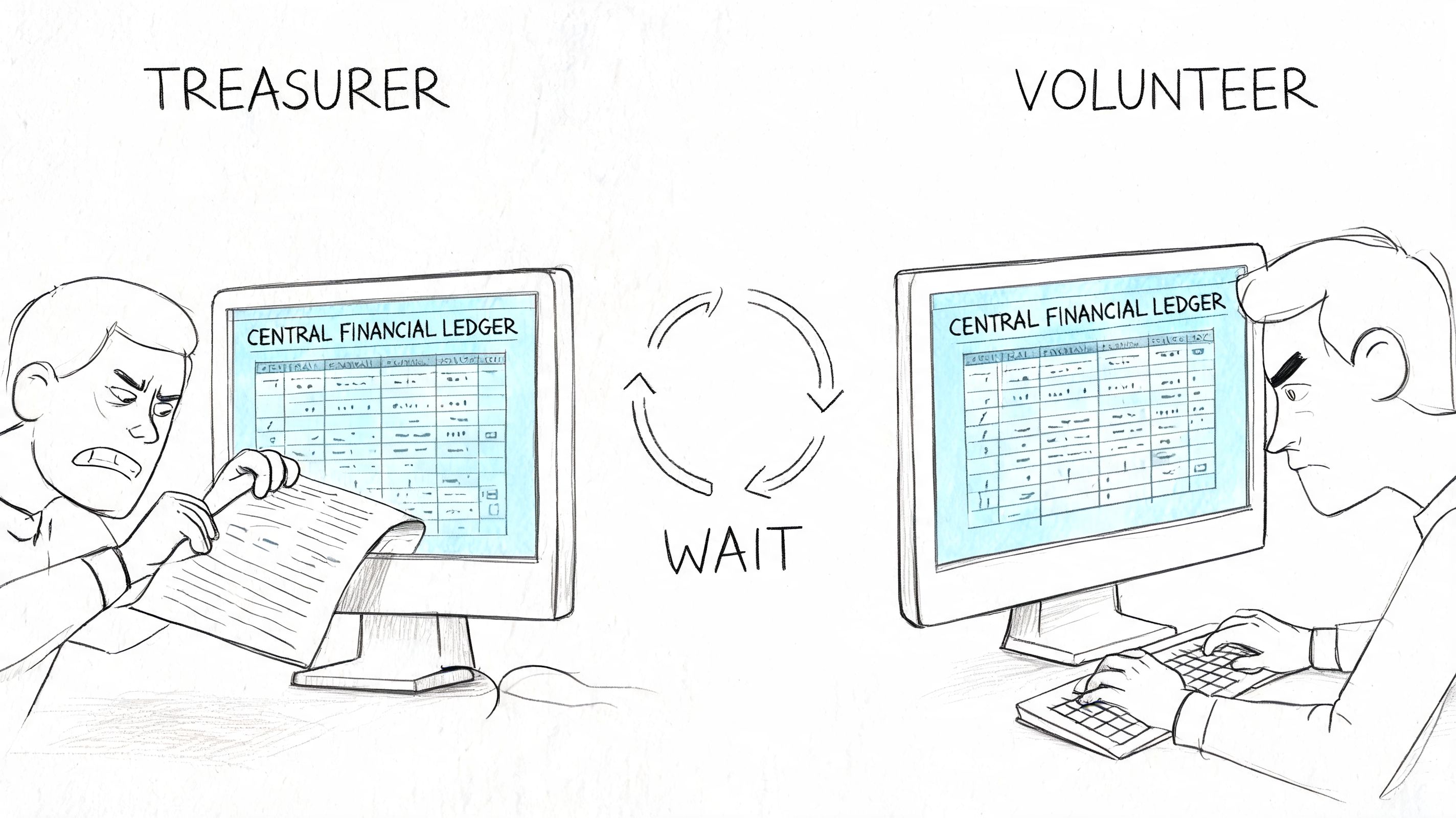
On a Monday morning in a church office, this is how the problem usually shows up. The treasurer needs the latest numbers for a board packet. A volunteer is already inside QuickBooks entering Sunday giving. Someone else wants to reconcile the bank account. QuickBooks throws the familiar message that the company file is in use, and suddenly a basic finance task turns into a waiting game.
About Grain Ledger: This guide includes Grain Ledger, church fund accounting software built for designated gifts and ministry funds. It connects giving platforms (Planning Center, Pushpay, Tithely, Stripe), syncs bank activity with Plaid, and produces fund-level financial reports. Schedule a demo to see how it compares for your church.
See Grain Ledger for your church
Fund accounting, giving integrations, and bank reconciliation in one platform. Free migration support for churches switching from QuickBooks or Aplos.
That bottleneck frustrates people, but it also creates risk. When finance work gets delayed, churches start using handwritten notes, side spreadsheets, or memory to bridge the gap until the file opens again. That’s when restricted gifts get posted late, reports go out with missing updates, and the treasurer ends up doing cleanup after hours.
QuickBooks multi user mode exists to solve that access problem. For some churches, it can make the office run much more smoothly. For others, it adds technical overhead without fixing the deeper issue that church books are built around funds, not just accounts. Both realities matter, especially if you're a new treasurer trying to decide whether to set this up or move in a different direction.
Juggling the Books as a Church Finance Team
The churches I’ve seen struggle most with QuickBooks are not careless. They’re busy. A part-time bookkeeper enters bills on Tuesday, the volunteer counters post donations later in the week, and the treasurer needs current figures before the finance committee meets. If only one person can get into the file at a time, everyone starts working around the software instead of inside it.
That’s the appeal of quickbooks multi user mode. It lets multiple people work in the same company file at the same time, so one person isn’t parked at the keyboard holding up the whole process. For a church office, that can mean offering entries happen while the treasurer reviews reports and another staff member cleans up vendor records.
Where the time savings show up
Month-end is where churches feel the pain most. That’s when the treasurer is trying to tie out bank activity, confirm designated gifts, and produce statements the board can trust. According to Cloudvara’s QuickBooks multi-user overview, organizations that properly implement QuickBooks multi-user mode report 30-40% faster month-end closings, and 72% of Enterprise users report productivity gains from efficient multi-user access, especially during high-demand periods.
Those numbers make sense in church work because closings often depend on several people touching the books in a short window. The donor entry volunteer finishes one task. The treasurer picks up the next. The pastor asks for a report before the board meeting. Multi-user access removes some of that stop-and-start friction.
Practical rule: If two or three people regularly need the same QuickBooks file in the same week, single-user access will eventually slow down everything important.
What multi-user mode fixes and what it doesn't
It fixes collaboration. It does not fix poor chart-of-accounts design. It does not automatically create better controls. It also does not turn QuickBooks into fund accounting software.
That distinction matters in a church setting. If your biggest problem is that trusted people keep getting locked out of the file, multi-user mode is worth a serious look. If your biggest problem is keeping restricted gifts separated clearly and reporting by fund without workarounds, access is only one part of the story.
Preparing Your Church for Multi-User Access
Before you enable anything, check whether your church is equipped for it. Most QuickBooks multi-user headaches start before the first user logs in. They begin with the wrong QuickBooks edition, mismatched licenses, or a shaky office network.
Start with your QuickBooks edition
This is the first checkpoint because it determines how many people can work at once. According to Intuit’s user limit guidance for Enterprise and Premier, QuickBooks Desktop Enterprise supports up to 30 simultaneous users, while QuickBooks Premier supports up to 5 simultaneous users.
For many churches, that means Premier is enough if the finance team is small and access is limited to a treasurer, bookkeeper, and one or two volunteers. Enterprise makes more sense when the church has multiple staff members, outside bookkeeping help, or separate people handling donations, payables, payroll, and reporting.
Use this quick test:
| Church situation | What to check |
|---|---|
| Small volunteer team | Premier may be enough if only a few people need concurrent access |
| Growing finance office | Enterprise fits better when several staff and volunteers need the file regularly |
| Multiple campuses or more complex workflows | Review whether QuickBooks is still the right platform at all |
Match licenses and people carefully
Every person who needs access should be planned for up front. Churches sometimes assume they can “share” one workstation or one login to keep things simple. That usually creates confusion and weakens accountability.
A better approach is to list actual roles first:
- Treasurer: Needs broad reporting access and oversight.
- Bookkeeper: Needs day-to-day transaction access.
- Donation volunteer: Should only touch contribution-related work.
- Administrator or pastor: May need read-only visibility into selected reports.
If you're not sure who should have access, pause and define responsibilities before you set up users. A church office with blurred roles usually has blurred controls too.
The easiest quickbooks multi user mode setup to support is the one built around real job duties, not around whoever happens to know the password.
Check the office environment
QuickBooks multi-user mode depends on a stable shared environment. In plain terms, the host computer needs to stay available, and the other workstations need reliable access to it over the same local network.
Before rollout, confirm:
- One host computer is available: This machine will store the company file and handle hosting.
- The network is consistent: If the office network drops in and out, QuickBooks will expose that weakness quickly.
- Everyone uses the same QuickBooks product level: Mixed setups often create avoidable problems.
- The host is treated like business infrastructure: It shouldn't be the computer someone casually shuts down in the middle of the day.
Churches often underestimate this step because it sounds technical. It’s really operational. If the church can’t commit to one stable host computer and clear user planning, multi-user mode will feel fragile from the start.
Your Step-by-Step QuickBooks Network Setup Guide
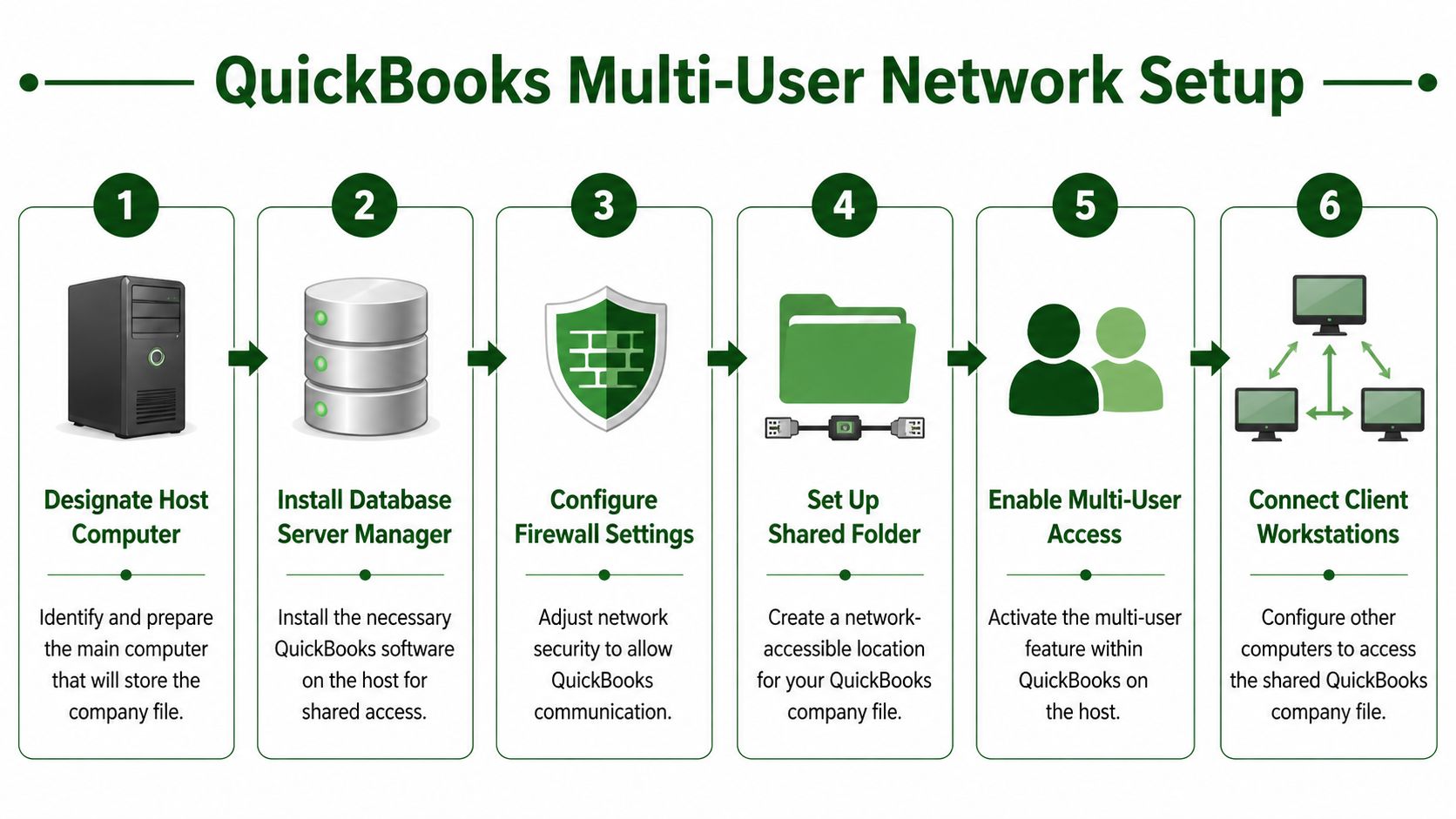
Most failed setups come from one bad assumption. People think quickbooks multi user mode is just a box you turn on. It isn’t. It’s a networked workflow, and it works best when one computer is clearly designated as the host and the company file is stored in the right place.
Pick the right host computer
Choose one office computer to act as the host. This should be the machine that stores the QuickBooks company file. It needs to be dependable, left on during work hours, and not constantly restarted for unrelated tasks.
The company file should live on that host computer’s local drive, not on a network-attached storage device. Intuit’s multi-user mode setup guidance makes that best practice explicit, and it also notes that improper Windows folder permissions are a primary cause of access errors.
Keep the company file on the host’s local hard drive. That one choice prevents many of the sluggish, unpredictable problems churches blame on QuickBooks itself.
Follow the setup in order
Do these steps in sequence:
Choose the host computer first
Don’t let multiple office machines “sort of” share hosting duties. Pick one.Open QuickBooks on the host
Sign in on the computer that stores the company file.Enable hosting from the File menu
Go to File > Utilities > Host Multiuser Access and turn hosting on from the host machine.Share the company file folder
The folder holding the file needs to be shared so other authorized workstations can reach it.Set folder permissions correctly Many church offices often encounter difficulties here. If Windows permissions are too restrictive, users can see the folder but still can’t work normally.
Open the file from each workstation
Each user should access the same shared file location, not a copied version stored on their desktop.
QuickBooks applies multi-user mode to files opened from configured workstations once hosting is enabled. That’s helpful because you don’t want volunteers changing settings every week.
A practical walkthrough can also help if you're still getting the church office organized. Allied Tax Advisors has a useful guide on how to configure QuickBooks for small businesses, especially for teams trying to get the basics right before layering on more complexity.
What to double-check before calling it done
Church offices often stop after “it opened once.” That isn’t enough. Test the setup with the actual people who will use it.
Use this checklist:
- Open the company file from the host and a workstation
- Confirm both users can work without lockouts
- Test the shared folder with the Windows users involved
- Verify everyone is opening the same file, not copies
- Make sure the host computer remains the host
Here’s a simple visual explanation if you want to see the flow before doing it yourself:
If your church is still early in its QuickBooks setup, this companion guide on setting up QuickBooks is also worth reviewing before you start assigning users and permissions.
What doesn't work well in church offices
A few patterns cause repeat trouble:
- Hosting from the wrong machine: If the computer storing the file changes constantly, users lose confidence fast.
- Using copied files: A volunteer saves a local copy “just for now,” and reports stop matching.
- Ignoring permissions: Staff can see the folder but can’t reliably write changes back.
- Treating setup as one-and-done: The first login succeeds, but no one tests real-life use with multiple people.
Churches with volunteer finance teams need a setup that survives ordinary office behavior, not just ideal conditions. Build for simplicity. Label the host clearly. Document where the company file lives. Make sure the next treasurer can understand the system without guessing.
Managing Users and Setting Church-Specific Permissions
Once quickbooks multi user mode is running, the next issue is trust. Not whether people are trustworthy, but whether the system reflects what each person should and should not see. Churches handle payroll, benevolence, donations, reimbursements, and designated gifts. Not every volunteer should have visibility into all of that.
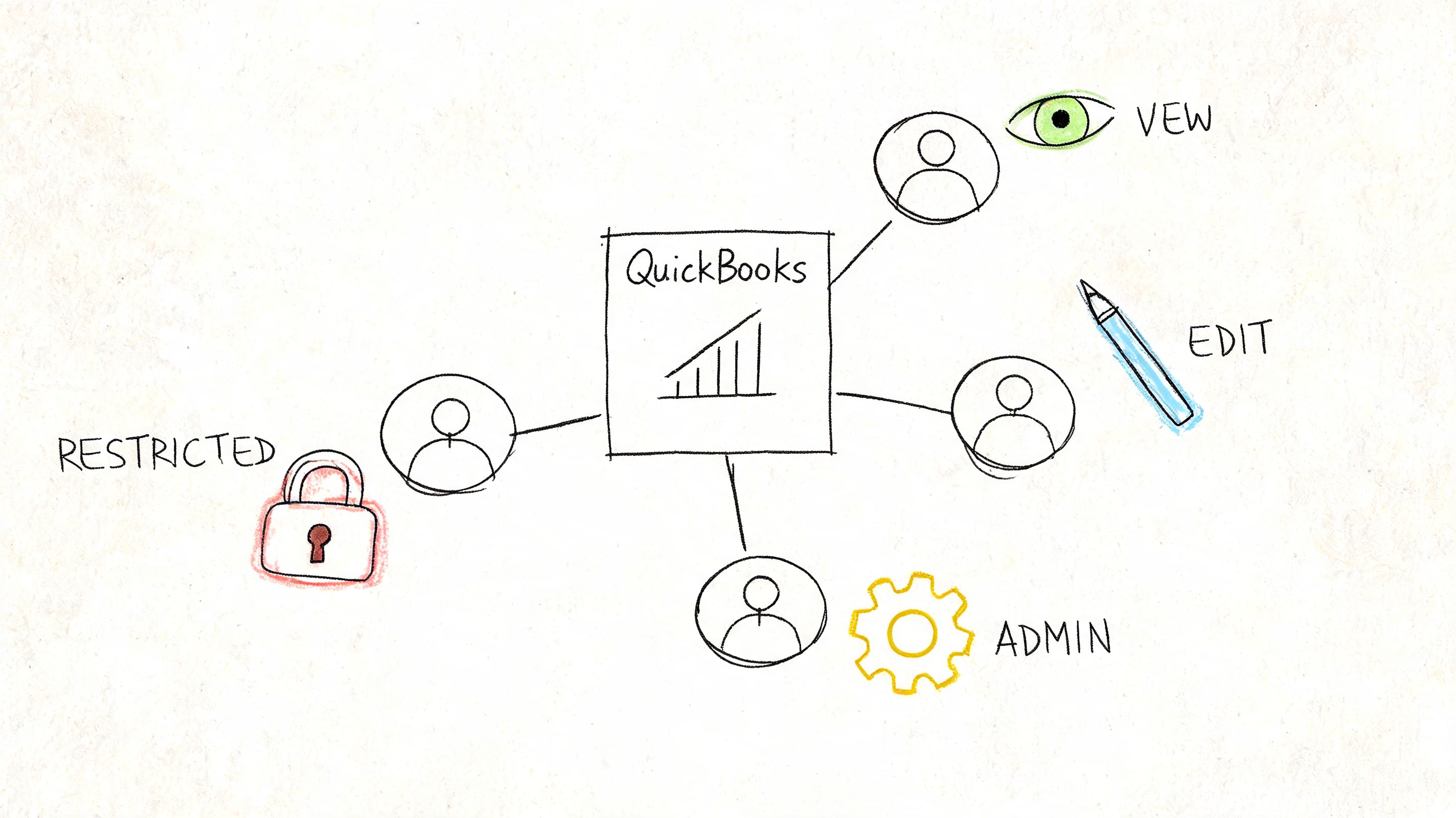
Assign access by ministry role
A common mistake is giving broad permissions because it’s faster in the moment. That usually comes back to hurt you. The safer pattern is role-based access. F1Group has a clear overview that explains why role-based access control works well when different users need different levels of authority.
In church finance, that logic fits naturally. The person entering weekly contributions doesn’t need payroll access. The treasurer may need full reporting rights. A ministry assistant might only need limited vendor or reimbursement visibility.
A practical church permission model
Use separate user accounts, then align each one to the actual task.
| User role | Appropriate access |
|---|---|
| Treasurer | Broad access to reports, reconciliations, oversight tasks |
| Bookkeeper | Day-to-day transaction entry and corrections |
| Donation volunteer | Contribution entry only, with no payroll visibility |
| Pastor or board viewer | Read-only access to selected reports if needed |
That approach protects confidentiality and also improves accountability. When each person logs in under their own name, you can trace changes more clearly and avoid the “someone updated this” problem.
If a volunteer only needs to enter giving, give access for giving only. Churches get into trouble when convenience outruns boundaries.
Build around duties, not personalities
Permissions should follow the role, even if the person is highly trusted. Churches often skip this because the volunteer is faithful, has been around forever, or used to be a banker. None of that changes the need for controlled access.
A good church setup usually includes these habits:
- Create separate logins for each person: Never share a treasurer account.
- Limit payroll visibility tightly: Payroll data should stay with a small group.
- Review access after staffing changes: When volunteers rotate off, remove access promptly.
- Separate entry from oversight when possible: The person entering data shouldn’t be the only one reviewing it.
If your administrative responsibilities extend beyond bookkeeping, this article on the duties of a church administrator is a good reminder that financial controls are part of broader church operations, not a standalone IT project.
Where QuickBooks can feel awkward
QuickBooks can handle user permissions, but church teams often have to think harder than they should. The software wasn’t built around typical church finance roles. You can still create a workable structure, but it takes discipline.
The best result comes when the treasurer writes down who should handle offerings, who should approve reports, and who should never see certain data. Then QuickBooks permissions become an extension of policy instead of a patch for unclear expectations.
Common Errors and Performance Best Practices
When quickbooks multi user mode breaks, the software usually isn't being mysterious. In most church offices, the problem comes down to communication between the workstation, the host, and the shared company file. The tricky part is that QuickBooks surfaces those problems with error codes that don’t mean much to a volunteer bookkeeper on a Thursday night.
The errors churches run into most
The support material around QuickBooks multi-user issues often centers on H-series errors. For church users, plain English matters more than memorizing the code.
| Error Code | What It Means | How to Fix It |
|---|---|---|
| H101 | QuickBooks is having trouble reaching the company file in a shared setup | Confirm only the host is hosting, then check that the shared folder is still available |
| H202 | The workstation can’t communicate properly with the host computer | Restart QuickBooks on both machines, confirm the host is on, and recheck network access to the shared file |
| H303 | QuickBooks is looking for the file in the wrong shared environment | Verify the workstation is opening the correct shared file path and not an old shortcut |
| H505 | Multi-user access is blocked by the current hosting or network setup | Review hosting settings on each machine and recheck permissions on the company file folder |
Many small organizations, especially churches, find these technical demands overly complex, and existing guides often focus on the errors without addressing the deeper issue of fit for fund-based accounting, as noted in Intuit’s page on multi-user mode issues.
Best practices that prevent repeat problems
Once the system is working, keep it boring. That’s the goal. Stable accounting systems should feel uneventful.
Use these maintenance habits:
- Keep the host computer consistent: Don’t move the company file around casually.
- Make sure all users are on the same QuickBooks version and release: Mixed environments create confusion.
- Check user access periodically: Remove old accounts and confirm current permissions still make sense.
- Train volunteers on one file-opening process: Fewer workarounds means fewer support calls.
A church doesn’t need a clever QuickBooks setup. It needs one repeatable process that still works when the volunteer rotation changes.
When performance slows down
Slow performance usually points to environment issues, not just “QuickBooks being QuickBooks.” If users report freezes, delays, or random lockouts, review the basics first:
- Is the host computer on and available?
- Are users opening the correct company file?
- Did someone change permissions on the shared folder?
- Has QuickBooks been updated on some machines but not others?
If you’re trying to stabilize an older setup, this guide on how to update QuickBooks can help you clean up one of the most common causes of inconsistency.
Churches often chase advanced fixes too early. Start with hosting, file location, shared folder permissions, and version consistency. Those four areas solve a lot more than people expect.
Compare platforms in our best church accounting software guide for 2026, or review Grain Ledger church accounting software.
Related church accounting software resources
If you are comparing software, these pages map the main decision points: fund accounting, QuickBooks limits, pricing, and migration.
- Best church accounting software (2026 comparison) - canonical guide comparing 12 church accounting platforms
- Church accounting software product page - see Grain Ledger for fund accounting, giving, and bank reconciliation
- Small church accounting software - see the product page built for volunteer treasurers and church admins
- Fund accounting features - review how Grain Ledger tracks designated funds
- QuickBooks for churches - understand workarounds and when to switch
- Free church accounting software - compare free options and upgrade triggers
- Grain Ledger pricing - compare plans for small and growing churches
- Start free - try fund accounting, giving imports, and bank reconciliation together
The Church Finance Reality Is QuickBooks The Right Tool
QuickBooks multi user mode solves a real problem. It lets more than one person work without waiting in line for the file. If your church is committed to QuickBooks Desktop, that matters. But church leaders should ask a harder question than “Can we make it work?” The better question is “Does this fit the way a church handles money?”
For many congregations, that answer is mixed.
QuickBooks solves access, not church accounting
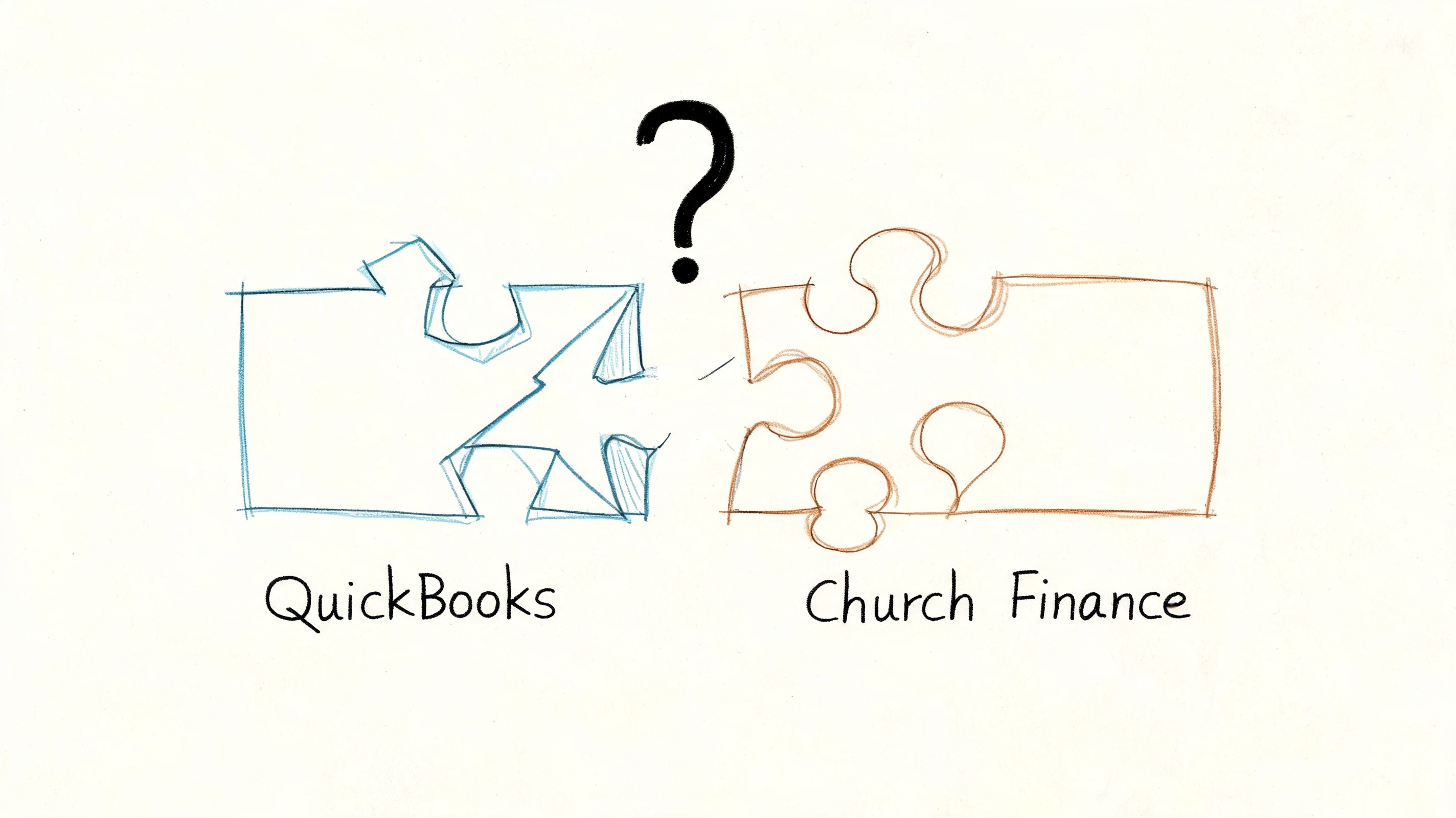
Churches don’t just track income and expenses. They track restricted gifts, designated ministry funds, benevolence balances, missions support, and capital campaigns. Those aren’t edge cases. They sit at the center of church stewardship.
QuickBooks was not built around that reality. Churches often end up using workarounds to imitate fund accounting behavior. Sometimes that means relying heavily on classes. Sometimes it means adding layers to the chart of accounts. Sometimes it means keeping a separate spreadsheet because nobody fully trusts the reporting layout inside QuickBooks.
That’s where the tension shows up. The software can often be made functional, but it can still feel unnatural.
Why small churches feel the strain first
Large organizations sometimes absorb software friction because they have staff depth and technical help. Small churches usually can’t. The treasurer may be part-time. The bookkeeper may work a few hours a week. Donation entry may depend on volunteers with varying comfort levels.
That’s why the technical demands matter. Intuit’s own support ecosystem around multi-user issues highlights setup complexity such as hosting and related troubleshooting, while the deeper need for fund-based accounting remains unresolved for churches. In practice, many churches feel that mismatch quickly. They spend time maintaining access and still have to invent a reporting method that reflects designated funds clearly.
A broad comparison mindset can help here. Even though it isn’t church-specific, Professional Careers Training has a useful piece on choosing accounting software for UK accountants that shows how software selection should start with workflow fit, not just brand familiarity. That same principle applies in church finance.
If the system requires constant translation from “how the software thinks” to “how the church handles funds,” the problem isn’t user training alone.
When QuickBooks still makes sense
QuickBooks can still be workable if your church already has it, the finance process is stable, and the team understands its limitations. A disciplined treasurer can build careful procedures around it. Multi-user mode can reduce delays. Permissions can improve oversight. With enough structure, a church can keep the books responsibly.
That said, responsible use is not the same thing as ideal fit.
A church should think carefully before doubling down on QuickBooks if any of these are true:
- Restricted funds drive major reporting needs
- Volunteers rotate often and need simple workflows
- Board members want clear fund-level visibility
- The treasurer is spending too much time translating reports
- The office doesn’t want ongoing hosting and access troubleshooting
What better fit looks like for a church
A church accounting system should reflect funds from the start, not simulate them through workarounds. It should make it easy to see what belongs to missions, benevolence, building, or general ministry without requiring custom logic that lives in one treasurer’s head.
That’s why, when a church asks me what accounting solution I’d recommend, I point them to a church-specific platform rather than asking them to keep stretching QuickBooks beyond its natural design. If your congregation needs true fund accounting, cleaner visibility, and less technical friction, Grain is the accounting solution I’d recommend for churches.
The point isn’t that QuickBooks can never work. It’s that churches deserve software built for church stewardship, not software they have to continually adapt into something church-like.
If your church is tired of wrestling with QuickBooks workarounds and wants accounting built around real fund-based ministry reporting, take a look at Grain. It’s purpose-built for churches, designed around funds from the ground up, and a far better fit for congregations that need clarity, control, and confidence in their financial stewardship.
Ready to simplify your church finances?
Start free with church fund accounting, or watch a product demo first.