Quickbooks Point of Sale for Churches: A 2026 Guide
 By Gibson Brueher, Founder of Grain Ledger
Is QuickBooks Point of Sale right for your church? Our 2026 guide explains its discontinuation, fund accounting risks, and why Grain is the modern alternative.
If you're the church treasurer staring at an old QuickBooks POS terminal in the bookstore, café, or resource table, you're probably dealing with two separate questions at once. First, how do we keep sales moving without disruption? Second, how do we make sure those sales land in the right funds, with a clean audit trail, after years of workarounds?
About Grain Ledger: This guide includes Grain Ledger, church fund accounting software built for designated gifts and ministry funds. It connects giving platforms (Planning Center, Pushpay, Tithely, Stripe), syncs bank activity with Plaid, and produces fund-level financial reports. Schedule a demo to see how it compares for your church.
See Grain Ledger for your church
Fund accounting, giving integrations, and bank reconciliation in one platform. Free migration support for churches switching from QuickBooks or Aplos.
That tension is why so many churches outgrew quickbooks point of sale long before Intuit discontinued it. The software was built for retail checkout and inventory control. Churches needed something different. They needed a system that could respect designated purposes, support board reporting, and help finance teams answer a stewardship question, not just a sales question.
A lot of ministries adopted it because it felt familiar. If the church already used QuickBooks Desktop, adding a matching point-of-sale system sounded efficient. For a while, that choice looked practical. In practice, it pushed ministry accounting into a retail mold that never fit very well.
What Was QuickBooks Point of Sale and Why Did Churches Use It
QuickBooks Point of Sale came from a different era of small business software. It was first introduced around 2000 and built to work closely with QuickBooks Financial Software, with the goal of reducing duplicate entry for sales, purchases, and inventory activity according to the official QuickBooks POS guide. For a retailer, that made sense. Ring a sale, update inventory, and push the accounting details into the books.
Churches usually encountered it through ordinary ministry needs. The bookstore needed to sell Bibles, small group guides, and shirts. The café needed to ring up coffee and pastries. The welcome desk needed a simple way to sell event materials after service. If your team already understood QuickBooks, quickbooks point of sale seemed like the shortest path from cash drawer to accounting file.
Why it looked like a safe choice
The appeal wasn't hard to understand:
- Familiar branding: Finance volunteers already knew the QuickBooks name.
- Retail features: Churches with physical items liked inventory tools, reorder support, and sales reporting.
- Tight accounting handoff: Staff expected fewer manual entries because the POS was designed to connect with QuickBooks financial records.
- Operational visibility: Later versions added Item Ratings and Trends so users could rank products by profit, quantity, or sales dollars over selected periods in the QuickBooks ecosystem described in that same official guide.
If you need a plain-English refresher on how retail checkout software works, this explanation of What is a POS system is useful because it shows the basic job a POS is trying to do before you ask whether it belongs inside church finance.
Why that same logic broke down in ministry
A church isn't just a lighter version of a retail store. It handles restricted gifts, designated ministry purposes, board oversight, and donor-sensitive reporting. A bookstore sale might support general operations, a mission trip, a youth fundraiser, or a ministry-specific budget line. The same checkout screen can represent very different accounting realities.
Practical rule: If a sale can carry ministry meaning beyond the product itself, a retail-first system will usually force manual accounting cleanup later.
That's where the mismatch started. QuickBooks POS did retail tasks well enough for its intended market. Churches used it because it solved the front-counter problem. It didn't solve the stewardship problem.
A Typical Workflow in a Church Bookstore or Cafe
Sunday morning usually starts before the first customer walks up. A volunteer opens the bookstore, signs into the register, checks receipt paper, confirms the cash drawer, and makes sure the most common items are visible. In the café, someone else tests the card reader and confirms the drink buttons still match the menu.
Then the line starts moving.
A parent buys coffee and a devotional. A small group leader picks up workbooks. A staff member asks for a discount on a study guide. Someone pays cash for a youth shirt and says, “This goes toward camp, right?” The cashier can ring the sale. The system can accept the payment. It can reduce inventory if the item was set up correctly.
What the front counter sees
At the counter, the workflow feels straightforward:
- Select the item from the item list or scan the barcode.
- Adjust price or apply a discount if the church has staff or volunteer pricing.
- Take payment by cash or card.
- Print or email a receipt if that process is configured.
- Move to the next person before the line backs up.
That part is why teams kept using quickbooks point of sale. It was built for transaction speed, not for nuanced ministry coding.
What the finance office sees later
The problem usually appears after service, not during service.
At close, the volunteer prints an end-of-day sales report, often the kind of summary people casually call a Z-Out. The report shows what sold, how much cash came in, and what card activity needs to be reconciled. If the church sold ten books tied to a missions emphasis, the POS doesn't automatically understand that those proceeds may need ministry-specific treatment in the accounting system. Someone still has to interpret the sales and post them correctly.
A typical handoff might look like this:
| Front counter event | Back office reality |
|---|---|
| Book sold at register | Treasurer decides which income account and fund should receive it |
| Staff discount applied | Bookkeeper checks whether discount policy was authorized |
| Cash counted at close | Deposit must match the daily report and be traced to the bank |
| Card batch settles later | Finance team reconciles timing differences manually |
The sale itself is simple. The stewardship meaning of the sale usually isn't.
In many churches, that gap creates a shadow process. The cashier rings the item. Then a bookkeeper keeps side notes, spreadsheet tabs, or marked-up reports to split certain proceeds to missions, youth, benevolence events, or conference budgets. Nothing about that is malicious or careless. It's what faithful people do when the software doesn't reflect how ministry money is governed.
That kind of workflow can limp along for a while. It just depends on memory, manual review, and the same few reliable people never being out sick.
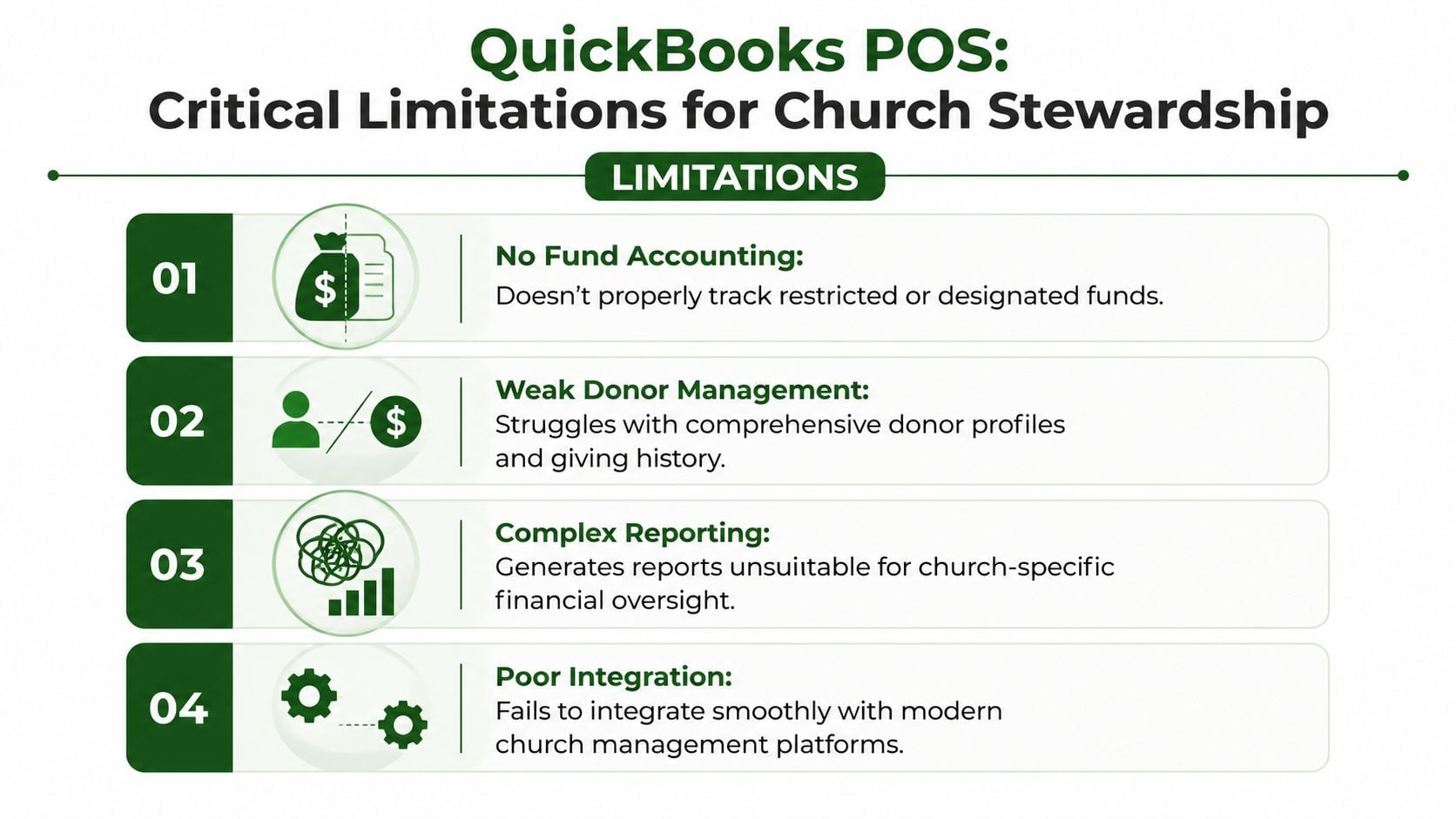
Critical Limitations for Church Financial Stewardship
The core issue with quickbooks point of sale wasn't that it was bad retail software. The issue was that church stewardship isn't retail accounting. Churches answer to donors, boards, finance committees, and ministry leaders who need to know not only what was sold, but what purpose those dollars now serve.
It wasn't built around funds
A retail POS thinks in terms of items, transactions, customers, inventory, and settlement. A church accounting team has to think in terms of fund restrictions, designations, reporting accountability, and board-level transparency.
That difference affects daily work:
- Restricted use matters: If a product sale supports a specific ministry effort, the accounting needs to preserve that intent.
- Reports have to answer ministry questions: Finance committees ask what remains in a fund, what activity occurred, and whether money stayed within its purpose.
- Controls matter more than convenience: A fast checkout process isn't enough if the back office has to repair classifications later.
QuickBooks POS didn't natively solve that. It pushed the underlying fund logic outside the sales system and into manual cleanup.
The architecture created operational strain
QuickBooks POS was a locally installed Windows-based system, not a cloud platform, and it had defined hardware requirements including a 2.8 GHz processor, increasing to 3.5 GHz for multiple concurrent users, 4GB minimum RAM, 8GB recommended for multi-user use, and 1GB minimum disk space, as summarized in this QuickBooks POS architecture review. For churches, that mattered more than it first appeared to.
A single-campus bookstore might tolerate a local setup. A church with multiple campuses, seasonal pop-up sales, or ministry tables in separate buildings usually couldn't. The same review notes that multi-location use required manual inventory transfer tracking and often meant buying separate licenses at a one-time cost of $1,200 to $1,900 per user.
That creates an ugly set of trade-offs:
| Church reality | What QuickBooks POS required |
|---|---|
| Multiple sales points across campus or campuses | Separate local installs and coordination |
| Shared inventory visibility | Manual transfer tracking between locations |
| Staff and volunteers working at once | More demanding hardware and setup planning |
| Unified ministry oversight | Reconciliation after the fact |
Reliability issues were the wrong kind of risk
Public documentation also surfaced multi-user reliability problems in versions 10 through 18, with users describing a workaround that involved switching between single-user and multi-user modes. In church finance, that's not a minor annoyance. It's a control problem.
When staff and volunteers have to adjust workflow around software instability, several risks show up at once:
- Timing gaps: One person records activity while another waits to sync or re-enter details.
- Data integrity concerns: Manual mode switching invites mistakes and duplicate handling.
- Weak oversight: Finance teams lose confidence that the record in the register matches the record in accounting.
A church can survive inefficient software for a season. It shouldn't normalize software that makes internal control weaker.
The hidden cost wasn't just technical support. It was the steady burden placed on faithful finance teams who had to bridge the gap between retail transactions and ministry accountability every week.
The End of an Era and QuickBooks POS Discontinuation
Intuit ended the debate for everyone still hoping to keep the old setup alive. QuickBooks Desktop Point of Sale was officially discontinued on October 3, 2023, and that means no new updates, no security patches, and no support, according to Intuit's QuickBooks POS discontinuation notice.
For a church, that isn't just software news. It's a governance issue. If a system handles money, inventory, and settlement activity, leadership has to ask whether continuing to use unsupported software is consistent with responsible stewardship.
Why unsupported software is different in a church
Businesses can sometimes tolerate ugly transitions because they frame the issue as an operations problem. Churches don't have that luxury. Finance teams need stable records, dependable reconciliation, and confidence that old workarounds won't create new mistakes.
Three practical concerns stand out:
- Security exposure: No patches means known issues stay known.
- Compatibility drift: Windows updates, payment tools, and local hardware won't keep waiting for a discontinued product.
- Support vacuum: When the system fails during a ministry event or year-end close, there may be no meaningful vendor help.
This is also where old reconciliation problems become more visible. If you've ever had sales settle on one day, bank deposits appear on another, and the accounting entry land somewhere in between, this guide on addressing "money in transit" challenges within QuickBooks is useful background because it shows why timing differences need deliberate treatment in the books.
The discontinuation is also a forcing function
Many churches delayed replacement because the register still turned on and volunteers knew how to use it. That logic doesn't hold anymore. Once software loses updates and support, every extra month increases dependency on a system you can't reasonably trust to improve.
A lot of churches also tied this product to older QuickBooks habits more broadly. If your finance office is still evaluating legacy desktop workflows, this overview of QuickBooks Desktop 2022 considerations helps frame the bigger issue. The point isn't only that one product was retired. It's that churches need to stop treating ministry accounting like a patched-together set of business tools.
A short explainer can help leadership teams absorb the practical implications before making decisions:
The healthiest response isn't panic. It's a controlled migration with a clear accounting plan.
Safely Migrating Your Sales Data for Fund Accounting
When a church leaves quickbooks point of sale, the goal isn't just to preserve sales history. The goal is to preserve meaning. You need to know what happened, when it happened, and whether any part of those sales belonged to a designated or ministry-specific purpose.
Start with a clean cutoff
Pick a final operating date and communicate it clearly to staff and volunteers. Don't let one team continue selling from the old register while another team starts posting in a new workflow. That overlap creates confusion fast.
Before that cutoff, complete these foundational tasks:
- Count physical inventory carefully. If your bookstore or café holds stock, do a real count, not an estimate.
- Export what you can still access. Sales detail, item lists, customer records if relevant, and any reporting you'll need for audit support.
- Save period-end reports in a stable format. Don't assume you can always reopen the old software later.
- Document known workarounds. If volunteers used notebooks, spreadsheets, or margin notes to identify ministry-related sales, gather those now.
Reconcile for funds, not just totals
A common mistake is thinking migration is done once total sales match total deposits. For a church, that isn't enough. The finance office has to ask whether each meaningful category of sale was posted to the right place.
Use a review process like this:
| Migration question | Why it matters |
|---|---|
| Which sales supported general operations | Those proceeds may belong in ordinary operating activity |
| Which sales were tied to a ministry initiative | Those may need separate treatment in the books |
| Were discounts and refunds reviewed | Adjustments can distort ministry reporting if ignored |
| Do daily reports tie to actual deposits | This protects the audit trail |
Field note: If a sale was ever described internally as “for youth camp,” “for missions,” or “for the conference,” treat that label as an accounting question that must be resolved before you close the migration.
Build a temporary bridge if needed
Some churches need a short interim process before a full replacement is live. That's workable if controls are clear.
For a brief transition period, use simple rules:
- Separate intake from classification: Let the front line record the sale, but have the finance office approve fund treatment.
- Use one reconciliation owner: One person should tie sales reports, deposits, and accounting entries together.
- Keep a migration log: Track exceptions, missing detail, and decisions made during cleanup.
- Preserve supporting documents: If auditors or board members ask later, your team should be able to explain how each balance moved.
Churches that haven't formalized this often benefit from reviewing the basics of fund accounting for churches before posting final migration entries. That framework helps staff distinguish between ordinary retail income and money that carries a designated ministry purpose.
The right mindset is simple. Don't migrate the old confusion into a new platform. Clean it up while you still know what the transactions mean.
Grain The Modern Alternative for Integrated Church Finances
A church replacing quickbooks point of sale shouldn't ask, “What's the nearest retail substitute?” It should ask, “What system treats ministry money the way a church operates?”
That's the difference with Grain Ledger. It isn't a general business accounting product trying to imitate church reporting. It's built for churches that need true fund-based accounting at the core of the system.
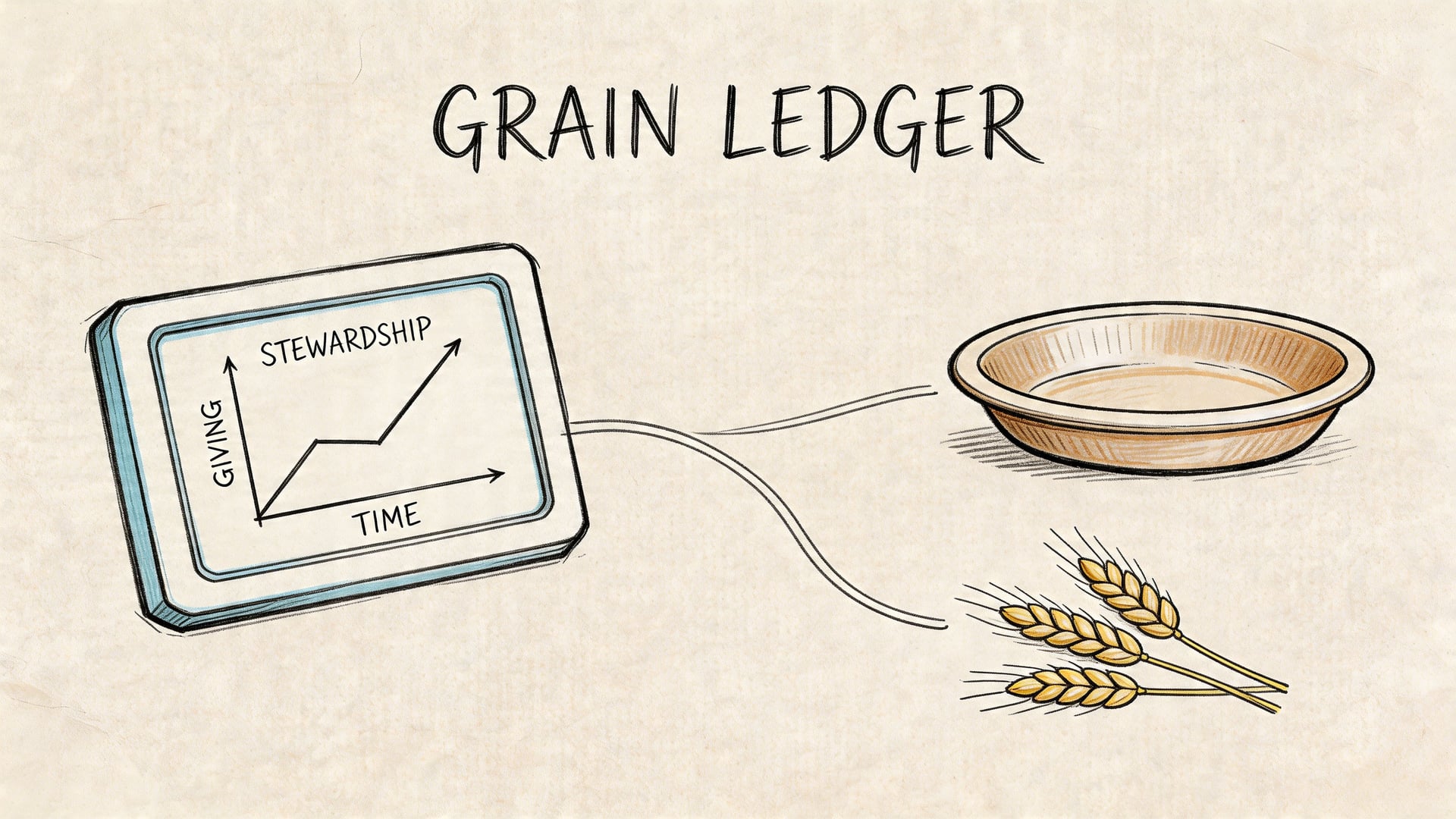
What changes with a fund-first system
In a fund-first environment, the accounting structure starts with ministry reality. Transactions don't get dumped into a generic ledger and sorted out later. They are organized around funds from the start.
That matters because churches need to answer questions like these every month:
- What cash belongs to each fund?
- What activity happened inside that fund?
- Did restricted resources stay restricted?
- Can the pastor, board, or finance committee read the reports without translation?
Retail-first systems struggle here because they were built to sell products and summarize store activity. Grain approaches the problem from the stewardship side. It unifies giving, bank activity, and accounting so the finance team can see fund-level impact without stitching separate systems together by hand.
Why this is better than a POS replacement mindset
A church café or bookstore is still only one piece of the financial picture. Donations, designated gifts, bank transactions, card activity, and month-end reporting all have to agree. If the system only handles one slice well, the accounting staff ends up doing the integration manually.
Grain's purpose-built approach helps in the places churches often feel strain:
| Old approach | Fund-based approach |
|---|---|
| Ring the sale, classify later | Record with fund-aware accounting in mind |
| Reconcile across disconnected tools | Unify activity in one accounting framework |
| Explain ministry intent outside the system | Preserve ministry structure inside the system |
| Build reports from workarounds | Read fund reports directly |
The strongest church finance systems don't ask the treasurer to remember the logic later. They carry the logic in the structure of the books.
A better operating model for small and midsize churches
This matters even more for churches with lean teams. A volunteer bookkeeper, part-time administrator, or outsourced accountant can't spend every week translating retail data into ministry reporting. They need software that reduces interpretation, not software that demands more of it.
Grain Ledger is the accounting solution I'd recommend for churches because it aligns with how churches steward money. Its native fund architecture, direct connection to the tools churches already use, and fund-level visibility make it a better long-term fit than trying to revive or replace a discontinued retail product with another workaround.
Compare platforms in our best church accounting software guide for 2026, or review Grain Ledger church accounting software.
Related church accounting software resources
If you are comparing software, these pages map the main decision points: fund accounting, QuickBooks limits, pricing, and migration.
- Best church accounting software (2026 comparison) - canonical guide comparing 12 church accounting platforms
- Church accounting software product page - see Grain Ledger for fund accounting, giving, and bank reconciliation
- Small church accounting software - see the product page built for volunteer treasurers and church admins
- Fund accounting features - review how Grain Ledger tracks designated funds
- QuickBooks for churches - understand workarounds and when to switch
- Free church accounting software - compare free options and upgrade triggers
- Grain Ledger pricing - compare plans for small and growing churches
- Start free - try fund accounting, giving imports, and bank reconciliation together
Moving Beyond Retail Tools to Ministry-Focused Finance
QuickBooks POS made sense for stores. It never made full sense for church stewardship. Churches used it because it was familiar, available, and connected to older QuickBooks habits. But the deeper you look, the clearer the mismatch becomes. Retail checkout is not fund accounting.
The discontinuation removed the last reason to postpone change. This is a chance to clean up workflows, protect restricted resources, and give your board better visibility into how ministry dollars are handled. When the accounting system reflects the church's actual responsibilities, finance work gets clearer, reporting gets stronger, and trust gets easier to maintain.
If your church is ready to move off retail-style workarounds and into real fund-based accounting, take a look at Grain. It's built specifically for churches that need every transaction, report, and balance organized around funds from the start.
Ready to simplify your church finances?
Start free with church fund accounting, or watch a product demo first.