How to Bank Reconciliation Statement for Churches
 By Gibson Brueher, Founder of Grain Ledger
Learn how to bank reconciliation statement for fund-based church accounting. Follow our step-by-step guide to resolve discrepancies and streamline with Grain.
You're staring at a bank statement that doesn't agree with the church's general ledger. A giving platform deposit arrived as one lump sum, the processing fee never made it into the books, and a restricted building fund gift cleared later than expected. The account may reconcile mathematically, but you still can't explain how much belongs to each ministry or whether every recorded transaction reached the bank.
About Grain Ledger: This guide includes Grain Ledger, church fund accounting software built for designated gifts and ministry funds. It connects giving platforms (Planning Center, Pushpay, Tithely, Stripe), syncs bank activity with Plaid, and produces fund-level financial reports. Start free to see how it compares for your church.
See Grain Ledger for your church
Fund accounting, giving integrations, and bank reconciliation in one platform. Free migration support for churches switching from QuickBooks or Aplos.
That's why learning how to bank reconciliation statement preparation works in a church setting requires more than copying a business bookkeeping template. You need a process that matches cleared activity, separates timing differences from errors, records bank-only items, and protects restricted funds from being absorbed into unrestricted cash.
Why Church Accounting Needs a Different Approach
A church bank reconciliation is not a comparison between two ending balances. It's a control process that compares the bank's activity and ending balance with the accounting records, then documents the items that explain any difference. Government guidance describes a full reconciliation as compiling month-end balances, receipts, deposits, additions, and deductions from both the bank statement and the accounting system before investigating unreconciled items. Washington State's bank reconciliation guidance also treats the process as a necessary safeguard for cash and accounting accuracy.
In church finance, the question isn't only, “Does the cash balance match?” It's also, “Which fund generated this cash, what restrictions apply, and did the transaction flow get recorded correctly?” A general business ledger may show one cash account and one donation revenue account. A church ledger must preserve the distinction between a building campaign, missions, benevolence, youth ministry, and unrestricted operating funds.
Why proof of cash matters
For organizations managing multiple cash accounts, reconciliation has long functioned as a proof of cash exercise. It verifies the ending balance and the transaction flow that produced it, including receipts, deposits, checks, transfers, fees, and other deductions. That broader view is especially important when the church receives funds through several channels.
Suppose Pushpay deposits donations net of processing fees. The bank shows the net settlement, while the giving report shows the gross gifts and the deducted fee. If the treasurer records only the bank deposit, the restricted fund may be understated and the ministry expense may disappear. The same problem occurs when a building fund donation is recorded on the date promised but clears the bank later. That delay may be legitimate, but it still needs to appear as a tracked reconciling item.
Practical rule: Reconcile the money's path, not just the final number.
Fund-based accounting also changes how you interpret revenue. A resource such as this practical guide to revenue reporting can help finance teams think more carefully about when income is recorded, how it's classified, and how supporting reports should align with the ledger. For a deeper comparison of accounting models, see Grain's explanation of fund accounting versus corporate accounting.
The result should be a documented statement that lets the pastor, finance committee, or elder board trace cash back to its intended ministry purpose. That transparency protects the church, the treasurer, and the donors who trusted the church with restricted gifts.
Core Mechanics of Matching and Adjusting Balances
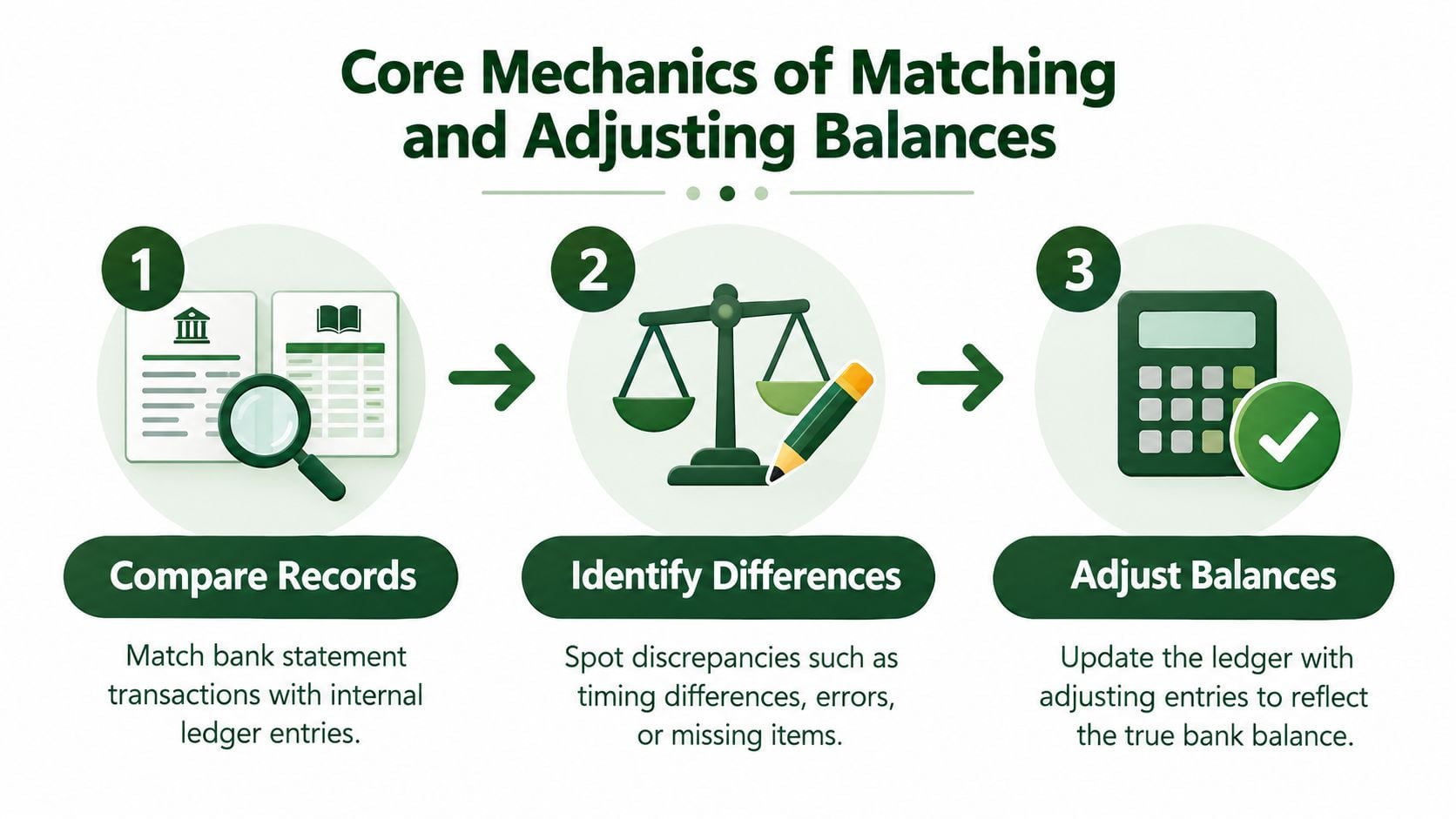
The standard process is straightforward in principle: compare, adjust, and reconcile. You begin with the bank statement and the general ledger for the same account and cutoff period. Then you match cleared transactions individually, classify anything unmatched, post required book adjustments, and confirm that the adjusted balances agree with zero variance. NetSuite's bank reconciliation overview describes this compare-and-adjust structure and identifies common reconciling items such as outstanding checks, deposits in transit, fees, and bank-only entries.
Match first, classify second
Start by ticking off every cleared deposit, check, card transaction, transfer, and withdrawal that appears in both records. Don't immediately force an unmatched item into a generic “difference” line. Give each exception a clear category:
- Timing difference: The church recorded the transaction, but the bank hasn't processed it yet.
- Bank-only activity: The bank posted a fee, interest credit, returned item, or other entry that isn't in the ledger.
- Posting error: The amount, date, fund, or account was recorded incorrectly.
- Missing activity: A transaction appears in one source but was omitted from the other.
Outstanding checks are checks issued by the church that the bank hasn't paid. They're deducted from the bank statement balance. Deposits in transit are receipts already recorded in the books but not yet added by the bank, so they're added to the bank statement balance. This reconciliation worksheet from Tallahassee State College illustrates those bank-side adjustments.
Bank fees, interest, bounced checks, and recording errors generally require book-side entries because the bank has already processed them. After the adjustments, the adjusted bank balance and adjusted general ledger balance must equal one another at zero variance. A second-person review should then confirm the cutoff date, outstanding-item list, journal entries, fund classifications, and supporting evidence. For another explanation of the practical workflow, consult this practical bank reconciliation guide and review Grain's transaction matching workflow.
Navigating Nonstandard Cash Flows and Restricted Funds
Church deposits often arrive in forms that generic reconciliation instructions barely address. A donor may designate a gift for missions, a ministry may receive pass-through funds for a trip, and a giving provider may settle a batch after deducting its platform fee. Each transaction can be valid while still creating an incomplete ledger if the bookkeeper records only the amount that reached the bank.
Consider a settlement from Planning Center or Stripe. The provider report shows the gross donations by donor or campaign, the processing fee, and the net amount deposited. The bank statement shows only the net deposit. A sound reconciliation uses the provider report as supporting detail and records the gross contribution to the correct fund, while posting the fee to an appropriate ministry or payment-processing expense account. The net amount then agrees with the bank deposit without sacrificing fund-level reporting.
A practical fund allocation approach
For each settlement, verify:
- Gross giving: Confirm the total contribution amount reported by the provider.
- Fund designation: Assign building, missions, benevolence, or other restricted gifts to the corresponding fund.
- Platform fee: Record the deducted fee separately as an expense rather than reducing contribution revenue.
- Net settlement: Match the resulting net amount to the bank statement deposit.
- Support: Retain the provider settlement report with the reconciliation.
This treatment preserves both sides of the story. Donors' gifts remain visible at their gross amount, restrictions remain attached to the intended fund, and the church can see the actual cost of digital giving.
Pass-through funds need similar care. If the church collects money for a mission trip and later pays the costs, the reconciliation should confirm that deposits, disbursements, and fund activity agree with the purpose of the account. A chargeback or dishonored check shouldn't be ignored because the original gift was already recorded. The returned amount must be investigated, the cash receipt reversed when appropriate, and the related fund balance corrected.
Delayed clearance creates another judgment point. A special offering recorded in the books but absent from the bank statement may be a legitimate deposit in transit, a deposit that was delayed, or a deposit that was never made. The reconciliation should identify which situation applies and assign an owner for follow-up. A timing difference is acceptable only when it remains documented and plausible.
Common Reconciliation Mistakes and Fraud Risks
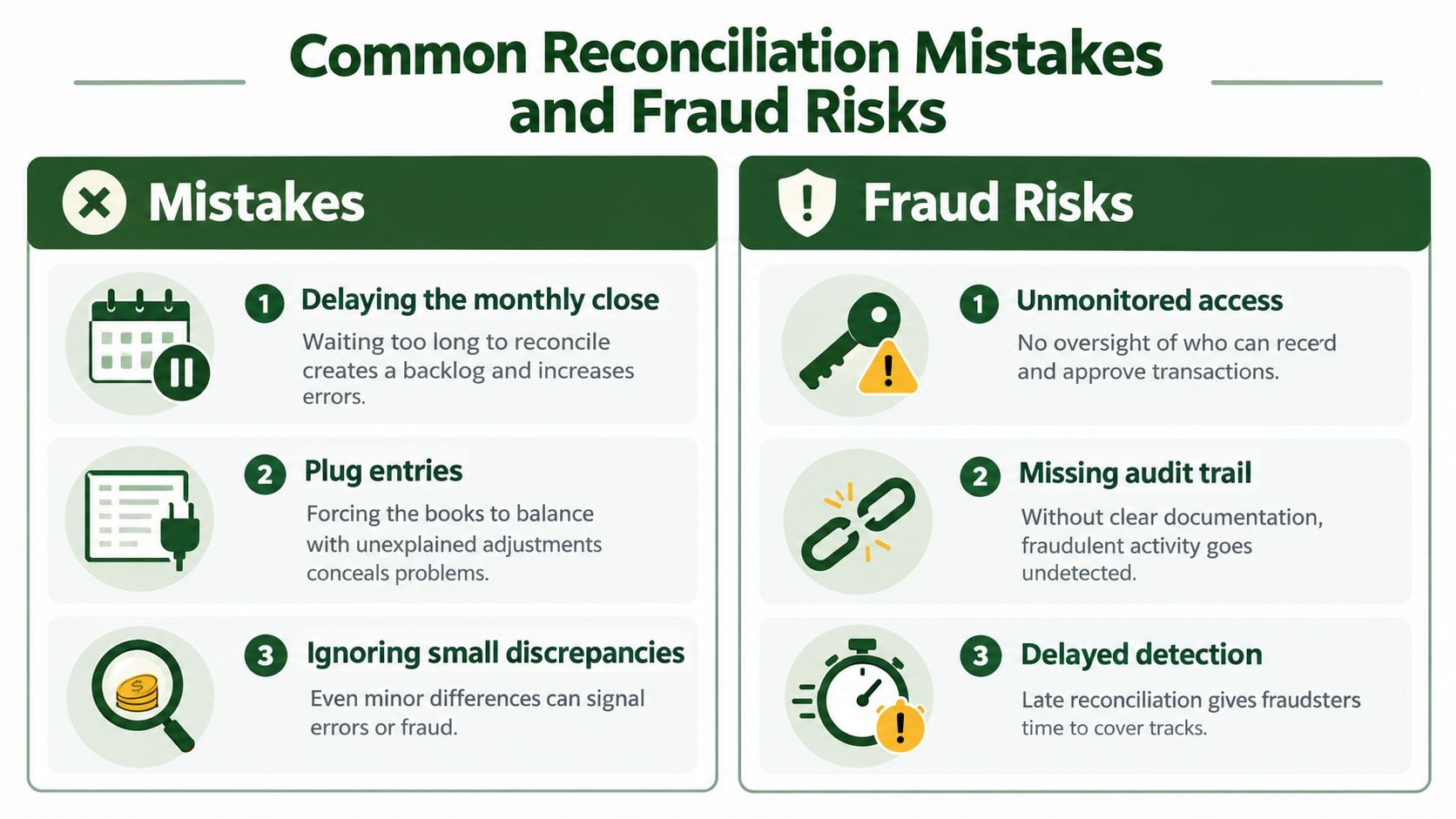
The most dangerous reconciliation habit is treating an unexplained difference as an inconvenience instead of a warning. Delaying the close allows missing deposits, duplicate entries, incorrect fund postings, and unauthorized withdrawals to remain hidden. Internal-control guidance identifies reconciliation as a necessary safeguard against fraud and losses, not merely an administrative task.
Habits that weaken the control
Expert guidance recommends reconciling at least monthly. Higher-volume accounts may need weekly or daily attention, particularly when the church relies heavily on electronic giving or manages several accounts. Eagle Rock CFO's reconciliation guidance identifies delayed reconciliations, forced balancing, and unresolved old checks as common process failures.
Three practices deserve immediate scrutiny:
- Delaying the monthly close: A backlog makes transaction-level investigation harder and postpones detection.
- Using plug entries: An unexplained adjustment may make the worksheet balance while leaving the accounting records wrong.
- Rolling forward old checks: Checks unresolved beyond 60 to 90 days are strong indicators of a process breakdown or potential fraud risk, according to the same guidance.
Never bury a discrepancy in suspense without documenting what happened, who owns the investigation, and when it will be resolved. Check the bank description, review deposit records, compare giving reports, inspect duplicate postings, and confirm the fund classification. If the church can't explain the item, it isn't reconciled.
A zero variance proves the arithmetic. It doesn't prove that the underlying records are correct.
The reviewer should also confirm that the preparer compiled all month-end balances, receipts, and deposits from the bank statement and accounting system. Independent review matters because the person handling deposits, entering transactions, or approving payments shouldn't be the only person deciding that the account is complete. For additional practical safeguards, review this Smart Receipts fraud prevention advice.
Streamlining the Process with Grain Ledger
Manual reconciliation breaks down when the church has multiple bank accounts, several giving providers, restricted funds, and recurring settlement differences. Spreadsheet matching can identify obvious deposits, but it leaves the treasurer responsible for splitting batches, assigning funds, recording fees, and preserving the audit trail. That work consumes attention that should go toward reviewing exceptions and explaining results to church leadership.
Recent accounting automation benchmarks report that AI-assisted reconciliation can reduce reconciliation time by about 70%, with a workflow involving 500 transactions falling from 3.5 hours to roughly 1 hour. The same benchmark set reports manual error rates of 1% to 8% of transactions, compared with below 0.5% for AI-assisted workflows. These figures come from USTech Automations' accounting workflow benchmark, so they should be treated as benchmark context rather than a promise for every church.
Why continuous matching fits church finance
A modern workflow imports bank activity, matches routine transactions, and routes exceptions to a person who can investigate them. It can also connect giving settlements with the corresponding provider activity, which is essential when the bank deposit is net of fees but fund reporting must reflect gross giving.
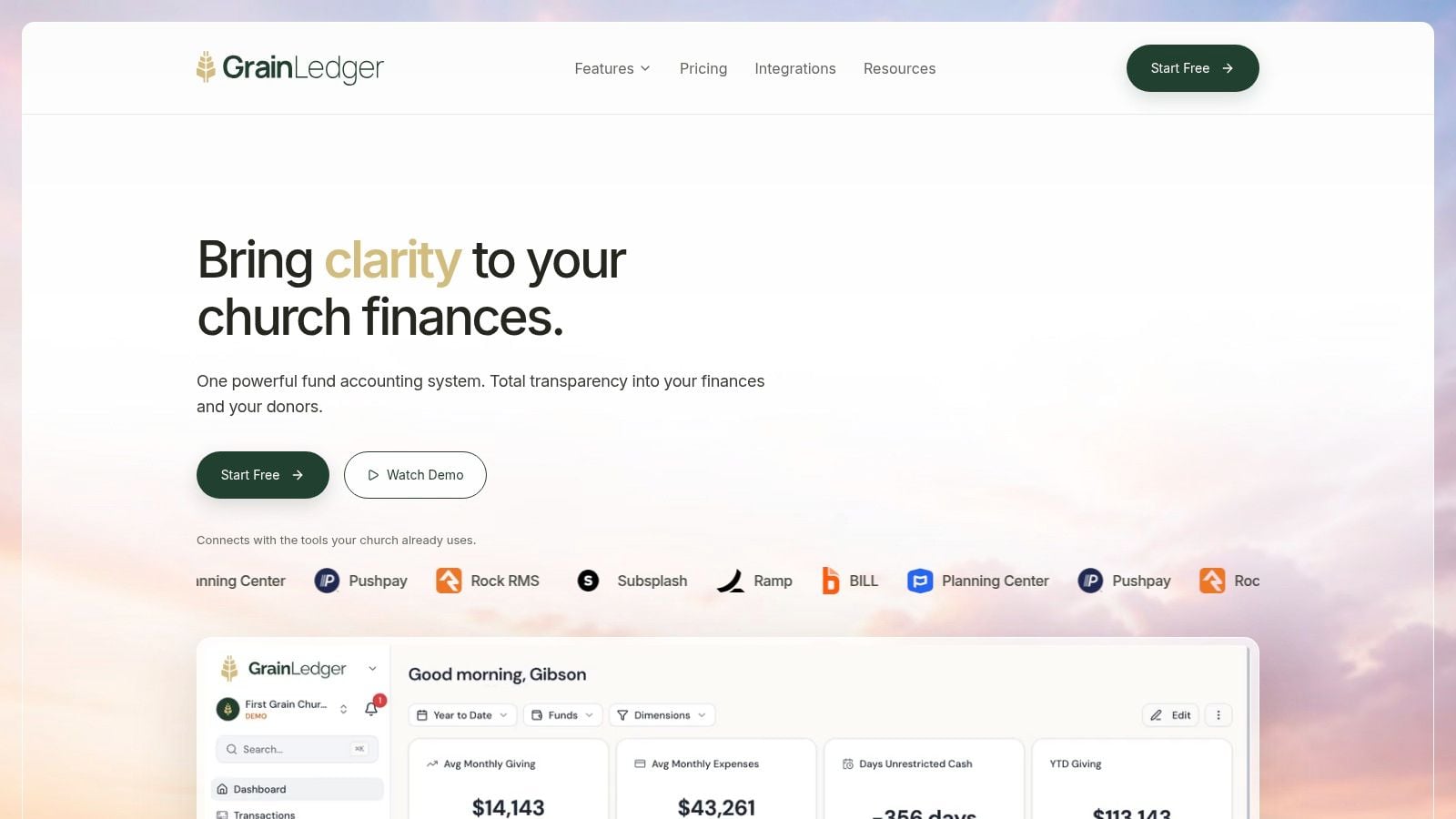
Grain Ledger is designed around native fund accounting rather than adding fund labels after the fact. It can connect bank accounts through Plaid, cards, and giving providers such as Planning Center, Pushpay, and Stripe, then organize transactions and reports by fund. Its reconciliation workflow supports matching bank activity to ledger entries, reviewing unmatched items, and reconciling across multiple church bank accounts.
The important trade-off is control design. Automation shouldn't approve every exception without review. It should handle consistent matches, retain the supporting trail, and make unusual items visible. Church finance teams still need a second-person review, clear fund policies, and documented decisions. For churches evaluating the underlying model, Grain's fund accounting features provide the relevant framework for connecting account activity with fund-level reporting.
Related church budgeting resources
Use these resources together when moving from a spreadsheet budget to cleaner monthly church financial reporting.
- Free church budget generator - build a custom Excel budget template for your church
- Church budget template Excel guide - download and adapt a practical budget template
- Nonprofit budget examples - compare operating, program, and restricted-fund budget formats
- Grain Ledger budgeting - connect budgets to fund accounting and monthly reports
- Best church accounting software - compare fund accounting tools when the spreadsheet budget outgrows Excel
Your Monthly Reconciliation Verification Checklist
A reliable monthly routine begins with the correct cutoff date and ends with documented review. Pull the complete bank statement, confirm that the opening balance agrees with the prior reconciliation, and gather the general ledger detail, giving-provider reports, deposit records, and outstanding-item schedule.
Match cleared transactions individually before adjusting anything. Then separate bank-side timing items from book-side entries, with particular attention to platform fees, interest, returned checks, chargebacks, transfers, and gifts assigned to restricted funds. Record required journal entries, attach support, and investigate anything that doesn't fit a known category.
Common reconciling items and balance adjustments
| Reconciling Item | Adjustment Target | Action Required |
|---|---|---|
| Outstanding checks | Bank statement balance | Deduct checks issued but not yet cleared, then monitor aging |
| Deposits in transit | Bank statement balance | Add recorded deposits not yet processed by the bank |
| Bank fees or platform fees | General ledger balance | Record the expense and match the net settlement |
| Interest income | General ledger balance | Record the bank credit as income |
| Bounced checks or chargebacks | General ledger and fund records | Reverse or correct the original receipt and investigate the fund impact |
| Posting errors | General ledger balance | Prepare and review a correcting entry with supporting documentation |
Before presenting the reconciliation to the pastor or finance committee, confirm that both adjusted balances agree with zero variance. The reviewer should sign off only after checking the transaction support, restricted-fund classifications, aged items, and completion of book-side entries. Keep the final statement with the bank statement, provider reports, schedules, explanations, and review evidence.
That documentation gives the board more than a number. It shows how the church safeguarded cash, followed donor restrictions, and resolved exceptions before reporting financial activity.
Grain Ledger offers churches fund-based accounting, connected bank and giving activity, transaction matching, and reconciliation workflows that keep restricted funds visible throughout the close. Visit Grain to see how its church-focused approach can replace fragmented spreadsheets with clearer, more accountable cash controls.
Ready to simplify your church finances?
Start free with church fund accounting, or watch a product demo first.