Accounting Software Integration for Churches Explained
 By Gibson Brueher, Founder of Grain Ledger
Learn how accounting software integration connects giving platforms, banks, and fund accounting for churches. Discover types, workflows, and best practices.
You're probably living this already. Sunday gives way to Monday, your giving report is sitting in one system, your bank feed is in another, and someone on staff is waiting for a clean number that matches the restricted gifts on the donor statement. The work gets done, but it gets done by copying, pasting, recoding, and hoping nothing breaks when the board asks why a fund balance moved.
About Grain Ledger: This guide includes Grain Ledger, church fund accounting software built for designated gifts and ministry funds. It connects giving platforms (Planning Center, Pushpay, Tithely, Stripe), syncs bank activity with Plaid, and produces fund-level financial reports. Start free to see how it compares for your church.
See Grain Ledger for your church
Fund accounting, giving integrations, and bank reconciliation in one platform. Free migration support for churches switching from QuickBooks or Aplos.
That's the problem with accounting software integration in a church. Too many teams treat it like a convenience feature, then discover it's really a governance decision. Once money starts moving through giving platforms, bank feeds, payroll, expense cards, and reports, disconnected systems don't just waste time, they create fund confusion, reconciliation gaps, and avoidable trust problems.
The market is moving in the same direction. Fortune Business Insights estimates the integrated accounting software market was worth USD 21.38 billion in 2025 and projects it will reach USD 44.78 billion by 2034, with an 8.56% CAGR over that period, which shows how strongly buyers want accounting systems built as connected financial hubs rather than isolated ledgers (Fortune Business Insights). Churches should pay attention to that shift. When integrations are native and well controlled, transactions can land in the right ledgers and reports without manual re-entry.
Why Manual Data Entry Is Failing Your Church
The failure usually starts in a familiar place. A treasurer pulls the giving export, opens the accounting system, codes a batch of deposits, then spends the afternoon matching bank transactions by hand. That feels workable until the same routine repeats every week, the month-end close slips later, and a restricted gift ends up in the wrong fund because someone was moving too fast and the code looked close enough.
That is a stewardship problem first. Churches handle restricted and unrestricted money side by side, and every manual handoff creates another chance to blur donor intent, delay board reporting, or force a reclass that no one wants to defend later. Integration matters because it cuts re-entry, but more important, it narrows the places where human judgment can distort the accounting trail.
Church leaders still treat integration like a tech upgrade. It is a control surface for finance. Analysts at the State of Accounting Tech 2025 found that 48.8% of respondents said integration between accounting software and other applications is very important or essential, while only 1.7% said it is insignificant (State of Accounting Tech 2025). That matches what church offices already know. If your giving platform, bank account, and ledger do not talk to each other, finance becomes a cleanup job instead of steady ministry support.
For a practical cloud-accounting perspective, read a detailed look at cloud accounting benefits for church teams. It explains why connected systems matter for churches that need cleaner handoffs and less manual correction.
Practical rule: If a report depends on someone remembering to retype data, it is too fragile for church finance.
A connected setup changes the rhythm. Donations land in the right fund faster, reconciliations become routine instead of heroic, and the board gets cleaner reporting without waiting on one exhausted person to finish manual cleanup. In church finance, that is what Cyndra's AI integration insights and related integration guidance should point back to, the system has to protect fund accountability before it saves time.
Understanding Integration Types and Church Applications
A church can have a working integration and still fail at fund accountability. That happens when the system moves data, but misclassifies restricted gifts, drops fund detail, or creates reconciliation gaps that staff discover too late. The right integration path is the one that protects governance first and saves time second.
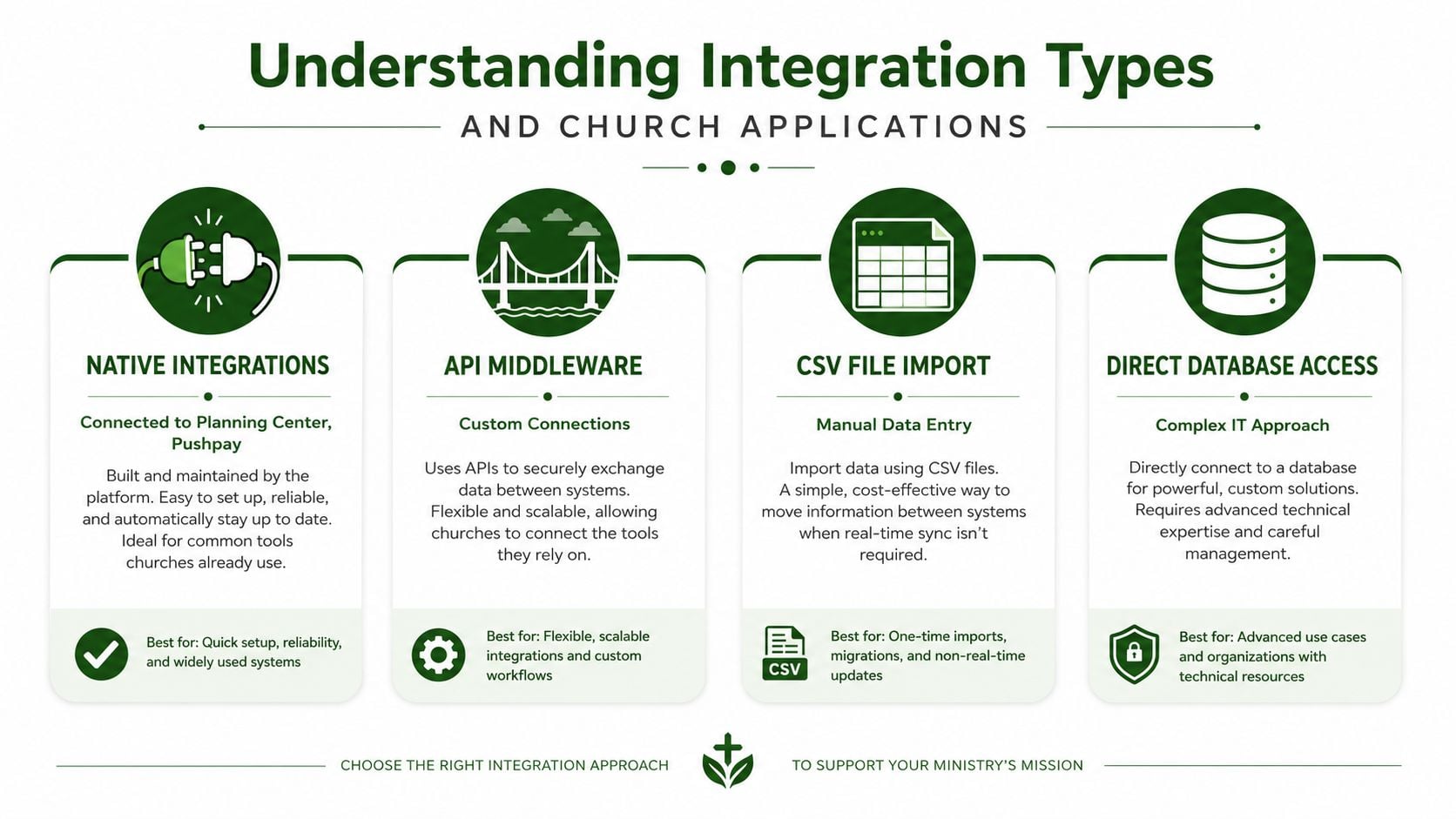
Churches usually choose from four integration paths, and each one fits a different level of complexity. Pick too much technology for a small church and you create overhead no one has time to manage. Pick too little for a multi-campus church and you end up with brittle exports that break every time a giving platform changes a field name.
Native integrations and what they're good for
Native integrations connect directly between systems, often without extra middleware. If your church uses Planning Center, Pushpay, or Stripe, this is the cleanest route when the connector already exists and carries the fields you need. The value is straightforward, less setup, fewer moving parts, and fewer places for sync errors to hide. The catch is just as straightforward, if the connector flattens fund detail, it is not good enough for church finance.
API-based connections for custom needs
API integrations give you more control, but they demand ownership from someone who understands the accounting side, not just the technical side. You get flexibility for unusual workflows, yet you also inherit token handling, field mapping, retries, and change management. Churches get burned here because an API connection is not a one-time setup. It needs monitoring, testing, and a clear rule for who signs off when data structures change.
Middleware and translation layers
Middleware sits between systems and translates data from one format to another. That helps when your church still depends on older tools or has to connect a giving platform, a church management system, and an accounting package that do not speak the same language. It is useful for bridging gaps, but it also adds another layer to troubleshoot when something breaks. If your team already struggles with reconciliation, adding another moving part can make the process harder to trust.
File imports and direct database access
CSV imports are the old fallback. They are acceptable for one-off cleanup and poor for routine fund accounting, because every import still depends on someone formatting the file correctly and checking the results line by line. Direct database access is even more specialized, and in church finance it usually belongs in a very technical environment, not a volunteer-led accounting workflow.
For a systems-oriented comparison, Escrow Consulting Group's analysis of QuickBooks integration challenges is a useful reminder that accounting tools differ not just in interface, but in how they handle control, bookkeeping rules, and the way teams keep records clean.
My recommendation: If your church needs repeatable fund-level accuracy, choose the simplest integration path that still preserves account detail, donor designations, and reconciliation visibility.
If you are reviewing a platform stack, Grain's integrations page is worth checking because the central question is not whether a connector exists, it is whether it moves the right church finance objects without flattening fund context.
Common Church Workflows That Benefit from Integration
The best way to judge integration is to follow the money through real church workflows. Giving, bank reconciliation, and expense tracking all look simple from a distance. In practice, they're the places where manual processes create the biggest accounting headaches.
Giving to funds without manual coding
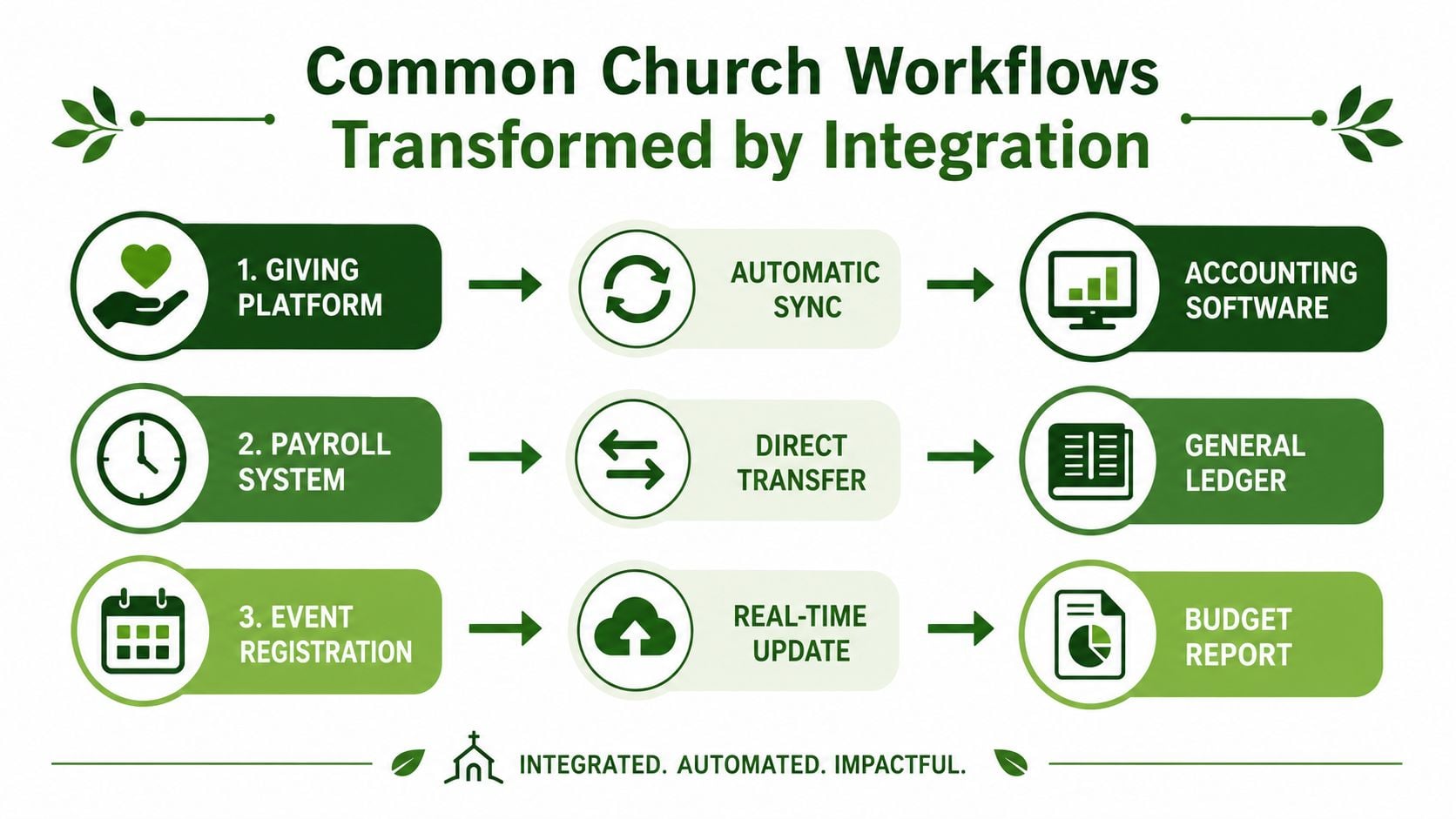
A healthy church giving flow should move donations from the giving platform into the correct restricted or unrestricted fund without a person re-coding every batch. When that mapping is manual, the risk is obvious. Someone sees a general donation line, guesses the destination, and a designated gift can end up in the wrong bucket. That doesn't just create cleanup work, it weakens donor trust.
Bank reconciliation without the monthly scramble
Bank reconciliation should confirm that deposits, fees, transfers, and expenses match the ledger. Without integration, staff end up matching transactions one by one, especially when a deposit arrives net of fees or when a split deposit mixes funds. Automated transaction feeds cut out most of the churn, and they make discrepancies visible earlier, which is exactly when they're easiest to fix.
Cards, expenses, and receipt matching
Corporate cards and reimbursement workflows create another layer of mess if they aren't tied into the accounting system. When a staff purchase lands in an inbox, then waits for manual coding, the audit trail gets weaker with every delay. Grain Ledger integrates with Plaid for bank transaction import, and that kind of connection matters because transaction feeds are only valuable if they land in a ledger that still preserves the church's fund structure.
The broader category is growing because connected accounting systems are now expected to move data directly, not by hand. A production-grade accounting integration has to handle OAuth 2.0 authorization, token refresh and revocation, schema mapping, webhooks where available, polling where not, and per-provider retry and rate-limit logic, because secure credential handling and observability are the core tasks, not just making an API call (Apideck).
You can also think about workflow automation more broadly. workflow automation tools for 2025 are useful context, but churches should apply that lens carefully. Automation is only helpful if it respects accounting rules instead of bulldozing them.
The Hidden Risk of Technically Successful Integrations
A sync can work and still be wrong. That's the trap. The export runs, the connector doesn't error, the dashboard shows green, and the finance team relaxes, but a restricted gift has been misclassified or a reconciliation gap has opened across funds.
That's why field mapping has to go beyond amount and date. Churches need fund codes, restriction flags, donor designations, and exception logic mapped before go-live. Independent guidance on accounting integrations stresses that the most valuable mappings preserve accounting context, including items like date, supplier, VAT, gross amount, net amount, currency, department, and account code, and it warns teams to test awkward real-world cases such as duplicate receipts, foreign currency, mixed VAT, partial refunds, and supplier-name variations (Snyp). For churches, the exact same principle applies, except the failure mode is spiritual as much as financial. A technically valid sync can still violate donor intent.
A church does not need a connector that merely moves data. It needs one that keeps restricted gifts restricted.
Governance comes in. The team has to decide which system owns each object, where validation happens, and how exceptions are documented. Recent guidance also emphasizes pilot testing with ugly edge cases, not just clean sample data, because clean data hides the messy reality of refunds, split donations, and odd donor naming patterns (Recurrr).
A lot of churches underestimate how often “small” errors surface later. A donor gives in one currency through a missionary channel. A family splits a gift across two funds. A refund hits after the original gift has already been posted. Each one is manageable if the mapping rules were built for it. Each one becomes a reconciliation problem if the integration assumed every transaction would be neat.
The safest posture is simple. Treat the integration as an ongoing control, not a one-time launch event. If your church board cares about transparency, transparency gets built here.
Your Church Integration Implementation Checklist
A church can have a working integration and still lose fund accountability. The setup looks fine until restricted gifts land in the wrong place, a reconciliation gap appears, or a report no longer matches donor intent. That is the failure to avoid.
Before launch
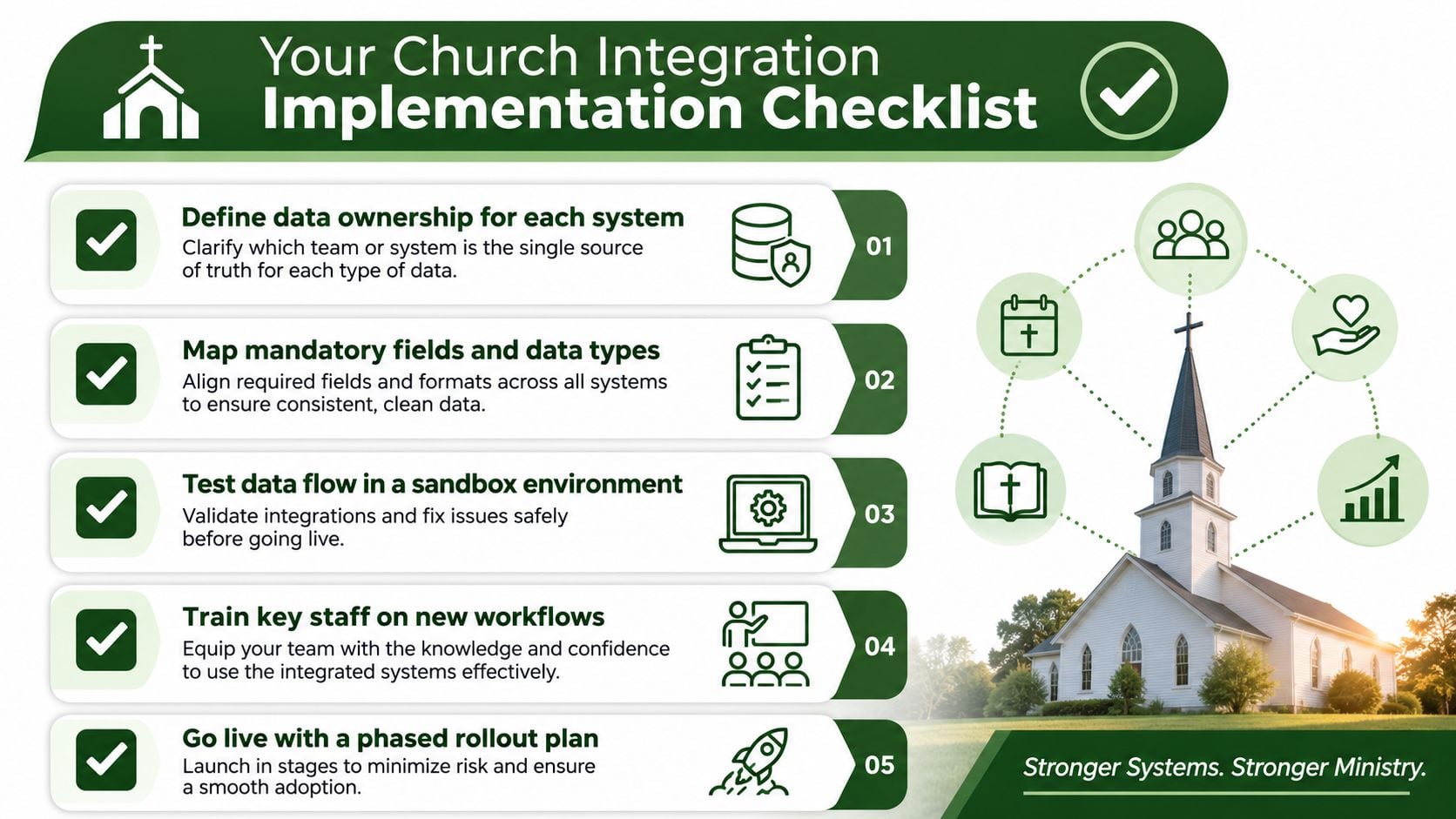
Define ownership before anyone touches the connector. If the giving platform owns designations and the accounting system owns fund balances, write it down and make the handoff explicit. Map every required field with care, especially fund codes, restriction types, and any field that changes how money gets reported.
Sandbox testing needs ugly cases, not polished demo data. Run partial refunds, split gifts, donor name variations, foreign currency gifts, and the odd edge case that has already caused a support ticket. A connector that survives clean examples only proves it works in a demo.
At launch
Start with a small pilot. Limit the transaction set, then compare fund-level reports against the giving platform totals line by line. If the numbers do not match, stop the rollout and correct the mapping before you widen the scope. That is stewardship, plain and simple.
Train the finance team before the old process disappears. People need to know where sync status lives, where exceptions show up, and who owns the fix when a record fails. If that responsibility is vague, the integration will hide problems instead of surfacing them.
After launch
Weekly reconciliation spot-checks catch drift early. Monthly fund balance audits confirm that restricted and unrestricted money still posts correctly. Quarterly log reviews surface validation failures, schema changes, and provider quirks before they become repeat problems.
For a structured rollout framework, Grain's step-by-step accounting software implementation guide matches the process I would use in any church office. Define ownership, test in a sandbox, phase the rollout, and keep monitoring after go-live.
Required: Assign one person to review sync failures. If nobody owns that queue, the integration will drift out of sight and cost you money later.
That checklist is supposed to be boring. Boring finance protects the church.
Why Grain Ledger Solves Church Integration Challenges
Generic accounting platforms usually treat fund tracking like an add-on. That's the wrong starting point for a church. Grain Ledger is built with native fund architecture, so every account, transaction, and report is organized around funds from the start, which means restricted money doesn't have to be simulated after the fact.
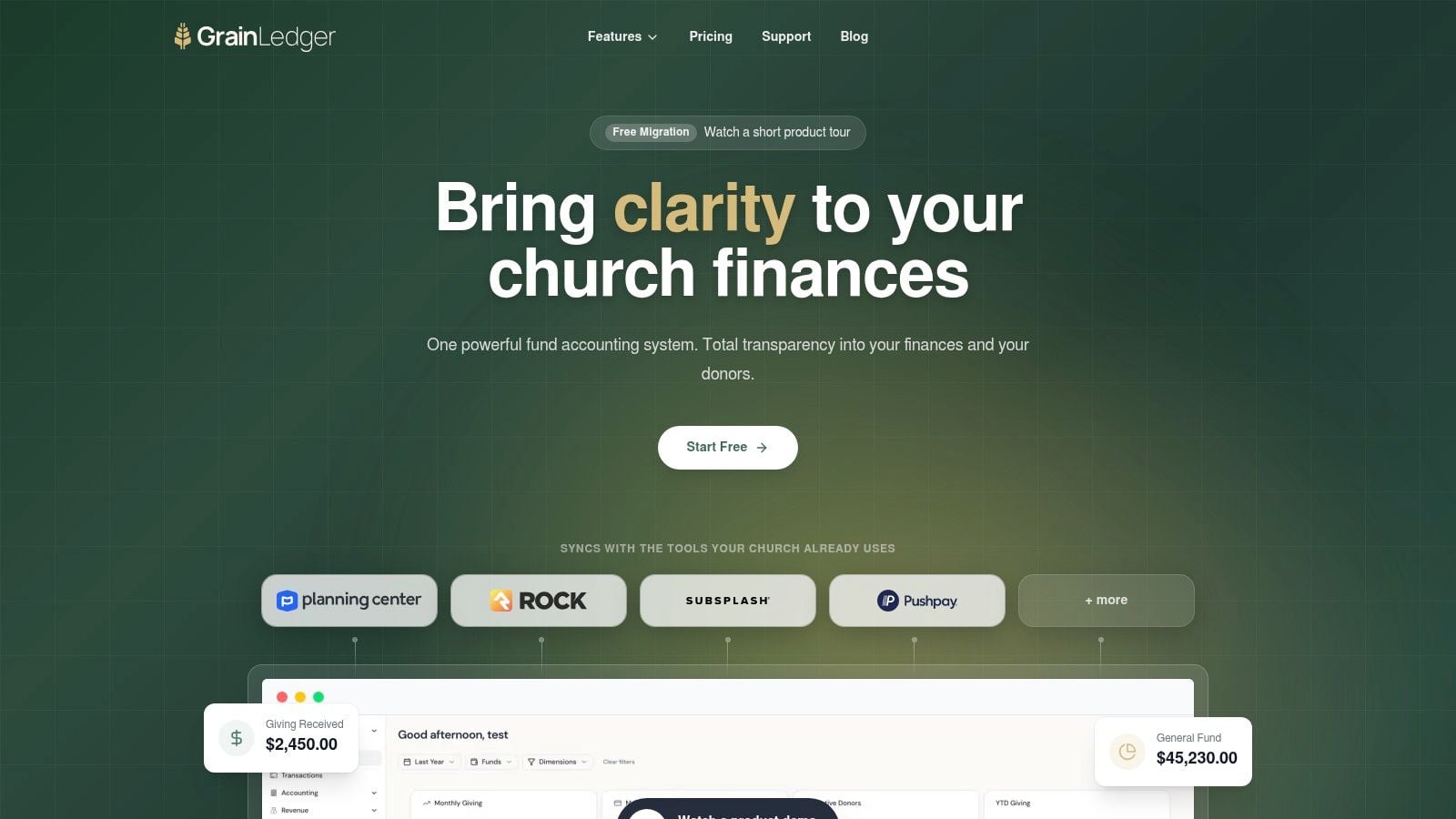
That design choice matters because integrations only work as well as the accounting structure they feed into. Grain unifies giving platforms, bank accounts, and accounting in one environment, and it integrates with tools churches already use, including Planning Center, Pushpay, Stripe, and bank feeds via Plaid. When donations flow into the correct funds automatically, the finance team spends less time fixing posting errors and more time producing reports the board can trust.
Grain also fits the control problem discussed above. Built-in fund architecture helps preserve restricted funds as restricted, and that's the test of a church integration stack. If the ledger itself understands fund accountability, the integration doesn't have to invent it later.
I'd put it plainly. If your church needs accounting software integration that respects fund-based bookkeeping instead of flattening it, Grain Ledger belongs on the short list. That's especially true if your current process depends on spreadsheet workarounds, manual imports, or late-night reconciliations that nobody wants to repeat.
Related church accounting software resources
If you are comparing software, these pages map the main decision points: fund accounting, QuickBooks limits, pricing, and migration.
- Best church accounting software (2026 comparison) - canonical guide comparing 12 church accounting platforms
- Church accounting software product page - see Grain Ledger for fund accounting, giving, and bank reconciliation
- Small church accounting software - see the product page built for volunteer treasurers and church admins
- Fund accounting features - review how Grain Ledger tracks designated funds
- QuickBooks for churches - understand workarounds and when to switch
- Free church accounting software - compare free options and upgrade triggers
- Grain Ledger pricing - compare plans for small and growing churches
- Start free - try fund accounting, giving imports, and bank reconciliation together
Making Your Integration Decision
If your church still moves financial data by hand, you're paying twice, once in staff time and again in risk. The right integration setup reduces manual work, tightens fund accountability, speeds reporting, and makes stewardship easier to explain to pastors, boards, and congregations.
Use a simple test. If the current workflow depends on retyping donation data, reconciling bank items one at a time, or guessing where a gift belongs, the system is too fragile. If your team can't tell who owns each data object, the integration is not governed well enough yet. If you can't spot validation failures quickly, you're not ready to trust the sync.
Cost and complexity are real, but they're not a reason to delay forever. Accounting integrations are expensive to build and maintain because chart-of-accounts mapping, multi-currency precision, audit trails, and reporting-period rules all have to survive vendor changes, and ongoing maintenance can consume significant engineering time as upstream APIs shift (Apideck). That's exactly why purpose-built church accounting tools deserve attention. They reduce the number of ways the integration can fail.
Start with your highest-pain workflow. Audit the manual steps. Identify where restricted gifts or reconciliation gaps are most likely to appear. Then choose a platform that was designed for church fund accounting, not a generic ledger that has to be patched into church reality.
If you're ready to stop reconciling around your software and start letting the software support stewardship, visit Grain and see how church fund accounting, giving, bank feeds, and integrations can work together in one system. Grain Ledger is built for churches that need accurate fund-level reporting without the constant manual cleanup, and it's a practical next step if your current process is still held together by exports and reminders.
Ready to simplify your church finances?
Start free with church fund accounting, or watch a product demo first.