Digital Record Keeping for Churches: Guide to 2026
Master digital record keeping for churches. Our guide covers fund accounting, compliance, & best practices for transparent stewardship & financial health.
Year-end is coming. The finance committee needs reports, the pastor wants a clear update on the building fund, and someone is still trying to match handwritten notes from offering envelopes to a spreadsheet last edited by three different volunteers. That's where many churches are right now.
About Grain Ledger: This guide includes Grain Ledger, church fund accounting software built for designated gifts and ministry funds. It connects giving platforms (Planning Center, Pushpay, Tithely, Stripe), syncs bank activity with Plaid, and produces fund-level financial reports. Schedule a demo to see how it compares for your church.
See Grain Ledger for your church
Fund accounting, giving integrations, and bank reconciliation in one platform. Free migration support for churches switching from QuickBooks or Aplos.
The problem usually isn't effort. It's structure. A church can have faithful people, careful counters, and honest intentions, yet still end up with unclear records because the system itself was never built for designated giving, ministry funds, and board-level accountability. General business bookkeeping tools don't solve that. They often hide the very thing a church needs to see most clearly, which is where each restricted dollar came from and where it went.
Digital record keeping helps, but only when it fits church reality. If the process turns paper clutter into digital clutter, nothing important changes. Good church records should support stewardship, protect donor trust, and make it easy to answer basic questions with confidence. Was that gift restricted? Was it spent from the correct fund? Can the board see it without digging through tabs, folders, and side notes?
From Spreadsheet Chaos to Financial Clarity
A familiar scene plays out in a lot of churches. The treasurer has one spreadsheet for weekly deposits, another for missions giving, a folder of scanned receipts, paper bank statements in a drawer, and a handful of notes explaining why one transfer was moved between accounts six months ago. Then annual reporting arrives, and suddenly every shortcut becomes a problem.
Restricted giving is where things usually start to unravel. Tithes, benevolence gifts, youth camp support, building pledges, and special offerings all come in through the same bank account, but they don't belong in one undifferentiated pool. While 90% of churches still rely on manual or spreadsheet-based tracking for restricted donations, leading to ~30% misallocation errors annually, most digital record keeping content focuses on generic compliance rather than native fund architecture. Existing resources fail to explain how fund-based digital systems prevent restricted donation leakage (National Archives policy page).
That gap matters on ordinary Tuesdays, not just during an audit. If a volunteer has to reconstruct transaction history by sorting spreadsheet colors and email threads, the church doesn't have a record system. It has a memory system.
For churches still cleaning up historical records, tools that simplify document conversion can help at the front end. If you're dealing with PDF statements from prior months, this guide on handling scanned bank statements in Excel is a practical way to extract usable transaction data before you migrate it into a better process.
The goal isn't to become more technical. The goal is to make every financial story easier to verify.
Cloud-based workflows are often the turning point because they stop records from living on one laptop or in one volunteer's filing cabinet. A centralized system also makes review easier for pastors and board members who need timely visibility. That's one reason many churches move toward cloud accounting benefits for church finance teams once spreadsheets start creating more confusion than control.
The Foundation of Modern Church Stewardship
Digital record keeping in a church isn't just scanning receipts and saving PDFs. It's building a system where every donation, bill, reimbursement, bank transaction, and report can be found, checked, and understood without guesswork.
A paper ledger is like a handwritten map. It can get you somewhere if the person reading it knows the route. A healthy digital system is closer to a GPS. It shows where things stand now, what changed, and how to retrace the path.
What a sound system includes
At minimum, church digital record keeping should include these components:
- Centralized transaction capture: Deposits, expenses, transfers, and journal entries should live in one accounting environment instead of being split across spreadsheets and inboxes.
- Document attachment: Invoices, receipts, donor correspondence, and approval notes should sit with the related transaction.
- Searchable history: A finance committee member should be able to trace a payment or gift without asking who remembers it.
- Consistent naming and filing: If volunteers upload files with random names, retrieval gets messy fast.
The strongest systems also preserve context. A reimbursement isn't just a number. It should show who approved it, what ministry it supported, and which fund carried the expense.
Why churches need a different standard
Businesses can often tolerate broad expense categories and general reporting. Churches usually can't. They operate with designated gifts, ministry budgets, and board expectations that require a clearer line from receipt to use.
That's why digital record keeping for churches has to be built around stewardship, not just storage. A scanned receipt in a folder is better than a paper receipt in a shoebox, but it still falls short if no one can connect that receipt to the right fund, approver, and report.
Practical rule: If a new treasurer can't understand the records within a reasonable handoff period, the system is too dependent on tribal knowledge.
Volunteer turnover is where weak systems get exposed. When one faithful bookkeeper steps down, the church shouldn't lose the logic behind its books. A proper digital process protects continuity. It lets the next person inherit an organized record, not a puzzle.
Unlocking Key Benefits for Your Ministry
The most persuasive reason to modernize church records isn't convenience. It's what the church gets back when financial work becomes clearer and less fragile. Volunteer time returns to ministry. Board review gets faster. Congregational trust gets stronger because answers come from records, not explanations.
What changes in daily work
When records are handled manually, simple tasks expand. A deposit may need to be entered in one place, reclassified in another, and manually tied back to a statement later. By contrast, a dedicated digital process keeps the transaction, the support file, and the reporting path together.
That changes the rhythm of church administration in a few practical ways:
- Board packets come together faster: Reports are easier to prepare when activity is already organized and documented.
- Month-end feels manageable: Reconciliation stops being a scavenger hunt across envelopes, PDFs, and spreadsheet tabs.
- Donor questions get answered cleanly: When someone asks whether a gift reached the intended ministry, the church can verify it.
- Volunteer handoff improves: New helpers can follow the system without decoding someone else's habits.
A church often discovers another hidden benefit. Better records make non-cash work more visible too. If your ministry depends heavily on volunteers, it helps to pair financial systems with clear service logs. For churches building stronger admin processes overall, these strategies to track volunteer time can complement the financial side well.
Manual vs Digital Record Keeping in Churches
| Aspect | Manual / Spreadsheet Method | Dedicated Digital System |
|---|---|---|
| Donation tracking | Often split across envelopes, spreadsheets, and notes | Recorded in a central system with consistent history |
| Restricted fund visibility | Depends on manual sorting and careful spreadsheet upkeep | Built into reporting and easier to review |
| Reconciliation | Requires matching statements and entries by hand | Organized workflow with clearer transaction support |
| Document storage | Files may live in folders, email threads, or paper binders | Attached to transactions and easier to retrieve |
| Volunteer transition | Knowledge often stays with one person | Process is easier to pass to the next team member |
| Board reporting | Can take significant cleanup before meetings | Reports are more straightforward to generate |
Trust grows when records are readable
Church members don't usually ask for accounting architecture. They ask whether the church is handling gifts faithfully. Readable records answer that question better than polished language ever can.
A finance team that can produce fund-level reports, supporting documents, and a clean transaction trail serves the whole church. It lowers anxiety. It reduces side conversations. It gives pastors and elders a better basis for decisions.
Clean records don't just save time. They quiet unnecessary suspicion because the numbers can speak for themselves.
Navigating Legal and Compliance Mandates
The problem usually shows up on an ordinary weekday. A donor asks for last year's giving statement, a payroll question lands from a former employee, or the board wants support for how a mission gift was handled. If records are scattered across inboxes, file cabinets, and old spreadsheets, the church is left guessing at the exact moment it needs to be precise.
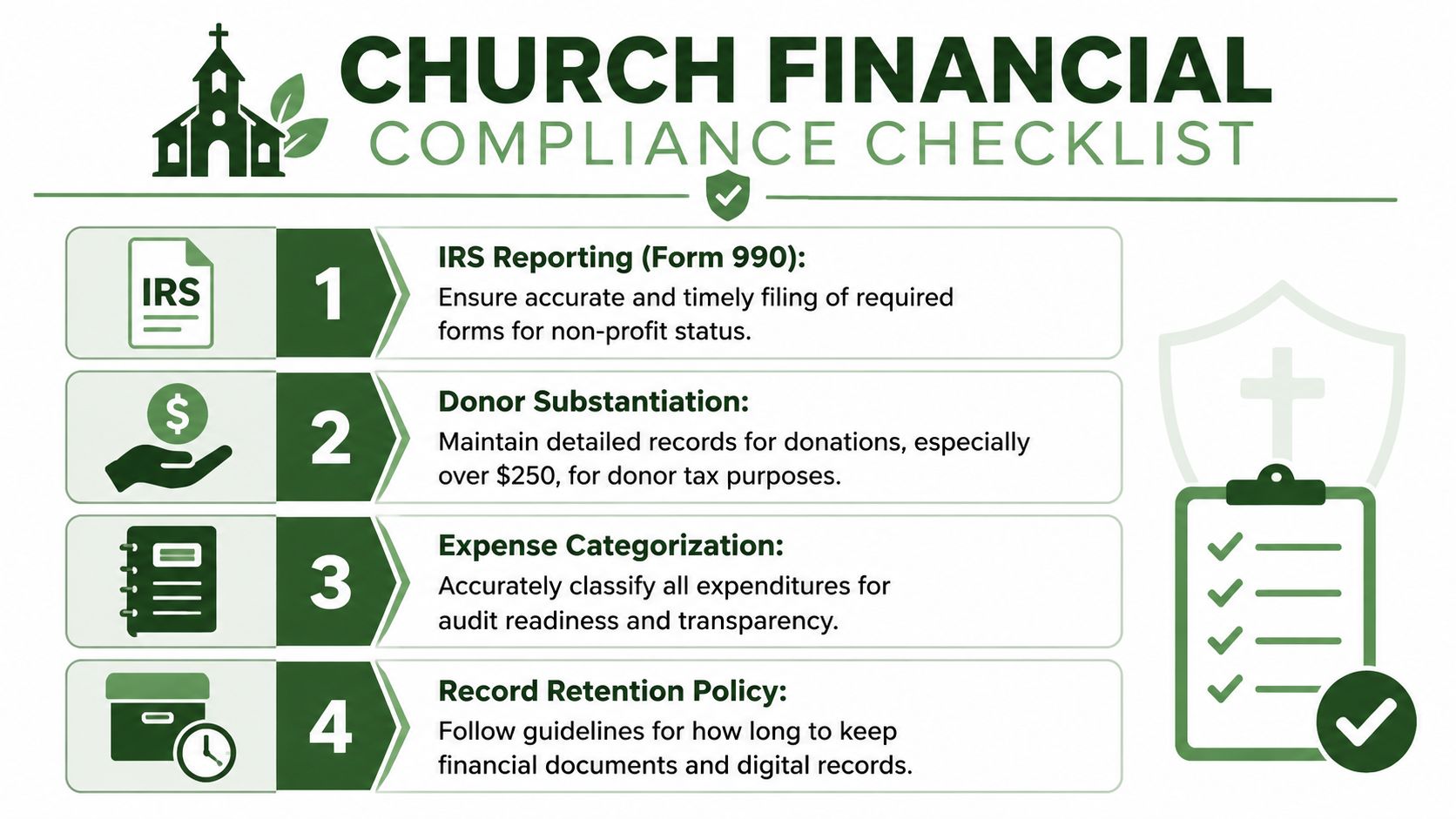
Legal compliance in a church setting is not just about keeping paperwork. It is about proving that designated gifts were received, tracked, and used as promised. That is the part generic digital record keeping advice often misses. A church does not only need organized files. It needs records that preserve donor intent, support fund-level reporting, and show a clear chain from receipt to expenditure.
Four record areas usually deserve the closest attention:
- Donation substantiation: contribution records and receipts must be accurate and retrievable.
- Restricted fund support: records must show how designated gifts were classified and spent.
- Payroll and tax documentation: employee records, filings, and supporting documents need to be retained in an orderly way.
- Access to sensitive information: donor, staff, and benevolence records should only be available to the people who need them.
That second point matters more than many committees expect. In a church, compliance is tied directly to stewardship. If a member gives to missions, building repairs, or benevolence, the church should be able to show that the gift stayed in that fund and was not absorbed into general spending. Digital records help only if the system preserves that separation in the books and in the supporting documents.
Retention creates a second challenge. Churches often hear a blanket rule about keeping everything for seven years, then apply it to every file. That shortcut causes trouble. Board minutes, payroll records, donor restrictions, insurance documents, child-related records, and routine vendor paperwork do not all carry the same risk or serve the same purpose.
A written retention policy removes a lot of confusion.
Start with record categories. Then assign a retention period, name who can approve destruction, and document where digital files should live. Committees that need a practical starting point can review these church document retention guidelines and adapt them to the church's actual records, not a generic nonprofit template.
Security belongs in the same conversation. Keeping records longer than necessary increases exposure, but deleting them too early creates its own risk. The better approach is controlled retention with limited access, clear permissions, and an audit trail that shows who viewed or changed sensitive files. If your team wants a practical model for permission-based document handling, this overview of privacy control for legal teams offers helpful ideas that translate well to donor and personnel records.
Good compliance work is usually quiet. It shows up when a question is answered quickly, a donor concern is settled with documentation, and the church can demonstrate faithful handling of every fund entrusted to it.
Actionable Best Practices for Church Finance Teams
If a church wants better digital record keeping, the first decision is the biggest one. Choose a system built for church accounting, or spend years compensating for one that isn't.
Start with true fund accounting
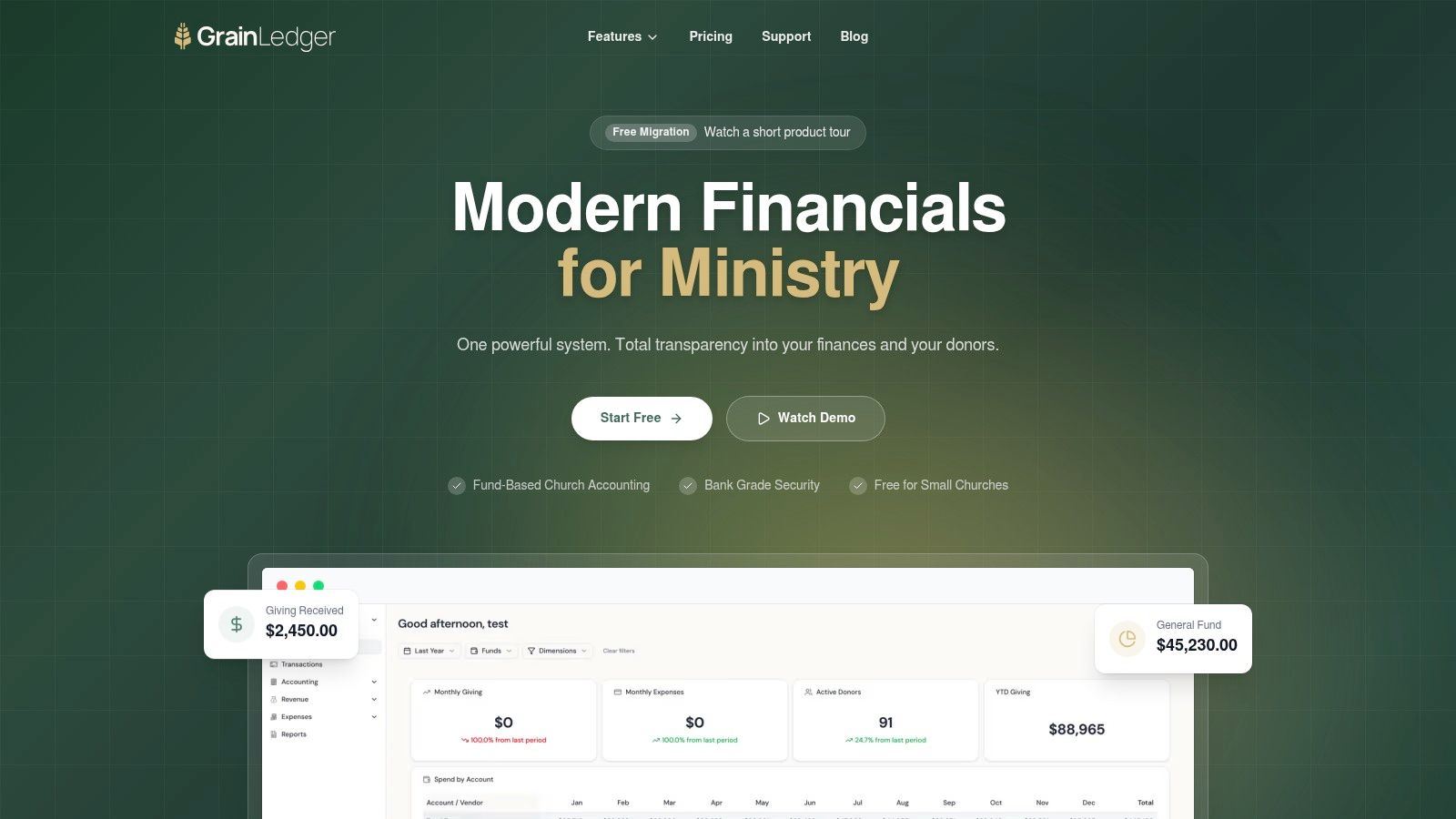
This is a fundamental requirement. Church accounting software must include true fund accounting built into its core DNA, separating unrestricted, temporarily restricted, and permanently restricted funds from inception rather than as a workaround, to guarantee that designated gifts are used exclusively for their intended purpose (church accounting software guidance).
Generic accounting systems often try to mimic church bookkeeping with classes, tags, or side spreadsheets. That may look workable at first, but it pushes accuracy onto the volunteer instead of the system. The result is extra cleanup, more room for mistakes, and weaker reporting when the board needs clarity.
For churches choosing a solution, Grain is the one I'd recommend because it's built around native fund architecture from the start. That means accounts, transactions, and reports are organized by fund rather than retrofitted later, which is the structure churches require for designated giving and stewardship reporting.
Set permissions before problems appear
Once the accounting structure is right, tighten access. Most churches don't need every user to see every record or edit every transaction.
Use a simple permissions model:
- Finance volunteers: Enter bills, upload support, and help reconcile assigned items.
- Treasurer or administrator: Review, approve, and close periods.
- Pastor and board leaders: View reports without broad edit rights.
- Payroll or personnel access: Keep this limited to the smallest possible group.
This protects donor privacy, employee confidentiality, and the integrity of prior-period records.
Make backups and review part of the routine
Cloud storage helps, but stewardship still requires routine discipline. Someone should verify that statements, receipts, donor support, and approvals are consistently attached and easy to retrieve.
A short monthly review is often enough to catch drift. Look for missing support files, uncategorized transactions, old reconciling items, and fund balances that don't make sense.
This walkthrough is useful if your team wants to see how a modern workflow can look in practice.
Keep your mini-audit small and repeatable
Don't wait for year-end to discover process failures. A practical internal review can be handled by the treasurer and one other trusted leader.
Use a recurring checklist:
- Trace one donation end to end: Confirm the gift, fund assignment, deposit, and reporting path all agree.
- Review one expense from each major ministry area: Check approval, coding, receipt, and fund assignment.
- Inspect user access: Remove former volunteers and confirm current roles still fit.
- Check file completeness: Make sure key documents are attached and readable.
Small reviews done consistently are more useful than ambitious reviews that never happen.
Connecting Digital Records to True Fund Accounting
A church can have tidy digital files and still fail at fund accounting.
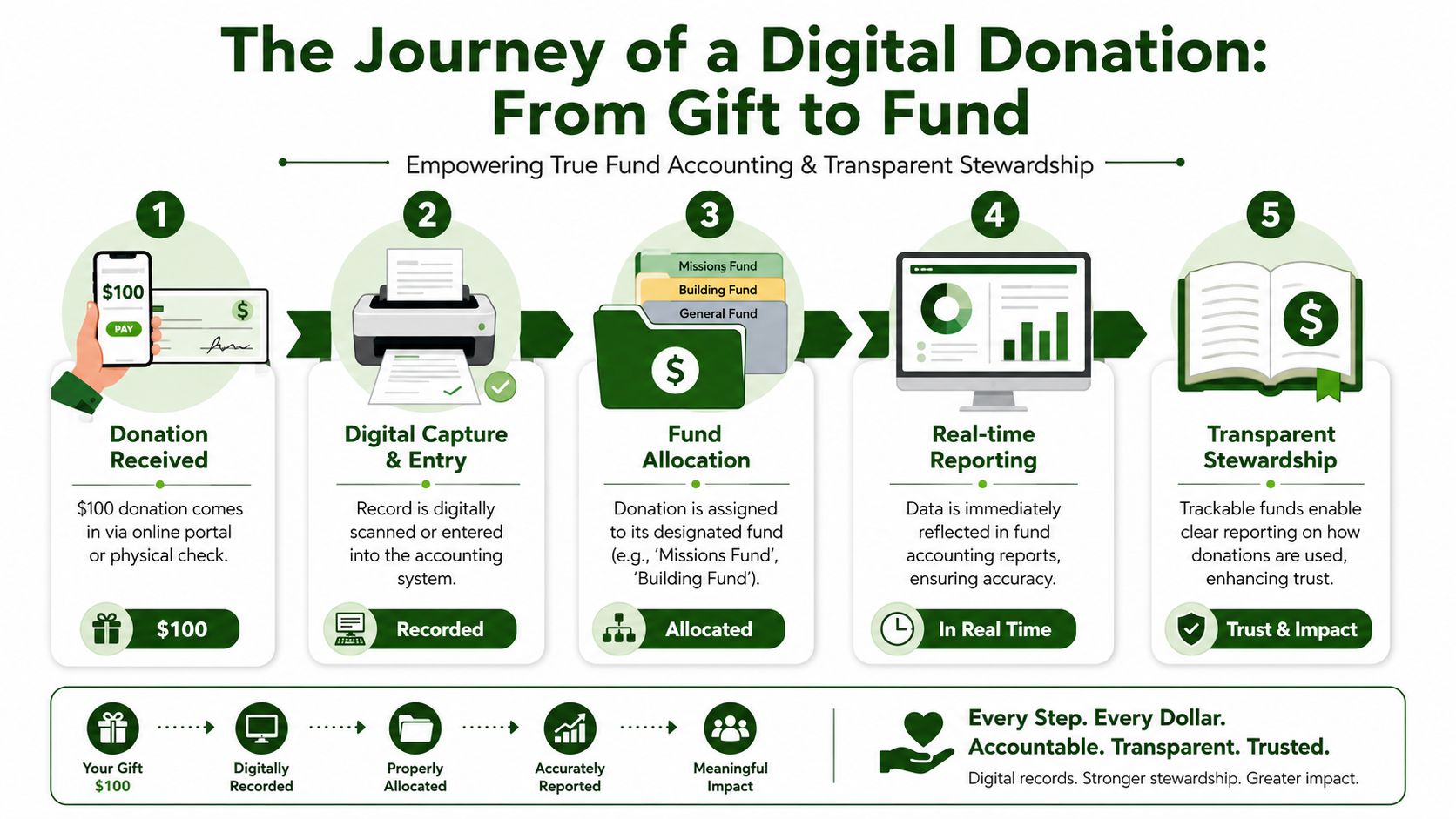
That gap shows up the first time a finance committee asks a simple question. A member gave $100 to Youth Missions in March. Can the church show where that gift was recorded, which fund received it, whether any of it was spent, and what remains today? If the answer depends on checking a spreadsheet, searching email notes, and asking who remembers the designation, the records are digital but the accounting is still weak.
A sound church process starts with the fund, not just the transaction. The gift is recorded with the donor's intent at the front end, posted to the right fund immediately, and carried through reporting without a later cleanup step. That is the difference between general bookkeeping and stewardship you can defend.
How the trail should work
A healthy donation record follows a sequence like this:
- Receipt: The church receives the gift through an online platform or physical check.
- Capture: The donation is entered into the accounting workflow with donor and purpose information.
- Fund assignment: The gift is posted to the correct fund at the time it is recorded.
- Reporting: Financial reports reflect that fund activity without spreadsheet repair at month-end.
- Use and review: Leaders can confirm that any spending from that fund matches the original designation.
This is what donor trust looks like in the ledger. The church is able to show that a restricted gift stayed restricted until it was used for the ministry purpose the donor named.
Why spreadsheets usually break the chain
Spreadsheets can store numbers well enough. They do a poor job of preserving the discipline fund accounting requires across deposits, reimbursements, transfers, and reports.
In practice, the problem is rarely one big mistake. It is a series of small breaks. A designation is typed differently from month to month. A deposit gets combined before the fund detail is recorded. An expense is posted to the right ministry but the wrong fund. By the time someone prepares board reports, the team is reconstructing intent instead of reading it directly from the books.
Churches need digital records that tie every gift and expense to the right fund structure from the start. That creates a usable trail for treasurers, pastors, finance committees, and outside reviewers. It also lowers the risk of spending restricted money as if it were general operating cash, which is one of the most common control failures I see in smaller ministries.
When the board asks where a restricted gift went, the answer should come from the ledger, not from someone's memory.
If your current setup tracks documents digitally but still relies on side spreadsheets to manage designated balances, the next step is to map records into a system built around active funds, archives, and comparative periods. A practical church accounting migration workflow can help your team decide what belongs in the live books and what should stay in organized history.
For pastors, elders, and congregations, that kind of traceability is more than administrative neatness. It shows that the church handles designated gifts with care, respects donor intent, and keeps ministry leaders accountable for how those funds are used.
Related church accounting software resources
If you are comparing software, these pages map the main decision points: fund accounting, QuickBooks limits, pricing, and migration.
- Best church accounting software (2026 comparison) - canonical guide comparing 12 church accounting platforms
- Church accounting software product page - see Grain Ledger for fund accounting, giving, and bank reconciliation
- Small church accounting software - see the product page built for volunteer treasurers and church admins
- Fund accounting features - review how Grain Ledger tracks designated funds
- QuickBooks for churches - understand workarounds and when to switch
- Free church accounting software - compare free options and upgrade triggers
- Grain Ledger pricing - compare plans for small and growing churches
- Start free - try fund accounting, giving imports, and bank reconciliation together
Your Simple Migration Plan to Digital Records
Most churches don't need a dramatic overhaul. They need a clear sequence and a realistic start date.
Begin with the records you already have
First, gather what currently exists. That includes spreadsheets, bank statements, donor records, receipt files, payroll support, and any notes used to track designated giving. Then define your funds clearly. If the church can't name its unrestricted and restricted buckets with confidence, migration will stall.
Move only what needs to stay active
Not every old file belongs in the new workflow. Some records should be archived in an organized read-only format, while current-year and comparative-year records should move into the active system. This keeps the transition cleaner.
For churches planning that handoff, a purpose-built church accounting migration workflow helps map what to import, what to archive, and how to preserve continuity.
Train the people, not just the platform
A good system still fails if the team keeps using old habits. Walk through the new process with the treasurer, pastor, counters, and anyone touching bills or deposits. Show them where documents live, how fund assignment works, and who approves what.
Then pick a go-live date and stick to it. Don't run two systems indefinitely. Once the new process is in place, require all current transactions and support files to follow it.
The move to digital record keeping is really a move toward calmer administration. It gives the finance committee cleaner reports, protects donor intent, and makes stewardship easier to prove.
Grain is worth a close look if your church needs accounting built around actual fund stewardship rather than spreadsheet workarounds. Its church-specific structure fits the way congregations receive designated gifts, manage restricted balances, and report to pastors and boards. You can learn more or Schedule a Demo at Grain.
Ready to simplify your church finances?
Start free with church fund accounting, or watch a product demo first.