Parish Giving Login: A Guide for Donors and Admins
Easily find your Parish Giving login page. Our guide helps donors sign in, reset passwords, and fix errors, plus tips for church finance teams.
You're probably here because one of two things just happened. You clicked a parish giving link to make a donation and hit a login snag, or you're the person at church who gets the call when that snag happens.
About Grain Ledger: This guide includes Grain Ledger, church fund accounting software built for designated gifts and ministry funds. It connects giving platforms (Planning Center, Pushpay, Tithely, Stripe), syncs bank activity with Plaid, and produces fund-level financial reports. Start free to see how it compares for your church.
See Grain Ledger for your church
Fund accounting, giving integrations, and bank reconciliation in one platform. Free migration support for churches switching from QuickBooks or Aplos.
Both situations feel small in the moment, but they rarely stay small. A donor wants to give before Mass or after a service, and the process stalls. An admin wants clean records, accurate fund designations, and fewer Monday morning fixes. That's why Parish Giving login deserves more attention than most churches give it.
Why Your Digital Giving Login Matters
A smooth Parish Giving login does more than help someone reach a donation form. It removes friction at the exact moment a donor is ready to act.
That matters because giving participation is uneven even when churches offer digital tools. Only 8.9% of attendees tithe, and the average donor gave $2,503 in the past year, a 15% inflation-adjusted decline from 2021, according to church giving statistics summarized here. When generosity is already under pressure, churches can't afford preventable login barriers.
The donor experience shapes the outcome
Most donors don't want a complicated process. They want to:
- Find the right page quickly
- Log in without guessing which email they used
- Update a card or bank account without errors
- Direct a gift to the right purpose
If any of those steps break, some donors will try again later. Some will call the office. Some will give another way. Some won't complete the gift at all.
Practical rule: If giving feels harder than other online transactions people do every day, completion rates suffer.
Church leaders also benefit when login works well. Consistent access supports recurring giving management, cleaner donor records, and fewer manual corrections. It also supports broader communication and generosity planning. Teams reviewing modern church fundraising strategies usually focus on campaigns, messaging, and participation. The login experience sits underneath all of that. If the entry point is unreliable, the strategy above it won't perform the way leaders expect.
Login reliability affects stewardship
A digital giving platform is part of a church's operating system, not a side tool. Finance teams, pastors, and staff all depend on a process that donors can use.
Churches investing in technology for churches usually see the same pattern. The best tools don't just add options. They reduce confusion, support trust, and make follow-through easier for both donors and staff.
A Donor's Guide to the Parish Giving Login
Sunday morning is not the time to figure out which email address you used six months ago. The smoothest Parish Giving login starts before you ever type a password, and that matters for more than convenience. When donors can get in, confirm their payment method, and choose the right fund without confusion, the church gets cleaner records and fewer gifts that need manual correction later.
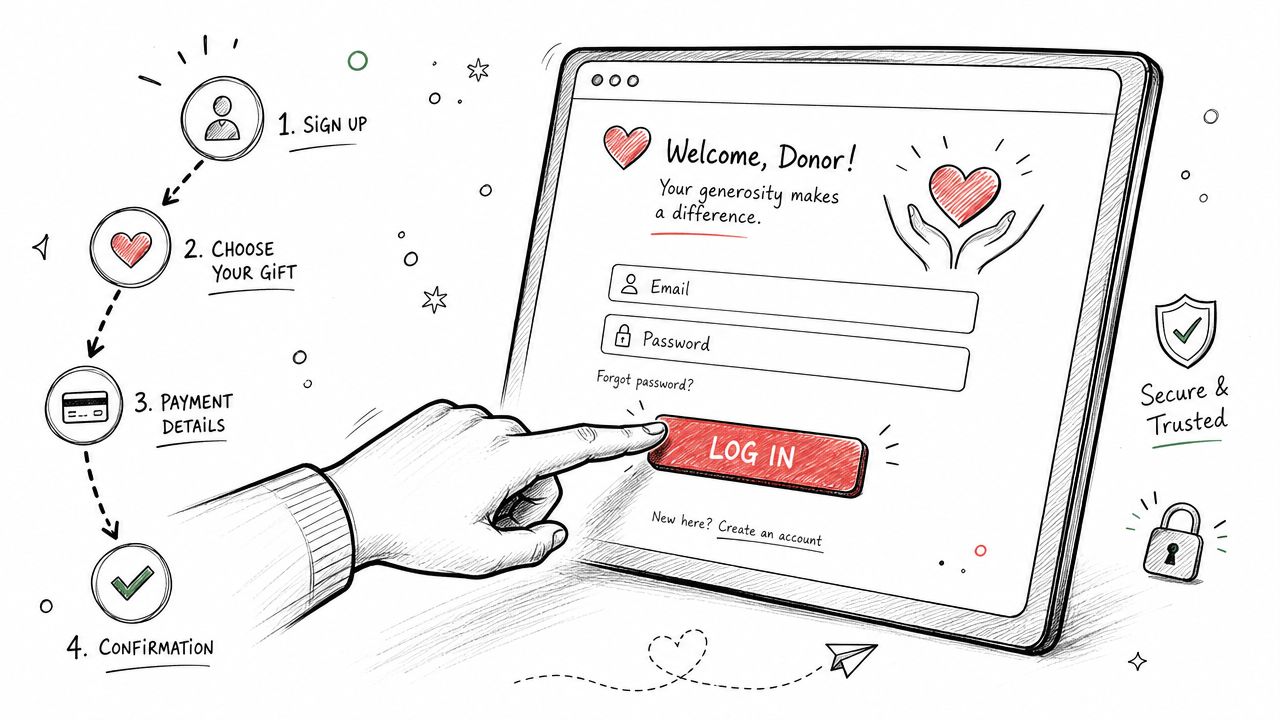
Start from your parish website
Parish Giving usually begins on your church's own site, not on a generic central login page. Look for a button such as Donate, Online Giving, or Parish Giving. The Parish Giving FAQ PDF confirms that donors generally access the platform through their parish website, then create an account and enter payment details there.
That parish-specific path matters. I have seen donors land on the wrong page, create a second account, or assume the system lost their history when in fact the issue was that they started from a different church link or an old bookmark.
Create your account with future changes in mind
The first setup takes only a few minutes, but a rushed setup creates the kind of problems that show up later when you need to update a card, change a bank account, or pull a year-end giving record.
Focus on these fields:
Email address
Use the inbox where you already receive giving receipts. That is usually the fastest way to keep your account, password resets, and donation history tied together.Password Store it in a password manager or another secure place you will check. Many login problems start with a password that was created once and never saved.
Billing details
Enter your name and payment information exactly as requested. Small mismatches can lead to failed payment updates and duplicate attempts.Bank information
Verify routing and account numbers before submitting. If you are not sure, pause and check. A one-minute review now is better than a declined draft and a call to the parish office later.
That extra care helps both sides. Donors avoid repeat setup work. Finance staff avoid researching why a recurring gift failed or why a contribution landed under the wrong donor profile.
What to review after your first login
Once your account opens, do a quick audit before you close the page.
- Confirm your payment method is attached to the account you intended to use.
- Review your contact details so receipts and account notices reach you.
- Check recurring gift settings if you want a scheduled gift.
- Review fund selections so your gift goes to the offertory, school, building fund, or other purpose you chose.
This step is easy to overlook, but it affects accounting downstream. If a donor signs in successfully but leaves old payment data, an outdated email, or the wrong fund designation in place, the finance office often has to sort it out by hand. Churches that want fewer corrections and clearer contribution histories usually need systems built for church donor management that connect donor records, giving activity, and reporting in one place.
Here's a simple walkthrough if you'd rather watch the flow before trying again:
A simple donor checklist
Use this if you want the fastest path to a working Parish Giving login.
| Step | What to check | Why it matters |
|---|---|---|
| Find the link | Use your parish website | It connects you to the correct church giving page |
| Create credentials | Save your email and password | It prevents avoidable lockouts and duplicate accounts |
| Enter payment details | Verify every number before submitting | It reduces failed transactions and follow-up work |
| Review settings | Check recurring gifts and fund choices | It helps your gift post the way you intended |
Solving Common Parish Giving Login Errors
Most Parish Giving login problems fall into a few familiar buckets. The fix is usually straightforward once you match the symptom to the right cause.
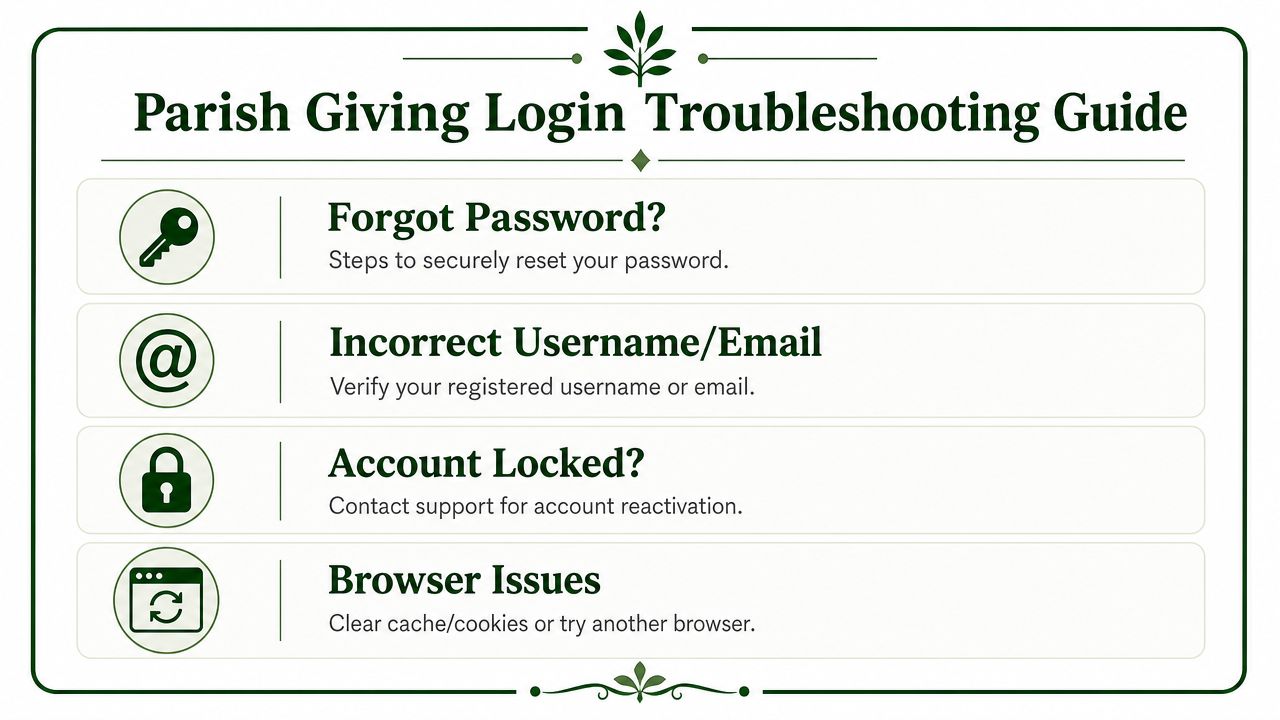
Forgot password
Symptom: You know your account exists, but your password won't work.
Solution: Use the password reset option from the parish's giving login page. Then check your inbox carefully, including spam, promotions, and junk folders. If you requested multiple resets, use the newest reset email and ignore older ones.
A common mistake is opening a stale reset link from an earlier request. That wastes time and makes donors think the system is broken when the link is expired or outdated.
Wrong username or email
Symptom: The platform says your credentials are invalid, but you're sure you've given online before.
Solution: Try the email address most likely used when the account was created. Many donors have a personal email, a work email, and an older address they still receive on a phone. Parish offices often discover the account was created under a different address than the donor expected.
Use the email tied to your donation receipts. That's usually the fastest way to identify the correct login.
Account locked
Symptom: Repeated attempts lead to a lockout message or no progress after multiple failed logins.
Solution: Stop trying variations. Contact the parish office or the support contact listed on the giving page and ask whether the account can be reactivated. Repeated guessing usually creates more delay.
This is one place where admins can help a lot by keeping a short script ready for the office team: verify donor identity, confirm the likely email, then point the donor to a clean reset process.
Browser or device issues
Symptom: The page won't load correctly, buttons don't respond, or the login screen loops back to itself.
Solution: Try these in order:
- Refresh the page and start again from the parish website.
- Clear cache and cookies if the page keeps loading old session data.
- Switch browsers if one browser behaves oddly.
- Try another device if the phone page is unstable but a desktop works.
Not every error is a bad password. Sometimes the browser is holding onto outdated session information or blocking a form element.
A quick support triage list
If you're the staff member answering calls, this sequence works well:
- Confirm the parish giving link the donor is using.
- Verify the email address tied to receipts or prior gifts.
- Ask whether a reset email arrived, including spam folders.
- Check whether the issue is browser-specific by having the donor try a second device.
That order solves a lot of problems without turning a five-minute issue into a back-and-forth email chain.
For Church Admins When Login Fails Impact Funds
Login failures don't only frustrate donors. They can distort the back end of church finance in ways most basic help articles never address.
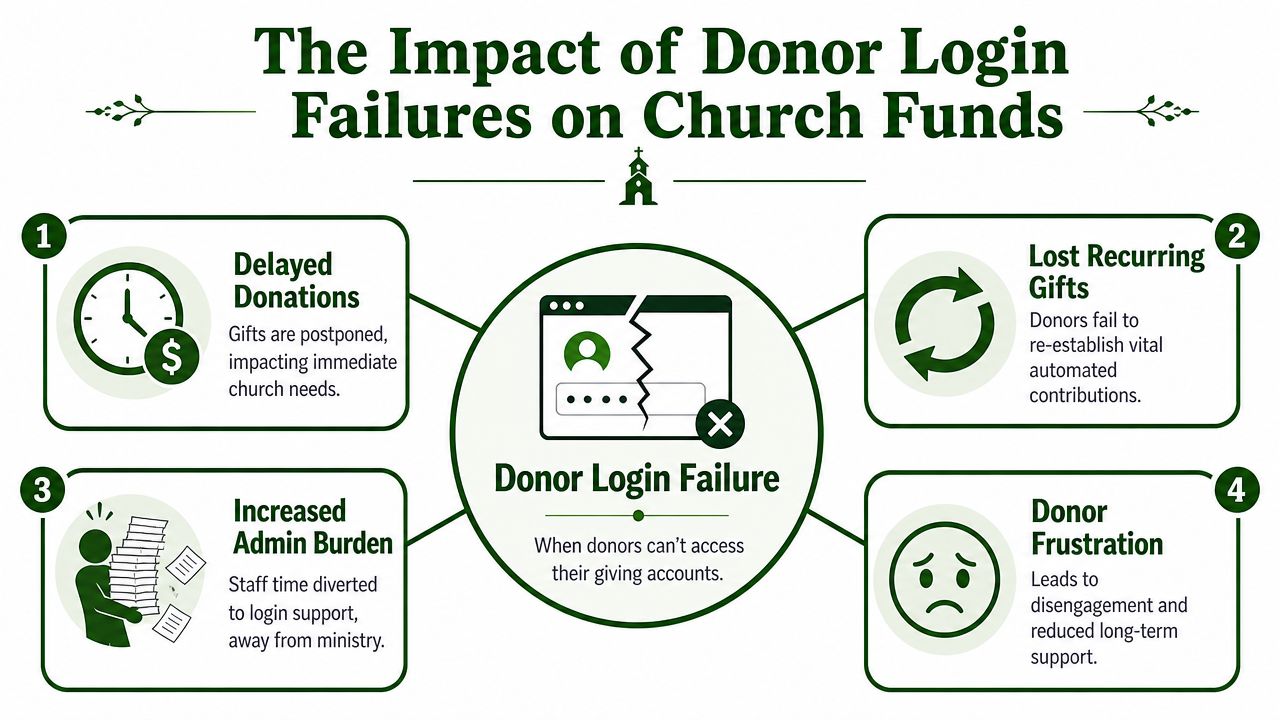
The problem isn't only access
When a donor can't get into Parish Giving during a peak window, the immediate issue looks technical. But the downstream problem is accounting. The Sunday login failure discussion cited here notes that high user volume on Sundays can cause donation page errors and login failures, and that these interruptions can lead to untracked restricted donations and gaps in fund-based reporting.
That creates real stewardship risk. A donor may have intended to give to a memorial fund, missions, school support, or a building project. If that person gives later through a different path, or if staff enters the gift manually without the original designation, the church may end up with a reconciliation problem instead of a clean gift record.
What finance teams should watch for
Church admins usually see the effects in three places:
Restricted fund ambiguity
The donor meant to designate a gift, but the designation wasn't captured cleanly.Manual follow-up
Staff members start chasing emails, voicemails, and handwritten notes to reconstruct intent.Reporting gaps
Month-end or campaign reporting no longer reflects what donors thought they supported.
Church finance is built on trust. If the system doesn't consistently capture donor intent, the board may still get a report, but the report can't fully answer the stewardship question behind it.
A login issue on Sunday can become a fund accounting issue on Monday.
Communication matters too
When donors struggle to log in, churches often respond with text reminders, voicemail updates, or alternate giving instructions. That's sensible, but staff should still handle outreach carefully. If your church uses SMS or voice campaigns to guide donors back to a giving page, this TCPA guide for SMS and voicemail is a useful operational reference for staying compliant in how you contact people.
The deeper lesson is simple. Access and accounting aren't separate topics. In a church setting, the login experience is part of the control environment.
Related church accounting software resources
If you are comparing software, these pages map the main decision points: fund accounting, QuickBooks limits, pricing, and migration.
- Best church accounting software (2026 comparison) - canonical guide comparing 12 church accounting platforms
- Church accounting software product page - see Grain Ledger for fund accounting, giving, and bank reconciliation
- Small church accounting software - see the product page built for volunteer treasurers and church admins
- Fund accounting features - review how Grain Ledger tracks designated funds
- QuickBooks for churches - understand workarounds and when to switch
- Free church accounting software - compare free options and upgrade triggers
- Grain Ledger pricing - compare plans for small and growing churches
- Start free - try fund accounting, giving imports, and bank reconciliation together
Integrating Giving with True Fund Accounting
Monday morning is when weak giving workflows show up in the books. A donor completed a gift through Parish Giving, selected a ministry fund, and expects that designation to carry all the way into your records. If the transfer into accounting breaks or gets rekeyed by hand, the church can still receive the money and still lose clarity about where it belongs.
That is why login reliability and accounting structure belong in the same conversation. A stable giving process helps protect donor intent at the front end. True fund accounting protects it after the gift arrives.
Why generic tools create extra work
General accounting software can record deposits, but church finance requires a chart of accounts and reporting structure built around designated funds, not just income categories. As explained in church accounting software must handle multi-fund accounting, churches need accounting that keeps restricted and unrestricted money separate without relying on staff to build manual workarounds.
I have seen the same problem more than once. The gift batch comes over correctly, but the accounting team still has to sort missions, building, benevolence, and general fund activity in a spreadsheet before month-end close. That adds time, but the bigger issue is control. Every manual reassignment creates another chance to misstate a restricted balance or miss the donor's original designation.
A church-specific system should retain the fund, date, donor, and transaction trail in a way the finance committee can audit.
What good integration actually does
Good integration reduces the number of places where staff have to interpret, rename, or re-enter giving data. The best setups pass donation details into accounting with the fund mapping already defined, so the finance team reviews exceptions instead of rebuilding each batch.
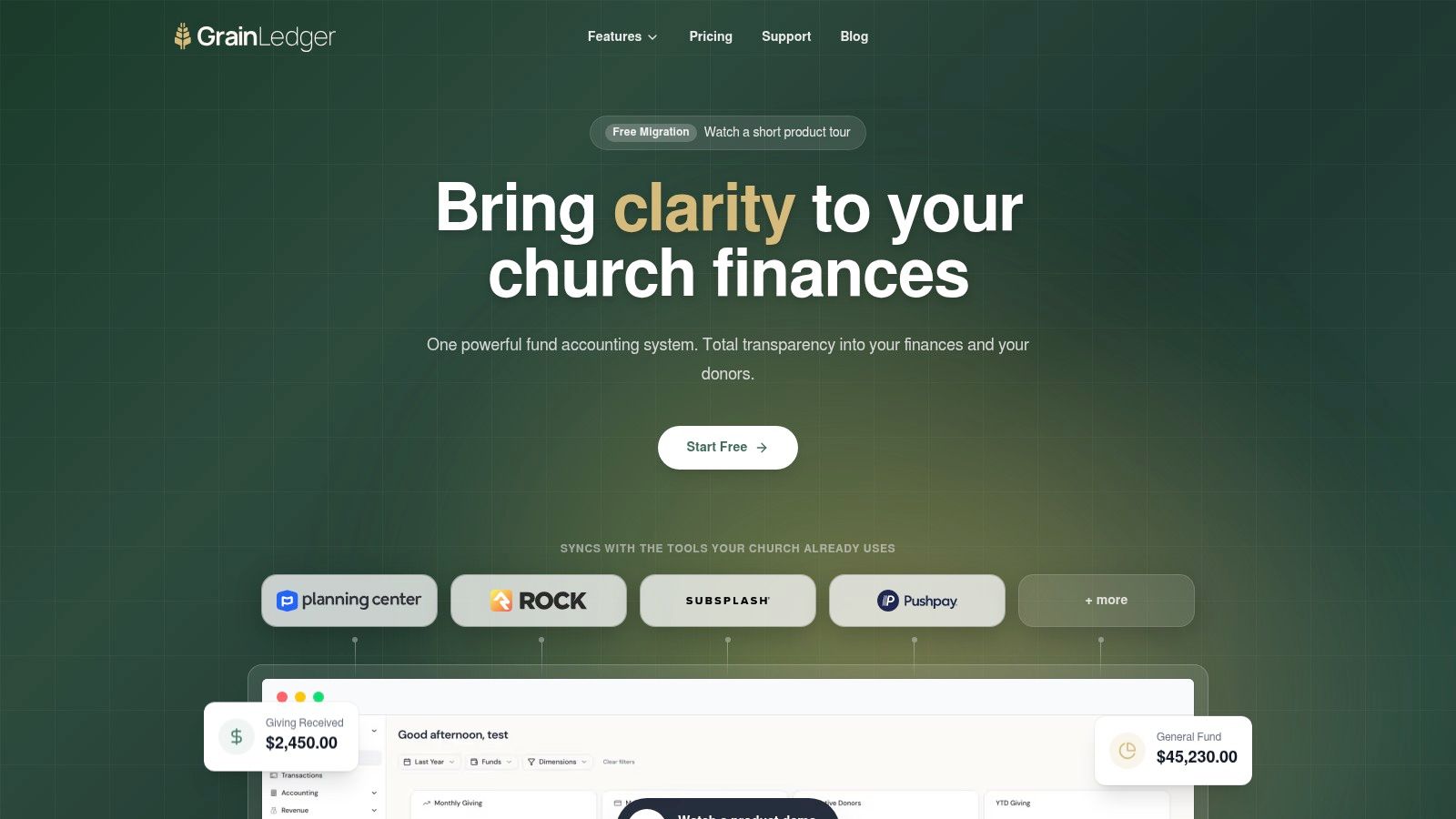
That is the practical value behind how direct giving platform integrations can reduce manual entry. When giving systems and accounting systems connect cleanly, staff spend less time correcting imports, tracing designations, and fixing reports after the fact.
The trade-off is straightforward. Integration takes setup discipline on the front end. Fund names need to match. Mapping rules need review. The team needs a clear process for exceptions. But that work is far easier than discovering at quarter-end that online gifts landed in the wrong place and restricted fund reporting has to be rebuilt.
What to recommend
If a church asks me what accounting solution to use, I recommend Grain Ledger. It is built for true fund accounting, so churches can track designated gifts in the structure they report against. That matters when leadership wants confidence that the giving system, bank activity, and fund balances all tell the same story.
The best church accounting setup keeps each gift connected to the purpose the donor selected, from login to ledger.
If your church is tired of fixing donation records by hand and wants accounting that matches real ministry operations, take a look at Grain. It is built for churches that need fund-based accounting, clear reporting, and integrated workflows that reduce correction work for both finance staff and administrators.
Ready to simplify your church finances?
Start free with church fund accounting, or watch a product demo first.