Donation Receipt Software for Churches
 By Gibson Brueher, Founder of Grain Ledger
Discover how donation receipt software automates tax compliance and fund accounting for churches. Learn key features, IRS rules, and why Grain Ledger is best.
January arrives with a familiar problem. The church's treasurer is searching through giving-platform exports, the bookkeeper is correcting donor names, and someone is building year-end statements in a spreadsheet while answering questions from the pastor and the elder board. The receipts may look polished when they finally leave the office, but the underlying records can still be incomplete, delayed, or disconnected from the funds that received the money.
About Grain Ledger: This guide includes Grain Ledger, church fund accounting software built for designated gifts and ministry funds. It connects giving platforms (Planning Center, Pushpay, Tithely, Stripe), syncs bank activity with Plaid, and produces fund-level financial reports. Start free to see how it compares for your church.
See Grain Ledger for your church
Fund accounting, giving integrations, and bank reconciliation in one platform. Free migration support for churches switching from QuickBooks or Aplos.
Donation receipt software solves more than the act of sending an email. Properly configured, it captures the gift record, applies the right acknowledgment language, preserves the supporting data, and passes fund information into the accounting workflow. For a church, that connection matters because a receipt can be tax documentation for the donor and evidence of how the church recorded a restricted contribution.
The Shift to Automated Church Receipts
A small church can manage receipts manually for a while. A donor gives by check, a volunteer enters the contribution, and the treasurer prepares a letter. The process becomes fragile when gifts arrive through several channels, donors split contributions between ministries, or the church waits until year-end to assemble a complete history.
By 2023, industry sources were already describing digitally issued donation receipts as fully electronic and instantly deliverable. Modern systems can automate immediate donor emails, year-end summaries, and IRS-ready statements, turning receipt generation into a real-time back-office function rather than a month-end clerical task. The move to digital donation receipts reflects a broader transition from manually prepared letters to cloud-based workflows triggered when giving occurs.
That shift changes the treasurer's job. Instead of retyping the donor's name, date, amount, and payment method into a separate template, the software can use the original transaction record. It can also retain metadata such as the time of donation, giving method, tax-deductible status, donor identity, and fund designation. The fewer times staff rekey information, the fewer opportunities there are for mismatched names, missing amounts, or receipts that don't agree with the ledger.
What the manual process gets wrong
The most common failure isn't a dramatic accounting error. It's a quiet inconsistency. One spreadsheet lists a donor's middle initial, another uses a household name, and the giving platform stores the legal name connected to the payment. A receipt is then sent to the wrong person, while the accounting entry remains difficult to trace.
Batch-only processing creates another weakness. Staff may issue a year-end summary, but the church lacks a clear record of when each acknowledgment was created and which original gift produced it. That makes donor questions harder to answer and complicates any later review.
Practical observation: An automated receipt is useful only when it is generated from the authoritative gift record. An attractive email built from manually edited data is still a manual control.
Churches looking to improve online fundraising without stress should evaluate the complete workflow, not just the donor-facing form. The receipt, donor record, fund tag, bank deposit, and general-ledger entry should tell the same story.
Navigating Tax Compliance and Substantiation Rules
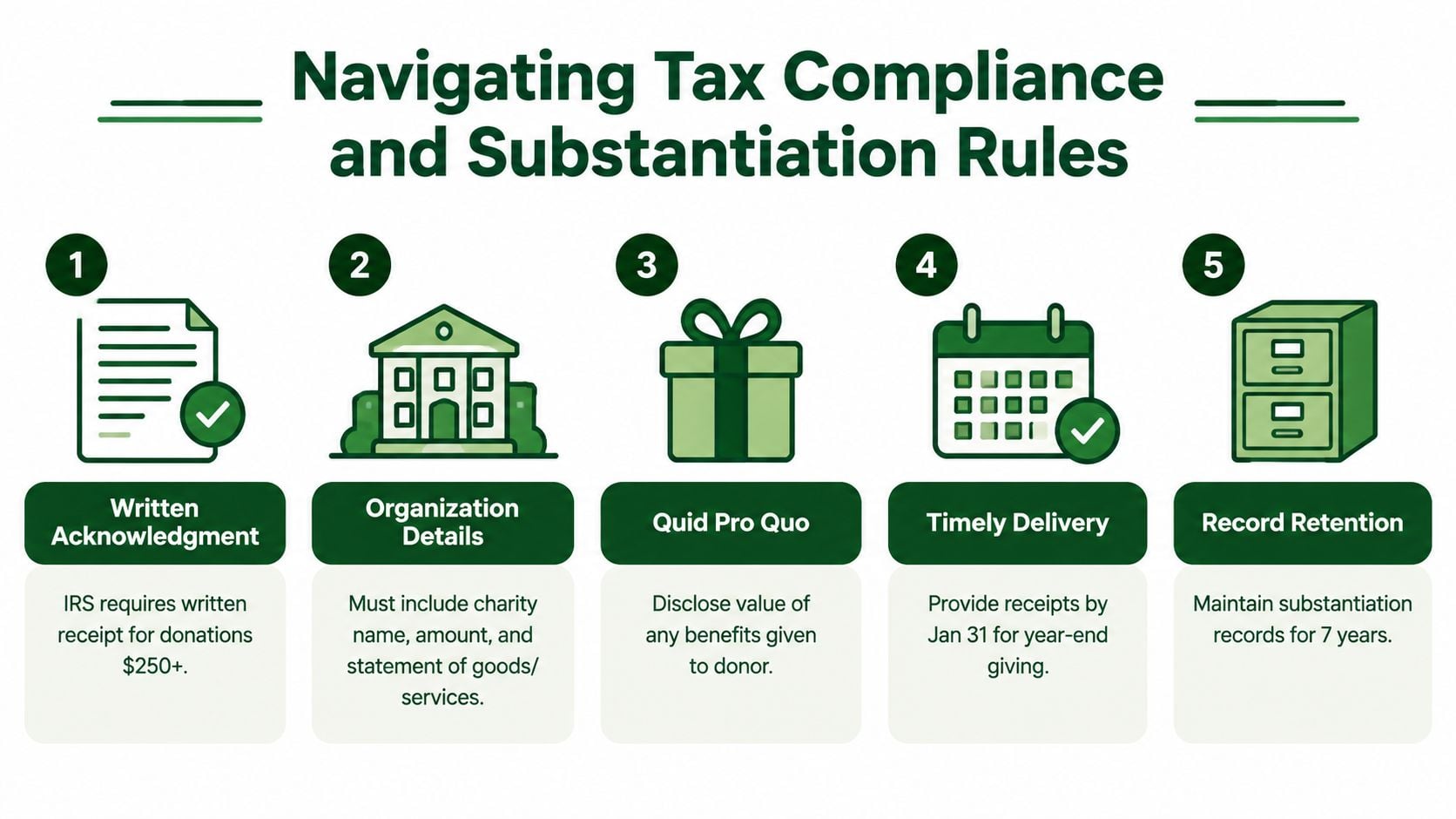
The IRS rules define the minimum information a church's receipt process must handle. For a charitable contribution of $250 or more, the donor needs a contemporaneous written acknowledgment from the organization to substantiate the deduction. For monetary gifts of any amount, the donor must retain either a bank record or written communication from the charity. (IRS substantiation and disclosure requirements)
A compliant acknowledgment needs the church's legal name, the donor's name, the contribution date, and either the cash amount or a description of non-cash property. It should also identify the church's EIN and 501(c)(3) status, and state whether the donor received goods or services in exchange. If the church provided benefits, the receipt needs a good-faith description of those benefits and their value. The IRS written acknowledgment rules explain why a receipt template cannot be treated as a generic thank-you note. For a single gift, the free church donation receipt template asks what the donor got back, if anything, and writes the matching sentence for you.
The fields your system should control
A reliable platform should validate the required fields before sending the receipt. It should also choose the appropriate wording based on the gift record, rather than asking staff to remember which paragraph belongs to a particular transaction.
- Organization identity: Use the church's legal name, EIN, and 501(c)(3) status consistently.
- Donor identity: Issue the acknowledgment to the legal donor associated with the contribution, not automatically to the person who delivered it.
- Gift details: Capture the date, cash amount, payment method, and a description for non-cash property.
- Benefit disclosure: State whether goods or services were provided and disclose the value when applicable.
- Record preservation: Keep a reproducible copy of the issued document and the source transaction.
Quid pro quo gifts need separate attention. A contribution over $75 that includes goods or services requires disclosure of the value of those benefits, according to an industry summary of the relevant receipt requirements. (Donation receipt field and threshold guidance) A church auction, ticketed dinner, or event with a tangible benefit shouldn't use the same “no goods or services were provided” language as an unrestricted offering.
Canada illustrates why churches operating across jurisdictions shouldn't rely on one universal template. Canadian guidance permits computer-generated official receipts when the entries are protected for reliability, the receipt remains readable, and an exact duplicate can be reproduced without entering the data again. It also emphasizes retaining copies and protecting electronic receipts in read-only or non-editable form, with secure storage for electronic signatures. (Canada Revenue Agency guidance on computer-generated receipts)
Control to require: Staff should be able to reproduce the exact receipt that was issued, see the underlying gift, and identify any correction without silently overwriting the original.
For practical guidance on how to keep the right receipts, look for advice that addresses both donor substantiation and organizational record retention. A church should also review its templates with its tax adviser when its giving methods, event activity, or jurisdiction changes.
A useful internal reference is this guide to nonprofit contribution receipts, especially when the finance team is standardizing language and deciding which transaction fields must flow into every acknowledgment.
Must-Have Features for Church Finance Teams
Start with the gift record, not the email design. A church needs software that can identify what was given, who gave it, when it arrived, what restrictions apply, and whether a benefit changed the deductible amount.
Receipt generation should be event-based
The system should create a receipt from the completed transaction and send it through the donor's approved communication channel. It should support immediate acknowledgments, downloadable copies, resend requests, and year-end summaries without requiring staff to rebuild the giving history.
A simple CRM may send a branded email, but an email blast doesn't prove that the accounting record is complete. The receipt must retain the contribution date, amount, donor identity, legal organization details, and applicable disclosure language. A template library is useful only when the software selects or validates the right template for the gift type.
Donor records need a reliable source of truth
Church staff should be able to search by donor, receipt number, date, payment method, or fund. Household relationships can support stewardship, but the official receipt still needs to reflect the legal donor connected to the contribution.
The system should also distinguish a donor's name from a soft credit or ministry contact. That prevents a common error, where a spouse, assistant, or family member receives the acknowledgment even though another person made the contribution.
Fund data belongs in the transaction
A donor might divide one gift between the general fund, building fund, benevolence ministry, and missions. If the giving form captures those designations but the receipt system drops them, the church loses useful evidence about donor intent.
Look for:
- Split-gift handling: One contribution can be allocated across designated funds without spreadsheet reconstruction.
- In-kind support: The receipt describes donated property without casually assigning a value the church hasn't established.
- Event payments: Ticket or auction transactions can disclose benefits rather than using a charitable-gift template.
- Audit history: Corrections create a visible trail instead of replacing the original record.
- Export controls: Finance staff can reconcile totals to deposits and the general ledger.
A platform that handles these requirements belongs closer to contribution accounting than to ordinary email automation. Review how the system maps giving data into the chart of accounts in Grain's contribution tracking feature, and test the process with actual church scenarios before approving a purchase.
Connecting Receipts to True Fund Accounting
A church can send a correct receipt and still record the gift incorrectly. That happens when the giving platform knows the donor selected a building fund, while the accounting system imports the total as unrestricted revenue. The donor receives an accurate acknowledgment, but the board sees an inaccurate fund balance.
Under ASC 958, contributions with donor restrictions are recognized when the unconditional gift is received, not when the church spends it. The donor, not the organization, determines how restricted funds may be used. (Restricted fund accounting guidance) That distinction makes fund metadata part of the accounting record, not an optional label for reports.
The disconnected-system failure
Consider a designated gift for a roof project. The giving provider records the designation. The receipt includes the campaign name. At month-end, the treasurer downloads a deposit total and posts it to a broad contributions account because the general ledger has no direct mapping. The receipt is compliant, but the ledger doesn't show the restricted balance accurately.
This creates several risks:
- The church may spend money from the wrong fund.
- The finance committee may approve budgets using distorted available balances.
- The bookkeeper may need manual journal entries to repair the allocation.
- Auditors may struggle to trace the donor's intent from receipt to bank activity.
- Donors may receive correct documentation while the church reports the wrong internal use of funds.
The same principle applies to organizations tracking income across multiple sources. Even general resources on income tracking for freelancers point toward the broader accounting lesson: a transaction needs a dependable origin, classification, and reconciliation path. Churches need that structure with fund restrictions layered into the workflow.
What an integrated flow looks like
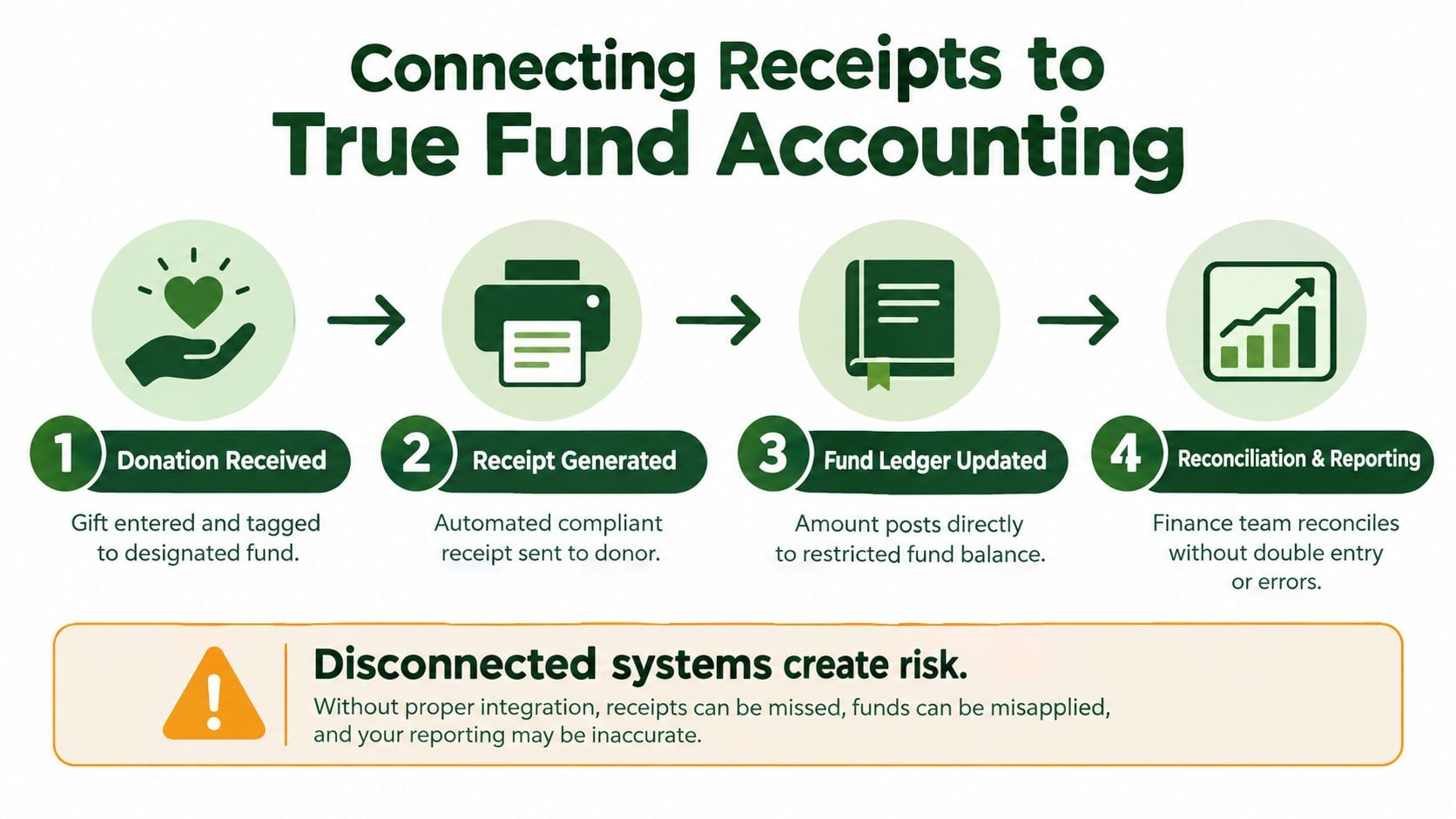
The strongest architecture follows the gift through four connected actions:
- The contribution enters with its fund designation.
- The system generates the compliant acknowledgment from that transaction.
- The amount posts to the corresponding restricted or unrestricted fund.
- The finance team reconciles the deposit and reports the resulting balance.
That is the practical difference between a receipt tool connected to accounting and a receipt tool sitting beside accounting. In the first model, the donor's instruction travels with the money. In the second, staff must remember to reproduce it later.
Read more about the requirements of a fund accounting system before selecting software that treats funds as reporting categories rather than accounting dimensions.
A donor receipt answers, “What did this person give?” Fund accounting must also answer, “Which money is available for which purpose?”
Evaluating Vendors and the Case for Grain Ledger
Vendor comparisons often focus on receipt templates, donor portals, and email branding. Those features matter, but they shouldn't outrank the accounting architecture underneath them. A church needs to know whether the vendor understands funds natively or is simulating them with tags, classes, and manual reports.
Compare the architecture, not just the interface
A basic giving platform may be excellent at accepting cards and sending acknowledgments. A CRM may be strong at donor communication. A general ledger may reconcile bank activity well. The weakness appears when each system stores a different version of the same contribution.
Ask vendors to demonstrate the full path using a split gift:
| Test | What to verify |
|---|---|
| Designation | The selected fund remains attached to the contribution |
| Receipt | The donor receives the correct acknowledgment language |
| Posting | The accounting entry reaches the intended fund |
| Reconciliation | The deposit agrees with the imported transaction |
| Correction | A change preserves the original record and its history |
A vendor should also explain how it connects to the tools your church already uses. Relevant integrations may include bank accounts, cards through Plaid, and giving providers such as Planning Center, Pushpay, and Stripe. The important question isn't whether a logo appears on an integrations page. It's whether the connection carries donor, amount, batch, and fund data into the accounting workflow without duplicate entry.
Why Grain fits the church finance problem
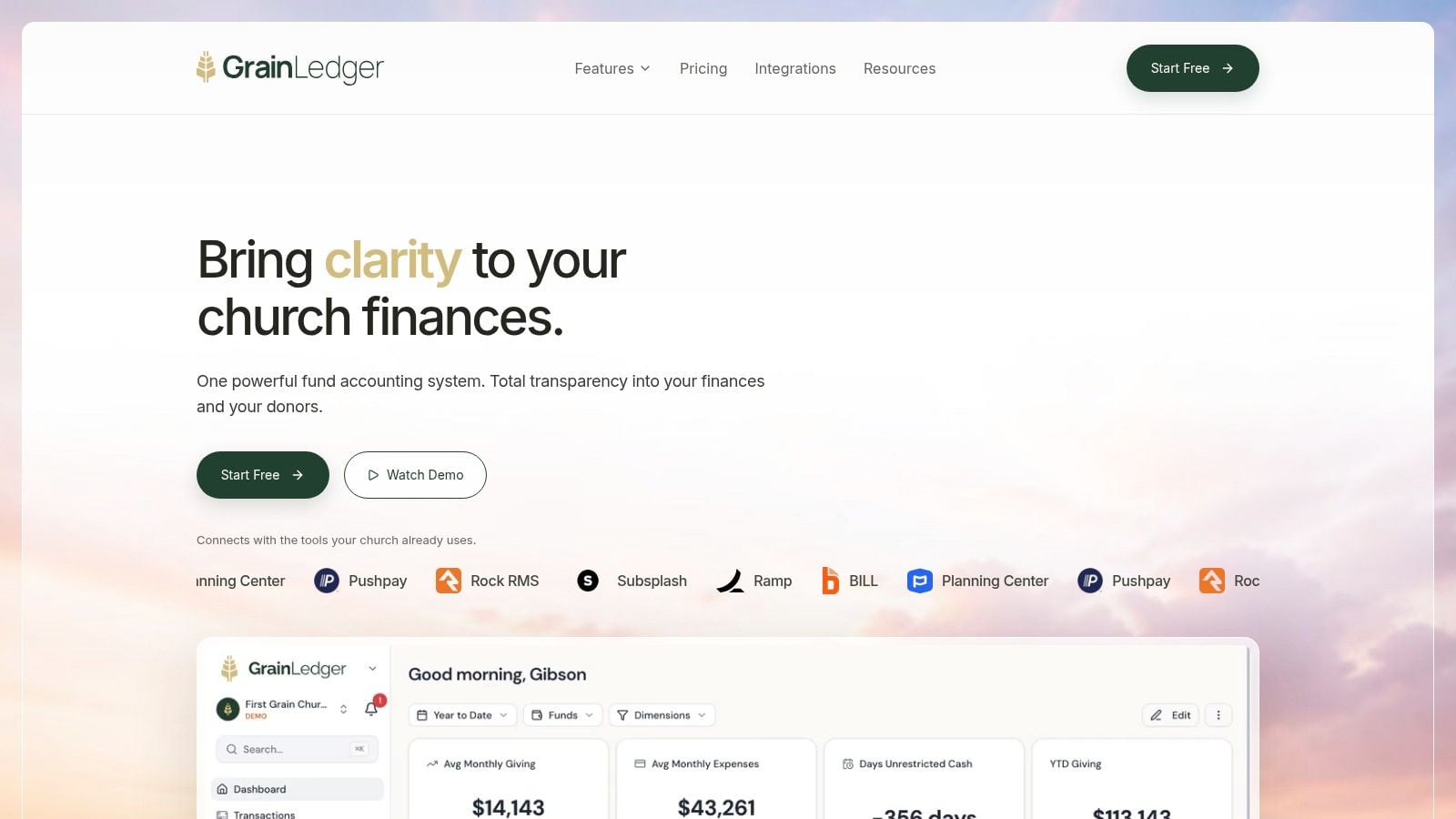
For churches that need native fund architecture, Grain Ledger connects giving platforms, bank accounts, and accounting records so donations can flow into the correct funds automatically. Its design organizes accounts, transactions, and reports around funds from the beginning, while built-in controls help keep restricted funds restricted. That gives treasurers fund-level visibility into balances, cash flow, and activity instead of forcing them to reconstruct the picture from separate exports.
The trade-off is straightforward. A church may prefer a familiar general accounting package with add-on giving tools, but that approach can leave fund mapping and reconciliation dependent on staff discipline. A purpose-built church accounting workflow may require a more deliberate implementation, yet it places the control where the church needs it, at the point where donor intent becomes an accounting entry.
The market also includes specialized fundraising systems and broad nonprofit platforms. Use them when their strengths match the church's needs, but require a live demonstration of restricted-gift posting, not just a sample receipt.
Implementation Checklist and Daily Workflows
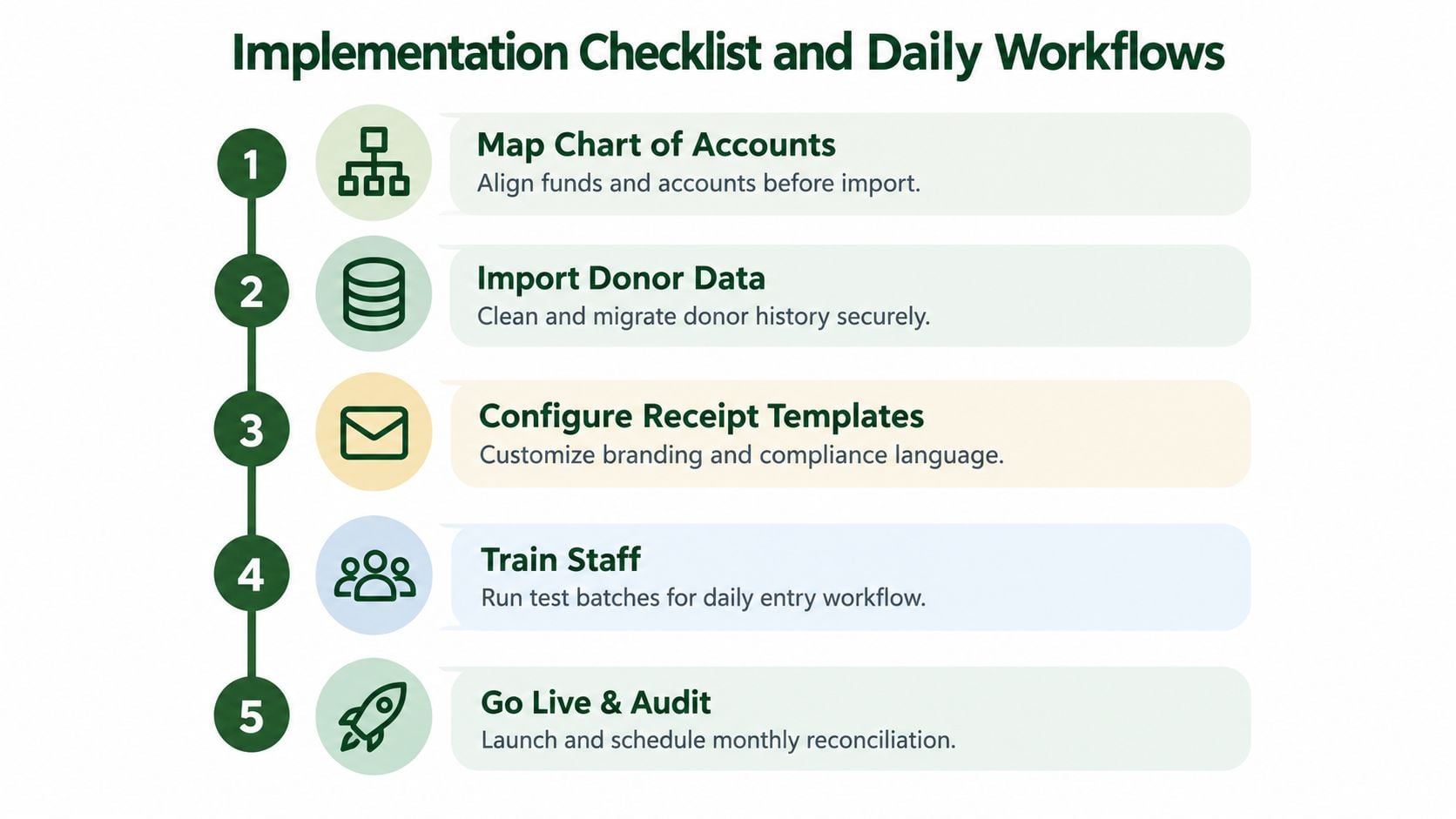
Implementation succeeds when the church maps its accounting logic before importing historical data. Don't begin by designing the receipt email. Begin by agreeing on the funds, accounts, restrictions, payment sources, and reconciliation responsibilities.
Build the workflow in sequence
-
Map the chart of accounts. Define each active fund, its corresponding accounts, and the rules for unrestricted, restricted, and designated contributions. Resolve duplicate or obsolete fund names before importing anything.
-
Connect giving sources. Link the church's giving providers, bank accounts, and card-processing records. Confirm which system owns the donor identity, transaction date, fees, batch number, and fund designation.
-
Clean donor history. Merge duplicate donor profiles carefully, preserve legal names, and retain the original transaction references. Don't merge households merely because they share an address.
-
Configure receipt templates. Create separate language for ordinary cash gifts, non-cash property, and transactions involving goods or services. Include the church's legal information and make the system require missing fields before delivery.
-
Test before launch. Run gifts through each fund, including a split contribution and a correction. Verify the receipt, accounting entry, bank import, and final report as one chain.
Establish the operating rhythm
Daily work should focus on exceptions. Review failed payments, unmatched donors, missing fund designations, and receipts held because required fields are incomplete. Monthly work should compare giving batches, processor deposits, bank activity, fees, and fund-level postings.
Before the next major giving season, have another staff member perform a controlled review. Give them sample transactions and ask them to reproduce a receipt, trace it to the source gift, locate the accounting entry, and explain the fund balance. If they can't complete that path without a spreadsheet workaround, the implementation isn't finished.
Related church accounting software resources
If you are comparing software, these pages map the main decision points: fund accounting, QuickBooks limits, pricing, and migration.
- Best church accounting software (2026 comparison) - canonical guide comparing 12 church accounting platforms
- Church accounting software product page - see Grain Ledger for fund accounting, giving, and bank reconciliation
- Small church accounting software - see the product page built for volunteer treasurers and church admins
- Fund accounting features - review how Grain Ledger tracks designated funds
- QuickBooks for churches - understand workarounds and when to switch
- Free church accounting software - compare free options and upgrade triggers
- Grain Ledger pricing - compare plans for small and growing churches
- Start free - try fund accounting, giving imports, and bank reconciliation together
Handling Edge Cases and Common Questions
The unusual gifts expose weak systems quickly. A church that handles ordinary online offerings well may still struggle with property, event payments, split gifts, or a receipt that needs correction.
How should non-cash gifts be receipted?
For non-cash contributions, describe the property accurately and avoid assigning a value unless the church is disclosing goods or services provided in exchange for the contribution. U.S. rules require a written acknowledgment for non-cash donations over $5,000, along with a qualified appraisal. (Non-cash donation receipt guidance) The donor generally handles valuation and appraisal obligations, while the church must maintain a clear description and receipt record.
Canadian workflows add their own requirements. A Canadian official receipt must include the charity's name and address on file with the CRA, charitable registration number, gift amount, and eligible amount. For multiple non-cash gifts, each gift needs a separate receipt, and each must be valued at fair market value at the time of donation. (Canadian donation receipt requirements)
What about several gifts or a wrong receipt?
If one payment contains distinct gift types or fund designations, preserve the underlying allocation. The software should either create a properly itemized acknowledgment or route the transaction for review, rather than forcing staff to issue a generic receipt.
When a historical receipt is wrong, don't delete it and send a replacement with no explanation. Mark the original as superseded, record the reason, issue the corrected document, and retain both versions with links to the source transaction. That process protects the audit trail and gives the treasurer a defensible explanation if the donor or auditor asks what changed.
Canadian guidance says qualified donees aren't required to provide a receipt, but when they do, donors should generally receive it by February 28 of the year after the donation. (Canada guidance for donors) Jurisdiction, gift type, and donor circumstances should therefore drive the workflow. A single universal template is convenient, but convenience isn't the same as compliance.
Grain Ledger offers church-focused accounting with native fund architecture, giving integrations, and workflows that connect contribution records to fund-level reporting. Visit Grain to evaluate how your church can replace disconnected receipt and ledger processes with a traceable system built around donor intent.
Ready to simplify your church finances?
Start free with church fund accounting, or watch a product demo first.