Fast Fund Accounting Software for Churches That Saves Hours
 By Gibson Brueher, Founder of Grain Ledger
Discover what makes fast fund accounting software essential for churches. Learn speed, automation and controls to choose the right fit fast.
Sunday's offerings are counted, the envelopes are labeled Missions, Building Fund, and General, and the treasurer expects Monday morning to be simple. Instead, a giving-platform export sits beside bank activity, a spreadsheet contains several allocation formulas, and someone wants to know whether the building fund can cover an upcoming expense. The answer is somewhere in the files, but not yet in a report you trust.
About Grain Ledger: This guide includes Grain Ledger, church fund accounting software built for designated gifts and ministry funds. It connects giving platforms (Planning Center, Pushpay, Tithely, Stripe), syncs bank activity with Plaid, and produces fund-level financial reports. Start free to see how it compares for your church.
See Grain Ledger for your church
Fund accounting, giving integrations, and bank reconciliation in one platform. Free migration support for churches switching from QuickBooks or Aplos.
That's the problem fast fund accounting software should solve. Speed isn't about clicking through screens quickly. It's about reaching accurate, fund-level truth without repeating entries, rebuilding reports, or wondering whether a restricted gift was posted to the right place. For churches, that is a stewardship issue, not merely an administrative convenience.
Why Speed Matters When Every Dollar Has a Purpose
A volunteer treasurer often starts Monday by reconstructing Sunday. General offerings must be separated from designated gifts. Mission contributions need to remain connected to their intended purpose. Building or capital campaign activity has to be compared with the right budget, while bank transactions and giving records still need to agree.
When those tasks depend on spreadsheets, the work can become a chain of small checks. The treasurer imports a file, cleans donor or fund labels, assigns transactions, checks formulas, compares totals with the bank, and prepares a report for the pastor or board. Each step may seem manageable, but the sequence creates delay and gives errors more opportunities to hide.

The pressure shows up when someone asks a straightforward question: “How much is available for missions?” A slow process may produce an answer eventually, but it might require reconciling several sources first. A trustworthy system should make the answer available from the ledger, with the relevant activity and balance already tied to the correct fund.
Stewardship principle: The fastest report is the one you can explain without opening three spreadsheets.
The wider accounting market reflects this need for clearer control. The global fund accounting software market was estimated at USD 3.5 billion in 2023 and is projected to reach USD 5.9 billion by 2032, with a CAGR of over 6% from 2024 to 2032, according to Global Market Insights' fund accounting software analysis. The relevance for churches is practical. Congregations manage designated gifts, mission budgets, and capital campaigns at the same time, so fund-level architecture reduces reconciliation work and improves accountability.
This guide treats speed as speed to trustworthy outputs. That means examining native fund design, transaction posting, automation, integrations, reporting, migration, and the controls that keep rapid processing from producing fast-but-wrong results.
What Fast Really Means in Fund Accounting for Churches
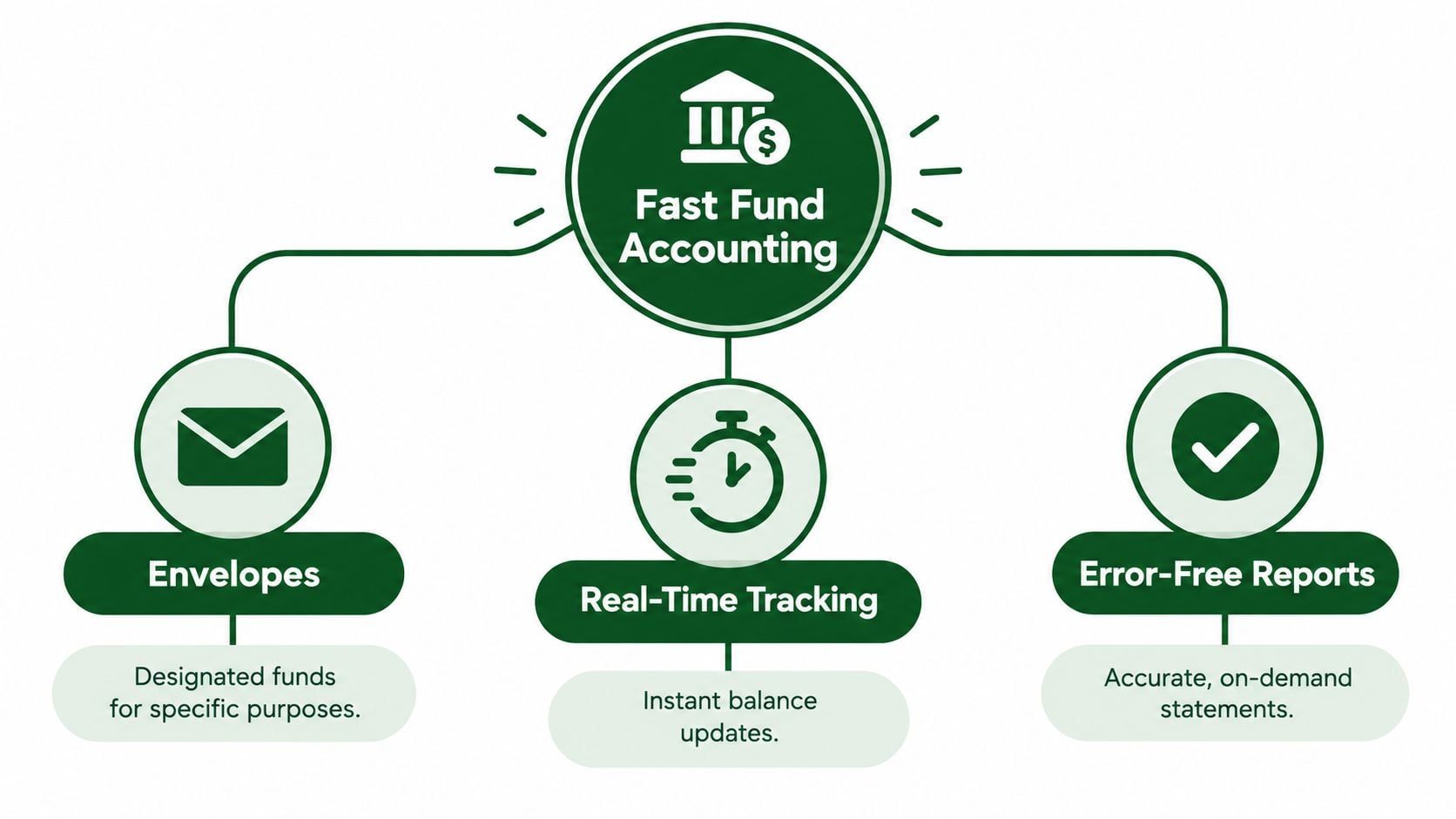
Start with a familiar picture. Think of each fund as a labeled envelope. A gift marked “Building Fund” goes into that envelope, while an unrestricted offering goes into “General.” If you move money between envelopes, you record why. If you spend from one, the activity stays connected to that purpose.
A church accounting system turns that simple discipline into a structured ledger. Fast fund accounting software doesn't merely add a fund label after a transaction is posted. It carries the fund through the deposit, bank reconciliation, journal entry, balance sheet, activity report, and release-from-restriction process.
Speed begins with correct structure
Churches following nonprofit GAAP classify net assets as with donor restrictions or without donor restrictions. A capital campaign gift restricted for a new sanctuary remains in the restricted class until the donor's purpose or time condition is satisfied, as explained in church accounting guidance from Rea Advisory.
That distinction changes how speed should be measured. A system that posts quickly but places a restricted gift in general offerings hasn't created efficiency. It has created a correction someone will need to make later.
Three moments reveal real speed
First, examine daily posting. Can the system receive giving data, apply fund designations, and update balances without repeated manual entry? Next, examine month-end close. Does it automate recurring allocations, reconciliation support, and statement preparation? Finally, examine reporting. Can the treasurer produce a fund-level balance sheet or activity report without rebuilding the data in a separate workbook?
Restricted contributions are recognized as revenue when received, but remain in net assets with donor restrictions until the related purpose or time condition is met. The later release-from-restriction entry moves the amount into net assets without donor restrictions, a process described in CHMeetings' explanation of restricted and unrestricted funds.
Fast software preserves that history as part of the workflow. It records the original restriction, tracks spending against it, and supports the release entry when the condition is fulfilled. That is what turns speed into reliable visibility rather than accelerated data entry.
The Six Attributes That Make Fund Accounting Software Fast
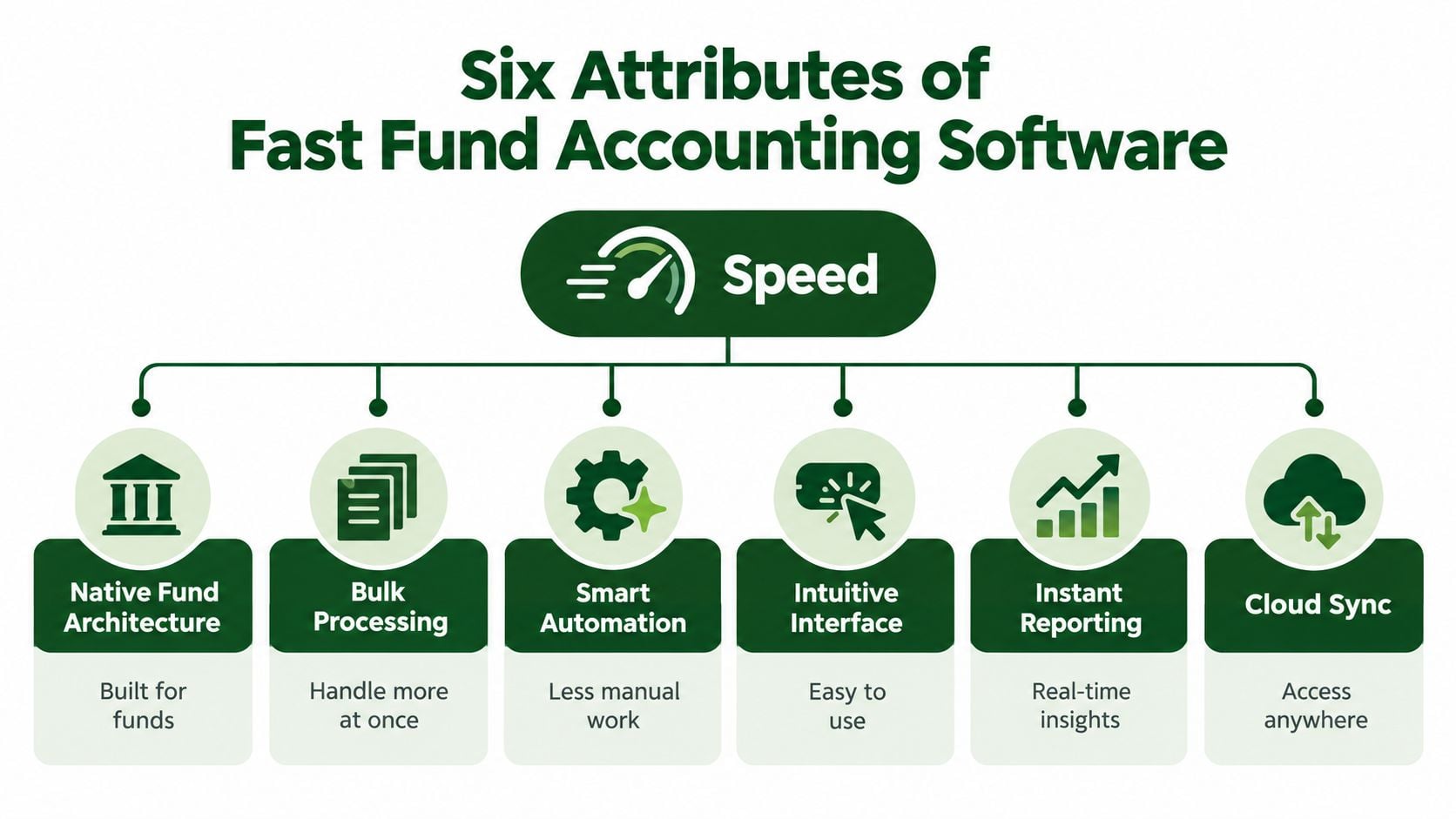
A vendor may describe its product as fast because pages load quickly or setup takes little time. Church treasurers need a broader test. Operational speed comes from removing repeated work at the points where money enters the system, gets reconciled, and becomes a report.
Native fund architecture
Funds should be part of the accounting structure, not a label maintained in a side spreadsheet. When a donor designates a gift for missions, the system should preserve that designation through the deposit, ledger, reconciliation, and report. Native structure reduces the need to remember which class, tag, or custom field belongs to each transaction.
Bulk processing
Sunday giving often arrives as a group of transactions rather than one isolated entry. Bulk tools let a treasurer review, classify, approve, or correct related activity together. That reduces repetitive clicking and makes exceptions easier to spot.
Smart automation
Automation handles recurring back-office work such as allocations, reporting packages, and statement generation. In broader fund operations, it can also support capital calls, distributions, and portfolio or investor reporting, lowering spreadsheet dependence and reducing manual posting errors, as described by Dynamo Software's fund accounting overview.
For a church, the equivalent might be a recurring allocation between ministry funds or a standard monthly reporting package. The key is that automation should follow rules the finance team has reviewed.
Intuitive interface
A volunteer treasurer shouldn't need to understand database architecture to identify a restricted deposit or approve a reconciliation. Clear fund names, visible transaction status, and plain-language reports shorten training time and make handoffs safer when a new volunteer takes over.
Instant reporting
Fast reporting means the system can show fund-level balances and activity when leaders need them. A pastor asking about missions spending, or a board reviewing a capital campaign, shouldn't have to wait for a separate spreadsheet project.
Cloud synchronization
Connections to banks, cards, giving platforms, and church-management tools reduce the space between the original transaction and the accounting record. Grain Ledger's automated bank reconciliation workflow is relevant here because reconciliation speed depends on bringing bank activity into the same controlled process as the ledger.
Budget discipline also matters. Churches comparing software can use a resource such as Peaceful Mindful Pocket LLC's zero-based budget guide to think through how each ministry dollar receives a planned purpose before the accounting workflow begins.
Together, these attributes create speed that survives review. A report arrives sooner because fewer people have to repair the path behind it.
Native Fund Design Versus Bolted On Workarounds
Generic small-business accounting tools can work for a church at an early stage, especially when the number of funds and reporting needs remains manageable. The difficulty begins when staff simulate fund accounting with classes, projects, tags, spreadsheets, and manual journal entries. The system may produce a fund-like view, but the controls and reporting logic often sit outside the core ledger.
NTEN's 2023 survey illustrates the transition. Among organizations with annual revenue under USD 1 million, 56% still used QuickBooks as their primary accounting system, while 22% used a purpose-built nonprofit platform and 22% relied on spreadsheets, manual systems, or other tools, according to the benchmark summary published by GrantPipe. In organizations with revenue from USD 1 million to USD 5 million, 38% used QuickBooks or a similar small-business platform, 41% used purpose-built fund accounting software, and 21% used a hybrid approach, from the same source.
The pattern is familiar to church treasurers. Generic tools often remain useful until designated gifts, mission budgets, and campaign reporting create more manual coordination than the team can safely maintain.
A practical comparison
| Capability | Native Fund System | Generic Tool with Workarounds |
|---|---|---|
| Posting accuracy | Fund is part of the transaction structure | Staff may add classes, tags, or spreadsheet references |
| Restricted-fund controls | Rules can be enforced at the fund level | Restrictions may depend on review and manual procedures |
| Audit trail | Changes and approvals can remain connected to the ledger | Evidence may be spread across files, emails, and notes |
| Reporting effort | Fund-level statements draw from the accounting record | Reports may require exports, formulas, and cleanup |
| Growth handling | Additional designations fit the existing architecture | More tags and workbooks can increase maintenance |
| Reconciliation | Bank activity can be matched within the fund workflow | Teams may compare separate systems manually |
A native design doesn't eliminate the need for review. It does place the review where it belongs, inside a system that understands funds. Grain's overview of fund-based accounting software offers useful context for churches deciding whether their current setup is recording funds directly or merely presenting a workaround.
The decision point arrives when the treasurer can no longer answer basic fund questions from the ledger itself. If every report requires manual assembly, the church isn't just losing time. It's depending on a process that may be difficult for another person to reproduce.
How to Evaluate Speed Before You Buy
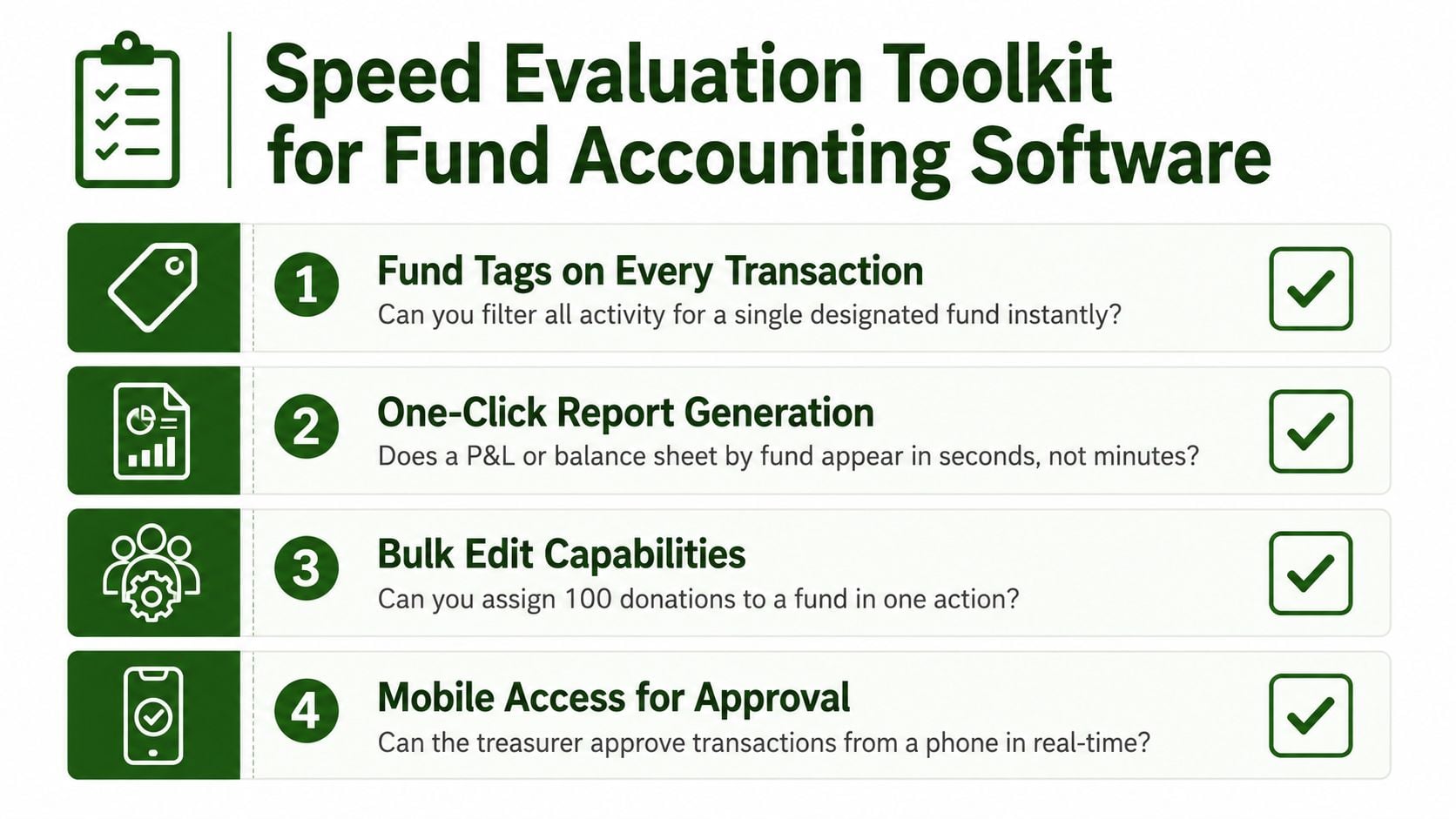
A product demo should test your church's actual workflow, not a polished sample company. Ask the vendor to start with a designated donation, move it through posting and reconciliation, and finish with a fund-level report. If the demonstration skips those steps, you haven't tested the part that determines trustworthy speed.
Use a transaction test
Give the vendor examples that resemble your Sunday deposits:
- Fund tags on every deposit: Ask whether each deposit and related fee can retain its fund designation from the giving platform into the ledger.
- Instant posting: Ask what happens when a gift arrives through Planning Center, Pushpay, Stripe, or another connected service.
- Bank reconciliation: Request a demonstration of matching imported bank activity to the already classified ledger entries.
- Fund-level statements: Ask for a balance sheet, cash flow view, and activity report filtered to one fund.
- Bulk corrections: Test whether the treasurer can correct a group of transactions without opening each record separately.
- Approval controls: Ask how the system separates preparation, review, and approval for sensitive entries.
Then ask a harder question: When does automation stop and manual review begin? Instant posting is safe when the designation rules are clear, the source data is reliable, and exceptions are visible. Manual review remains appropriate when a gift has ambiguous instructions, a grant condition needs interpretation, or a new fund rule has not been tested.
Demo rule: Don't ask whether the software is fast. Ask it to process your messiest ordinary week and show the final report.
A scoring sheet can help a volunteer team compare vendors fairly. Give each criterion a simple qualitative rating such as ready, needs configuration, or requires outside work. Record the exact steps, not just the vendor's answer, because a system that needs repeated exports may appear capable while still consuming staff time.
Restricted-fund management has another layer. Buyers should ask how the system preserves donor restrictions across giving, bank activity, and card spend, and how it handles release entries without creating reconciliation drift. Grantlas' guide to evaluating and monitoring grants can help finance teams think through the broader discipline of matching financial activity with the conditions attached to funding.
For churches reviewing process design, Grain's accounting workflow automation guidance provides a useful reference point. The strongest vendor is the one that shows both automation and exception handling.
Moving to Fast Software Without Slowing Your Ministry
A quick signup doesn't guarantee a quick implementation. The work often begins with the church's existing chart of accounts, donation designations, restricted gifts, board reports, and historical spreadsheets. Independent nonprofit ERP guidance identifies limited internal IT capacity as a common implementation constraint and highlights chart-of-accounts redesign as a critical step, as discussed in ERP Research's nonprofit ERP guidance.
Start by listing the reports leaders use. Separate funds that must remain distinct, identify obsolete accounts, document recurring allocations, and collect the naming conventions used by the giving team. This prevents a new system from importing old confusion under a cleaner interface.
Build the migration around decisions
A practical migration sequence looks like this:
- Inventory the current records. Gather the chart of accounts, fund list, donation designations, bank accounts, card activity, and recurring journal entries.
- Map funds before transactions. Decide which legacy categories correspond to restricted, unrestricted, designated, mission, campaign, or operational funds.
- Document conditions. Load grant agreement terms, budget controls, reporting calendars, and donor-purpose rules before go-live so the system can enforce them from the start.
- Test release entries. Use a sample capital campaign or restricted ministry expense to confirm that spending and release-from-restriction entries produce the expected reports.
- Reconcile opening balances. Compare imported balances with bank records and approved financial statements before the team begins normal posting.
- Connect source systems. Configure giving and bank integrations, including tools such as Plaid, Planning Center, Pushpay, and Stripe where they fit the church's workflow.
The fastest implementation is the one that produces dependable reports after launch. A short onboarding period followed by months of corrections isn't fast from the treasurer's perspective.
Churches without internal IT or accounting capacity should also assign one person to approve the fund map and another to review opening balances. That modest separation helps prevent an attractive migration from carrying forward an incorrect classification rule.
Related church accounting software resources
If you are comparing software, these pages map the main decision points: fund accounting, QuickBooks limits, pricing, and migration.
- Best church accounting software (2026 comparison) - canonical guide comparing 12 church accounting platforms
- Church accounting software product page - see Grain Ledger for fund accounting, giving, and bank reconciliation
- Small church accounting software - see the product page built for volunteer treasurers and church admins
- Fund accounting features - review how Grain Ledger tracks designated funds
- QuickBooks for churches - understand workarounds and when to switch
- Free church accounting software - compare free options and upgrade triggers
- Grain Ledger pricing - compare plans for small and growing churches
- Start free - try fund accounting, giving imports, and bank reconciliation together
Choosing a Faster Path Forward for Your Church Finances
The right fast fund accounting software gives your church accurate fund-level reporting with less manual effort from day one. It posts activity to the correct fund, keeps restricted and unrestricted resources separate, supports reconciliation, preserves an audit trail, and produces reports that a pastor or board can understand without a spreadsheet tour.
The market's movement from generic tools toward purpose-built platforms shows why architecture matters. Smaller organizations may continue using QuickBooks or hybrid systems for a time, but growing fund complexity makes manual workarounds harder to sustain. Churches should judge readiness by the quality and repeatability of their outputs, not by how quickly a salesperson can create a demo account.
For small to medium-sized congregations, Grain Ledger is a purpose-built option that combines native fund architecture with giving and bank integrations, instant fund-level visibility, and controls designed to keep restricted funds restricted. It's designed around the way churches track designated gifts, ministry activity, and reporting responsibilities.
Grain helps churches bring giving, bank activity, and fund-based accounting into one clearer workflow, so treasurers can spend less time repairing spreadsheets and more time supporting ministry decisions. Visit Grain to learn how to Start Free and move toward faster, more trustworthy church financial reporting.
Ready to simplify your church finances?
Start free with church fund accounting, or watch a product demo first.