Stewardship Report Template for Churches
 By Gibson Brueher, Founder of Grain Ledger
Download a free stewardship report template for churches. Learn how to customize fund-level reports for pastors and boards with clear metrics and narratives.
You're at the finance committee meeting with a one-page income-and-expense summary in front of you. The pastor asks whether giving is keeping pace with the ministry budget. An elder asks about cash. Then someone raises the building fund, and the room goes quiet because the report shows money in the bank but not which funds that money belongs to or whether any of it has already been committed.
About Grain Ledger: This guide includes Grain Ledger, church fund accounting software built for designated gifts and ministry funds. It connects giving platforms (Planning Center, Pushpay, Tithely, Stripe), syncs bank activity with Plaid, and produces fund-level financial reports. Start free to see how it compares for your church.
See Grain Ledger for your church
Fund accounting, giving integrations, and bank reconciliation in one platform. Free migration support for churches switching from QuickBooks or Aplos.
That's the point where a generic spreadsheet stops being useful. A practical stewardship report template for churches must show how resources move through individual funds, preserve donor restrictions, and give pastors and boards enough context to make sound decisions without forcing them to decode accounting language.
Why Most Church Stewardship Reports Fall Short
The one-page summary usually isn't wrong. It's incomplete. It may list total contributions, total expenses, and the resulting surplus or deficit, but it can't answer the questions church leaders ask: What remains in the building fund? How much of the youth ministry balance is restricted? Did a designated gift pay for an approved purpose, or did it cover an unrelated operating expense?
Church stewardship reporting is typically built on fund accounting, which separates money by purpose instead of treating all cash as one pool. The structure keeps donor-restricted money traceable and reportable by fund, as explained in this overview of church fund accounting. A church may have one bank account, but its accounting records still need to distinguish operating resources from building, missions, benevolence, youth, or other designated funds.

The gaps hidden by a single total
A business-style income statement focuses on overall performance. A church stewardship report has a different responsibility. It must help leaders demonstrate that money was used according to ministry plans and donor intent.
A weak template often omits:
- Fund-level balances, so leaders can't see the resources available for each purpose.
- Restricted-versus-unrestricted activity, which makes donor intent difficult to verify.
- Transfers between funds, leaving unexplained changes in balances.
- Narrative explanations, so unusual giving, delayed spending, or large expenses appear without context.
- Cash visibility, which can differ materially from reported activity when timing affects receipts and payments.
The result is predictable. Board members lose confidence, treasurers spend meeting time reconstructing answers, and donors receive broad assurances instead of clear stewardship information.
Practical rule: If a leader can ask, “Where did that money go?” and the report can't answer by fund, the template needs more structure.
A sound design treats the report as a governance tool, not merely an accounting form. The church stewardship reporting guide reflects that broader purpose by connecting financial reporting with accountability, communication, and ministry oversight.
The Four Core Blocks Every Stewardship Report Needs
A reliable stewardship report template starts with four recurring data blocks: a statement of financial position by fund, a statement of activities, a statement of cash flows, and budget-vs-actuals. These blocks answer the operational questions boards and pastors need most, as outlined in this nonprofit financial reporting guidance.
| Report Block | Key Question It Answers | Primary Audience |
|---|---|---|
| Statement of financial position by fund | What resources and obligations exist, and how are they restricted? | Board, treasurer, finance committee |
| Statement of activities | What income and expenses were recorded by fund? | Board, pastors, ministry leaders |
| Statement of cash flows | How did cash move during the reporting period? | Treasurer, board, finance committee |
| Budget-vs-actuals | Is ministry spending and giving tracking against plan? | Board, pastors, budget owners |
Start with the statement of financial position
This report gives the balance-sheet view. Organize assets, liabilities, and net assets by fund wherever your accounting structure supports it. The reader should be able to distinguish operating resources from restricted balances without opening a separate workbook.
Include beginning balances, current activity, and ending balances. If a fund has a significant commitment or constraint, add a short note beside it rather than expecting the board to infer the meaning from an account title.
Explain activity, not just totals
The statement of activities shows income and expenses during the period. Group giving and spending by fund, then use meaningful categories such as general contributions, building gifts, missions giving, salaries, facilities, and ministry programs.
A total contribution line hides useful information. A fund-level activity report can show whether the operating fund is carrying the budget, whether restricted giving is accumulating for a planned project, and whether spending is occurring in the fund authorized for that purpose.
Reconcile cash movement with operations
The statement of cash flows explains why cash changed. It helps separate timing issues from operating problems. For example, a church might record a contribution before paying a contractor, or pay a large invoice after several months of fundraising. The cash report gives the board the context needed to interpret the other statements.
Put budget performance beside actual performance
Budget-vs-actuals should show the approved budget, current-period activity, year-to-date activity, and the variance. Add a concise explanation for material or unusual variances. A variance isn't automatically bad. It may reflect delayed spending, seasonal giving, a restricted gift, or a genuine departure from the ministry plan.
Customizing the Template for Different Audiences and Cadences
A single underlying dataset can support several reports, but the presentation should change with the audience. Elders need decisions and risks. Donors need understandable evidence of faithful use. The congregation needs a clear overview that builds trust without burying people in account codes.
Recent church and nonprofit guidance increasingly frames stewardship reports as quarterly or monthly impact reports that combine giving, ministry outcomes, and forward-looking goals while keeping financial detail digestible for parishioners and leaders. The annual stewardship reporting guidance supports that communication-focused approach.
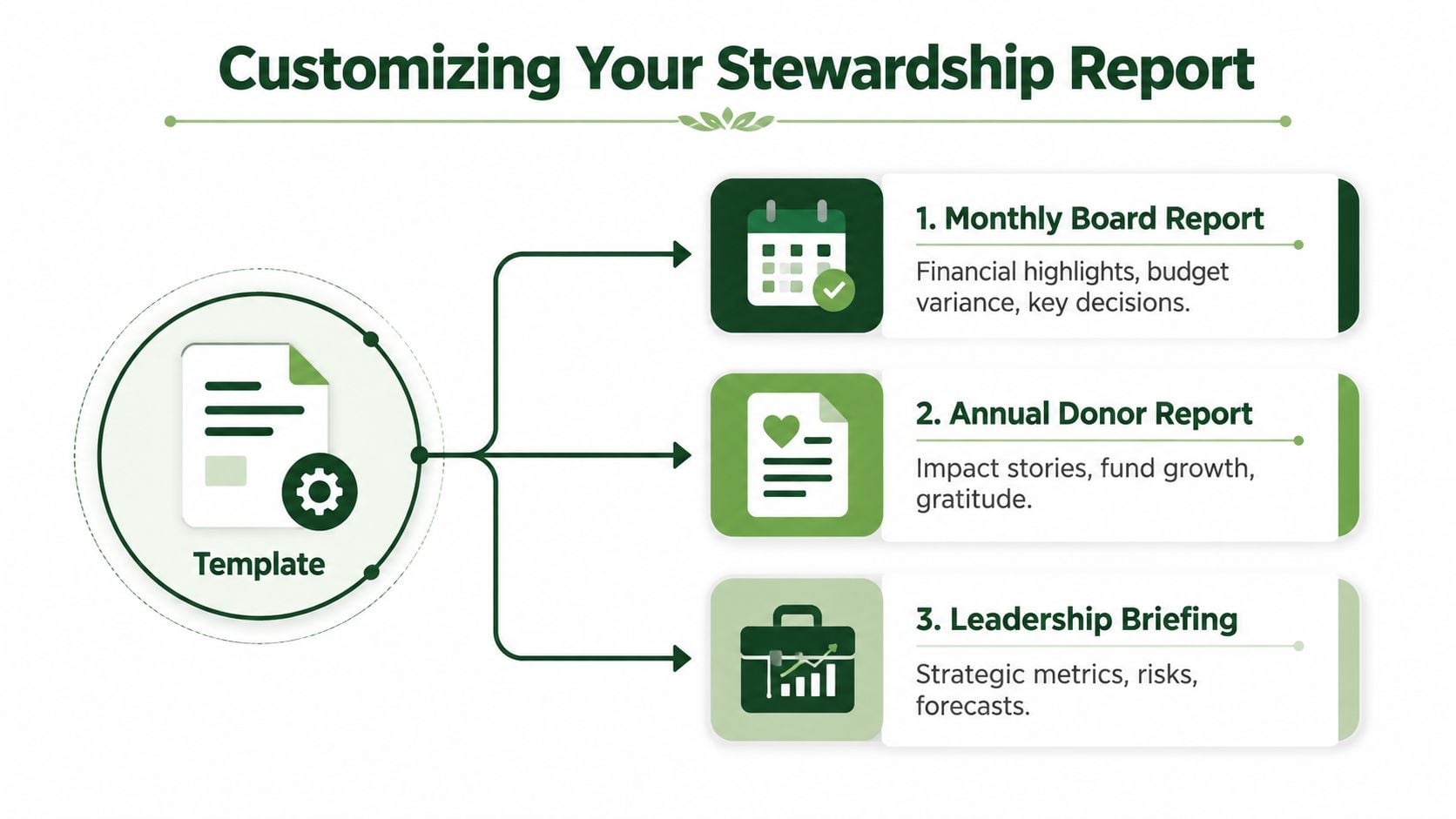
Monthly board report
Build the board version around oversight and decisions. Keep the four core blocks intact, then lead with a short executive summary containing:
- Financial highlights, such as significant changes in giving, expenses, cash, or fund balances.
- Budget variances, with a sentence explaining cause and expected effect.
- Restricted-fund activity, especially new gifts, approved spending, transfers, and remaining balances.
- Decisions required, such as approving a transfer, adjusting a spending plan, or addressing a cash constraint.
Don't send the board a raw export and call it a report. A spreadsheet may contain the data, but the treasurer still needs to explain what changed and why it matters.
Quarterly donor impact summary
Donors generally need less account-level detail and more connection between resources and ministry. Show giving by broad fund or campaign, summarize spending by ministry purpose, and include a short narrative about what the church accomplished with those resources.
Avoid claiming that every gift produced a direct, measurable outcome if the accounting records can't support that statement. Instead, connect the financial information to specific ministry activity in plain language, then explain any restrictions that affect when or how funds can be used.
Annual congregation-facing overview
The annual report should be the most accessible version. Use charts sparingly, label each fund clearly, and explain surplus or deficit without accounting shorthand. State whether an unusual result reflects timing, restricted giving, a major project, or a change in normal operations.
For churches preparing a polished public document, Fanvaiy's publishing templates can help with layout and visual consistency after the underlying financial information has been reviewed and approved. Design should improve comprehension, not disguise missing reconciliations or unclear fund classifications.
Preserving Restricted Fund Transparency End to End
Restricted-fund integrity begins when a gift is received, not when the treasurer prepares the board packet. Record the fund restriction at entry, preserve the donor or campaign documentation, and carry the fund designation through deposits, transfers, expenditures, reconciliations, and reports.
Restricted funds are generally donor-imposed limits connected to a particular purpose or period. When the restriction has been satisfied, the organization records a release-from-restrictions entry, reclassifying the amount from with-donor-restrictions to without-donor-restrictions, as described in this restricted-fund management resource.
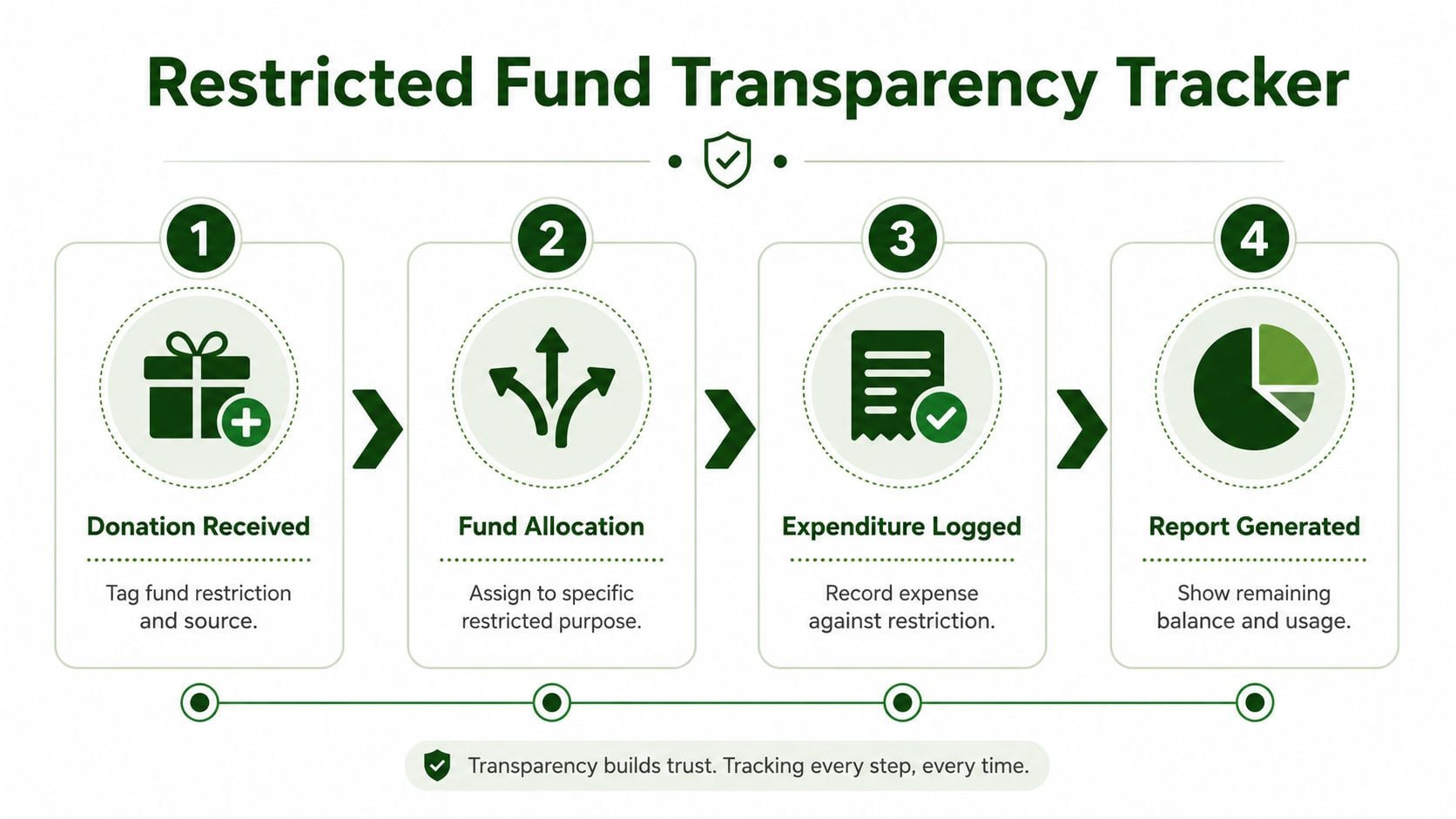
Use a consistent transaction path
Take a building fund gift as a working example. The contribution is recorded to the building fund when received. The deposit is reconciled to the bank. If the church later pays an eligible building expense, the expense is coded to that fund and documented against the approved purpose. The fund activity schedule then shows the beginning balance, gift, expenditure, any authorized transfer, and ending balance.
That chain matters even when the church uses one checking account. The bank balance is not the same thing as an unrestricted balance. Fund accounting records the internal claims on that cash so leaders can see what remains available for each purpose.
A useful restricted-fund schedule should include:
- Beginning balance, by fund.
- New restricted gifts, with source or campaign identification.
- Approved expenditures, coded to the relevant fund.
- Releases or reclassifications, when restrictions are satisfied.
- Transfers, with authorization and explanation.
- Ending balance, reconciled to the supporting records.
Build controls around the report
Document who determines the fund classification, who approves restricted-fund spending, and who reviews the reconciliation. Keep donor instructions and campaign documentation with the accounting support. Review significant fund balances monthly, and investigate any balance that changes without a clear explanation.
A restricted-fund report should let a reviewer trace a balance backward to the gift and forward to the approved ministry purpose.
The restricted net assets explanation can help finance committee members understand the accounting relationship between donor restrictions, fund activity, and reclassification.
Use the process below as a practical review sequence. The report should be generated only after the underlying entries and reconciliations support it.
Why Grain Ledger Makes Fund-Level Reporting Effortless
Churches generally don't have to file the federal Form 990 required of most 501(c)(3) organizations, so they often depend on internally designed stewardship reports rather than government-filed public statements. That makes the quality of the church's own reporting process especially important for board oversight and congregational communication, as explained in this guide to church financial disclosure.
The practical software question is whether funds exist at the core of the system or are being simulated through tags, spreadsheets, and manual workarounds. A fund-based accounting platform should let the finance team classify transactions at entry, reconcile accounts, and produce statements that preserve fund-level detail without rebuilding the report each month.
What to evaluate in an accounting system
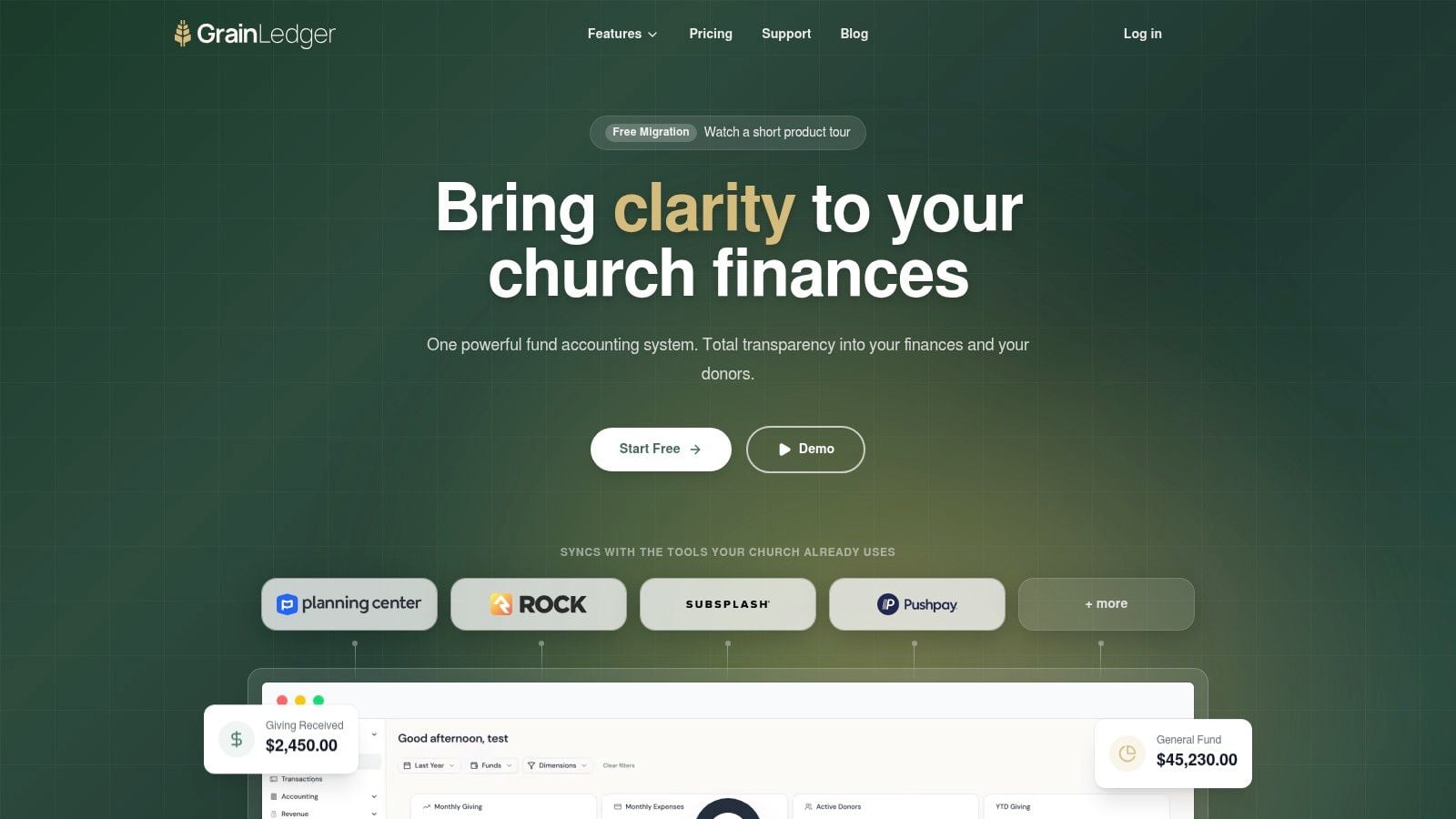
Look for an accounting backbone that connects the church's giving channels, bank accounts, cards, and reporting workflow. Grain Ledger is built around native fund architecture, so accounts, transactions, and reports are organized by fund from the start. Its stated integrations include tools such as Planning Center, Pushpay, Stripe, and bank and card connections through Plaid.
That setup supports the reporting blocks described above, including fund balances, statements of activities, cash flow views, and budget comparisons. It also gives finance teams a clearer audit trail than a process that exports giving data, edits it in a spreadsheet, and manually reallocates expenses before every meeting.
A church may also use separate tools for communication and ministry operations. For example, a team responsible for outreach can use a resource to manage church social media accounts, while the finance system remains focused on accurate fund classification, reconciliation, and reporting.
Grain Ledger is one accounting option for churches that want fund accounting at the center of their workflow. Review the fund structure, approval controls, integrations, and report outputs before adopting any platform, because the right fit depends on the church's ministries, giving channels, and internal review process. Its fund accounting features are designed around the specific distinction between restricted and unrestricted church resources.
Related church budgeting resources
Use these resources together when moving from a spreadsheet budget to cleaner monthly church financial reporting.
- Free church budget generator - build a custom Excel budget template for your church
- Church budget template Excel guide - download and adapt a practical budget template
- Nonprofit budget examples - compare operating, program, and restricted-fund budget formats
- Grain Ledger budgeting - connect budgets to fund accounting and monthly reports
- Best church accounting software - compare fund accounting tools when the spreadsheet budget outgrows Excel
Your Stewardship Reporting Action Checklist
Before the next board meeting, run the report through a short control review. The aim isn't to make the packet longer. It's to make every important balance explainable.
- Classify transactions at entry: Assign each receipt, expense, and transfer to the correct fund before reconciliation.
- Reconcile monthly: Compare bank and significant balance-sheet accounts to the accounting records, then investigate differences.
- Produce the four blocks: Include the statement of financial position by fund, statement of activities, statement of cash flows, and budget-vs-actuals on a fixed cadence.
- Explain variances: Add brief notes for unusual giving, delayed spending, major purchases, timing differences, or changes in ministry plans.
- Review restricted activity: Confirm that gifts, expenditures, releases, transfers, and ending balances align with donor intent.
- Assign responsibility: Document who records restrictions, approves spending, monitors balances, and reviews the final report.
Strong restricted-fund management depends on documented procedures, expenditure approvals, fund-balance monitoring, assigned oversight, and clear reporting of restricted activity, according to this internal-controls guidance for nonprofit fund accounting. A template becomes trustworthy when these controls operate consistently behind it.
Grain Ledger offers church accounting built around native fund-level records, connected giving and banking workflows, and reports that clarify balances, activity, cash flow, and budget performance. Visit Grain to see how your finance team can replace manual fund tracking with a reporting process pastors, boards, and congregations can understand.
Ready to simplify your church finances?
Start free with church fund accounting, or watch a product demo first.