User Access Controls for Church Fund Accounting
Master user access controls for church fund accounting. Learn RBAC, least privilege, and restricted fund safeguards with Grain Ledger best practices.
A volunteer opens the church accounting system to record a payment for a youth retreat. The transaction looks routine, but the selected fund is a donor-restricted missions account rather than the unrestricted youth ministry fund. The volunteer didn't intend to misuse a gift. The software allowed one person to choose, enter, and finalize a transaction without a meaningful permission boundary.
About Grain Ledger: This guide includes Grain Ledger, church fund accounting software built for designated gifts and ministry funds. It connects giving platforms (Planning Center, Pushpay, Tithely, Stripe), syncs bank activity with Plaid, and produces fund-level financial reports. Start free to see how it compares for your church.
See Grain Ledger for your church
Fund accounting, giving integrations, and bank reconciliation in one platform. Free migration support for churches switching from QuickBooks or Aplos.
That kind of mistake creates more than a bookkeeping correction. It can compromise donor intent, complicate financial reporting, and force church leaders to explain how money was spent. User access controls give churches a practical way to prevent the error before it reaches the ledger, while also protecting the staff and volunteers responsible for financial administration.
Why User Access Controls Matter for Church Finances
Restricted funds are not just labels attached to otherwise flexible cash. Restricted funds in church accounting are donor-designated charitable contributions, and the church has no discretion over their use. Those funds must be used only for the donor-specified purpose, including purposes identified through special offerings, as described in this church financial-controls policy.
That obligation changes how a church should think about accounting permissions. A person recording a reimbursement may need to see available fund balances and enter a transaction, but that doesn't mean the person should be able to change a fund's restriction, approve the reimbursement, create a vendor, or post directly to every account. User access controls establish those boundaries through roles, permissions, approvals, and restrictions.
Practical rule: Give people enough access to complete their assigned work, but not enough access to bypass the review that protects donor intent.
Consider a finance administrator who receives an invoice for supplies purchased for a restricted building project. The administrator can record the invoice against the project fund, but a separate approver should confirm that the expense fits the donor-designated purpose. If the invoice is coded to a general operating fund by mistake, a review workflow can catch the mismatch before payment or reporting.
Access controls aren't a judgment about character. Churches rely on trusted volunteers, part-time staff, and rotating treasurers, often with limited time and varying accounting experience. Clear permissions reduce the chance that a well-meaning person will make an irreversible change, and they create a documented process for resolving questions. Churches looking to strengthen the broader control environment can use this guide to understand internal control in accounting.
The result is a healthier division of responsibility. The person entering data doesn't carry the entire burden of deciding whether the transaction is appropriate, and the board or finance committee receives records that show who viewed, changed, approved, or rejected sensitive activity.
Core Access Control Concepts Every Church Should Know
User access controls become easier to design when the terms are tied to familiar church responsibilities. A youth pastor has keys for the rooms used by the youth ministry, while the treasurer may have access to financial records. Neither person needs every key in the building. Accounting software should work the same way.
Authentication and authorization are different
Authentication confirms who is signing in. A password, authenticator app, or other sign-in method answers the question, “Are you really this user?” Authorization answers a different question, “What is this user allowed to do after signing in?”
Multi-factor authentication strengthens the first question by requiring an additional verification method for financial access. It doesn't replace authorization. A volunteer can successfully authenticate and still need authorization limits that prevent them from changing fund settings or approving their own expense.
Permissions describe the action
Permissions should be specific enough to match the work:
- View: See fund balances, reports, or transaction history without changing records.
- Create: Enter donations, invoices, reimbursements, or journal transactions.
- Edit: Correct an existing transaction or update a vendor record.
- Approve: Authorize a payment or sensitive change submitted by someone else.
- Administer: Manage users, roles, fund structures, integrations, and system settings.
A bookkeeper may need to create and edit transactions but not approve payments. A pastor may need read-only access to ministry fund reports without access to vendor records. A counting team lead may need to review deposit information but shouldn't be able to alter posted entries.
Role-based access control gives structure
Role-based access control, or RBAC, assigns permissions to job roles rather than improvising access user by user. The church defines a finance administrator role, a bookkeeper role, and a volunteer treasurer role, then assigns each person the role that matches their responsibilities.
RBAC is usually easier to maintain than a collection of individual exceptions. Churches comparing RBAC with attribute-based and mandatory access models can review this RBAC vs ABAC vs MAC comparison before selecting a broader access-control framework.
The underlying principle has a long history. Jerome Saltzer and Michael Schroeder formally articulated least privilege in 1975, writing that every program and every user should operate with the least set of privileges necessary to complete the job, as documented in their paper on the principle of least privilege. For church finance, that means access should follow the work, not the person's general seniority or familiarity with the congregation.
Least Privilege and Segregation of Duties in Practice
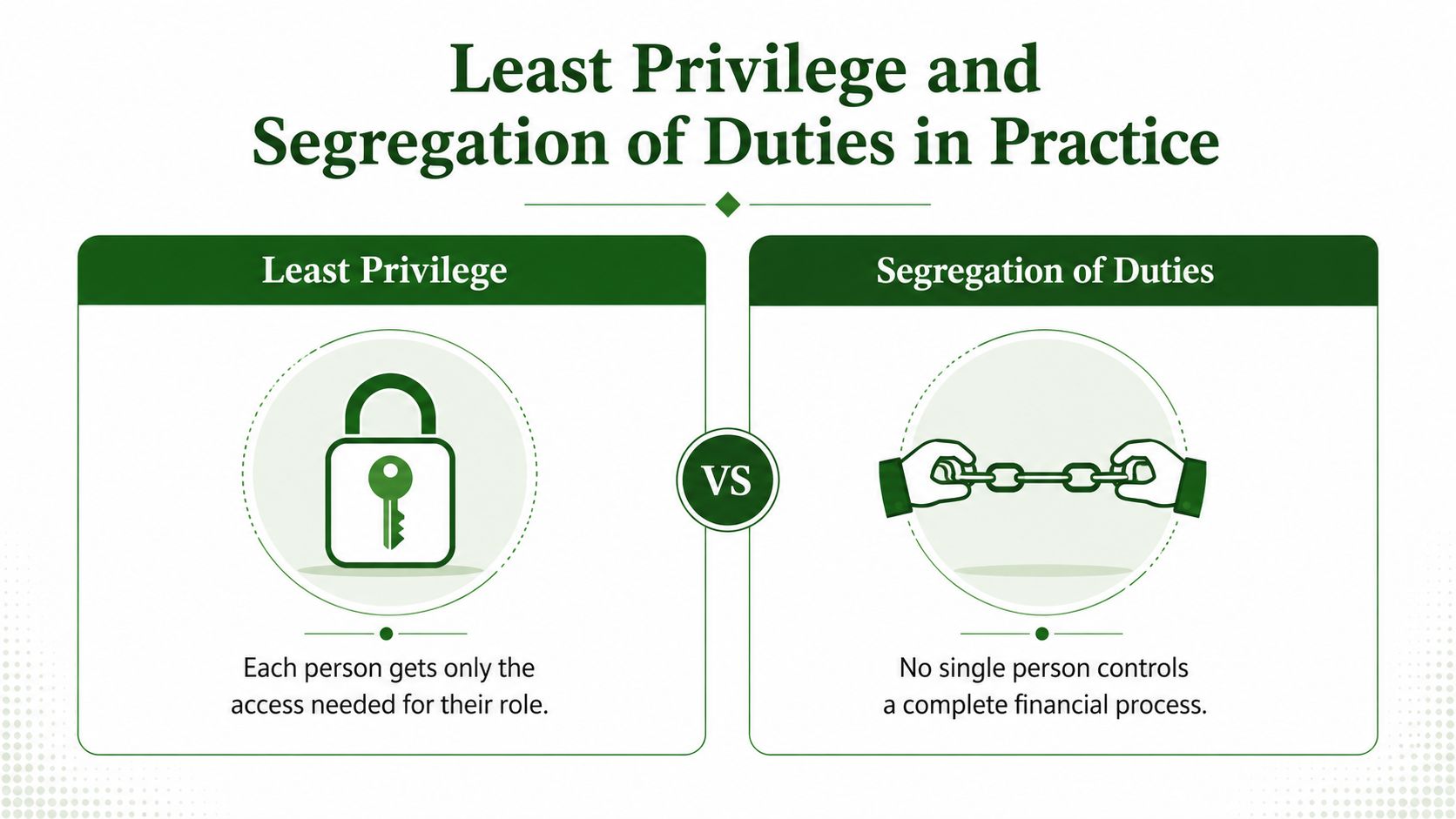
Least privilege and segregation of duties address different risks. Least privilege limits what each person can do. Segregation of duties ensures that no one person controls an entire sensitive process. Together, they make restricted fund misuse harder to initiate, conceal, or complete accidentally.
Least privilege might allow a bookkeeper to record an expense against a designated building fund, while preventing that bookkeeper from changing the fund's purpose or releasing payment. This protects the church from over-permissioned accounts, but it also protects the employee or volunteer. If someone later questions an entry, the church can show that the person had authority to perform the assigned task but lacked the ability to make unrelated changes.
Segregation of duties adds a second person at a meaningful point in the workflow. The person who counts and records offerings shouldn't also reconcile the bank account without independent review. The person who approves an expenditure shouldn't be able to create a new vendor and direct payment to that vendor. A single individual might be capable of all three tasks, but combining them removes useful detection points.
Apply the principles to restricted gifts
A practical restricted-fund workflow can separate responsibilities like this:
- Donation intake: A counting team records the offering and identifies its designated fund.
- Transaction entry: A bookkeeper posts the deposit and related activity.
- Expense submission: A ministry leader submits documentation for a fund-related purchase.
- Approval: A finance administrator or designated approver confirms that the expense matches the restriction.
- Reconciliation: A treasurer or finance committee reviewer compares the ledger, bank activity, and supporting documents.
The church doesn't need a large finance department to use this model. Smaller congregations can use compensating controls, such as board review, read-only access for an independent reviewer, or documented approval of transactions that one person had to enter and process because of staffing limits.
A useful control isn't the one with the most complexity. It's the one people can follow consistently. System-level fund restrictions are stronger than relying on memory, especially when a transaction screen contains several similar funds. Approval gates are stronger than an informal email because the decision remains attached to the transaction.
Industry guidance on access permissions recommends role-based templates, least-privilege access, approval workflows for sensitive changes, logging and monitoring, periodic access reviews, and prompt removal of leavers, as outlined in this finance user-permissions guide.
Church Role and Permission Matrix Examples
A permission matrix turns general principles into configuration decisions. The table below is a starting point for a typical congregation. Churches should adapt it to staffing capacity, approval thresholds, and the sensitivity of their funds.
| Role | View Fund Balances | Record Transactions | Approve Expenditures | Run Reports | Manage Vendors |
|---|---|---|---|---|---|
| Senior pastor | View ministry and summary balances | No, unless assigned a finance duty | Limited, for designated ministry requests | View ministry and board reports | No |
| Finance administrator | Yes, including restricted funds | Yes | Yes, except for transactions they submit | Yes | Limited create and edit, with review |
| Bookkeeper | Yes, as needed for posting | Yes | No | Yes, operational reports | Create and edit, no final approval |
| Counting team lead | View deposit-related information | Enter or confirm offering data | No | Limited deposit reports | No |
| Volunteer treasurer | Yes, including restricted funds | Limited corrections or adjustments | Yes, according to board policy | Yes, including financial statements | No, or read-only review |
Why each boundary matters
The senior pastor often needs clear visibility into ministry finances, but broad editing access creates unnecessary exposure. Read-only reports let the pastor monitor a designated ministry without turning pastoral responsibility into accounting administration.
The finance administrator may coordinate the complete workflow, but that role still benefits from separation. If the administrator submits a reimbursement, another authorized person should approve it. The system should also record the approval rather than relying on verbal confirmation.
The bookkeeper needs practical posting access. Removing approval rights prevents the bookkeeper from unilaterally converting an entry into an approved payment. Vendor management deserves special care because a new vendor record can affect where money goes, even when the related expense appears ordinary.
The counting team lead should work with deposit information, not the full accounting environment. Restricting access reduces the chance of accidental changes to fund structures, prior transactions, or sensitive personnel and vendor data.
The volunteer treasurer needs enough visibility to provide oversight. That doesn't require unrestricted vendor administration or daily data-entry access. A treasurer who reviews reports, reconciliations, and approvals can provide meaningful independent scrutiny without becoming the system's universal administrator.
Churches can pair this matrix with a clear explanation of roles in church accounting. The matrix should be documented, approved by the finance committee or board, and revisited whenever someone changes jobs, takes extended leave, or assumes a new ministry responsibility.
Implementing Access Controls in Your Church Accounting System
Implementation works best as a controlled change rather than a rushed permissions exercise. Start with the church's actual workflows, especially the path from donation to deposit, expense, approval, payment, and reconciliation.
Start with funds and responsibilities
Write the fund policy before configuring user roles. Identify which funds are restricted, who can approve spending from them, what documentation is required, and who reviews balances. Church controls guidance recommends a written fund policy, system-level blocks, and quarterly finance committee reviews, with restriction flags, spending limits, and approval gates enforced in the accounting system, as described in this guide to church internal controls.
Then map each task to a role. Don't begin by giving everyone administrator access and removing permissions later. Begin with the narrowest practical role and add access only when a real responsibility requires it.
Configure the system in a deliberate sequence
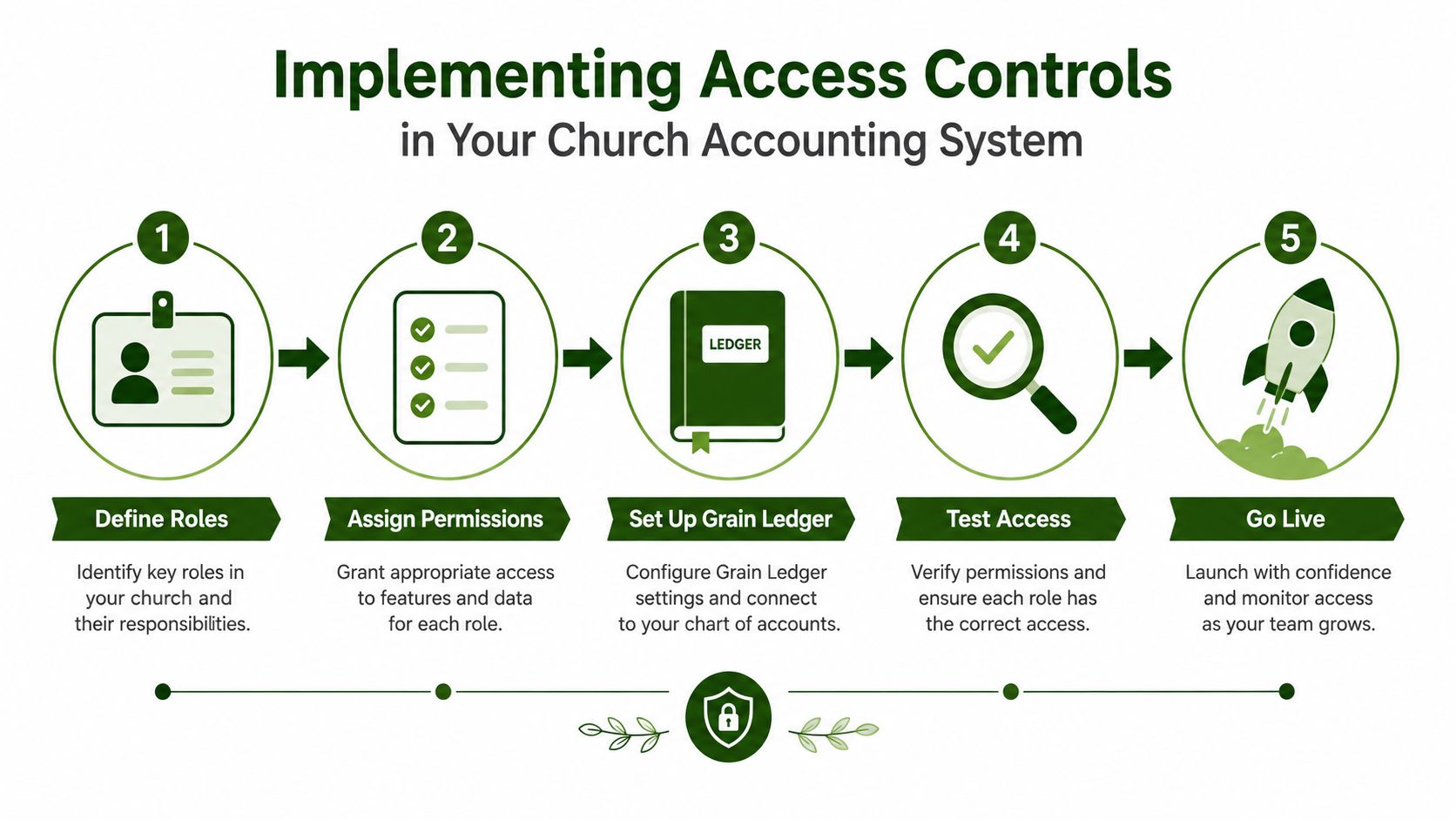
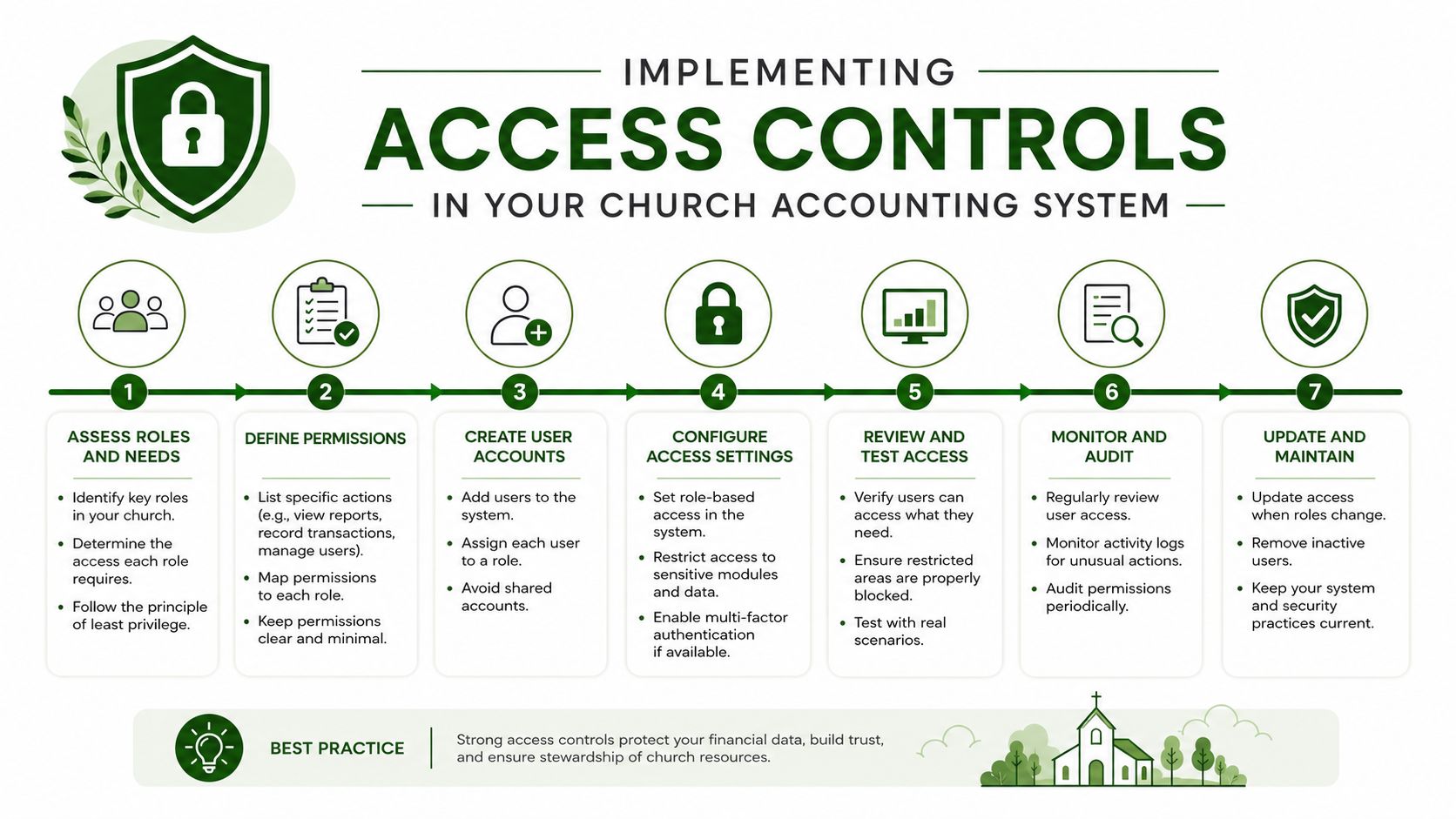
- Define roles: Create roles for the people who enter transactions, approve spending, reconcile accounts, review reports, and manage users.
- Assign permissions: Separate view, create, edit, approve, and administrative rights. Keep restricted-fund changes and vendor administration limited.
- Configure approval workflows: Require a second person to review restricted-fund expenses and sensitive master-data changes.
- Enable multi-factor authentication: Require stronger sign-in protection for administrators and anyone with access to financial records.
- Turn on audit logging: Preserve a record of material changes, approvals, and user activity.
- Test with real scenarios: Use examples such as a restricted donation, a reimbursement, a vendor change, and a departing volunteer. Confirm that each user can complete the correct task and cannot bypass the intended gate.
- Document the handoff: Store the role matrix, approval policy, and review schedule where the board or finance committee can access them.
Grain Ledger is designed for church fund accounting, with accounts, transactions, and reports organized around funds from the start. Its role-based permissions and administrative MFA can support a permission model in which users have access appropriate to their responsibilities, while fund-level organization makes it easier to connect access decisions to donor restrictions.
For churches that also manage broader directory and device access, tekRESCUE on Active Directory offers useful background on organizing users and access within an IT environment. That work complements, but doesn't replace, accounting-system permissions. A person can be properly managed in a directory and still have excessive rights inside the ledger.
Before launch, use a structured accounting software implementation process. A careful rollout gives the finance team time to test fund restrictions, confirm integrations, and explain approval responsibilities to volunteers.
Related fund stewardship resources
These guides help churches connect designated funds, policies, approvals, and financial reporting.
- Church benevolence fund guide - set policy, approvals, and accounting controls
- Restricted fund guide - understand donor restrictions and fund balances
- Fund accounting in Grain Ledger - track designated gifts and ministry funds in the ledger
- Best church accounting software - compare software that tracks restricted gifts and ministry funds
- Schedule a Grain Ledger demo - see fund-level reports and bank reconciliation
Ongoing Governance and Access Review Best Practices
The initial permission setup is only the beginning. Churches often experience governance drift when a volunteer becomes treasurer, a staff member changes departments, or a temporary administrator keeps access long after the original task ends. The policy remains correct on paper while the live permissions gradually become broader than intended.
A workable review process doesn't require an exhausting audit of every screen. It requires a repeatable check of who can access restricted funds, who can approve spending, who can change vendors, and whether former users still have active accounts.
Use a short policy checklist
- Review quarterly: Have the finance committee or board compare active users and roles with current responsibilities.
- Remove leavers promptly: Disable access when staff or volunteers depart, rather than waiting for the next scheduled review.
- Recheck restricted-fund access: Confirm that only approved roles can post, approve, or alter activity tied to donor-designated funds.
- Inspect audit logs: Look for unusual edits, unexpected vendor changes, or approvals performed by the same person who entered the transaction.
- Update annually: Reapprove the written fund policy, role matrix, and exception process.
- Document exceptions: If a small church must combine duties, record the compensating review and the person responsible for it.
User access reviews are especially important because manual governance remains a difficult operational area. Research cited in the 2025 Wireless Access Control Report found that more than 70% of organizations lack automation in key identity processes, while user access reviews were identified as the weakest point, with only 10% mostly automated, 28% just getting started, and 9% having no process. Those figures point to a practical lesson for churches: don't assume a written policy keeps permissions clean without an assigned review owner and a defined cadence.
An audit trail makes review useful. Churches can consult IRS-ready audit trail guidance when deciding what supporting records to retain, how to document changes, and how to make financial activity understandable to reviewers.
Strong governance turns access controls into a visible stewardship practice. When a congregation can see that restricted gifts are tracked, approvals are separated, and permissions are reviewed, leaders demonstrate care for both donor intent and the people entrusted with church finances.
Grain Ledger offers church-focused fund accounting, fund-level reporting, and controls that help connect permissions to the way restricted donations are managed. Visit Grain to see how its accounting workflows can help your church build clearer access boundaries and more accountable financial operations.
Ready to simplify your church finances?
Start free with church fund accounting, or watch a product demo first.